BDO Online Banking: Login, Registration, App & Balance Inquiry
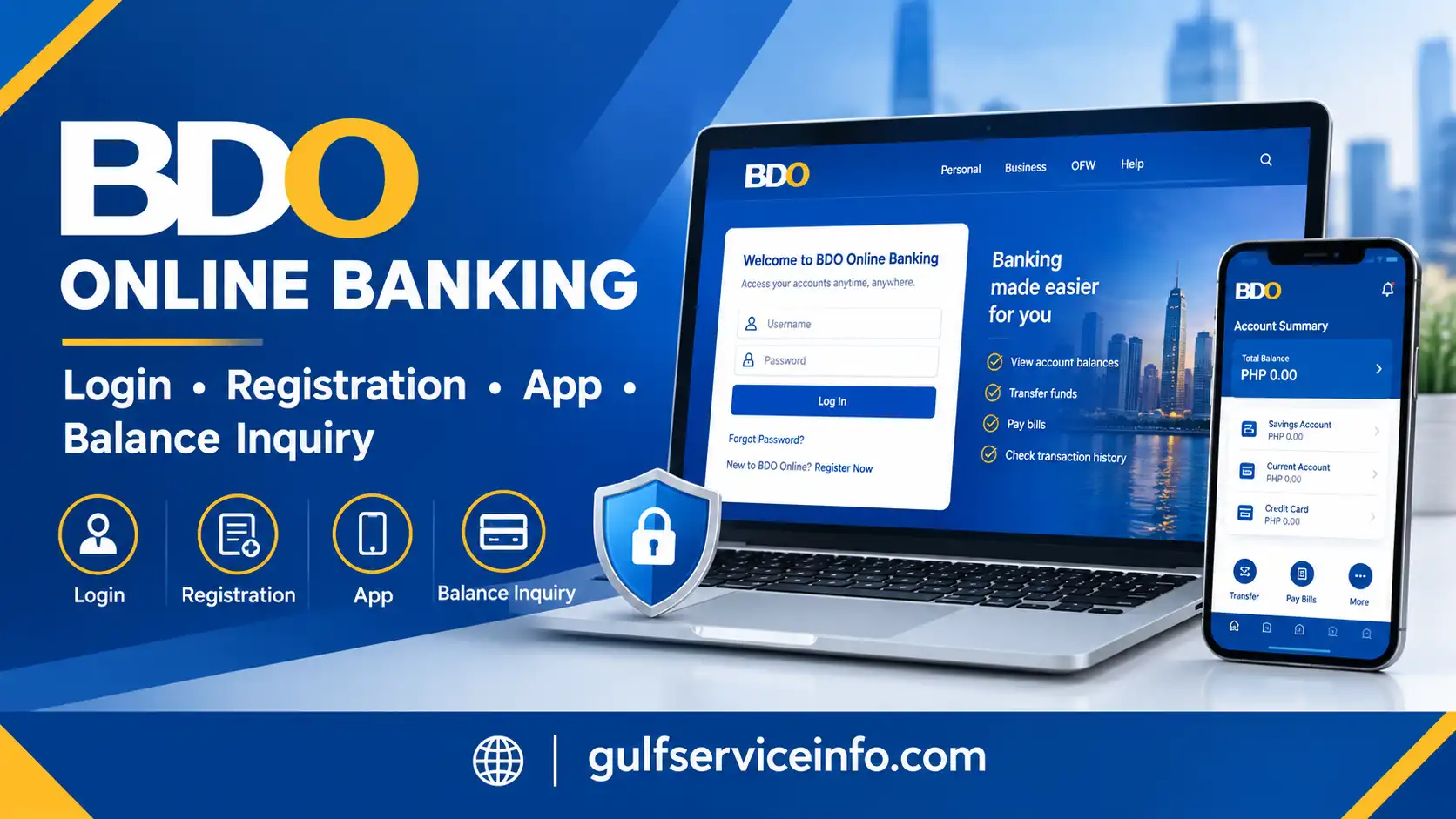
Banking is easier when you don’t have to visit a branch. BDO Online Banking gives BDO Unibank customers in the Philippines digital access to their eligible accounts through a web browser or the BDO Online mobile app. Once you’re registered, you can check balances, review transactions, transfer funds and pay bills. Depending on your account, you may also be able to view electronic statements and manage selected account settings.
This guide covers registration, login, app installation and account access, along with fixes for common login and registration problems. It also includes security tips to help you protect your account.
For more helpful online service guides, banking updates, and step-by-step tutorials, visit the Gulf Service Info homepage.
What Is BDO Online Banking?
BDO Online Banking is the digital banking service offered by BDO Unibank that allows eligible customers to manage their banking activities through supported online channels. Rather than visiting a branch for every routine enquiry, customers can sign in to the official website or use the BDO Online app to access the services available for their accounts.
The platform is designed to make everyday banking more accessible. For example, you can review your available balance before making a purchase, check whether a transaction has been recorded or pay a registered utility bill using the supported online payment facilities.
What Can You Do Through BDO Online Banking?
The services available depend on your account type, registration status and the digital platform you are using. Commonly available features include the following:
Not every feature will necessarily appear for every customer. The services you can access may vary according to your account eligibility, the platform’s current capabilities and the type of transaction you want to perform.
Official BDO Online Banking Access Links
Use the following official resources to reach BDO’s digital banking services:
| Service | Official link |
|---|---|
| BDO Unibank main website | www.bdo.com.ph |
| BDO Online Banking login | Online Banking Login |
| BDO Online app and digital banking information | Official BDO Online page |
Security reminder: Always verify the website address before entering your username, password or other banking information. Avoid signing in through unexpected links received by text message, email or social media. If a message claims that your account needs urgent verification, open BDO’s official website independently rather than following the link.
BDO Online Banking Login Step By Step
A successful BDO Online Banking login gives registered customers access to the accounts and services associated with their digital banking profile. Before signing in, make sure you have your registered username and password available and can access any verification method the platform may require.
The exact sign-in process can depend on the platform you use and the security checks applied to your account. Follow the instructions displayed on the official website instead of relying on login links from unverified sources.
Follow these steps to access your account using a computer or a mobile browser.
Step 1: Open the official website
Start by opening your preferred web browser and navigating to the BDO Online Banking website.
Before proceeding, check the address displayed in your browser. Make sure you have reached the legitimate BDO banking website rather than a similarly named page designed to collect login details.
If you arrive at a page through a search engine, advertisement or message, verify the destination before entering any personal information.

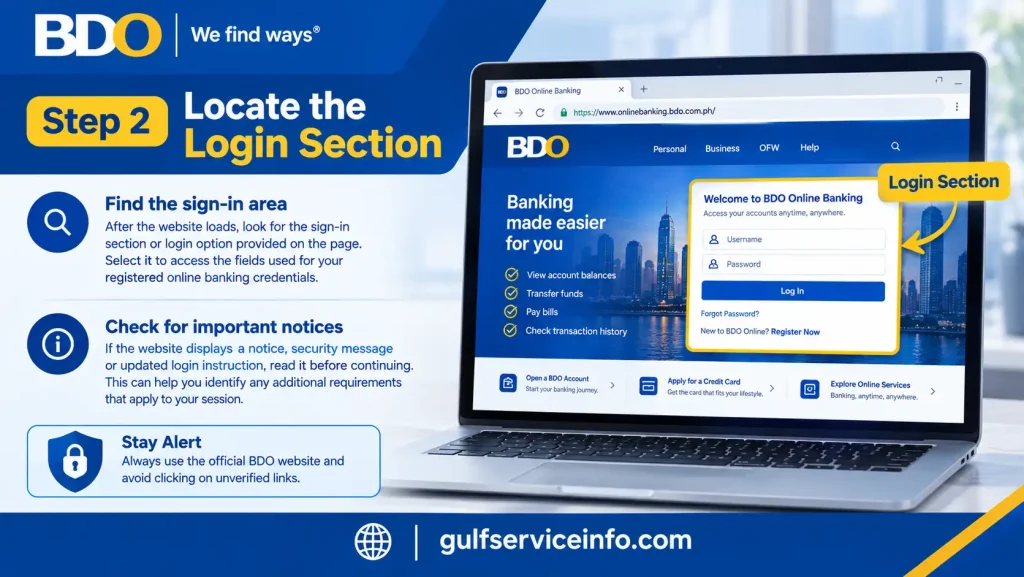
Step 2: Locate the login section
Once the website loads, look for the sign-in area or login option provided on the page. Select it to access the fields used for your registered online banking credentials.
If the website displays a notice, security message or updated login instruction, read it before continuing. This can help you identify any additional requirements that apply to your session.
Step 3: Enter your registered username and password
Type your BDO Online Banking username into the appropriate field, followed by your password.
Check the information carefully before submitting it. Common mistakes include entering an incorrect character, leaving Caps Lock enabled, using an outdated password or accidentally adding a space when copying information.
If your browser automatically fills in your credentials, confirm that they belong to your BDO account and have not been saved from another profile.

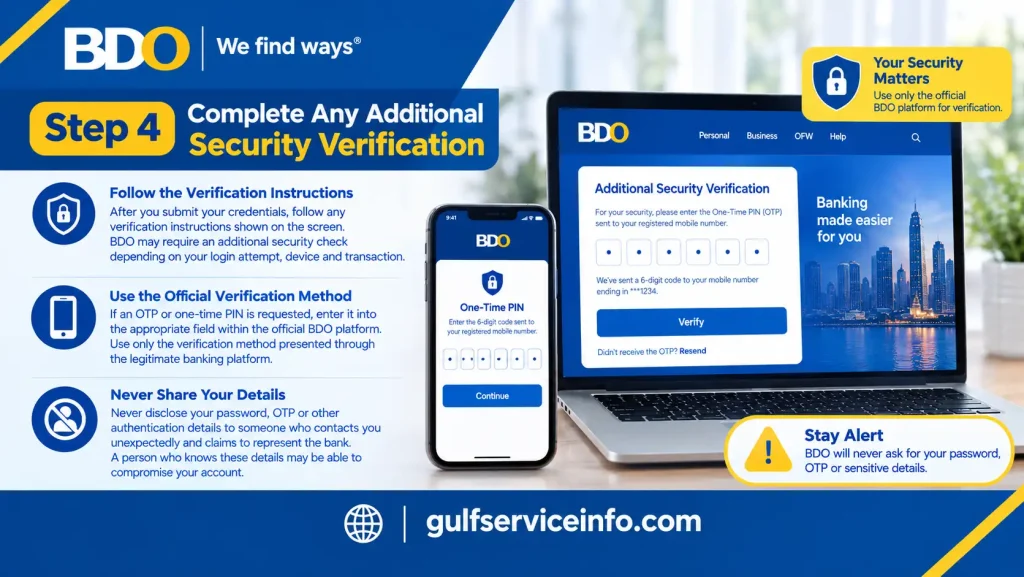
Step 4: Complete any additional security verification
After you submit your credentials, follow any verification instructions shown on the screen. Depending on the login attempt, device and transaction, BDO may require an additional security check.
Use only the verification method presented through the legitimate banking platform. If an OTP or one-time PIN is requested, enter it into the appropriate field within the official process.
Never disclose your password, OTP or other authentication details to someone who contacts you unexpectedly and claims to represent the bank. A person who knows these details may be able to compromise your account.
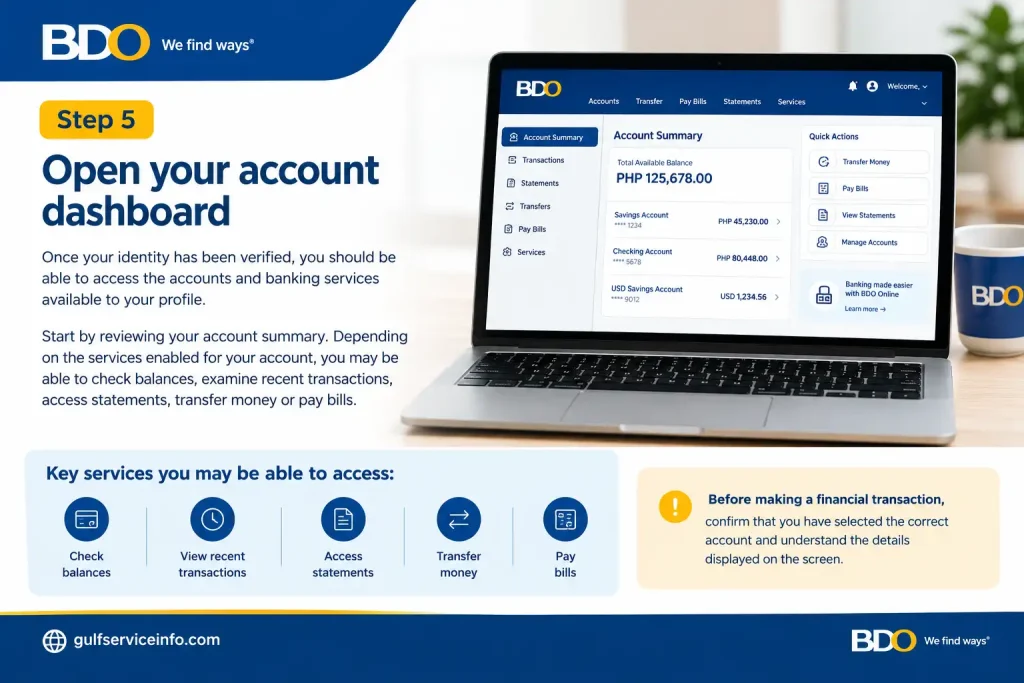
Step 5: Open your account dashboard
Once your identity has been verified, you should be able to access the accounts and banking services available to your profile.
Start by reviewing your account summary. Depending on the services enabled for your account, you may be able to check balances, examine recent transactions, access statements, transfer money or pay bills.
Before making a financial transaction, confirm that you have selected the correct account and understand the details displayed on the screen.
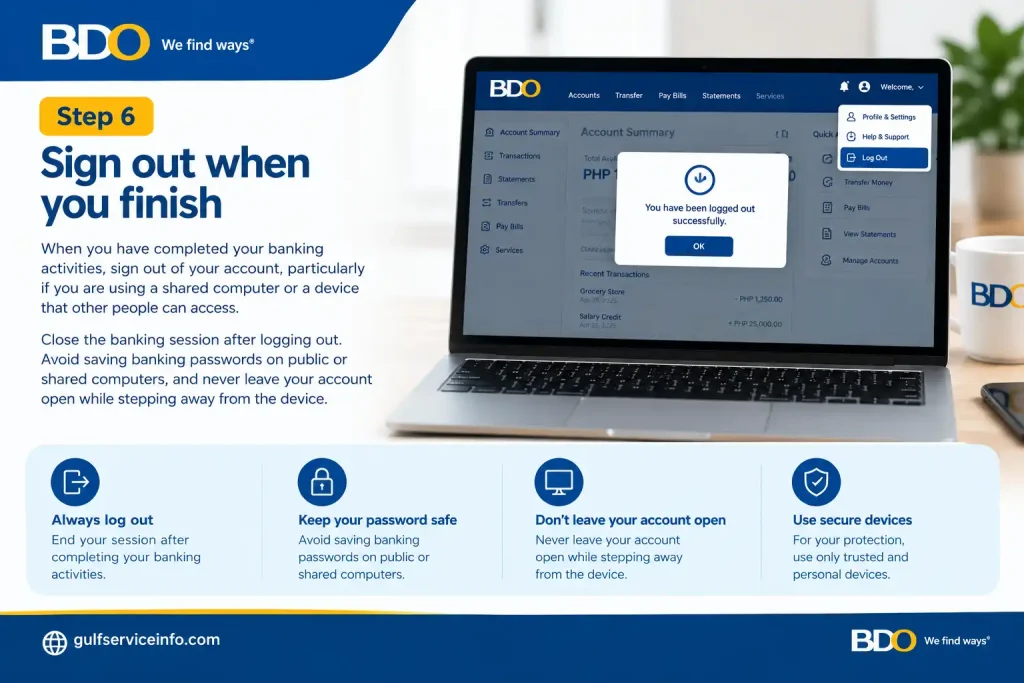
Step 6: Sign out when you finish
When you have completed your banking activities, sign out of your account, particularly if you are using a shared computer or a device that other people can access.
Close the banking session after logging out. Avoid saving banking passwords on public or shared computers, and never leave your account open while stepping away from the device.
What to Do If You Cannot Log In
If your BDO Online Banking login fails, avoid repeatedly entering different passwords without checking the problem first.
Try these basic troubleshooting steps:
If the problem continues, consult BDO’s official app support page or use the bank’s published customer service channels for assistance.
Practical tip: If you can access your account through one supported platform but not another, check whether the issue is related to the browser, application or device. However, do not assume that a failed login is merely a technical problem if you receive an unexpected security warning. Follow the bank’s official instructions before trying again.
How to Register for BDO Online Banking
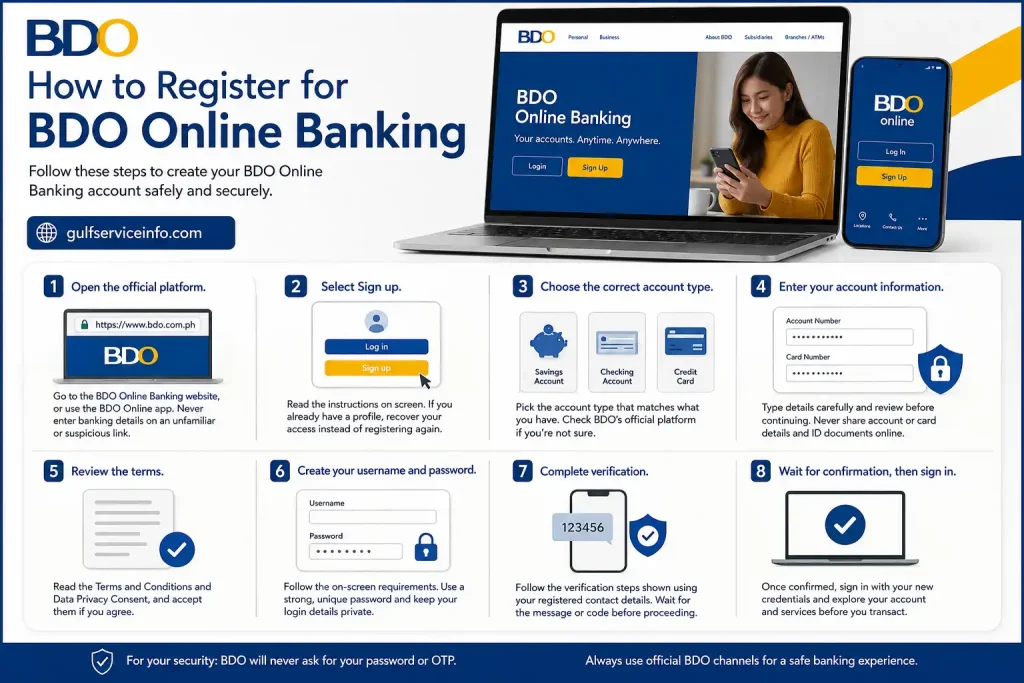
You need to register before you can use online banking. Registration is available on BDO’s website and in the BDO Online app, and it depends on your account being eligible. Have your account or card details ready first, since accurate details and the right account category prevent most registration errors.
- Open the official platform. Go to the BDO Online Banking website, or use BDO’s official BDO Online page to find the app and registration instructions. If you’d rather register on your phone, install the official app first. Never enter banking details on a page you reached through an unfamiliar link.
- Select Sign up. Read the on-screen instructions, because the information requested can vary by account type. If you already have a profile, recover your access instead of registering again.
- Choose the correct account type. Pick Savings Account or Checking Account for an eligible deposit account. If you only hold a BDO credit card, choose Credit Card where it’s offered. If you’re unsure, check the instructions on BDO’s official platform rather than guessing.
- Enter your account information. Type the requested details carefully, since a mismatch with BDO’s records can stop the process. Review everything before moving on, and never send account details, card details or ID documents to anyone through social media or unofficial messaging.
- Review the terms. Read the Terms and Conditions and the Data Privacy Consent, and accept them on the official platform if you agree.
- Create your username and password. Follow the requirements shown on screen. Choose a password that’s hard to guess, isn’t reused from your email or social media, and isn’t based on easy details like your birthday or a simple number sequence. A password manager can help. Keep these details private, because nobody needs your password to finish registration.
- Complete verification. Follow the identity or confirmation steps shown, using the contact details and methods linked to your account. If a verification message doesn’t arrive, check the information you entered and follow the on-screen instructions instead of resubmitting the form repeatedly.
- Wait for confirmation, then sign in. Once registration is confirmed, return to the sign-in page, enter your new credentials and complete any further verification. Look around your account and the available services before making a transfer or payment.
Registering While Outside the Philippines
Customers registering from outside the Philippines should pay attention to the instructions provided during sign-up.
The source information states that BDO’s registration process includes an option labelled “I’m signing up from outside the Philippines” when applicable.
If you are registering from overseas, select this option when it appears and follow the instructions provided by the platform. Do not assume that every registration screen or account type will present the same options.
If you encounter a location-related restriction or cannot complete verification, consult BDO’s official app support page for guidance.
What if registration does not work?
Registration problems can occur when account details are entered incorrectly, the wrong account category is selected or a required verification step remains incomplete.
Use the following checklist to identify the issue:
| Problem | What to check |
|---|---|
| Account details are rejected | Review the information you entered and confirm that it matches the requested account category. |
| Incorrect account type selected | Return to the appropriate registration stage and choose the correct option if the platform allows it. |
| Verification fails | Follow the on-screen instructions and check whether the information or verification method needs attention. |
| Registration does not progress | Check your internet connection and follow any error message displayed by the official platform. |
| Overseas registration encounters a problem | Review the location-related registration instructions and select the overseas option when applicable. |
| You cannot resolve the issue | Consult the BDO app support page or contact BDO through its published customer service channels. |
If your details continue to be rejected, do not keep submitting different information in the hope that one version will work. Ask BDO to clarify the issue through an official support channel.
Remember: Never share your password or OTP with anyone who offers to register, activate or troubleshoot your account on your behalf. Complete the process yourself through the official banking platform.
BDO Online Banking App: Download and Setup
The BDO Online app puts supported banking services on your phone, which is handy if you check balances or review transactions while away from home. BDO supports Android, iOS and Huawei devices, so the download route depends on your phone.
| Your device | Where to download |
|---|---|
| Android | Google Play Store, search for BDO Online |
| iPhone or iPad | Apple App Store, search for BDO Online |
| Huawei | Huawei AppGallery, where available |
Check that the publisher is BDO Unibank before you install. If you’re unsure which listing is genuine, follow the download directions on BDO’s official BDO Online information page.
Warning: Don’t install the app from an unfamiliar website, and never use an APK file sent by someone you don’t know. A fake banking app can be built to steal your username, password and other financial details.
First-Time Setup
- Open the app. Make sure it came from an official store. If it shows a security notice or asks for an update, read the message and follow it.
- Sign in or sign up. Existing users can enter their registered username and password, while new users should tap Sign up and choose the right account category. If you’ve forgotten your login details, use the official recovery process rather than registering again.
- Verify your identity. Follow the on-screen security check. If it fails, read the error message and follow the official instructions before trying again.
- Set your security options. Depending on your phone and the app, you can use fingerprint login, Face ID or a passcode. These are convenient, but you still need to protect your device and credentials. Keep a secure screen lock on, and don’t let anyone use your banking app on an unlocked phone.
- Explore the menus. Look for balance enquiries, transaction history, transfers and bill payments. Menu names may differ slightly from the website. Before you pay or send money, check the recipient, source account and amount.
- Keep everything updated. Install app updates through the official store and keep your phone’s operating system current. Avoid modified apps and unknown software.
If you suspect a problem: If you think your device or banking credentials have been compromised, stop using that session and contact BDO through an official support channel.
Important security reminders when using the BDO Online app
Keep these precautions in mind whenever you access your bank account from a mobile device:
The safest approach is to use BDO’s official digital banking resources for registration, login, app installation and troubleshooting. This helps you avoid unofficial services that may put your account information at risk.
How to Check Your BDO Balance Online
Registered customers can view the balances of their eligible accounts on the BDO Online Banking website or in the app. It’s handy for confirming that a deposit has arrived or checking your funds before paying a bill or making a purchase.
Note: The balance shown may not match what you can spend right now. Pending transactions, held funds or other adjustments can make your available balance different from your total balance, so check the details before you pay or transfer.
Can you check your balance without logging in? No. Your balance is confidential, so it should only be viewed through an authenticated BDO channel. If you can’t sign in, use BDO’s official account recovery options or contact customer support. Avoid any third-party site or person claiming they can fetch your balance without proper authentication, because sharing your credentials with an unofficial service puts your account at risk.
How to Use BDO Online Banking Services
After signing in to BDO Online Banking, you can use the account dashboard to access the digital banking services available to your profile. The features and menu labels may differ depending on your account type, the platform you use and the current services offered by BDO.
The main services may include:
The services available to you depend on your account eligibility and the options displayed on the official platform. Check the applicable terms, fees and transaction limits before carrying out a financial transaction.
How to Transfer Money Using BDO Online
You can move money between supported accounts without visiting a branch. Depending on the options available, that may include your own BDO accounts, another BDO customer, or participating banks and e-wallets. Methods, processing times, fees and limits vary by destination and service, so read what BDO displays before you confirm.
What transfer methods can you use?
BDO Online Banking may provide different transfer options depending on the destination, account eligibility and services currently available.
| Transfer destination | What to check |
|---|---|
| Your own BDO accounts | Confirm that you have selected the correct source and destination accounts. |
| Another BDO account | Verify the recipient’s account details before confirming the transfer. |
| Another Philippine bank | Check the available transfer network, applicable fees and expected processing time. |
| Participating e-wallet | Confirm the wallet provider and the recipient information required by the platform. |
The available methods and charges should be checked directly through the official BDO Online Banking platform, as these details may change.
Security reminder: Never transfer money simply because someone claims to represent BDO. Be especially cautious if an unexpected caller, text message or email instructs you to move your funds to a supposedly safe account. Verify the request independently through BDO’s official customer support channels before taking any action.
Official resource: BDO website
How to Pay Bills Through BDO Online
You can pay participating billers electronically instead of visiting a payment centre. Depending on the biller list on the platform, that may include electricity, telecommunications, credit cards, loans and other registered organisations.
What details will you need? This depends on the biller. An electricity provider may ask for a customer account number, while a credit card payment may need card or account information. Use the details on your latest statement or the biller’s official online account, and check the biller’s payment instructions if you’re unsure. Reference numbers aren’t interchangeable, even when they appear on the same bill.
How long does it take to post? That depends on the payment channel, the biller’s processing and when you submitted it. A successful submission through BDO doesn’t always mean the biller’s system shows the payment straight away, so keep your confirmation until it appears. If your deadline is close, check the biller’s payment policy and the transaction status rather than assuming it has posted.
How to Pay a Meralco Bill With BDO Online
Meralco (Manila Electric Company) supplies electricity within its service area in the Philippines. If the biller option is available, you can pay your bill through BDO Online.
For the biller listing called Meralco – Cash, BDO’s information shows these requirements:
These apply to that specific listing, and options can change, so check the biller details in your own BDO Online account before paying.
Tips for paying Meralco:
Payment options, reference numbers and posting times can change, so go by what BDO and Meralco currently display rather than an older guide.
How to Deposit Money Into a BDO Account
You can deposit money into an eligible BDO account through several supported channels, including a bank branch, a cash-accepting ATM or an electronic transfer. The options available depend on your account type and the service you choose.
Remember that depositing cash and transferring money electronically are different transactions. BDO Online Banking supports selected digital transfers, but cash deposits are not necessarily available directly through the mobile app.
Available ways to deposit money
How to confirm that a deposit has arrived
After completing a deposit or transfer, sign in to BDO Online Banking and review your account balance and transaction history. Keep your deposit slip or electronic reference number until the funds appear correctly in your account.
If the deposit is delayed, review the transaction details and contact BDO through its official support channels. Never disclose your password or one-time PIN (OTP) to anyone claiming they need it to release your funds.
BDO Online Banking Password Reset and Account Recovery
If you forget your BDO Online Banking password, you can use the recovery options provided on the official login screen. The platform also offers a process for retrieving a forgotten username using your registered email address.
How to reset your BDO Online Banking password
BDO’s published guidance states that a password must contain at least eight characters, including an uppercase letter, a lowercase letter, a number and a special character. It must also differ from a previously used password. Follow the current requirements displayed during the reset process if they change.
How to recover a forgotten username
If you cannot remember your username, open the official login screen and select Need help logging in? Choose the username recovery option and enter your registered email address. Follow the instructions sent to that address to complete the process.
If you no longer have access to your registered email address or mobile number, you may need to update your contact information or request assistance from BDO.
Security reminder: BDO uses identity verification to protect online accounts. Never share your OTP with another person, even if they claim to represent the bank.
How to Fix Common BDO Online Banking Login Problems
A failed login does not necessarily mean your BDO account has been closed or that your money is inaccessible. Incorrect credentials, verification issues, device problems, outdated software and temporary service interruptions can all prevent you from signing in.
Use the following guide to identify common problems and the appropriate response.
| Problem | What to do |
|---|---|
| Incorrect username or password | Check your details and use the official account recovery option if necessary. |
| OTP not received | Make sure your registered mobile number is accessible, then request another OTP through the official process. |
| Login notification not appearing | Check your notification settings and confirm that you are using your registered device. |
| Account locked | Follow BDO’s official recovery instructions or contact customer support if recovery fails. |
| App crashes or displays a blank screen | Close and reopen the app. If the problem continues, check for an official app update. |
| Session expired | Check that your device’s date and time settings are correct, then try signing in again. |
| Transfer remains in progress | Review the transaction status before attempting the transfer again. |
| Registration details rejected | Check that the email address and mobile number associated with your account are correct and up to date. |
BDO’s official app and support information provides further guidance for password recovery, locked accounts and transactions that remain in progress.
BDO Online Banking Customer Support
If you cannot access your account, complete a transaction or resolve a verification issue, contact BDO through its official customer support channels. Always confirm contact details on the bank’s website instead of relying on a number or email address included in a suspicious message.
BDO Customer Contact Center
Telephone: (+632) 8888-0000
BDO publishes this number for customer assistance, including account-related questions and security concerns.
Email support
Email: [email protected]
Use official support channels for banking concerns. Never include your password or OTP in an email.
Report phishing
Email: [email protected]
BDO publishes this address for reporting suspected phishing attempts. If you receive a suspicious message claiming to be from the bank, avoid clicking its links or providing personal information.
Official help and support
Visit BDO’s official Help & Support section to find current contact details, security guidance and assistance with online banking services.
When contacting support, explain the issue, provide the approximate transaction time and include any relevant reference number. Never send your full password or OTP as part of a support request.
Frequently Asked Questions About BDO Online Banking
Conclusion
BDO Online Banking provides a convenient way to monitor eligible accounts, check balances, transfer money and pay bills through the official website or mobile app. After registration, customers can manage many routine banking activities digitally without needing to visit a branch. For a safer and smoother experience, keep your registered contact information up to date, use a strong password and check transaction details before confirming payments or transfers. If you encounter login difficulties, follow BDO’s official recovery instructions rather than relying on third-party services. Start with BDO’s official website to access online banking, review current service information and find assistance for your account.
Read More: Explore our related Gulf government service guides for more step-by-step information and helpful updates.