|

SEWA Bill Check: Online Payment, Login, NOC & Customer Care
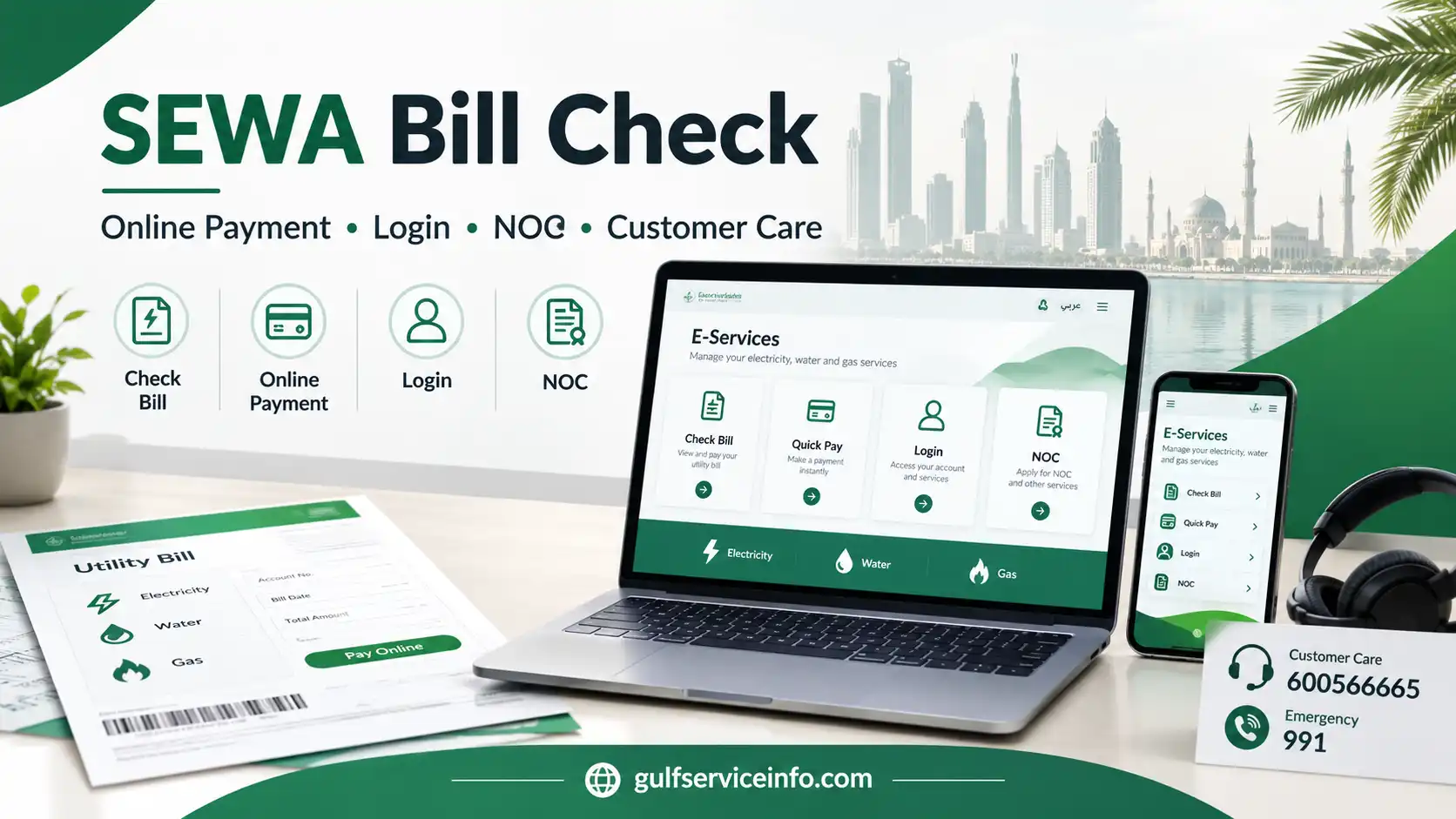
SEWA Bill Check online payment, login, NOC and customer care

Managing electricity, water or gas services in Sharjah is easier through the official SEWA digital services. Customers can use the Sharjah Electricity, Water and Gas Authority website to check outstanding bills, make online payments, use Quick Pay and access other account services without relying on third-party platforms.

The right option depends on what you need to do. If you simply want to see your current utility charges, the bill-check service may be enough. If you only need to settle an amount due, the online payment or Quick Pay route can be more convenient, while customers who regularly manage their utility account may prefer the full SEWA e-services portal.

For more useful guides on government services, online portals, bills, and official procedures, visit the GulfServiceInfo homepage to explore our latest service guides.

What Does SEWA Do?

SEWA, or the Sharjah Electricity, Water and Gas Authority, provides essential electricity, water and gas services throughout the Emirate of Sharjah. Its official online platform brings together information, customer support and digital services for different types of users, including residents, businesses and other customers.

Through SEWA’s electronic services, users can carry out routine tasks such as checking bills, paying outstanding amounts, managing utility accounts and submitting service-related requests. The e-services environment also provides different access routes for categories such as consumers, owners and consultants.

For an ordinary customer, it helps to understand the difference between three common options:

  • Bill check: View and review the amount associated with your utility account.
  • Online payment or Quick Pay: Pay a bill without needing to manage the wider account.
  • SEWA account login: Access broader utility and account-management functions.

Useful tip: If your only goal is to pay a current SEWA bill, using the dedicated payment service can save time compared with entering the full account-management area.

How to Check a SEWA Bill Online

A SEWA bill check lets you review your current utility charges before making a payment. The official SEWA website includes a Check Bill service, while account-based services are available through the SEWA electronic services environment.

Start from the Official SEWA Website

Go directly to https://www.sewa.gov.ae/ and open the online services section. The SEWA website lists Check Bill within its Services 360 options, making it the appropriate starting point for a bill inquiry.

Open the Bill Inquiry Service

Select the relevant Check Bill or bill inquiry option. Depending on the current service interface, SEWA may take you to its electronic services environment to continue the process.

Enter Your SEWA Details

Have your SEWA account or consumer information ready before proceeding. Enter the requested information exactly as it appears in your SEWA records and complete any additional verification requested by the system.

Review the Bill Information

After your details have been accepted, the available bill information should be displayed. Review the amount due along with any previous balance, recorded payments, adjustments and current utility charges before deciding whether to make a payment.

A SEWA bill may include several types of charges. An official SEWA bill example shows entries relating to electricity, water, gas and other charges, together with information such as arrears, receipts, current amounts and adjustments.
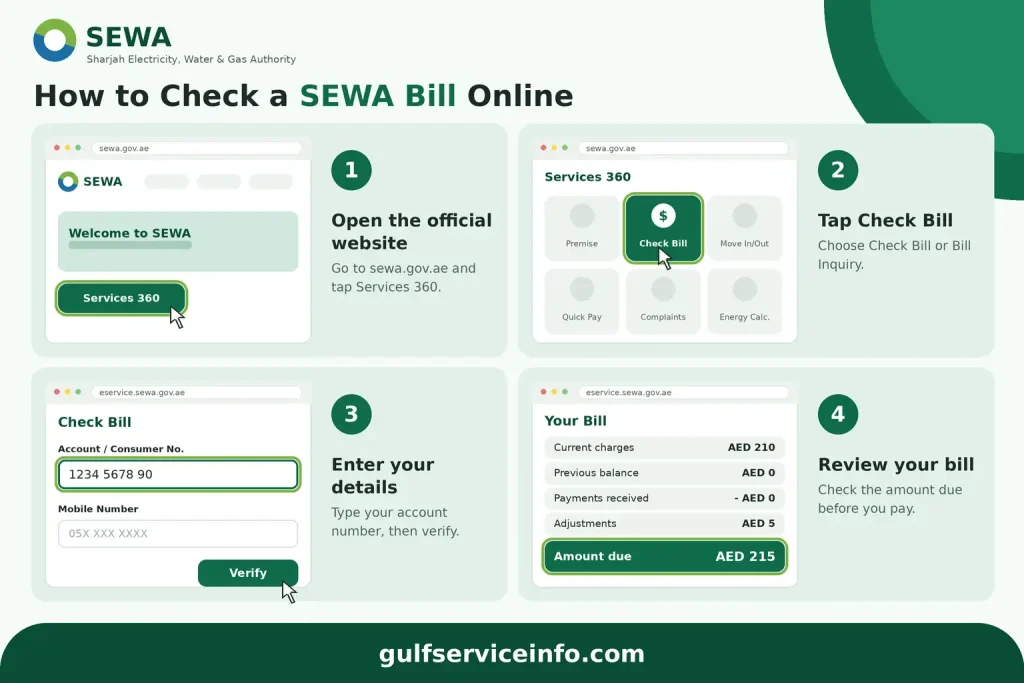
How to check a SEWA bill online using the official SEWA online services

Details to Verify Before Paying

Take a moment to compare the information on the bill with your account records. In particular, check:
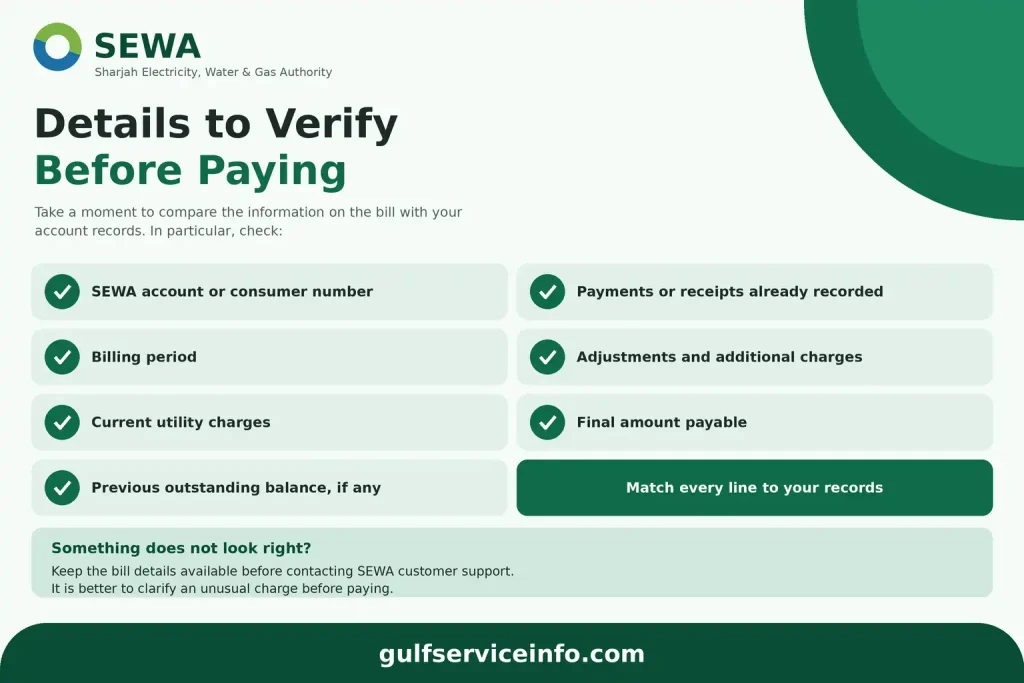
  • SEWA account or consumer number
  • Billing period
  • Current utility charges
  • Previous outstanding balance, if any
  • Payments or receipts already recorded
  • Adjustments and additional charges
  • Final amount payable
Details to verify before paying a SEWA bill online

If an amount does not look right, keep the bill details available before contacting SEWA customer support. It is better to clarify an unusual charge than to rely only on the final total.

Paying a SEWA Bill Online

Once your SEWA bill check is complete, you can use the official online payment service to settle the amount due. The payment page follows a straightforward sequence covering account verification, payment details and final confirmation.

SEWA Online Payment Steps
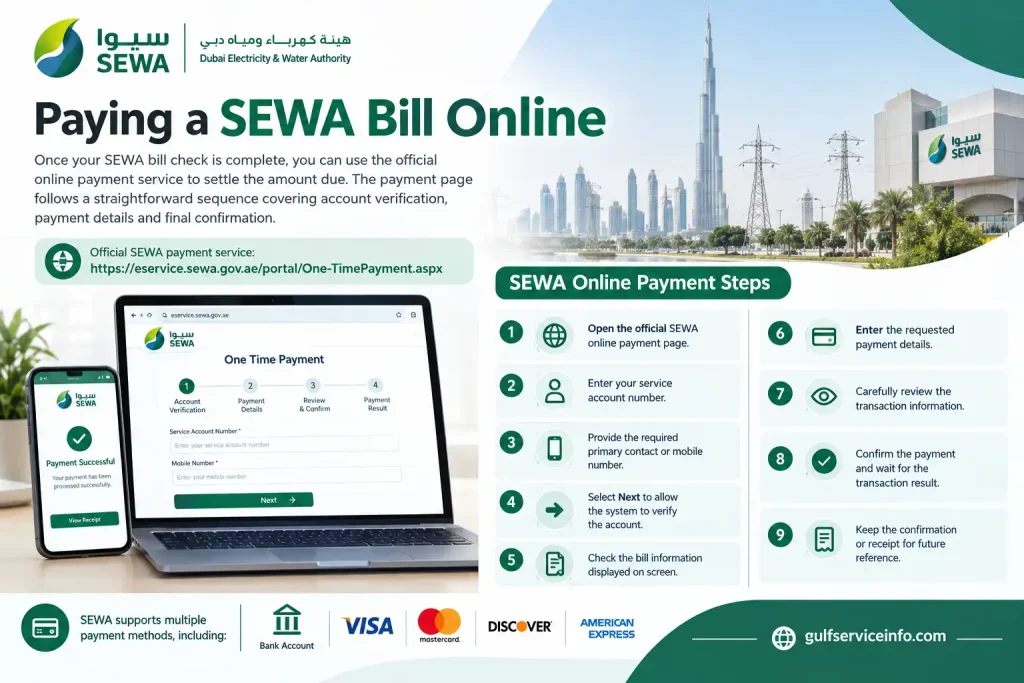
  • Open the official SEWA online payment page.
  • Enter your service account number.
  • Provide the required primary contact or mobile number.
  • Select Next to allow the system to verify the account.
  • Check the bill information displayed on screen.
  • Enter the requested payment details.
  • Carefully review the transaction information.
  • Confirm the payment and wait for the transaction result.
  • Keep the confirmation or receipt for future reference.
SEWA online payment steps for paying electricity and water bills

SEWA’s official payment service supports several payment methods. Depending on the options presented during the transaction, customers may be able to pay using a bank account or major cards such as Visa, Mastercard, Discover and American Express.

Check These Details Before Confirming

The most important step before submitting a payment is verifying the account number and payment amount. A small error at this stage can cause unnecessary problems.

It is also worth keeping a copy of the payment confirmation. This can help if the transaction remains pending, the amount is deducted but the SEWA account does not immediately reflect the payment, or you need to discuss the transaction with customer support.

SEWA Quick Pay: When Is It Useful?

SEWA Quick Pay is intended for customers who want to make a payment without going through the wider account-management experience. The official payment service allows the service account to be verified using the account and contact information requested by the system before the payment details are entered.

This option is particularly useful when you already know your account information and simply want to settle a bill.

By contrast, the wider SEWA e-services portal is more suitable when you need to manage utility services, review consumption or use additional account functions. SEWA’s consumer and owner account services provide access to electricity and water management as well as bill-payment functions.

Choose the Payment Route That Fits Your Need

Use SEWA Quick Pay or the dedicated payment service when:

  • You already have your SEWA account details.
  • Your main objective is paying the current bill.
  • You do not need to change or manage other account services.
  • You want to avoid navigating the wider customer dashboard.

Use the main SEWA account portal when:
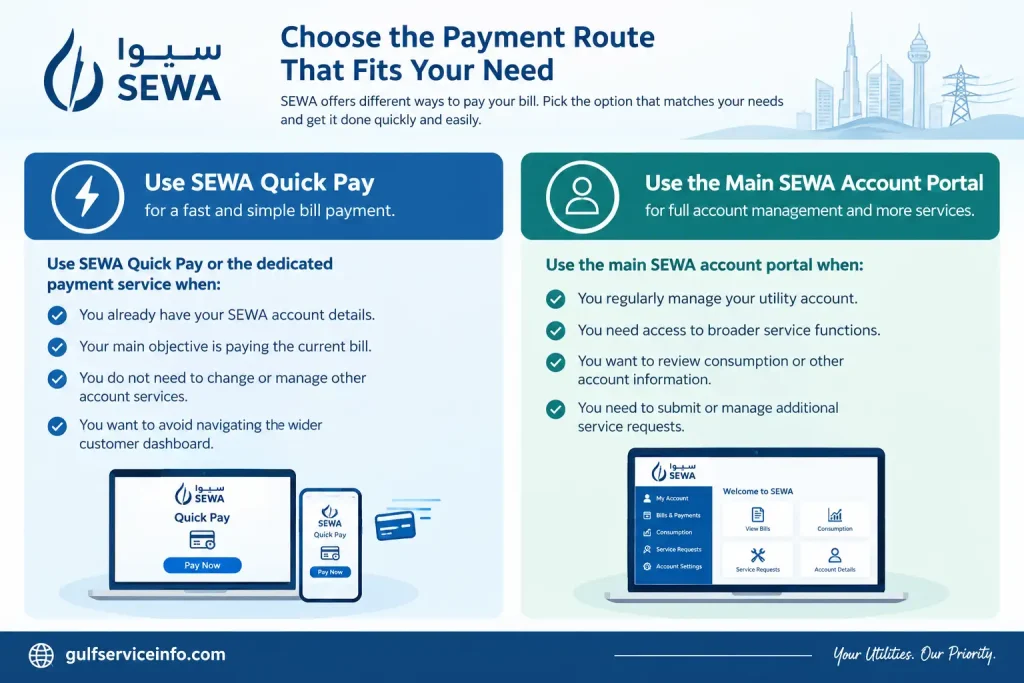
  • You regularly manage your utility account.
  • You need access to broader service functions.
  • You want to review consumption or other account information.
  • You need to submit or manage additional service requests.
SEWA payment route options for online bill payment

For a one-off payment, the dedicated payment route is usually the more direct choice. If you frequently interact with your SEWA account, signing in to the main e-services environment can give you access to a wider range of functions.

SEWA Login: Access Your Online Account

A SEWA login is useful when you need to do more than simply check an outstanding bill. Once authenticated through the official e-services portal, registered users can manage electricity and water services, make payments, review consumption and access other account-specific functions.

SEWA provides different portal access levels for Consumer, Owner, Consultant, Supplier, Government, Job Seeker and Student users. The services available after signing in depend on the role attached to the account.

Steps to Sign In to SEWA

Use the official e-services portal and follow the sign-in sequence below:
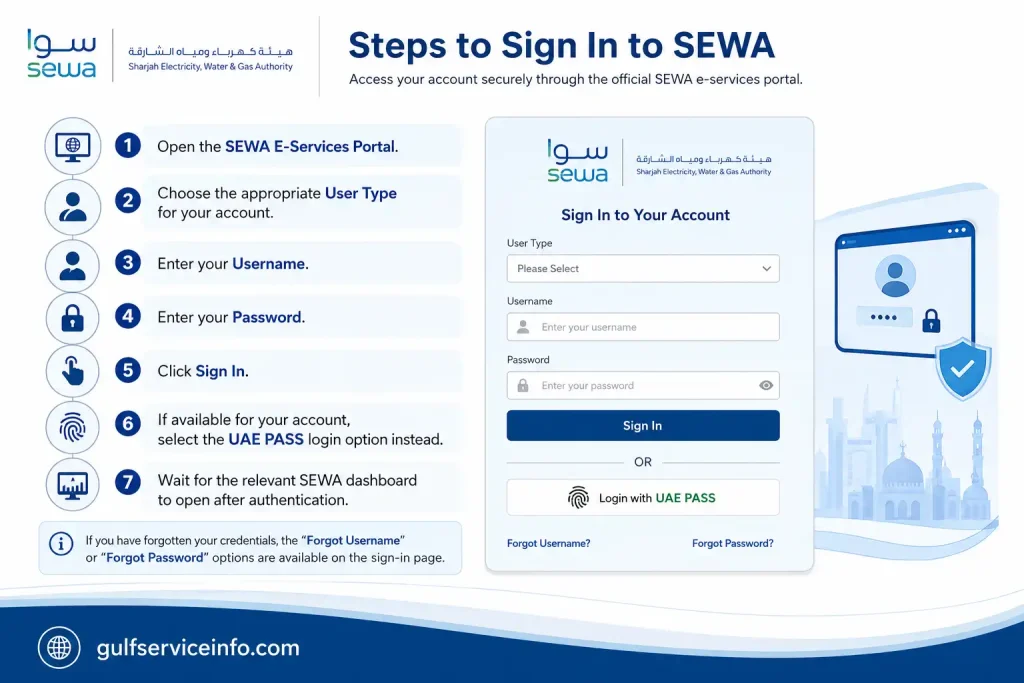
  • Open the SEWA E-Services Portal.
  • Choose the appropriate User Type for your account.
  • Enter your Username.
  • Enter your Password.
  • Click Sign In.
  • If available for your account, select the UAE PASS login option instead.
  • Wait for the relevant SEWA dashboard to open after authentication.
Steps to sign in to SEWA online account

If you have forgotten your credentials, the portal provides options including Forgot Username, Forgot Password and Problems Signing In.

Tip: Selecting the correct user category matters. A consumer account does not necessarily show the same services or functions available to a consultant account.

Creating a New SEWA Account

New users should register through SEWA’s official digital platform rather than using a third-party registration website. The SEWA website provides a Register Now option, while the e-services portal also offers a Don’t have an account? Sign up link.

The information requested during registration can vary depending on the type of account or service. Before starting, keep your relevant SEWA account or consumer details and the contact information connected with your utility account available.

SEWA Registration Steps
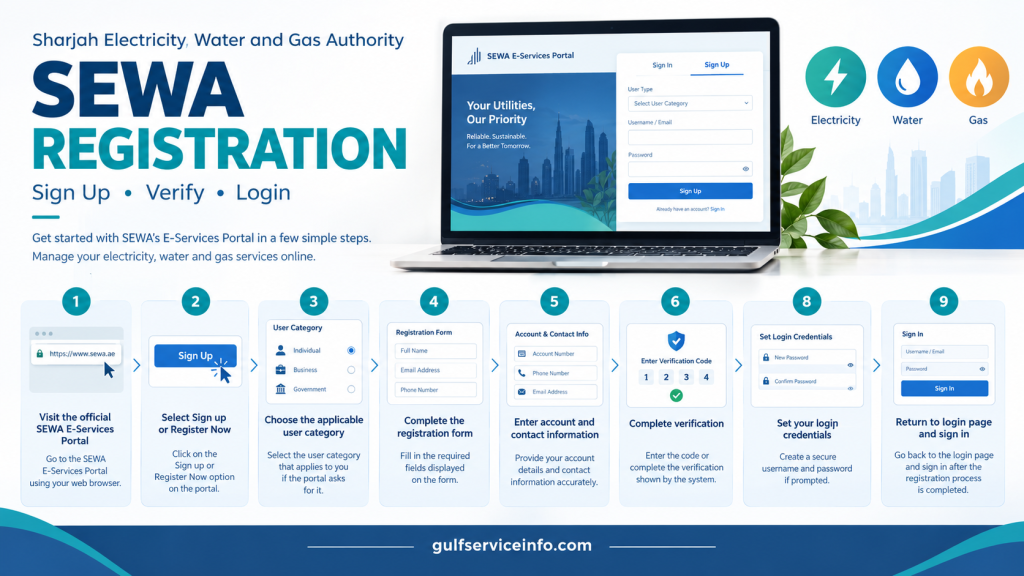
  • Visit the official SEWA E-Services Portal.
  • Select Sign up or Register Now.
  • Choose the applicable user category if the portal asks you to do so.
  • Complete the fields displayed on the registration form.
  • Enter the required account and contact information.
  • Complete any verification shown by the system.
  • Set your login credentials if prompted.
  • Submit the registration request.
  • Return to the login page and sign in after the registration process has been completed.
SEWA registration steps for creating an online account

Your dashboard will depend on the user category selected during registration. For example, SEWA describes consumer and owner access as providing functions for managing electricity and water supply and paying bills.

Understanding the SEWA NOC Service

A SEWA NOC, or No Objection Certificate, is associated with certain electricity, water and network-related requirements. The SEWA e-services portal specifically provides a Consultant role for users dealing with NOCs and connections to electricity and water networks.

The exact NOC requirements depend on the service being requested. SEWA’s published information includes an NOC service related to an additional meter, additional load or change of meter, where the certificate is issued to the relevant authorities for electricity, water and gas matters.

Supporting documents may also be required. For the particular NOC service described by SEWA, examples include an approved drawing plan and a copy of the plot map. These should not be treated as a universal document list because another NOC service may have different requirements.

Who Can Use SEWA NOC Services?

SEWA’s NOC and network-related services are particularly relevant to consultants and authorised users handling project, connection or network applications. The portal identifies Consultant as a dedicated user category for NOCs and electricity and water network connections.

For a standard residential customer dealing with an unpaid bill or routine account enquiry, an NOC is a different type of service from a SEWA bill check, bill payment or ordinary account-management request.

How to Submit a SEWA NOC Application Online

The application route depends on the specific NOC and the applicant’s role. Rather than uploading documents through an unofficial website, start with the official SEWA e-services portal and select the service that matches your requirement.

1. Enter the SEWA E-Services Portal

Open the official SEWA E-Services Portal and access the appropriate account area.

2. Choose the Correct User Type

If you are applying as a consultant for an NOC or network connection, select the Consultant role. SEWA specifically associates this role with NOCs and electricity and water network connections.

3. Sign In

Enter your SEWA username and password and complete the authentication process available for your account.

4. Locate the Appropriate NOC Service

Find the NOC or connection service that matches your project. Avoid choosing a service simply because its title contains the term NOC, as individual services can have different conditions and document requirements.

5. Complete the Application

Enter the project, property, account and other information requested by the selected service. Review each field before continuing.

6. Add the Required Documents

Upload the supporting documents specified for your particular application. For the SEWA NOC service covering an additional meter, additional load or meter change, the published requirements include an approved Sharjah Municipality drawing plan and a copy of the plot map.

7. Check Everything Before Submission

Review the property information, application details and attachments. Missing documents or incorrect information can affect how the request is processed.

8. Submit the Request

Send the completed NOC application through the SEWA portal. Keep any acknowledgement, reference number or confirmation produced by the system.

9. Monitor the Request

Where the relevant service provides a follow-up or status facility, use it to track the application. If you need clarification about a particular NOC, SEWA customer support can help direct you to the appropriate service or department.

Important: NOC requirements are specific to the service. The drawing plan and plot map mentioned above relate to the particular NOC service published by SEWA and should not be assumed to apply to every NOC application.

NOC Service Not Showing in Your Account?

Check your user role first. SEWA places NOC and network-connection functions under the Consultant category, so the options visible to a consumer account may be different.

If the required service remains unavailable after checking the account type, contact SEWA before sending documents through another website. This helps ensure that your application reaches the correct service.

SEWA Customer Care and Official Contacts

SEWA customer care can assist with billing questions, account-access problems, online-service issues and other utility enquiries. The official SEWA website lists 600 566665 for enquiries and 991 as the emergency number.

EnquirySEWA contact
General enquiries600 566665
Billing enquiries600 566665
Customer service600 566665
Emergency991
Email[email protected]
Natural gas enquiries600 566665
Natural gas WhatsApp600 566665

SEWA’s official contact information also provides details for customer-care services, billing enquiries, departments and service centres.

When Should You Contact SEWA?

Customer support may be appropriate when:

  • Your bill appears to contain an incorrect amount.
  • A payment has been deducted but the bill still shows as unpaid.
  • You cannot access your online account.
  • Your account information appears incorrect.
  • A bill is not appearing in the portal.
  • You need clarification about an application or online service.
  • You are unsure which NOC service applies to your requirement.
  • An SEWA digital service is not working as expected.

For an actual electricity, water or gas emergency, use 991 rather than treating the situation as a normal billing enquiry.

What Can You Do Through SEWA Online Services?

The SEWA digital platform covers much more than SEWA bill check and online payment. Depending on your account type, the website and e-services portal provide access to different utility, property and customer-service functions.

The main SEWA website currently lists services including:
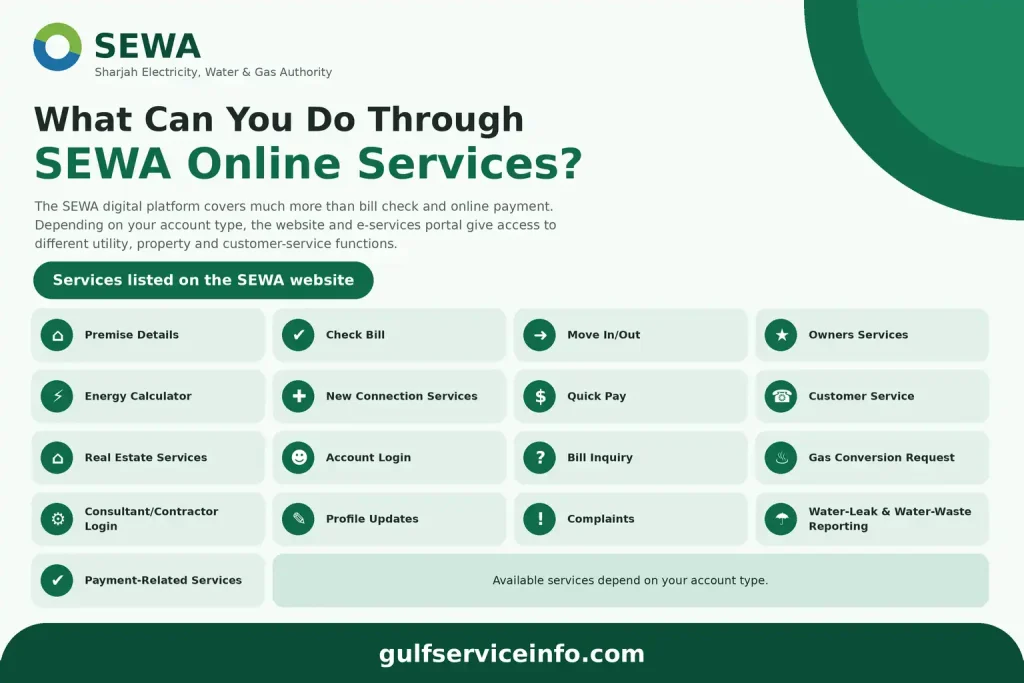
  • Premise Details
  • Check Bill
  • Move In/Out
  • Owners Services
  • Energy Calculator
  • New Connection Services
  • Quick Pay
  • Customer Service
  • Real Estate Services
  • Account Login
  • Bill Inquiry
  • Gas Conversion Request
  • Consultant/Contractor Login
  • Profile updates
  • Complaints
  • Water-leak and water-waste reporting
  • Payment-related services
SEWA online services for bill payment, account access and customer services

The options displayed after login are not identical for every user. SEWA provides separate access categories for consumers, owners, consultants, suppliers, government users, job seekers and students, so the services available to you depend on the role associated with your account.

SEWA Bill Payment Failed? Here’s What to Check

A failed SEWA bill payment should not automatically be treated as a final rejection. Sometimes the bank, payment provider or SEWA system needs additional time to update the transaction, so check its status before trying to pay the same bill again.

Money Deducted but SEWA Still Shows an Outstanding Bill

If the payment amount has already left your bank account or card but the SEWA account still displays an unpaid balance, avoid making another payment straight away.

Start by checking your bank or card transaction history. Record the payment reference, amount, date and time, then give the transaction some time to update before checking your SEWA bill again.

If the money remains deducted and the bill continues to show as unpaid, contact SEWA customer support and provide the transaction details. Your bank or payment provider may also be able to confirm whether the transaction was completed successfully or subsequently reversed.

Why Was My SEWA Payment Declined?

A declined transaction can have several causes. Incorrect payment information, insufficient funds, a bank security restriction or a temporary issue with the payment system can all prevent a payment from going through.

Before attempting another transaction:

  • Recheck the card or payment details.
  • Make sure sufficient funds are available.
  • Ask your bank whether it has restricted the transaction.
  • Resolve any issue identified by the bank before trying again.
  • Use another payment method supported by SEWA, if one is available.
  • Keep details of the unsuccessful transaction in case customer support needs them.

The official SEWA payment page shows the payment methods currently available through its online payment service.

Payment Showing as Pending

A pending SEWA payment should not normally be followed by an immediate second payment. The original transaction may still be processing through your bank or payment provider.

Check your bank or card account first. You can then return to SEWA and carry out another SEWA bill check to see whether the outstanding balance has changed.

If the transaction remains unresolved, keep the payment reference and contact the relevant payment provider or SEWA, depending on where the issue appears to be.

You Paid but Did Not Receive Confirmation

If you completed a payment but no confirmation appeared, first establish whether the money was actually deducted.

Keep the following information available:

  • Payment amount
  • Date and time of the transaction
  • SEWA account number
  • Bank or card transaction reference
  • Screenshot, receipt or other confirmation, if available

If the payment appears successful but SEWA has not provided the expected confirmation, contact customer support and share these details so the transaction can be checked.

When Is It Time to Contact SEWA?

Contact SEWA customer care when a payment remains unresolved after you have checked the status with your bank or payment provider. This is particularly important when your account has been charged but the SEWA bill continues to display an outstanding amount.

SEWA customer care: 600 566665
Official SEWA website: https://www.sewa.gov.ae/

SEWA Bill Check Not Working? Try These Solutions

If your SEWA bill check is not displaying the expected information, the cause could be an account-access problem, incorrect details, a missing bill or a temporary issue with the online service.

Start with the basic checks before contacting customer support.

Cannot Log In to SEWA?

Check that the username and password belong to the correct SEWA account. The official E-Services Portal provides Forgot Username, Forgot Password and Problems Signing In options for users experiencing account-access difficulties.

Use the relevant recovery option rather than repeatedly submitting an incorrect password.

Your Bill Is Not Showing

If you can access your account but the expected bill is missing, first make sure you are viewing the correct account or service.

You should also consider whether the relevant bill information has been updated in the system. If the account details are correct and the bill still cannot be found, contact SEWA with your account information.

Account or Service Number Appears Incorrect

The wrong account or service number can prevent the system from locating the correct bill. Compare the information you enter with previous SEWA documents or account records.

Avoid guessing. An incorrect number may prevent the system from finding your bill or could potentially direct you towards information associated with another account.

SEWA Website or Portal Is Not Responding

A temporary browser, connection or portal issue can sometimes prevent an online service from loading properly. Try these basic troubleshooting steps:

  • Refresh the current page.
  • Close and reopen your browser.
  • Try a different browser.
  • Check that your internet connection is working normally.
  • Return to the official SEWA website and open the service again.
  • If the service appears temporarily unavailable, wait and try again later.

When accessing SEWA’s online services, always begin from the official website rather than an unofficial payment or service page.

Information to Prepare Before Contacting SEWA

Having the right details ready can make it easier for customer support to understand the problem. Prepare:

  • SEWA account or service number
  • Registered contact information
  • A short description of the problem
  • Relevant billing period
  • Payment reference, if the issue involves a transaction
  • Approximate date and time of the failed payment
  • Screenshot or error message, where available

These details give SEWA enough context to identify the relevant account, bill or transaction.

SEWA Frequently Asked Questions

A SEWA bill can include several charges related to the utility services provided by the Sharjah Electricity, Water and Gas Authority. Depending on the account and applicable services, the bill may cover electricity, water, natural gas, sewerage charges, fuel-related adjustments and VAT. Understanding these components can make it easier to review your SEWA bill and identify what each amount represents.

Core Utility Services

SEWA’s main utility services cover the essential supplies used by residential and commercial customers in Sharjah.

  • Electricity: Electricity charges are based on consumption and follow a slab-based tariff structure.
  • Water: SEWA provides clean drinking water through underground and desalination sources.
  • Natural Gas: Piped natural gas is available for domestic and commercial use.

Other Charges on a SEWA Bill

In addition to the main utility consumption charges, a SEWA bill may contain other applicable fees and adjustments.

  • Sewerage charges: A management fee calculated according to water consumption. The supplied information states that this charge applies to expatriate residents, while UAE nationals are exempt.
  • Fuel surcharge: A variable adjustment that can be added to utility rates based on fuel costs.
  • VAT: A standard 5% Value Added Tax (VAT) applied to the total utility calculation.

When checking your SEWA bill, reviewing each section separately can help you understand how the final amount has been calculated and distinguish your actual utility consumption from additional fees and taxes.

You can check your SEWA account details online through the official SEWA E-Services Portal or by using the official mobile app. The online options can help you review your account information, current bill, payment records and available consumption details without visiting a service centre. Choose the method that best matches the information you need to access.

Check Your SEWA Account Online

The SEWA E-Services Portal provides an online route for checking account and billing information. To check your details through the website:

  1. Open the official SEWA E-Services Portal:
    https://eservice.sewa.gov.ae/
  2. Go to the Bill Inquiry or Check Bill section.
  3. Enter your SEWA Account Number as required by the service.
  4. Submit the details to view the available account and billing information.

Depending on the service and account, you may be able to review your current balance, billing history and consumption details.

Check Details Through the SEWA Mobile App

The official SEWA mobile app provides another way to access utility account information. After installing the app from the relevant app store, sign in using your account credentials or use the available account-search options.

The supplied information indicates that searches may be available using details such as an Emirates ID, passport number or trade licence, depending on the service. Once you access the account dashboard, you can use the available options to review consumption graphs, payment history and current statements.

Contact SEWA Customer Care

If you cannot access your account online or need help identifying your SEWA account details, you can contact SEWA directly.

  • Customer care: 600 566665
  • Emergency support: 991

The supplied information also states that you can send your account number by SMS to 7011 to receive quick bill details.

When contacting SEWA about an account issue, keep your account number and relevant billing or payment information available so the support team can identify the correct account and assist you more efficiently.

The SEWA security deposit for a residential utility connection can vary according to the property type and connection requirements. The supplied information lists different typical deposit amounts for studios, one-bedroom apartments and two-bedroom apartments, while larger properties may require a higher or consumption-based amount. Because charges can vary by connection type and applicable fees, it is important to check the amount shown for your specific SEWA service.

Typical Residential SEWA Deposit Amounts

The supplied figures for common residential properties are:

Property typeDeposit amount
Studio flatAED 500
One-bedroom apartment (1 BHK)AED 1,000
Two-bedroom apartment (2 BHK)AED 2,000
Villa or larger propertyMay vary

For villas and larger properties, the deposit may be higher or calculated according to the applicable connection or consumption requirements. The final amount can also differ depending on the specific service or connection type.

Is the SEWA Security Deposit Refundable?

The security deposit is generally described as refundable when you move out, provided your SEWA account has been settled and there are no outstanding utility charges. Before closing or transferring the account, make sure any final electricity, water, gas or other applicable bills have been cleared.

Can the SEWA Deposit Amount Vary?

Yes, the total amount payable when starting a utility connection may differ from the basic security deposit. Additional municipality, administration or other applicable charges can affect the overall move-in cost, and the supplied information also notes that community reports have mentioned differences in actual amounts.

For the most accurate amount, check the charges applicable to your specific SEWA connection rather than relying solely on a standard residential estimate.

Yes, SEWA can disconnect utility services when bills remain unpaid after the applicable due date and grace period. If an overdue balance is not settled, the account may progress towards service disconnection. Customers should therefore check their SEWA bill, pay overdue amounts promptly and respond to any payment warnings to reduce the risk of interruption.

When Can SEWA Disconnect the Service?

The supplied information describes the following general process:

  • Grace period: A short period may be allowed after the bill’s due date before further action is taken. The supplied information refers to a period of around seven days.
  • Disconnection: If the outstanding bill remains unpaid after the applicable deadline, SEWA field technicians may disconnect the service on a working day.
  • Notifications: Customers may receive SMS warnings or see their bill status change to indicate that payment is overdue before disconnection action is taken.

The exact timing can depend on the account and applicable SEWA procedures, so customers should not assume that the same timeframe applies to every case.

Can a Landlord Disconnect SEWA Utilities?

The supplied information states that a landlord or real estate agent should not disconnect your electricity or water service or interfere with the SEWA meter themselves, even where there is a dispute over rent. Utility disconnection is handled by the authorised utility provider rather than by the landlord directly.

If you are facing a dispute involving your landlord and utility services, keep records of relevant bills, payments and communications and contact SEWA for clarification.

What Should I Do to Avoid Disconnection?

If your SEWA account has an overdue balance, taking action promptly can help prevent further service interruption.

  1. Check the overdue balance: Review your latest SEWA bill and identify the amount that remains unpaid.
  2. Pay the outstanding amount: Settle the overdue balance through an available SEWA payment channel.
  3. Check the online portal: You can use the official SEWA E-Services Portal to review your account and available payment options:
    https://eservice.sewa.gov.ae/
  4. Check whether partial payment is available: If you cannot settle the full amount immediately, review the official portal or SEWA Smart App to see whether a partial-payment option is available for your account.
  5. Contact SEWA if there is a problem: If you believe your service has been disconnected incorrectly or need help with an overdue account, contact SEWA directly.

SEWA Contact Numbers

For assistance, the supplied information lists:

  • SEWA general enquiries: 600 566665
  • SEWA emergency line: 991

If your service has already been disconnected, contact SEWA as soon as possible to confirm the outstanding amount and the steps required to restore the service.

SEWA calculates your utility bill by combining your actual consumption with the applicable tariff slabs, service charges and taxes. Electricity and water charges are consumption-based, with higher usage moving into higher-rate brackets, while other applicable amounts such as sewerage fees, fuel-related charges, gas usage and VAT can also contribute to the final total. Understanding these components makes it easier to see why your SEWA bill may change from one billing period to another.

Electricity Charges

Electricity consumption is measured in kilowatt-hours (kWh) and calculated using different consumption slabs. Based on the supplied tariff information, the listed rates are:

Electricity consumptionRate
0–2,000 kWh23 fils/kWh
2,001–4,000 kWh28 fils/kWh
4,001–6,000 kWh32 fils/kWh
6,001+ kWh38 fils/kWh

This means that as electricity consumption increases, the additional usage can fall into a higher-priced slab.

Water Charges

Water is charged according to consumption measured in Imperial Gallons (IG). The supplied information describes a similar slab-based approach for water, with rates increasing according to consumption. The starting rate is stated as approximately 3.5 fils per gallon for lower consumption tiers.

Fuel and Service Surcharges

Your SEWA bill may also include fuel and other service-related surcharges. These charges are calculated against applicable electricity and water consumption volumes and can therefore affect the final amount you need to pay.

Sewerage Management Fee

A sewerage management fee may be added based on water consumption. According to the supplied information, expatriate residents are charged 1.5 fils per gallon of water consumed, while UAE nationals are exempt through Emirates ID identification.

Natural Gas and Fixed Charges

If piped natural gas is connected to the property, gas usage can form another part of the bill. The final statement may also include applicable municipal or account-specific fixed service charges alongside consumption-based costs.

VAT on the Final Bill

A 5% Value Added Tax (VAT) applies to applicable utility and service charges. This tax can therefore increase the final amount shown on the SEWA bill after the relevant charges have been calculated.

Understanding Your SEWA Bill Total

In simple terms, the final amount can be made up of electricity consumption + water consumption + applicable gas charges + fuel or service surcharges + sewerage fees + applicable fixed charges + VAT. The exact combination depends on the services connected to your account and the charges applicable to your property.

If your bill appears higher than expected, compare the current consumption figures with previous billing periods and review each charge separately rather than looking only at the final payable amount.

You can check your SEWA bill online through the official SEWA E-Services Portal. Having your account or premise details ready makes the process easier and can help you quickly access your current bill information. SEWA also provides online services that allow customers to manage billing and other utility-related requirements without visiting a service centre.

Steps to Check Your SEWA Bill Online

Follow these basic steps to access your bill through the online service:

  1. Keep your account details ready
    Have your SEWA account number or other identifying details associated with the utility account available before starting.
  2. Open the official SEWA E-Services Portal
    Visit:
    https://eservice.sewa.gov.ae/
  3. Select the relevant bill service
    Look for the Bill Inquiry or Check Bill option within the available SEWA online services.
  4. Enter your account information
    Provide the required account or service details in the relevant fields.
  5. Review your bill
    Submit the information to access the available billing details, such as your current amount due and other information provided by the service.

Check Your Bill Through SEWA Online Services

The SEWA online portal can also be useful when you need to manage more than just a single bill. Depending on the services available for your account, you may be able to access payment-related options and other utility account services from the same online environment.

If you cannot access your bill, check that the account information you entered is correct and try reopening the official portal. For account-access problems, use the available SEWA recovery or support options rather than entering incorrect details repeatedly.

Yes, you can pay your SEWA bill online using several digital payment options. The main routes include the official SEWA E-Services Portal, the SEWA mobile app, participating UAE bank channels and the Digital Sharjah app. Having your SEWA service account details available before starting can make the payment process quicker.

Online Ways to Pay Your SEWA Bill

SEWA E-Services Portal

The official SEWA E-Services Portal provides a direct online payment option through its one-time payment service.

  1. Open the SEWA One-Time Payment page:
  2. Enter your SEWA service account number.
  3. Follow the on-screen payment instructions.
  4. Complete the transaction and retain the payment confirmation for your records.

This option can be useful when you want to pay a bill without navigating through the wider account dashboard.

SEWA Mobile App

You can also use the official SEWA mobile app to access your utility account and make payments. The app is available through the major mobile app stores and can provide access to your balance and payment services.

UAE Bank Channels

The supplied information also lists online banking and mobile-banking services from approved UAE partner institutions as another payment route. Examples mentioned in the source include ADCB, DIB and Emirates NBD.

Availability can depend on the bank and the payment service enabled for your account.

Digital Sharjah App

SEWA utility payments can also be accessed through the Digital Sharjah app, which brings together various local government services in one platform.

What Do I Need to Pay a SEWA Bill Online?

Before starting an online payment, keep your SEWA service account number and registered contact information available. The exact information requested can depend on the payment method you choose.

The supplied information states that full payment is generally required for online E-Pay transactions, with partial payments typically not supported through the main portal.

Is There a SEWA Online Payment Fee?

The supplied information states that credit-card payments through SEWA E-Pay may include a small processing charge of around 1.25%. Because applicable charges can depend on the payment method, review the amount displayed before confirming the transaction.

After making your SEWA bill payment, keep the receipt or transaction reference until the payment has been reflected on your account.

Yes, you can pay your SEWA bill after the due date, but leaving the balance unpaid for too long may result in a late-payment charge or, in some circumstances, service disconnection. The consequences can depend on the outstanding amount and how long the bill has remained unpaid. Paying an overdue SEWA bill as soon as possible can help you avoid additional charges and interruption of service.

How Long Can I Delay a SEWA Payment?

The supplied information describes different grace periods depending on the bill amount:

  • Bills below AED 1,000: A grace period of up to one month from the billing date is stated before a penalty may apply.
  • Late charge: After that period, the supplied information states that a AED 25 late fine may be charged. It also states that balances below AED 300 generally do not incur this fine.
  • Bills above AED 1,000: A 15-day grace period from the billing date is stated as the period without penalties.

Because these conditions are presented according to balance thresholds, check your specific account and current SEWA bill for the applicable payment status and charges.

Can SEWA Disconnect Services for an Unpaid Bill?

An overdue balance can eventually put your SEWA electricity, water or other connected utility services at risk of disconnection. According to the supplied information, failing to clear previous unpaid billing cycles after the applicable grace period can lead to further action.

Smaller balances, including amounts below AED 300, are stated to generally avoid immediate disconnection, while larger accumulated unpaid amounts may result in a field disconnection.

What Happens After SEWA Disconnects the Service?

If your service has already been disconnected because of an unpaid balance, the supplied information states that you may need to visit a SEWA Customer Care Centre to settle the outstanding amount and deal with the reconnection process.

To reduce the risk of disconnection, check your overdue SEWA bill, settle the applicable outstanding amount as soon as possible and retain your payment receipt or transaction reference.

If you need a SEWA No Objection Certificate (NOC) in Sharjah, you can submit the request online through the SEWA E-Service Portal or the SEWA mobile app.

For the online application, you can use the relevant SEWA E-Service Portal.

The exact NOC service you need depends on the purpose of your request, such as property clearance, moving out or a specific project-related requirement.

SEWA NOC Application Process

The online application generally follows these steps:

1. Sign in to SEWA

Open the SEWA E-Service Portal or mobile app and sign in using your account credentials or UAE PASS, where available.

2. Select the relevant service

Choose the service request that matches your requirement. Depending on your situation, this may include a move-out or clearance request or a particular type of project NOC.

3. Enter your application details

Provide the information requested by the service form. This can include:

  • SEWA account number
  • Contact details
  • Move-out date, where applicable
  • IBAN, if required for the selected service
  • Other information relevant to your NOC request

4. Upload the required documents

Attach the supporting documents requested by the portal. The supplied service information allows document uploads in PDF, JPG or PNG format, with a maximum file size of 5 MB.

Make sure your documents are clear and readable before submitting them.

5. Submit the NOC request

Review the information and uploaded documents, then submit the request online.

According to the supplied SEWA service information and updated digital guidelines, NOC processing can take approximately two hours for the applicable services.

Documents You May Need

The documents required can vary according to the type of NOC you’re requesting. The supplied information includes:

  • Emirates ID of the applicant
  • Ownership documents, title deed or tenancy contract
  • Relevant NOC letter or municipality clearance document, depending on the request

Because different NOC services can have different requirements, check the document list displayed for your specific service before submitting the application.

Important: A SEWA NOC is not a single service with identical requirements for every situation. Your required documents, application details and applicable process can depend on whether you’re requesting property clearance, a construction or building-related NOC, gas connection approval, or another service.

Before You Submit

To avoid delays, make sure:

  • Your SEWA account details are correct.
  • The applicant’s Emirates ID is available.
  • Property or tenancy documents are ready where required.
  • Uploaded files meet the stated format and size requirements.
  • Any additional municipality or supporting document requested by your service is included.
  • You have selected the correct NOC service before submitting.

For the most accurate requirements, use the relevant SEWA service page for your particular request.

Final Takeaway

For routine utility tasks, the official SEWA website is the best place to begin. A SEWA bill check is suitable when you want to review the amount due, while the official online payment or Quick Pay route is more convenient when your main objective is settling a bill.

Customers who need wider account functions can use the SEWA login and e-services portal. Meanwhile, consultants and other authorised users dealing with project or network requirements may need the appropriate SEWA NOC service.

If a payment or online service does not work as expected, avoid repeatedly submitting the same transaction. Keep your account, bill or payment details available, check the status carefully and use SEWA’s official customer-support channels when further assistance is required.

Similar Posts

Leave a Reply

Your email address will not be published. Required fields are marked *