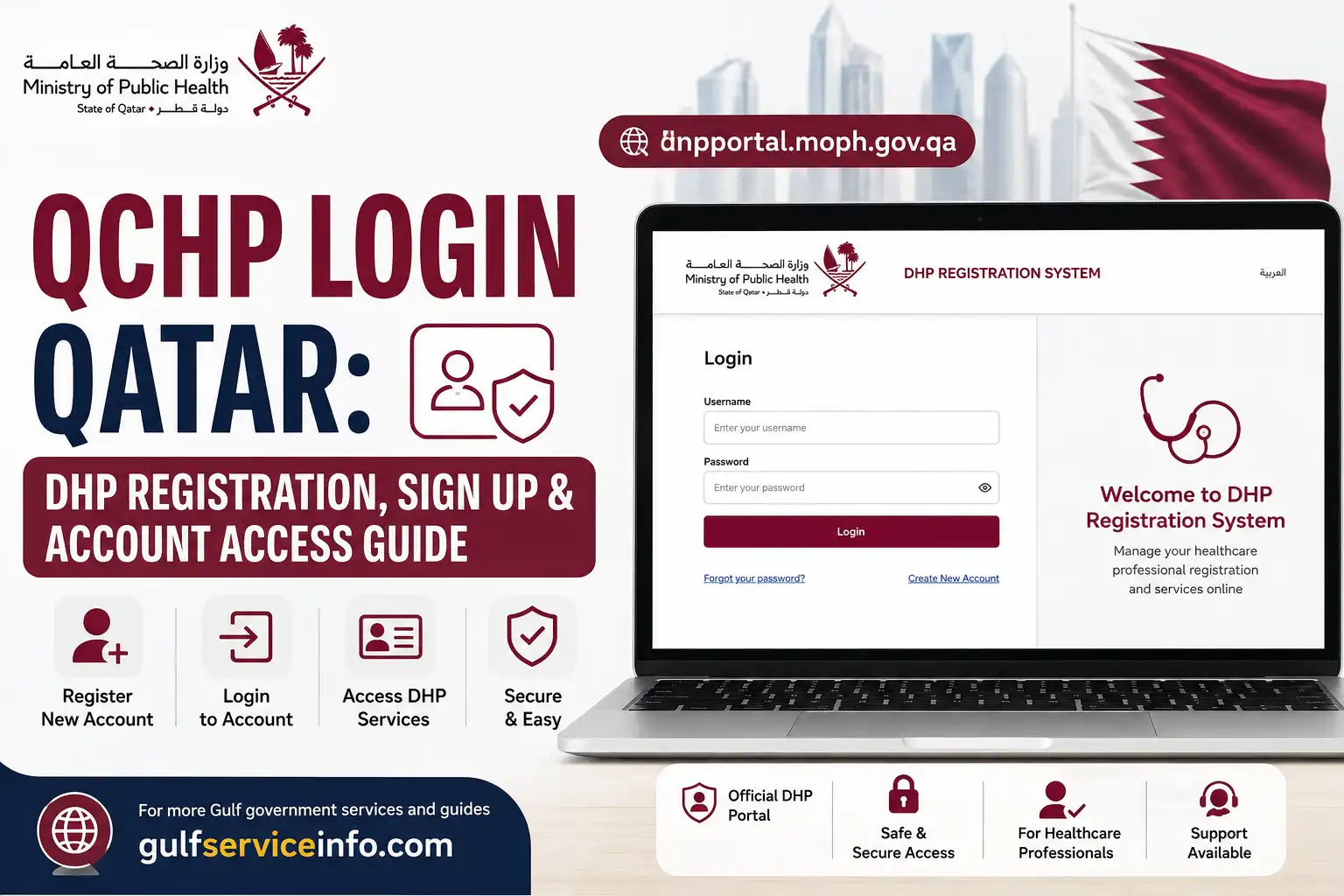
The QCHP login system is now operated through Qatar’s Department of Healthcare Professions (DHP) under the Ministry of Public Health (MOPH). The official DHP website provides access to the Registration and Licensing System used by healthcare professionals to manage applications and licensing-related services.
Explore more Qatar government services and helpful guides: Visit Our Homepage
Important: Although many users still search for “QCHP login,” the current system is branded as the DHP Registration System. The official DHP website links directly to this system.
What Is QCHP/DHP Login?
QCHP refers to the former Qatar Council for Healthcare Practitioners, while the current regulatory authority is the Department of Healthcare Professions (DHP) of Qatar’s Ministry of Public Health.
The DHP Registration and Licensing System is intended primarily for healthcare professionals and other eligible applicants who need to apply for or manage professional registration and licensing services.
The current QCHP Login page provides fields for:
Here’s a fresh version with the same steps and factual details, but more natural wording, varied sentence structure, and stronger SEO readability.
QCHP Login: Step-by-Step Guide to Accessing Your Account
Accessing your QCHP login account is done through Qatar’s current DHP Registration System. If you already have a DHP account, use the following process to reach the login page and sign in.
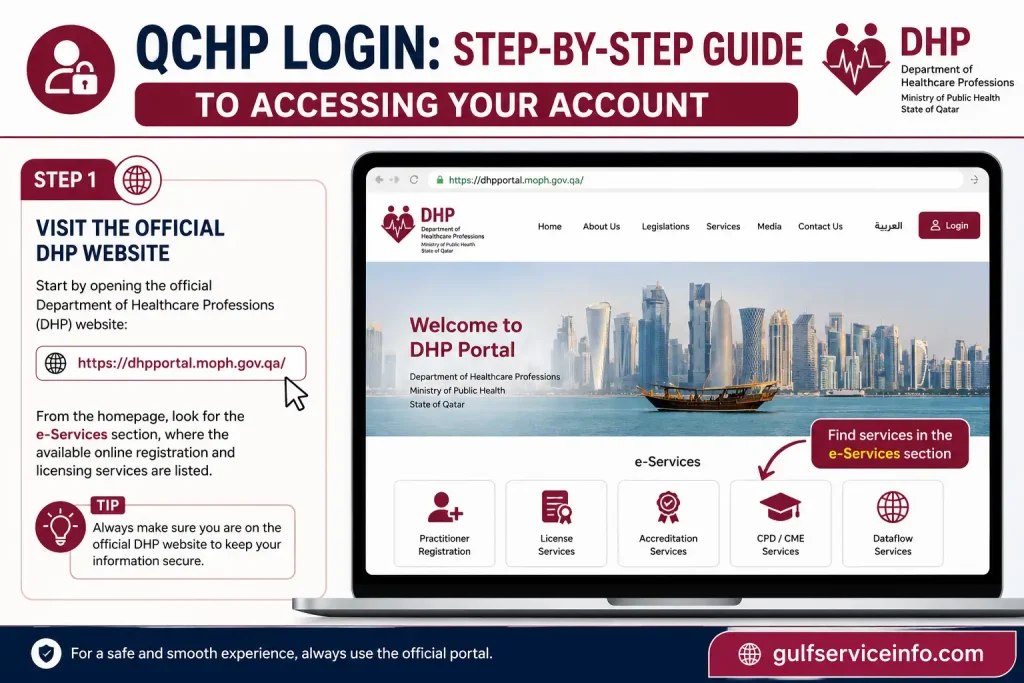
Step 1: Visit the Official DHP Website for QCHP Login
Start by opening the official Department of Healthcare Professions (DHP) website:
From the homepage, look for the e-Services section, where the available online registration and licensing services are listed.
Step 2: Find the Registration and Licensing System
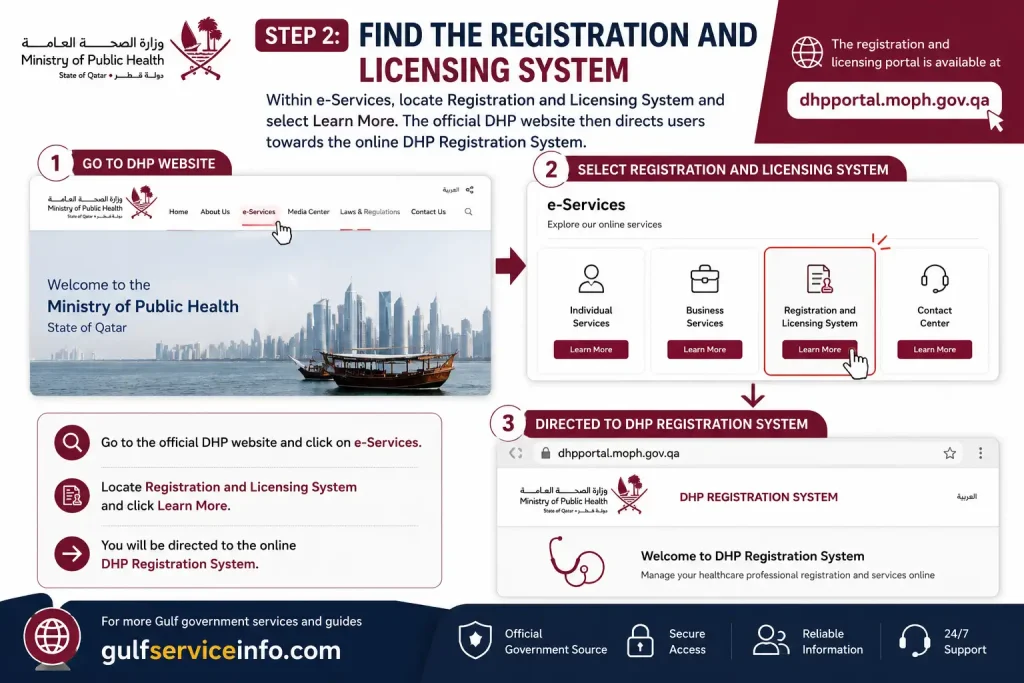
Within e-Services, locate Registration and Licensing System and select Learn More. The official DHP website then directs users towards the online DHP Registration System.
The registration and licensing portal is available at dhpportal.moph.gov.qa.
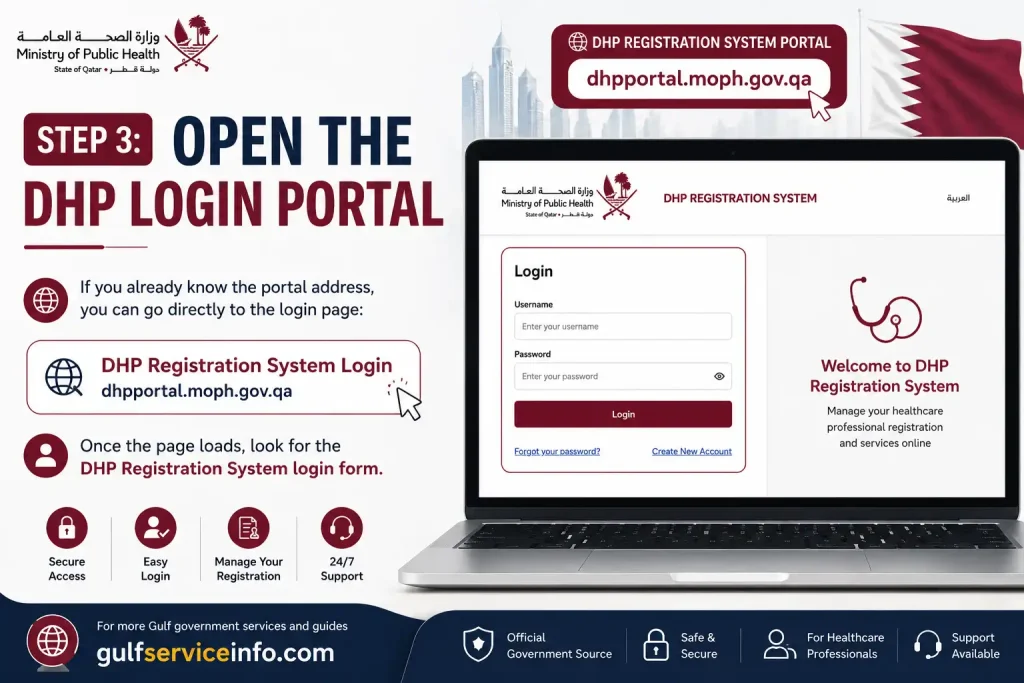
Step 3: Open the DHP Login Portal
If you already know the portal address, you can go directly to the DHP Login page:
Once the page loads, look for the DHP Registration System login form.
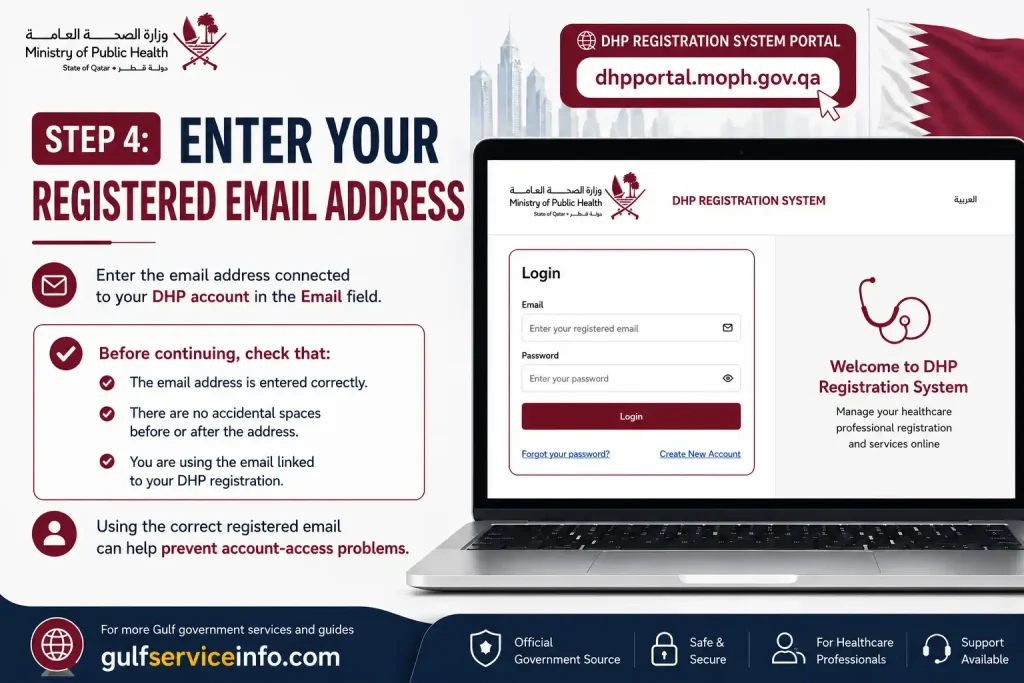
Step 4: Enter Your Registered Email Address
Enter the email address connected to your DHP account in the Email field.
Before continuing, check that:
Using the correct registered email can help prevent account-access problems.
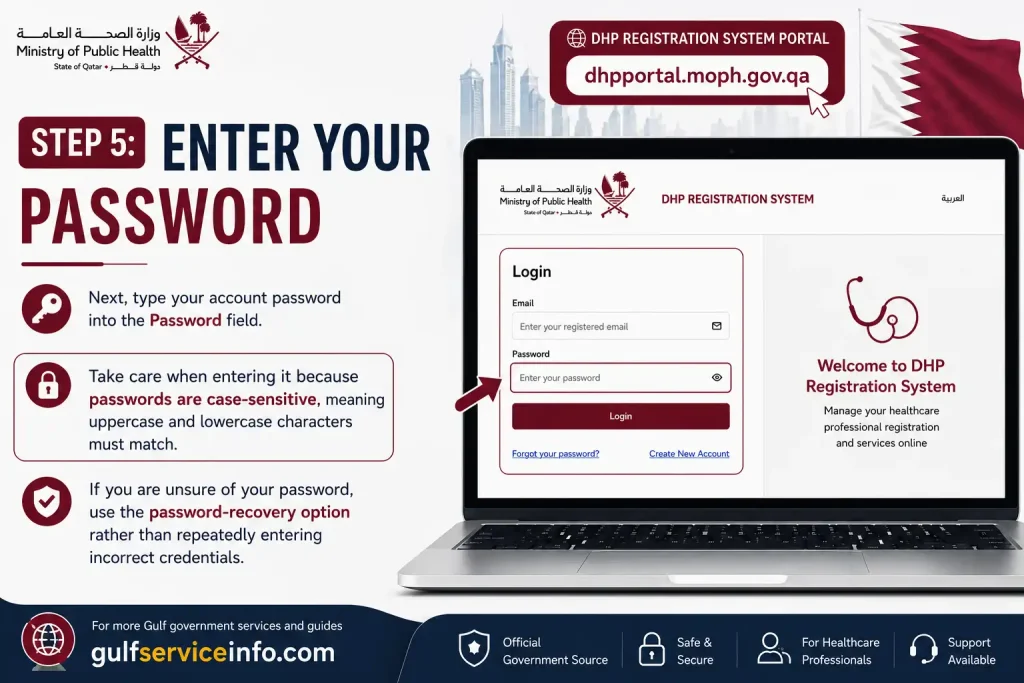
Step 5: Enter Your Password
Next, type your account password into the Password field. Take care when entering it because passwords are case-sensitive, meaning uppercase and lowercase characters must match.
If you are unsure of your password, use the password-recovery option rather than repeatedly entering incorrect credentials.
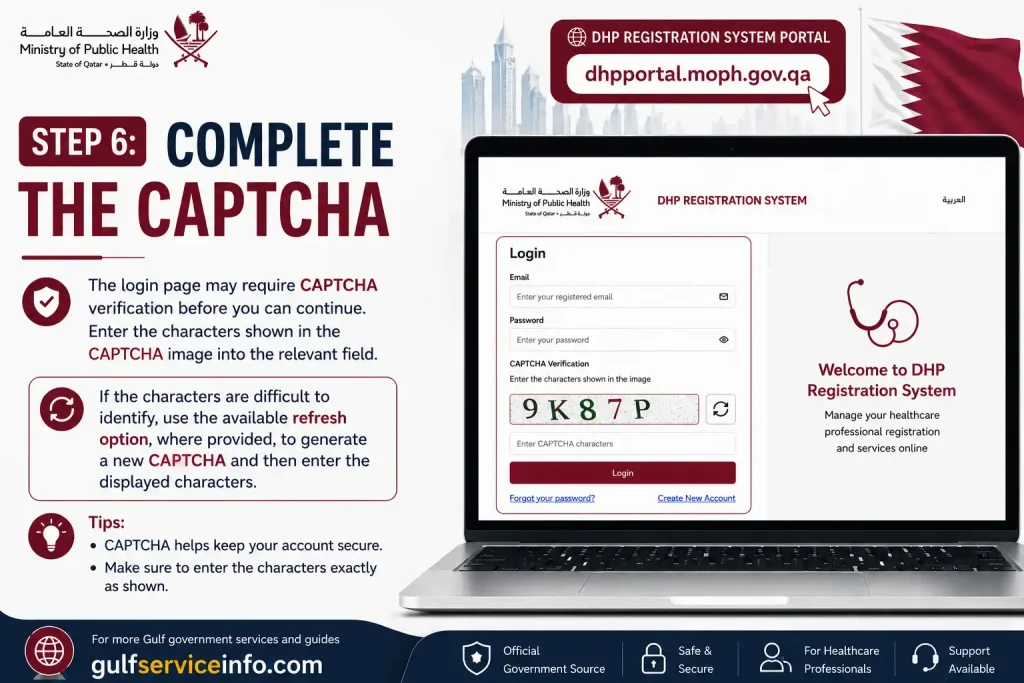
Step 6: Complete the CAPTCHA
The QCHP Login page may require CAPTCHA verification before you can continue. Enter the characters shown in the CAPTCHA image into the relevant field.
If the characters are difficult to identify, use the available refresh option, where provided, to generate a new CAPTCHA and then enter the displayed characters.
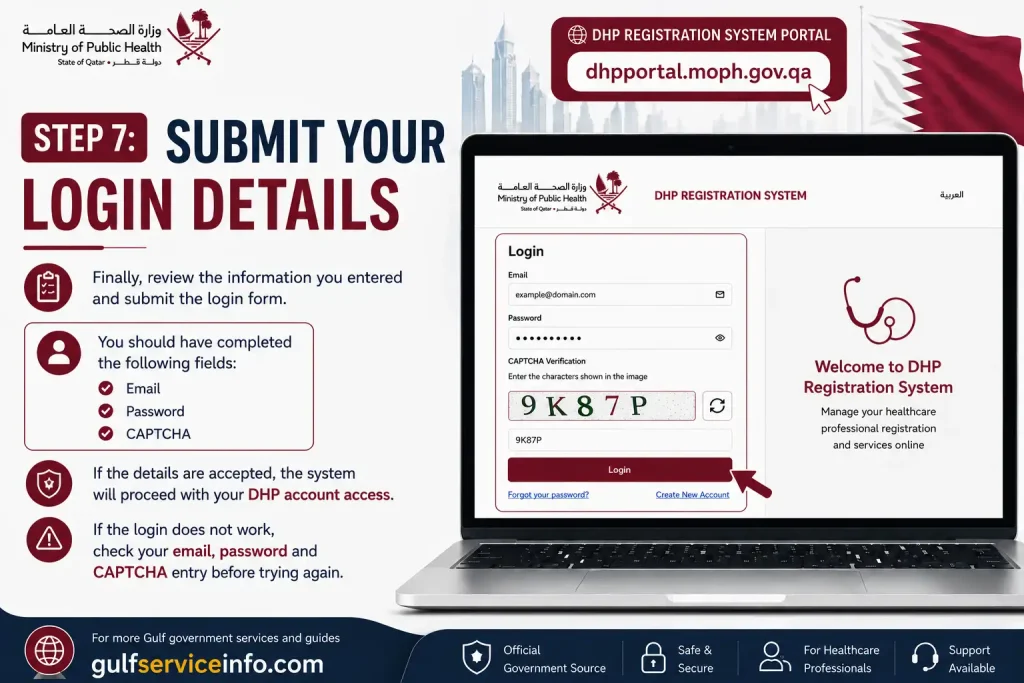
Step 7: Submit Your Login Details
Finally, review the information you entered and submit the Login form. You should have completed the following fields:
If the details are accepted, the system will proceed with your DHP account access. If the QCHP Login does not work, check your email, password and CAPTCHA entry before trying again.
Here’s the section rewritten with a fresh structure and natural SEO wording while keeping the original facts and scope intact.
What Can You Do After QCHP Login?
Once you access your account through the DHP Registration System, the available features are mainly centred on professional registration and licensing. What you can view or manage will vary according to your applicant category, profession, account status and the stage of your application.
Common activities may include:
| Service Area | What It Is Used For |
|---|---|
| Professional Registration | Submit an application for professional registration |
| Licensing | Handle relevant professional licensing procedures |
| Application Management | Review and follow up on applications you have submitted |
| Documents | Submit or manage documents required for your application |
| Professional Information | Maintain information connected with your registration or application |
| Application Status | Check the progress of eligible applications |
Services Depend on Your Application
Not every user will see exactly the same services after QCHP login. The options available to you depend on factors such as your account type, profession and current application stage.
The DHP website also offers profession-specific guidance covering areas such as physicians, dentists, nurses, pharmacists and allied healthcare practitioners, along with information about additional attachments where applicable.
For this reason, it is best to follow the guidance that matches your particular profession and application category when using the DHP Registration System.
Here’s the section rewritten from scratch in the same dynamic style, keeping the original steps and factual meaning intact.
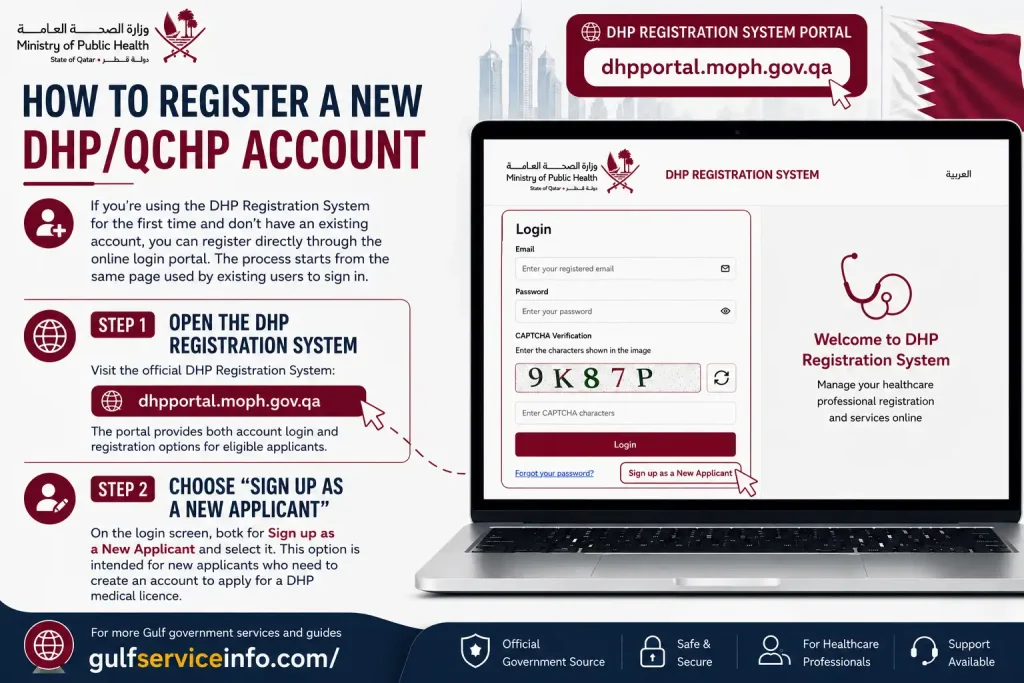
How to Register a New DHP/QCHP Account
If you’re using the DHP Registration System for the first time and don’t have an existing account, you can register directly through the online QCHP Login portal. The process starts from the same page used by existing users to sign in.
Step 1: Open the DHP Registration System
Visit the official DHP Registration System:
The portal provides both account login and registration options for eligible applicants.
Step 2: Choose “Sign up as a New Applicant”
On the QCHP Login screen, look for Sign up as a New Applicant and select it. This option is intended for new applicants who need to create an account to apply for a DHP medical licence.
Step 3: Provide the Requested Details
The registration form will ask you to enter the information required by the system. Fill in each field carefully and make sure the details you provide are accurate.
This is particularly important because the account may later be used for professional registration and licensing-related procedures.
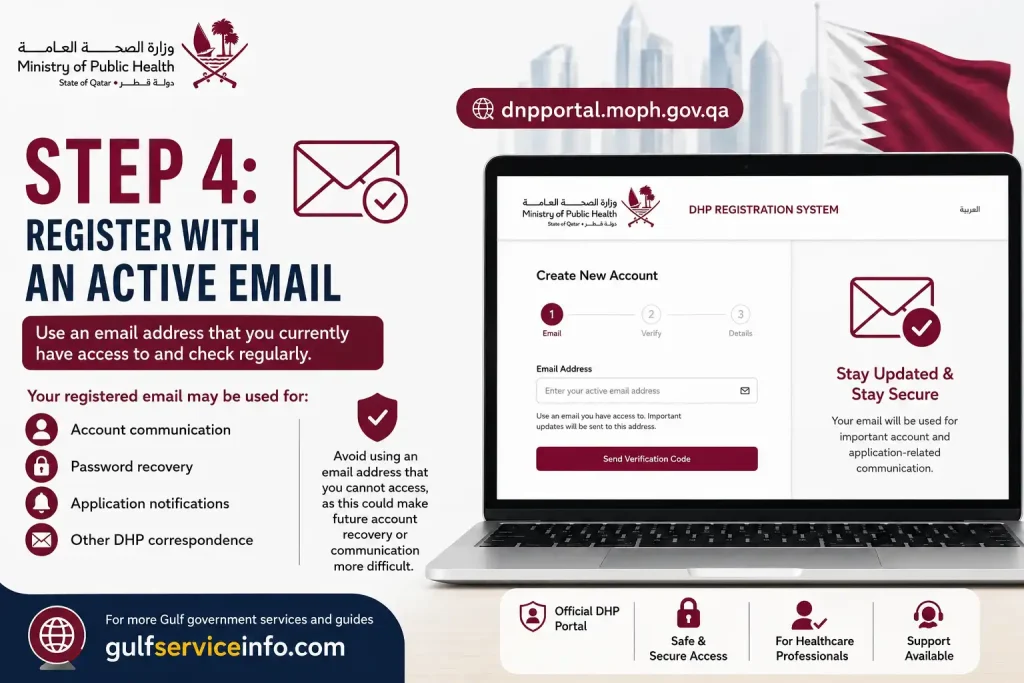
Step 4: Register With an Active Email
Use an email address that you currently have access to and check regularly. Your registered email may be used for important account and application-related communication, including:
Avoid using an email address that you cannot access, as this could make future account recovery or communication more difficult.
Step 5: Submit the Registration Form
Before submitting, review the information you have entered for accuracy. Once the registration has been completed successfully, return to the QCHP Login page and sign in using the credentials associated with your newly created account.
Here’s the section rewritten with a cleaner structure, natural keyword placement, and the same factual scope.
DHP Account Types Explained
The DHP Registration System offers different registration pathways to accommodate different types of applicants. The option you should use depends on your role and the type of registration you are seeking.
| Registration Option | Who It Is Intended For |
|---|---|
| New Applicant | Individuals applying for a healthcare professional licence |
| Employer Representative | Authorised representatives acting for employers or healthcare facilities |
| New Non-Clinical Applicant | Applicants seeking non-clinical registration |
These registration choices are available directly through the official DHP Registration System, allowing users to select the pathway that matches their application category.
Here’s the password-recovery section rewritten with fresh wording and structure while preserving the original steps and details.
QCHP/DHP Password Recovery: Regain Access to Your Account
Forgotten your DHP password? You can start the recovery process from the official DHP Registration System login page without creating a new account.
Step 1: Open the DHP Login Portal
Go to the official DHP Registration System:
DHP Login Portal
This is the same portal used to access an existing DHP account.
Step 2: Select “Forgot Password?”
On the QCHP Login screen, locate the Forgot Password? option below the account fields and select it. The current DHP portal provides this feature for users who need to recover access to their accounts.
Step 3: Provide the Requested Account Details
The recovery page will ask for information needed to identify your account. Enter the details associated with your DHP registration, particularly the relevant email or account information requested by the system.
Make sure the information is accurate before continuing.
Step 4: Check Your Registered Email
After submitting the recovery information, monitor the email account connected to your DHP registration. If you don’t see the message in your main inbox, check other folders as well:
Email filtering can sometimes move automated account messages away from the primary inbox.
Step 5: Follow the Password-Recovery Instructions
Use the instructions provided by the DHP system to restore access to your account and create or receive the updated password, depending on what the recovery process requires.
Once the process is complete, return to the QCHP Login page and sign in with your updated credentials.
Here’s the section rewritten with a more practical troubleshooting flow, while preserving the problems, solutions, and terminology from your source.
Common QCHP Login Issues and How to Fix Them
Login problems with the QCHP/DHP system can often be resolved by checking your account details or browser settings first. Use the table below to identify the issue and the appropriate next step.
| Login Problem | Recommended Solution |
|---|---|
| Wrong password | Re-enter your password carefully. If you still cannot sign in, select Forgot Password? |
| Wrong email address | Check that you are entering the email address registered with your DHP account. |
| CAPTCHA problem | Enter the CAPTCHA exactly as shown. If it is unclear or rejected, refresh the CAPTCHA and try again. |
| Password forgotten | Use the official Forgot Password? recovery option on the QCHP Login page. |
| Recovery email not received | Check your spam and junk folders, and confirm that you are checking the email linked to your DHP account. |
| Registration issue | Review your selection and make sure you have chosen the applicant category that matches your situation. |
| Portal won’t load | Refresh the page, clear your browser cache, or try accessing the portal with another modern web browser. |
| Technical issue | Contact the DHP technical helpdesk for assistance. |
| Application-related issue | Contact the DHP Registration team for questions concerning your application. |
Avoid Repeated Failed QCHP Login Attempts
If your credentials are not being accepted, avoid repeatedly entering the same incorrect details. First verify your email, password and CAPTCHA, then use the available recovery option if necessary.
When the problem persists despite these checks, contacting the appropriate DHP support team is a better approach than continuing to attempt the login.
Here’s the section rewritten in the same dynamic style, keeping the contact details and working hours exactly within the information provided.
DHP Technical Support and Contact Details
If you need assistance with the DHP Registration and Licensing System, the Department of Healthcare Professions provides dedicated contact channels for registration, licensing and technical enquiries.
For technical issues, users can refer to the technical support contact listed by DHP. For questions concerning registration and licensing matters, DHP also provides a separate registration contact email.
The official DHP contact information includes:
If your issue concerns the portal itself, use the technical support channel. For questions about your professional registration or licensing application, use the registration contact instead.
Here’s the section rewritten with fresh wording and a clearer practical flow, while keeping the original facts and terminology intact.
Requirements to Check Before Applying
Creating a QCHP/DHP login is the starting point for accessing Qatar’s healthcare professional registration services, but creating an account does not complete the professional licensing process. Before submitting an application, new applicants should check the requirements for their specific healthcare profession and application category. This helps ensure that the correct documents and verification steps are prepared in advance.
The DHP portal provides separate guidance for different healthcare professions and supporting documents, including:
Primary Source Verification for New Applicants
One of the important requirements for new applicants is Primary Source Verification (PSV). According to the DHP application guidance, new applicants should complete the Primary Source Verification process before proceeding with their professional application.
Therefore, completing your QCHP/DHP login or registering a DHP account does not mean that your healthcare professional registration is complete. After creating your account, review the requirements for your profession, complete the applicable verification process, and then follow the relevant DHP application steps.
Checking these requirements before starting the application can help you prepare the necessary documents and avoid delays caused by missing information or incomplete verification.
QCHP Login Guide for Foreign Healthcare Professionals
Foreign healthcare professionals who intend to work in Qatar should access the official Department of Healthcare Professions (DHP) system rather than relying on unofficial websites offering QCHP login services.
The general process can be approached in the following order:
Keep in mind that the requirements are not necessarily the same for every applicant. Your profession, application type and individual circumstances can affect the documents and procedures you need to follow. For the most relevant instructions, refer to the DHP guidance for your specific healthcare profession.
QCHP Login for Students and New Graduates
Students and recent graduates should first determine whether they qualify for the particular DHP registration or licensing pathway they are seeking.
The DHP system is primarily a professional registration and licensing platform, rather than a general student portal.
If you are a recent graduate, check the requirements for your specific profession before creating or submitting an application. The official DHP portal provides profession-specific guidance for different healthcare categories.
Here’s the section rewritten with a practical, user-first flow while keeping the original safety points and terminology intact.
Safety Tips for Using QCHP Login
Your DHP account may be linked to professional and personal information, so it’s important to take basic precautions whenever you access the QCHP login system. The safest approach is to use the official DHP/MOPH website and avoid sharing your account details with anyone else.
Good Practices to Follow
When accessing your account, make sure you:
Things to Avoid
For better account security, never:
A simple rule is to verify the website before entering your credentials. If a link or page looks unusual, return to the official DHP website and access the Registration and Licensing System from there.
Here’s the final note rewritten with a concise, authoritative finish while preserving the original meaning and key search intent.
QCHP Login FAQs
Final Note
If you searched for “QCHP login”, you should now use Qatar’s current DHP Registration System rather than searching for a separate or outdated QCHP portal. The official DHP website directs users to dhpportal.moph.gov.qa for access to the Registration and Licensing System.For account access, registration, password recovery and other licensing-related tasks, start from the official DHP/MOPH website and follow the appropriate option for your applicant type.
Read More: Explore our related Gulf government service guides for more step-by-step information and helpful updates.