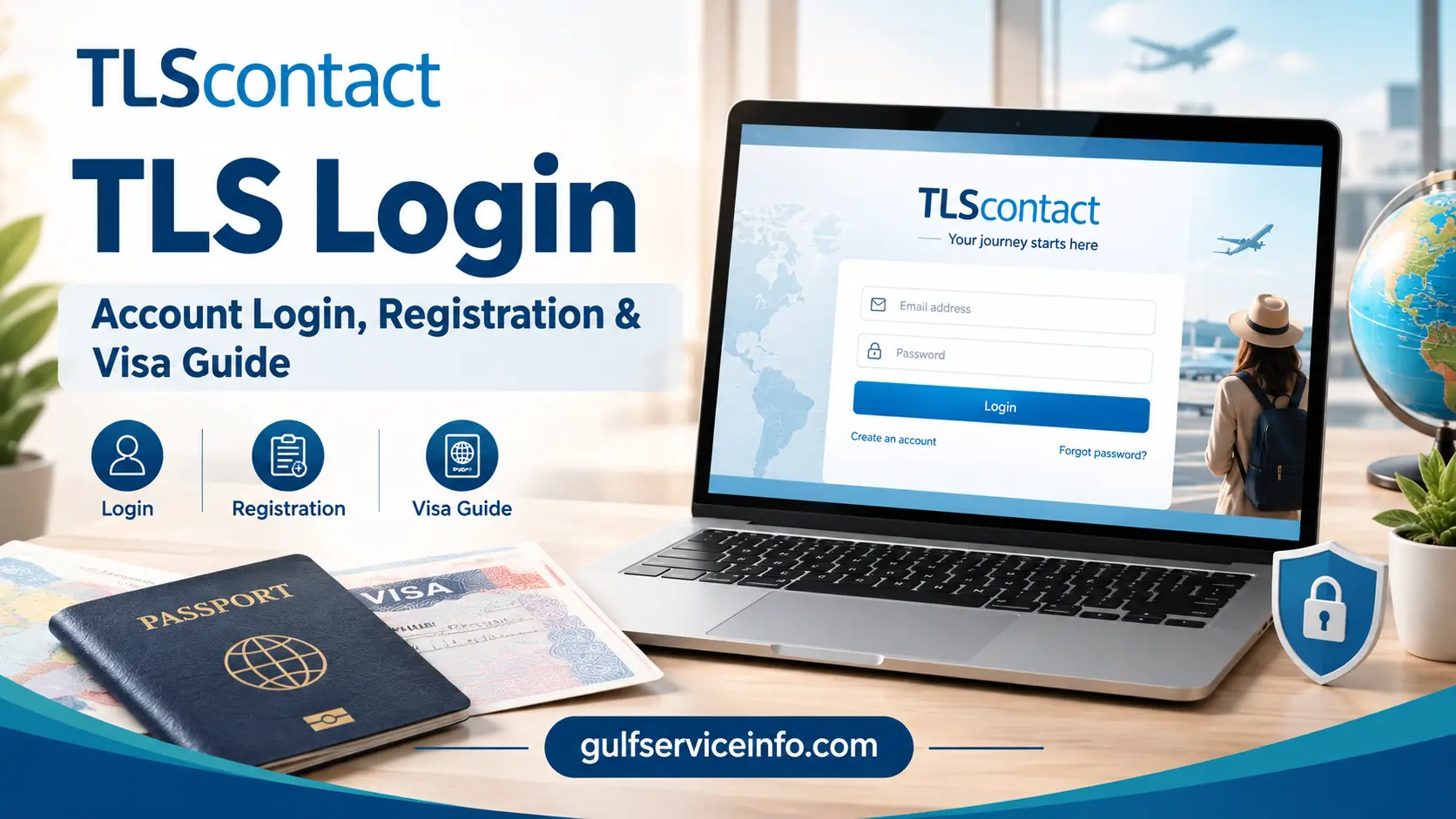
Need to access your TLS Login account? The safest place to begin is the official TLScontact website, because the login page you need depends on your country of residence and the visa destination.
TLScontact supports governments with parts of the visa application process, including appointment scheduling, document submission, biometric collection and passport return. Your online account can therefore be an important part of managing your application, but there is not one universal TLS Login page for every applicant.
For more useful guides on visa applications, government services, and online portals, visit Gulf Service Info.
Quick answer: Open the official TLScontact website, select your country of residence and destination, and follow the relevant visa application journey. From the local TLScontact portal, you can then sign in or register an account.
What Does TLS Login Do?
A TLScontact account gives applicants access to the online part of their visa application journey. Depending on the country and visa service involved, you may be able to continue an application, manage appointment information, access application updates or track your case.
TLScontact handles administrative services for government clients, while the visa decision is made by the relevant government or consular authority. Creating an account, submitting an application or securing an appointment does not itself mean that a visa has been approved.
Your application journey may involve several stages, such as:
The exact process varies according to the visa destination, country of residence and type of application.
Start From the Correct TLScontact Portal
Rather than searching for a generic TLS Login URL, use the official TLScontact visa journey first. This reduces the risk of reaching the wrong country-specific portal or an unofficial website.
You will generally need to identify:
Once those details are selected, TLScontact can direct you towards the appropriate local application website.
How to Sign In to Your TLScontact Account
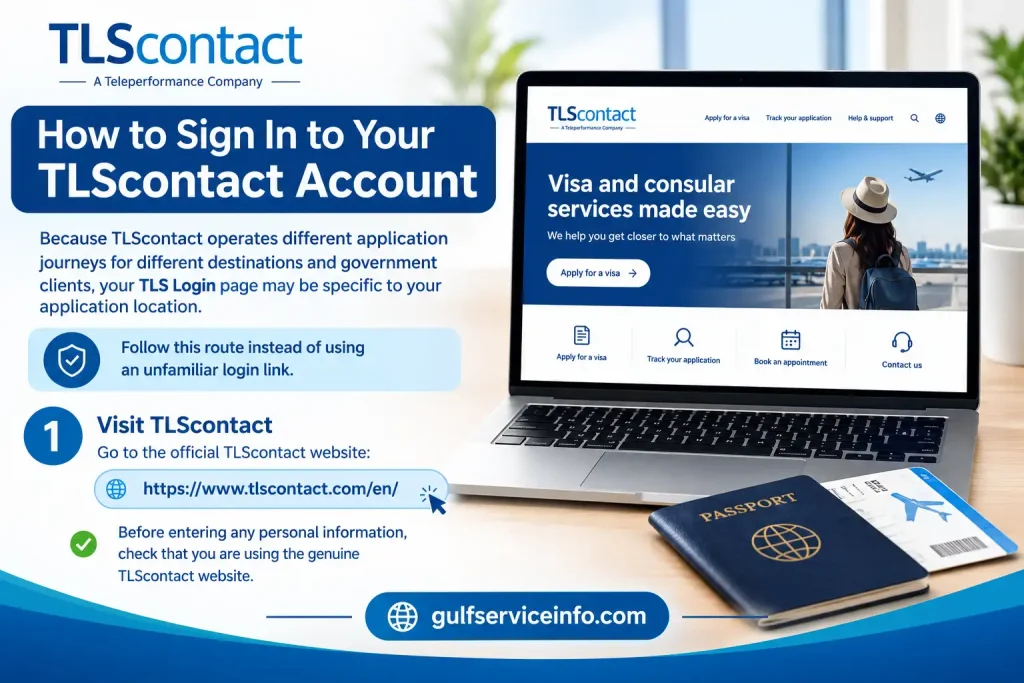
Because TLScontact operates different application journeys for different destinations and government clients, your TLS Login page may be specific to your application location.
Follow this route instead of using an unfamiliar login link.
1. Visit TLScontact
Go to the official TLScontact website:
Before entering any personal information, check that you are using the genuine TLScontact website.
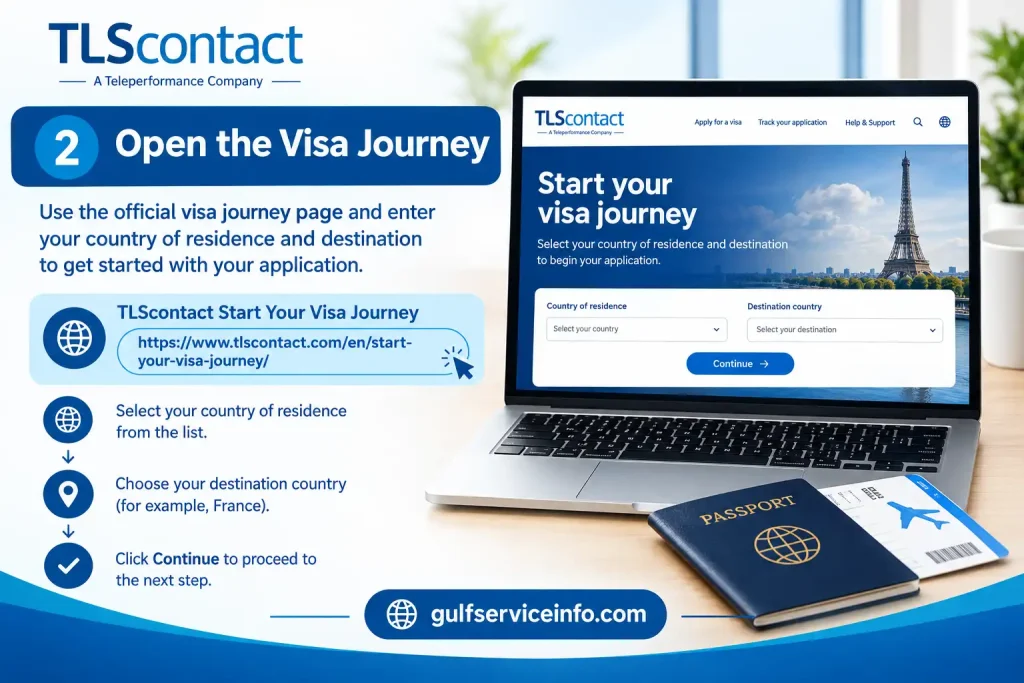
2. Open the Visa Journey
Use the official visa journey page and enter your country of residence and destination:
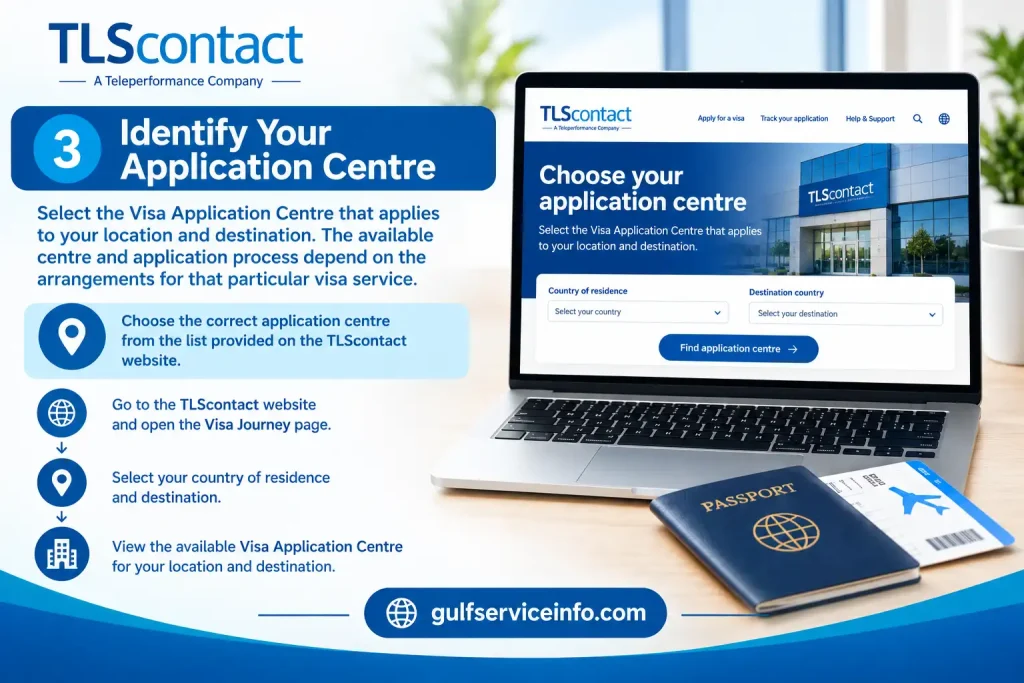
3. Identify Your Application Centre
Select the Visa Application Centre that applies to your location and destination. The available centre and application process depend on the arrangements for that particular visa service.
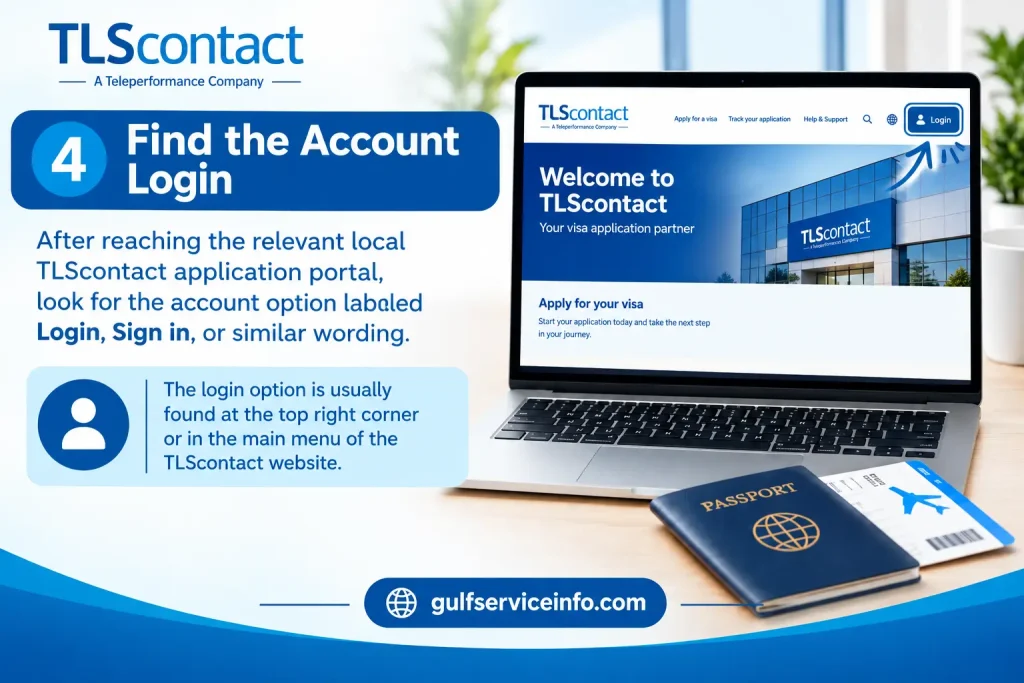
4. Find the Account Login
After reaching the relevant local TLScontact application portal, look for the account option labelled Login, Sign in, or similar wording.
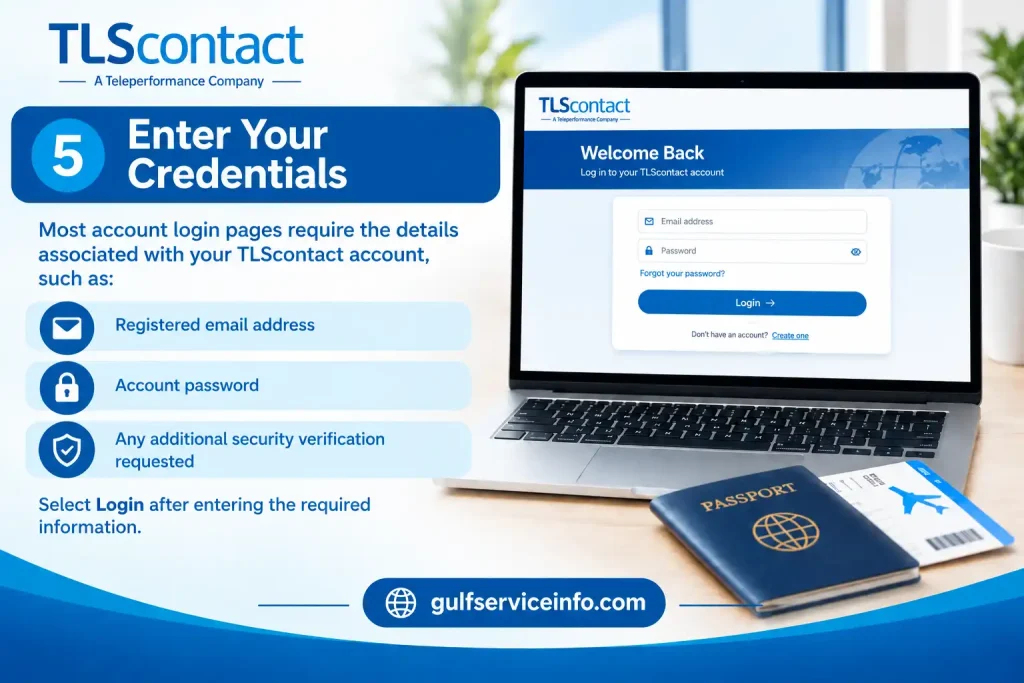
5. Enter Your Credentials
Most account login pages require the details associated with your TLScontact account, such as:
Select Login after entering the required information.
Before You Sign In
A few checks can prevent unnecessary account problems:
Don’t repeatedly guess a forgotten password. If your local TLScontact portal provides account recovery, use that process instead.
Creating a New TLScontact Account
If you haven’t registered before, you’ll normally create your account through the TLScontact application website linked to your visa destination.
Registration details can vary between application journeys. However, an accessible email address and password are commonly part of the process.
A Practical Registration Route
Start with the official visa journey:
Official TLScontact Visa Journey
Then work through the following sequence:
Choose your location and destination
Enter your country of residence and the country you’re travelling to so the relevant application route can be identified.
Select the appropriate Visa Application Centre
The centre available to you depends on the destination and your place of residence.
Open registration
Choose the option to create a new TLScontact account.
Provide an accessible email address
Use an email account you can regularly access, as TLScontact may use it for registration or account-related communication.
Set your password
Follow the password requirements displayed on the registration page you’re using. Requirements can differ between TLScontact application portals. For example, one current registration page requires a password of 8–20 characters containing lower-case and upper-case letters, numbers and supported special characters.
Accept the required conditions
Review the applicable terms and privacy information before submitting the registration.
Activate your account if required
If an activation or confirmation email is sent, open it and follow the instructions provided.
Return to TLS Login
Once the registration process is finished, use your registered email address and new password to access the account.
Keep Your Account Information Safe
Visa applications aren’t always completed in one sitting. You may need to return to your TLScontact account later to continue an application, manage an appointment or review available updates.
Keep your login details and any application identifiers in a secure place. For certain UK Visas and Immigration application journeys, for example, TLScontact guidance advises applicants to retain their password, GWF number and email address for future access.
Account tip: If you can’t find an existing application, don’t immediately create another account. First confirm that you’re using the correct TLScontact country portal and check the account-recovery options available to you.
Official TLScontact Websites and Support
| Purpose | Official link |
|---|---|
| TLScontact main website | TLScontact official website |
| Start a visa journey | TLScontact Visa Journey |
| Contact TLScontact | TLScontact Contact Us |
For application-specific questions, TLScontact directs applicants towards their local Visa Application Centre, since procedures and support can vary by country and visa service.
Signing In to Your TLScontact Account
Once your TLScontact account has been created, getting back into it is usually a straightforward process. The key is to use the TLScontact portal linked to your visa application, as the login page and available features can differ depending on the destination.
If you’re unsure which portal applies to you, begin with the official TLScontact visa journey and select your country of residence and destination.
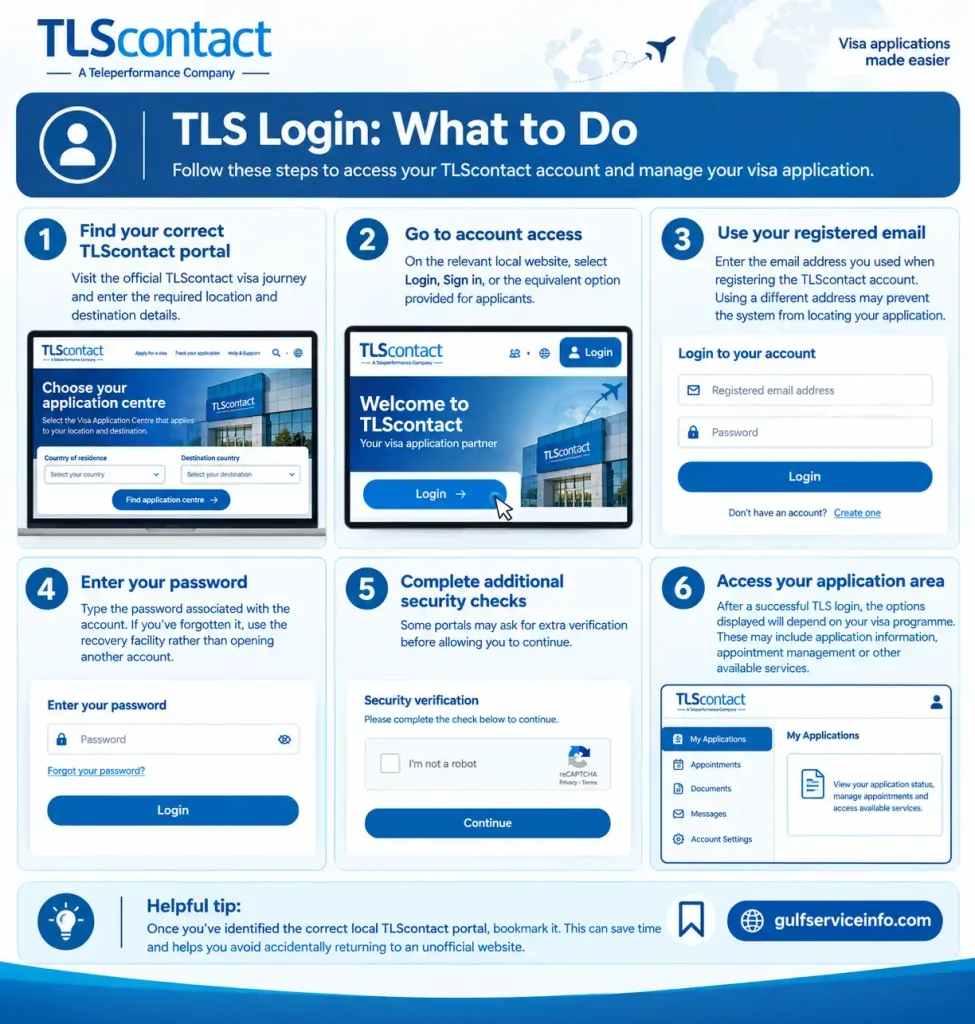
TLS Login: What to Do
- Find your correct TLScontact portal
Visit the official TLScontact visa journey and enter the required location and destination details. - Go to account access
On the relevant local website, select Login, Sign in, or the equivalent option provided for applicants. - Use your registered email
Enter the email address you used when registering the TLScontact account. Using a different address may prevent the system from locating your application. - Enter your password
Type the password associated with the account. If you’ve forgotten it, use the recovery facility rather than opening another account. - Complete additional security checks
Some portals may ask for extra verification before allowing you to continue. - Access your application area
After a successful TLS login, the options displayed will depend on your visa programme. These may include application information, appointment management or other available services.
Helpful tip: Once you’ve identified the correct local TLScontact portal, bookmark it. This can save time and helps you avoid accidentally returning to an unofficial website.
What Is Available After TLS Login?
Your TLScontact account is mainly used to manage the administrative side of your visa application. What you can see after signing in depends on your destination, visa type and the application system being used.
Depending on your particular application, your account may allow you to:
These features aren’t identical for every applicant.
It’s also worth keeping TLScontact’s role clear. TLScontact can provide administrative and application-centre services, but the relevant government or consular authority makes the visa decision. An update shown in your TLScontact account should therefore not automatically be treated as a final visa outcome.
Forgot Your TLS Login Password? Here’s What to Do
A forgotten password doesn’t usually mean you need to register a new account. If your TLScontact portal has a Forgot password, Reset password, or similar link, use that facility first.
The exact recovery screen can vary between TLScontact application portals, so follow the instructions shown on the login page associated with your application.
Password Recovery Process
First, return to the correct login page.
Use the official TLScontact visa journey and select the relevant country and destination.
Next, open password recovery.
Look for wording such as Forgot your password? or Reset password.
Enter the email linked to your account.
Use the same email address that was registered with TLScontact.
Check your inbox.
If the account details are recognised, follow the recovery instructions sent to your registered email.
Set a new password.
Where a reset link is provided, use it to create a new password that meets the requirements displayed on your portal.
Sign in again.
Return to the TLS Login page and use your registered email address together with the new password.
Didn’t Receive the Password-Reset Email?
Before trying to create another account, check the following:
A missing recovery email doesn’t necessarily mean that your application is gone. Avoid creating duplicate accounts unless the official TLScontact instructions specifically require it.
If you’re still unable to regain access, use the support route provided by your relevant TLScontact Visa Application Centre. You can find the appropriate contact route through the official TLScontact Contact Us page.
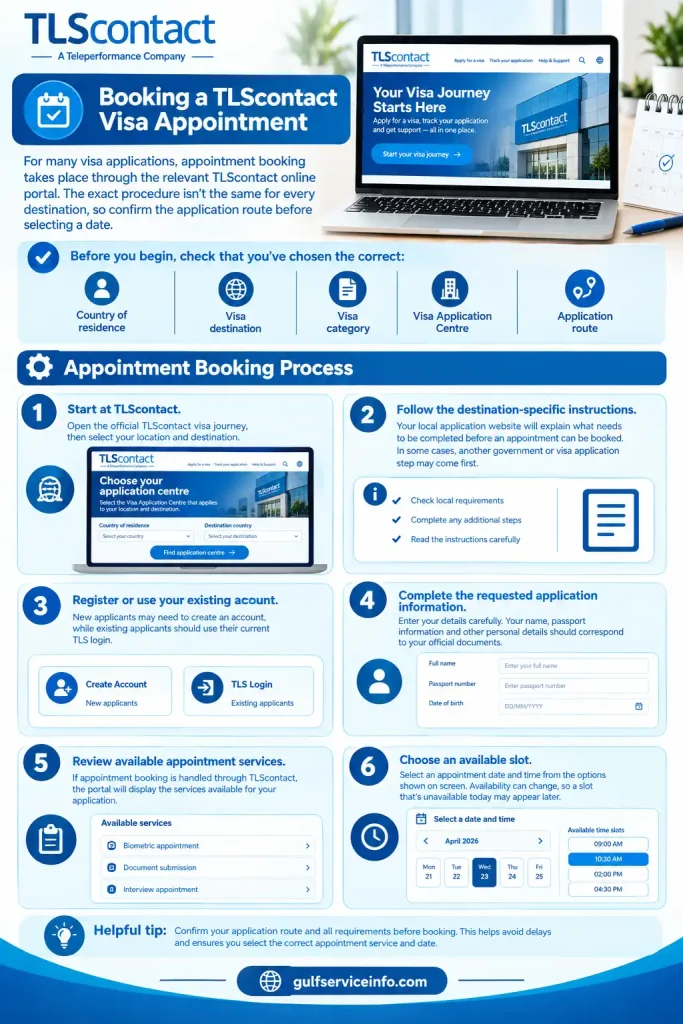
Booking a TLScontact Visa Appointment
For many visa applications, appointment booking takes place through the relevant TLScontact online portal. The exact procedure isn’t the same for every destination, so confirm the application route before selecting a date.
Before you begin, check that you’ve chosen the correct:
Appointment Booking Process
Start at TLScontact.
Open the official TLScontact visa journey, then select your location and destination.
Follow the destination-specific instructions.
Your local application website will explain what needs to be completed before an appointment can be booked. In some cases, another government or visa application step may come first.
Register or use your existing account.
New applicants may need to create an account, while existing applicants should use their current TLS login.
Complete the requested application information.
Enter your details carefully. Your name, passport information and other personal details should correspond with your official documents.
Review available appointment services.
If appointment booking is handled through TLScontact, the portal will display the services available for your application.
Choose an available slot.
Select an appointment date and time from the options shown on screen. Availability can change, so a slot that’s unavailable today may appear later.
Check Everything Before Confirming
Before finalising the appointment, review:
| Detail | What to check |
|---|---|
| Applicant | Name matches your official documents |
| Passport | Details are correct |
| Visa | Correct category selected |
| Centre | Correct Visa Application Centre |
| Date | Appointment date is suitable |
| Time | Appointment time is correct |
| Services | Selected services are accurate |
If payment is required, complete it using the instructions shown on the official portal. Once the booking has been confirmed, save the appointment confirmation and any reference number provided.
Before You Visit the Visa Application Centre
Don’t prepare only for the appointment time. Read the instructions for your particular Visa Application Centre and gather the required documents in advance.
Depending on the government client and application process, TLScontact Visa Application Centres can provide services such as document collection, biometric enrolment and passport return.
Important: Booking a TLScontact appointment is one stage of the visa application process. It isn’t confirmation that the visa has been approved.
How to Track a Visa Application Through TLScontact
A TLS login may give you access to application-related information, but tracking isn’t identical across every visa programme.
Some applications include online tracking within the TLScontact portal, while other processes may provide separate tracking information or instructions during the application.
General TLScontact Tracking Steps
Keep your application reference number, passport information and appointment documents accessible. You may need these details at different stages of the application.
Understanding Application Status
A status message generally indicates where your application sits within the relevant administrative or processing workflow. It shouldn’t automatically be interpreted as the final visa decision.
The actual visa decision is made by the competent government or consular authority responsible for the application.
If your TLScontact account indicates that the application has been transferred to or is being processed by the relevant authority, further processing may take place outside the TLScontact Visa Application Centre.
TLS Login Not Working? Common Problems and Fixes
A failed login doesn’t always mean there’s a problem with your application. In many cases, the issue comes down to the wrong portal, incorrect credentials, an unavailable email or a temporary technical problem.
| Login or application problem | What you can try |
|---|---|
| Password doesn’t work | Use the password-reset option |
| Wrong email entered | Confirm the email used during registration |
| Login page won’t open | Check that you’re on the correct country-specific portal |
| Reset email hasn’t arrived | Check spam, junk and email filters |
| Account isn’t recognised | Confirm you’re using the portal connected to your application |
| No appointment appears | Check the official portal again later |
| Application isn’t visible | Sign in to the original account |
| Website displays an error | Refresh, clear browser data or try another supported browser |
| Unsure which portal to use | Return to the official TLScontact visa journey |
If You’ve Forgotten Your Password
Use Forgot password or the equivalent recovery option on your local TLScontact portal. Creating another account should not be your first response to a forgotten password.
If You Don’t Remember Your Email Address
Look through previous TLScontact messages, registration emails and appointment confirmations. These may help identify the email address connected with your account.
If Your Application Isn’t Showing
Check that you’re using the same country-specific TLScontact portal where the application was created. TLScontact operates different websites for different visa programmes, so two pages that look similar may not belong to the same application system.
If No Appointment Slots Are Available
Appointment availability can change. If no suitable slot is displayed, check the official portal again according to its instructions. Avoid unofficial sellers or claims that someone can guarantee an appointment slot.
If the Website Keeps Showing an Error
Try these basic troubleshooting steps:
If the issue continues after these checks, contact the appropriate TLScontact Visa Application Centre through its official support channel.
Keeping Your TLScontact Account Secure
Your TLS login is connected to information about your visa application, so your account details should be treated like any other sensitive online credentials. A few basic precautions can reduce the risk of someone accessing your application information or making changes without your knowledge.
Always Start With the Official TLScontact Portal
The safest way to reach your account is through the official TLScontact website or the country-specific application portal linked from it:
TLScontact Official Website
If you’re starting a new application, use the official:
Start Your TLScontact Visa Journey
Be cautious with unfamiliar login links shared through social media, search results or messages from people offering guaranteed appointments. Instead, navigate from the official TLScontact website to the Visa Application Centre relevant to your application.
Protect Your Password
Your TLScontact password should remain private. Don’t send it to anyone through email, social media, messaging apps or public forums.
If you think somebody else may have obtained your password, use the password-recovery facility available through your relevant TLScontact portal and replace it with a new one.
Keep Access to Your Registered Email
The email attached to your TLScontact account can be important for application communication and password recovery. Make sure you can still access that inbox.
If your email address changes, check the account-management options on your particular application portal to see whether an official update process is available.
Avoid Creating Multiple Accounts
Having trouble accessing an existing application doesn’t necessarily mean you need a new account. Try the TLS login recovery process first, or contact the relevant Visa Application Centre if you cannot regain access.
Creating several accounts can make it more difficult to identify which account contains your application information.
Keep Your Application Records Safe
It’s useful to retain important information throughout the visa process, including:
Store these records securely. Avoid uploading screenshots containing passport details, reference numbers or other personal information to public websites or social media.
Check the Website Before Entering Personal Details
Before entering your email, password, passport information or payment details, check that you’re on the correct TLScontact application portal.
Because TLScontact operates different application websites for different destinations and government clients, the safest route is to reach your relevant portal through the official visa journey rather than clicking an unfamiliar login link.
TLS Login Mistakes That Can Cause Problems
Small mistakes can create unnecessary delays during a visa application. The following are worth checking before you contact support.
Choosing the Wrong TLScontact Portal
If your application isn’t appearing after TLS login, first confirm that you’ve reached the correct country-specific website.
A login associated with one destination or application route may not work on another TLScontact portal. Return to the official website, select your country of residence and destination, and follow the appropriate application journey.
Creating a New Account Instead of Recovering the Existing One
If you’ve forgotten your password, don’t immediately register again.
Use the account-recovery option first. If that doesn’t resolve the problem, contact the relevant Visa Application Centre for guidance.
Leaving Everything Until the Last Minute
Give yourself enough time to deal with registration, application information, documents and appointment booking. Visa application processes can involve multiple stages, and appointment availability may change.
Starting early gives you more time to deal with an unexpected account or technical issue.
Trusting Unofficial Appointment Services
Be wary of websites or individuals claiming to guarantee TLScontact appointments. Use the official application portal and follow the instructions provided for your Visa Application Centre.
Assuming TLScontact Makes the Visa Decision
TLScontact supports administrative parts of the application process. The relevant government or consular authority is responsible for assessing the application and making the visa decision.
This distinction matters when you’re checking an application status through your TLS login.
Frequently Asked Questions About TLS Login
Final Things to Remember About TLS Login
The simplest way to avoid confusion is to start with the official TLScontact website and follow the visa journey for your specific country and destination. Since TLScontact application systems vary by government client, location and visa programme, the registration, login, appointment and tracking screens won’t necessarily look the same for every applicant. If you’ve forgotten your password, recover the existing account before considering a new registration. Likewise, if an application or appointment isn’t visible after signing in, first check that you’re using the correct TLScontact portal and the same account originally connected with the application.