ابشر توظيف 2026: Job Registration, Application Process & Results Check

Finding a government or military vacancy in Saudi Arabia is only the first part of the recruitment process. Applicants must also understand where to register, how to submit their details and where to find admission announcements. ابشر توظيف is the Ministry of Interior’s online recruitment platform, designed to help eligible candidates access advertised vacancies, submit applications and follow recruitment results.
The platform is particularly important for people seeking opportunities in Saudi security and military sectors. It provides access to recruitment announcements and application-related services, allowing candidates to follow the process without relying on recruitment offices for routine information.
However, there is an important distinction between the regular Absher Individuals portal and the dedicated recruitment website. Both are associated with Saudi government electronic services, but they do not perform the same functions. Understanding which platform to use can save time and prevent application mistakes.
For more helpful guides on Saudi government services, recruitment platforms, and online applications, visit our Gulf Service Info homepage.
What Is ابشر توظيف?
ابشر توظيف is an online recruitment platform through which Saudi Arabia’s Ministry of Interior publishes job opportunities and manages applications for advertised government and military positions. It allows eligible candidates to review vacancy announcements, check recruitment conditions, submit their information and follow admission updates.
The platform is closely associated with the General Administration of Central Admission at the Ministry of Interior’s Agency for Military Affairs. Recruitment campaigns may cover different security and military sectors, depending on the vacancies announced by the responsible authorities.
Previously, applicants often needed to depend on recruitment offices or separate announcements to obtain information about available positions. With ابشر توظيف, much of the recruitment process can be followed online, from checking vacancy details to viewing published admission results.
The platform’s main functions include:
One point applicants should understand is that ابشر توظيف does not guarantee a job or automatic acceptance. Submitting an application means that you have entered the recruitment process. The relevant authority must still assess your eligibility and decide whether you can proceed to the next stage.
Absher Recruitment Portal Official Website
The dedicated recruitment website used in Ministry of Interior recruitment announcements is Absher Recruitment (Absher – Employment).
Saudi Ministry of Interior – Recruitment
jobs.sa
Official recruitment portal for vacancy announcements, applications and admission-related services.Visit Absher Recruitment
The recruitment website should not be confused with the main Absher portal. Although both services are connected with the Ministry of Interior, they serve different purposes.
The regular Absher website provides electronic government services for individuals and businesses, including services related to passports, traffic and other administrative matters.
Regular Absher Individuals Portal
absher.sa
Used for general electronic government services rather than dedicated recruitment applications.Visit the official Absher website
For job applications and recruitment announcements, use jobs.sa when directed by the relevant vacancy notice. If an application requires authentication through the regular Absher account, follow the instructions displayed by the official platform.
Security reminder: Always verify the website address before entering your National ID, account details or verification code. Avoid unofficial recruitment websites and individuals who promise guaranteed selection in exchange for payment.
How to Register for ابشر توظيف
Registering for a position through ابشر توظيف generally begins with selecting an active recruitment announcement. Unlike a general job-search website, the platform’s application process is tied to specific recruitment campaigns, each with its own opening dates, eligibility requirements and submission instructions.
Before starting, prepare your identification details, educational information and active contact number. Having these details available makes it easier to complete the application without interruptions.
Follow this registration process:
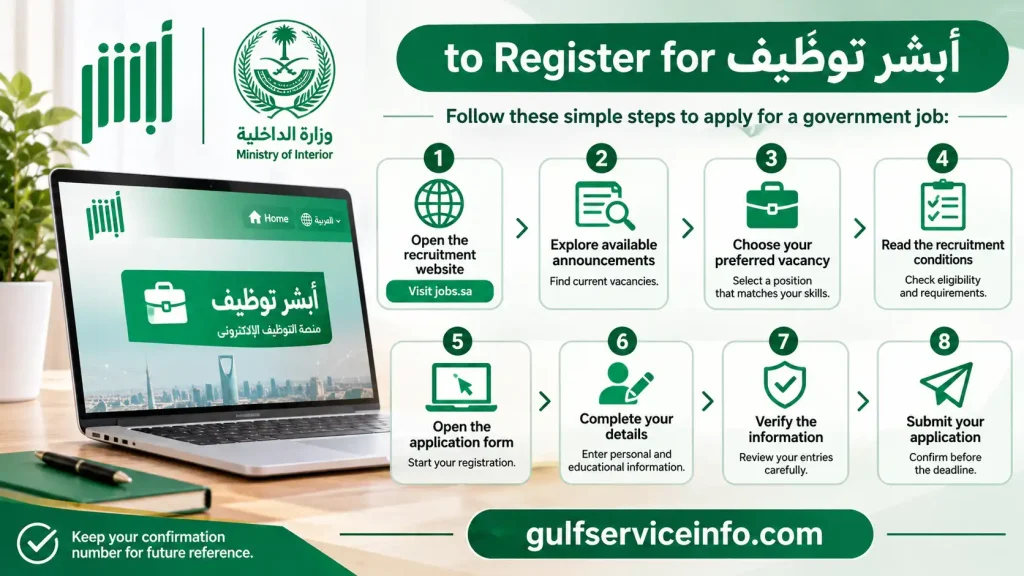
After submission, retain any confirmation message or application reference displayed by the website. This information can be useful when returning to ابشر توظيف to follow your recruitment application.
It is also worth remembering that regular Absher account registration and recruitment registration are not necessarily the same process. Creating an account on Absher Individuals does not automatically mean that you have applied for a vacancy. Always follow the specific authentication and application instructions provided in the recruitment announcement.
How to Apply for Jobs Through ابشر توظيف
Applying for a government or military vacancy through ابشر توظيف requires careful attention to the advertised conditions. A position may appear suitable based on its title, but its actual eligibility requirements could include a particular educational qualification, academic specialisation, age range or additional physical standards.
For this reason, read the complete recruitment announcement before entering your information. Your application should reflect your official documents rather than estimated or incomplete details.
Step-by-step job application process
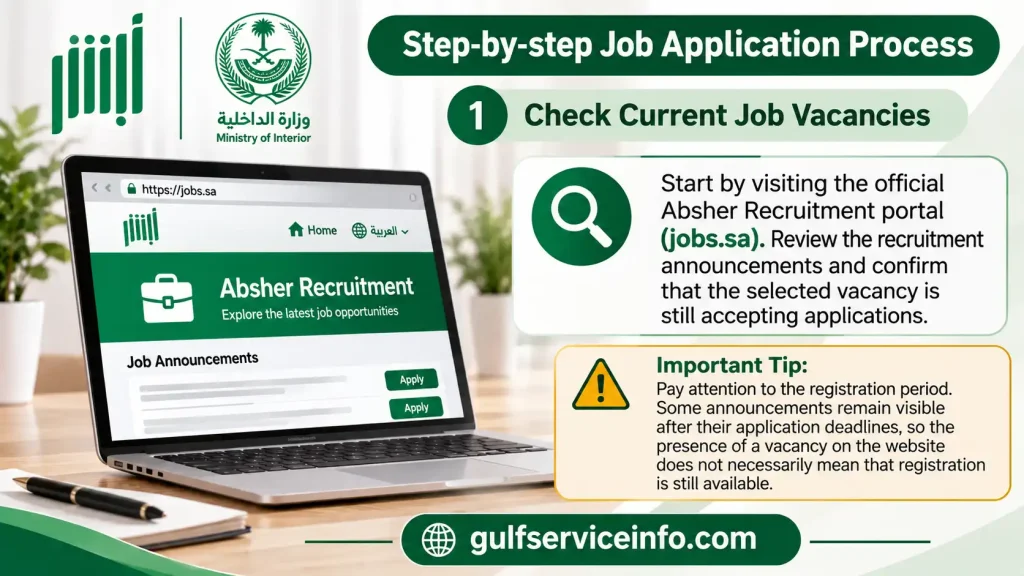
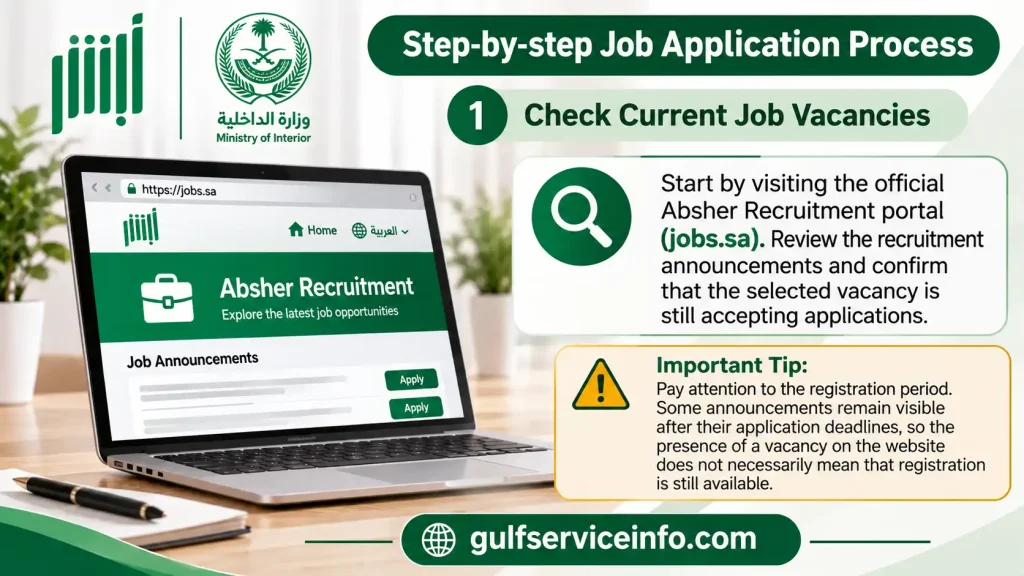
Check current job vacancies
Start by visiting the official Absher Recruitment portal. Review the recruitment announcements and confirm that the selected vacancy is still accepting applications.
Pay attention to the registration period. Some announcements remain visible after their application deadlines, so the presence of a vacancy on the website does not necessarily mean that registration is still available.
Select a suitable recruitment position
Open the vacancy that matches your educational background and eligibility. Review the job title, military rank, recruiting sector and required qualifications before proceeding.
If the announcement offers several positions, compare their requirements instead of choosing solely on the basis of the job title.
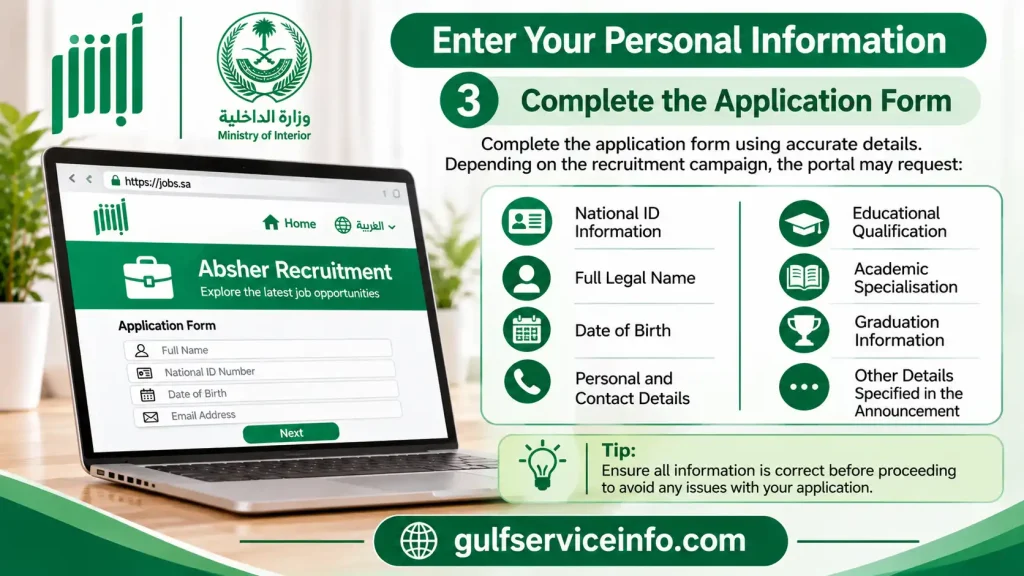
Enter your personal information
Complete the application form using accurate details. Depending on the recruitment campaign, the portal may request:
Provide your educational details
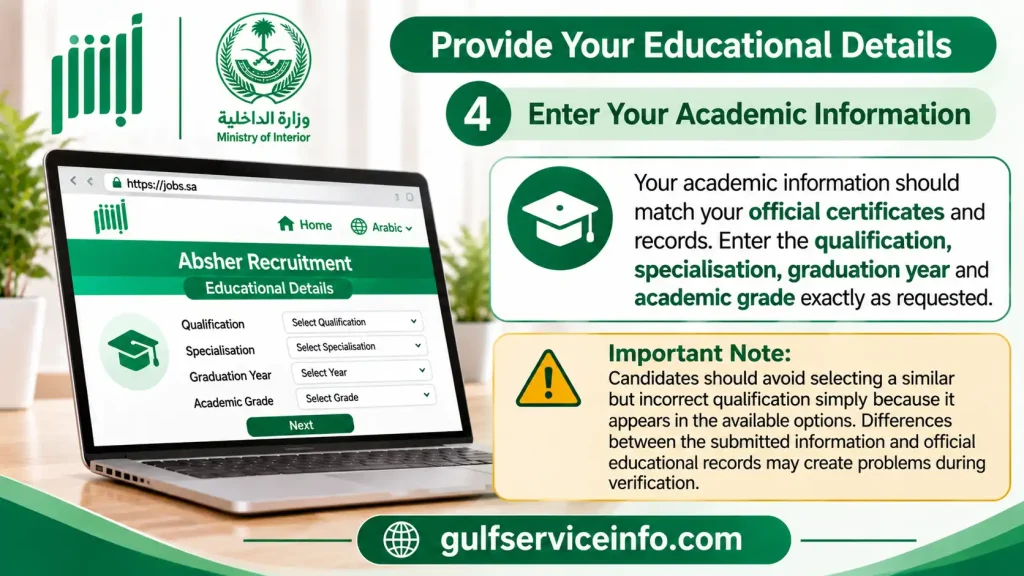
Your academic information should match your official certificates and records. Enter the qualification, specialisation, graduation year and academic grade exactly as requested.
Candidates should avoid selecting a similar but incorrect qualification simply because it appears in the available options. Differences between the submitted information and official educational records may create problems during verification.
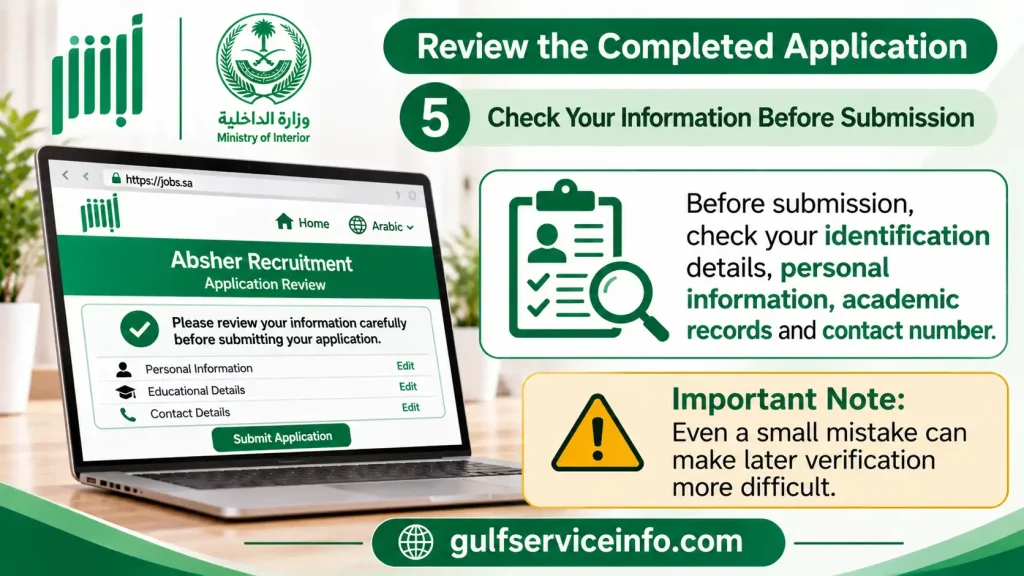
Review the completed application
Before submission, check your identification details, personal information, academic records and contact number. Even a small mistake can make later verification more difficult.
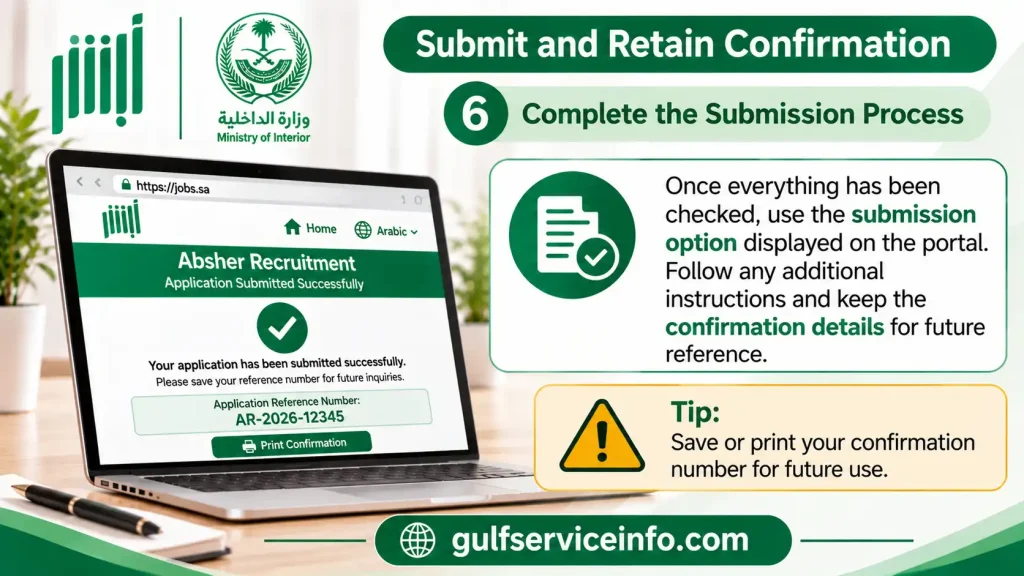
Submit and retain confirmation
Once everything has been checked, use the submission option displayed on the portal. Follow any additional instructions and keep the confirmation details for future reference.
Application readiness checklist
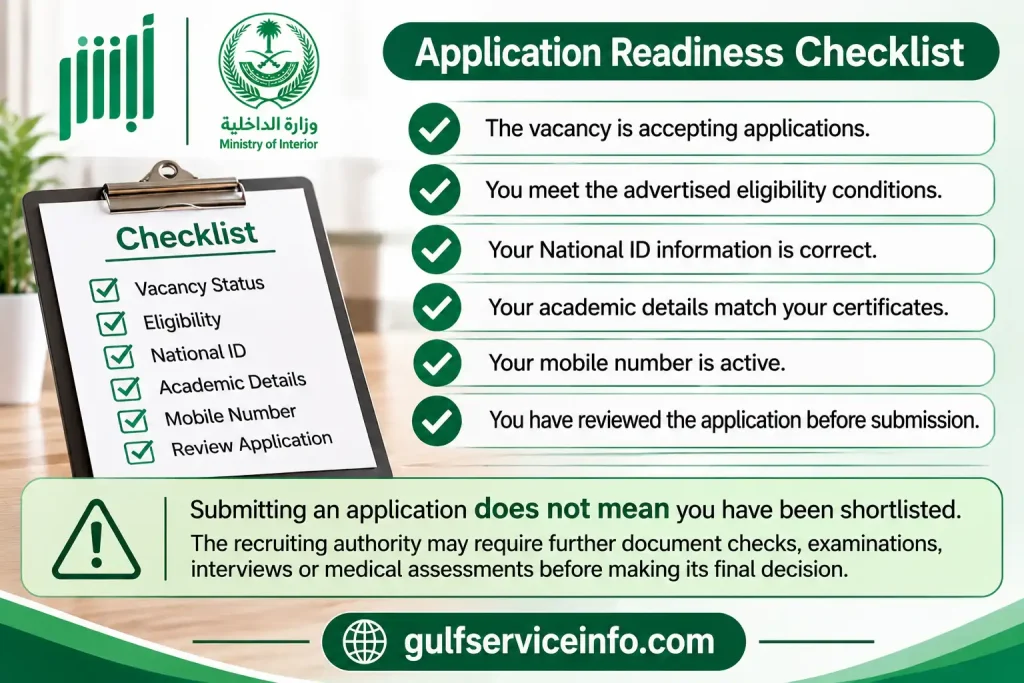
Submitting an application does not mean you have been shortlisted. The recruiting authority may require further document checks, examinations, interviews or medical assessments before making its final decision.
ابشر توظيف Login – Step-by-Step Guide
The ابشر توظيف login service gives applicants access to recruitment-related information, including available application follow-up options and admission updates. The sign-in procedure may vary depending on the service and recruitment campaign, so applicants should use the authentication method displayed on the official website.
To access the recruitment portal, follow these instructions:
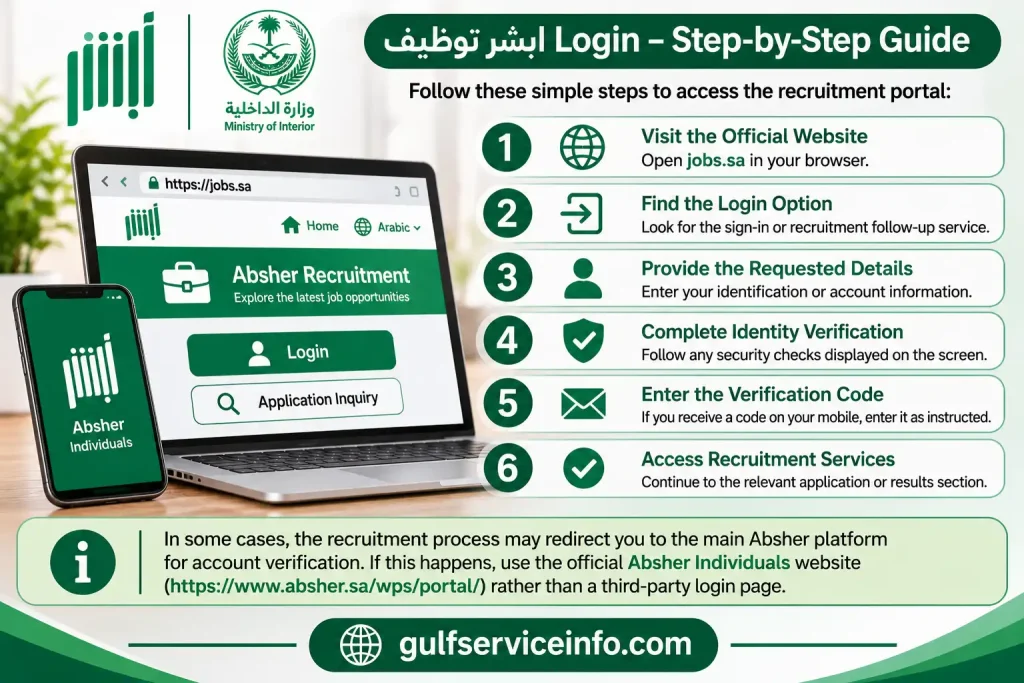
In some cases, the recruitment process may redirect you to the main Absher platform for account verification. If this happens, use the official Absher Individuals website rather than a third-party login page.
What if you have not registered with Absher?
Applicants who are instructed to authenticate through an Absher account may need to register and activate their account before accessing the relevant service.
The regular Absher registration process requires identification or residency information, depending on the applicant’s status, along with a valid personal mobile number. Account activation must be completed through an officially supported method.
Keep the following precautions in mind:
Remember that an active Absher account and a submitted recruitment application are two separate things. You must still complete the vacancy-specific application through ابشر توظيف.
ابشر توظيف Application Status Check
After submitting a job application, candidates should monitor its progress through the available recruitment inquiry service. Checking the ابشر توظيف application status helps you identify whether your information has been received and whether the recruitment authority has published any updates.
The status-checking process generally involves accessing the relevant application through the official recruitment website.
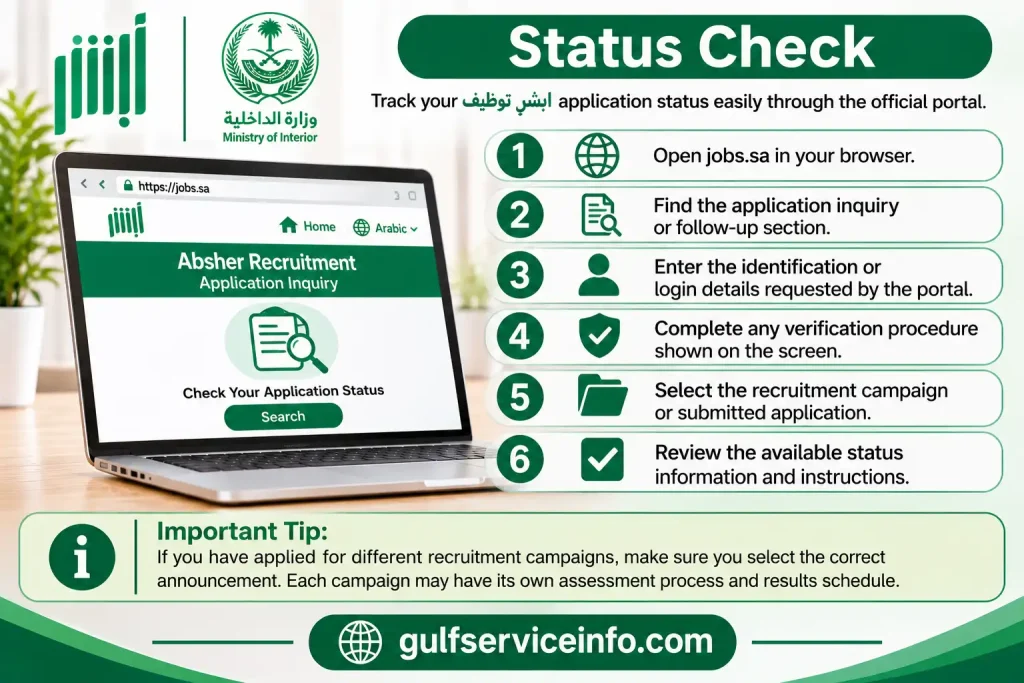
Applicants who have applied for different recruitment campaigns should make sure they select the correct announcement. Each campaign may have its own assessment process and results schedule.
Understanding common application updates
The following table explains common recruitment terms and their general meaning. The exact wording displayed on the official portal may differ.
| Application update | General meaning |
|---|---|
| Submitted | Your application has been sent to the recruitment system. |
| Under review | Your information is being assessed or verified. |
| Preliminary acceptance | You have passed an initial selection stage, subject to further requirements. |
| Rejected | Your application has not progressed in the relevant recruitment campaign. |
| Final acceptance | You have reached the final acceptance stage specified by the recruiting authority. |
An important distinction: Preliminary acceptance does not mean that you have received a final appointment. You may still need to attend an appointment, present original documents, pass medical examinations or complete additional selection procedures.
If your application status has not changed, check the recruitment announcement for its published assessment schedule. Avoid interpreting a pending update as rejection unless the official system or authority confirms that decision.
How to Check ابشر توظيف Recruitment Results
Candidates can check ابشر توظيف recruitment results after the responsible authority publishes an admission announcement. The platform is used to communicate preliminary and final selection updates for relevant Ministry of Interior recruitment campaigns.
The Ministry of Interior has previously directed applicants to its Absher Recruitment platform to review preliminary military admission results and follow the instructions provided for successful candidates.
For the 2026 recruitment cycle, the actual publication date depends on the relevant vacancy announcement. There is no single results date that applies to every recruitment campaign.
To view your result:
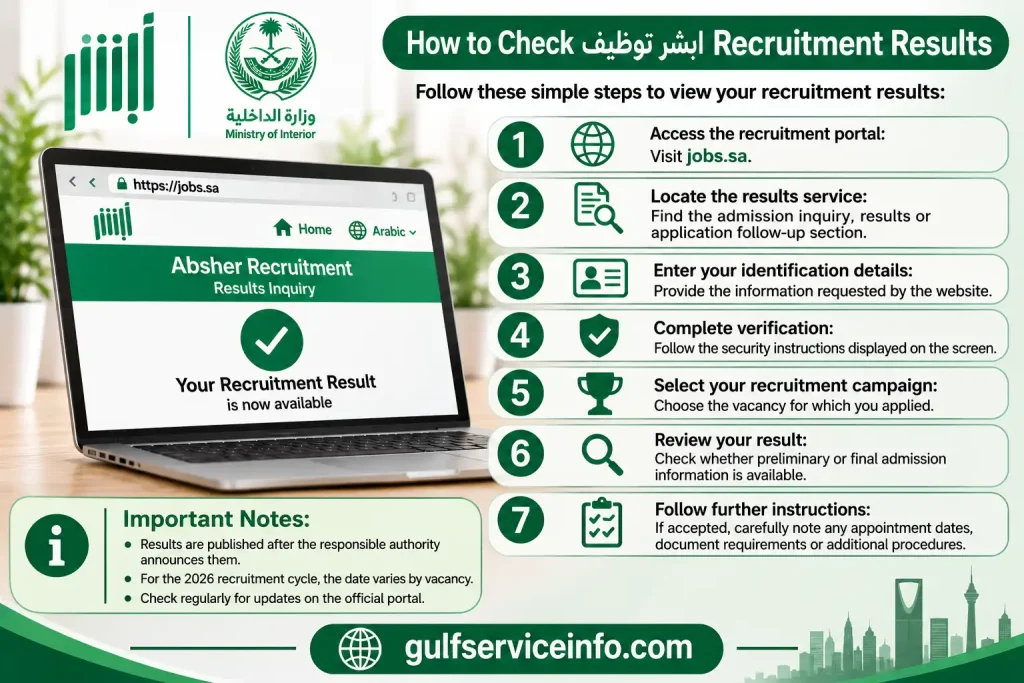
Applicants should regularly check the official website during the announced results period. An unavailable result does not automatically indicate rejection; the authority may simply not have released the relevant announcement.
Preliminary acceptance versus final acceptance
Understanding the two admission stages is essential for candidates following their ابشر توظيف applications.
| Admission stage | What it means |
|---|---|
| Preliminary acceptance | The candidate has passed an initial selection stage but must still meet any remaining recruitment requirements. |
| Final acceptance | The candidate has reached the final acceptance stage announced by the responsible authority. |
What happens after preliminary acceptance?
Depending on the recruitment campaign, successful candidates may be instructed to:
Missing an appointment or failing to provide the required documents may affect your recruitment progress. Therefore, read the admission announcement carefully rather than relying only on the acceptance message.
ابشر توظيف Eligibility Requirements
Eligibility for ابشر توظيف depends on the position, military rank and government sector conducting the recruitment. There is no universal eligibility checklist covering every vacancy, as individual recruitment announcements can introduce different academic, personal and physical conditions.
Most importantly, applicants should check the latest announcement rather than relying on requirements published for an older recruitment campaign.
The following conditions are commonly relevant to Ministry of Interior military recruitment:
| Eligibility condition | What applicants may need to meet |
|---|---|
| Nationality | Saudi nationality where required by the announcement. |
| Age | The minimum and maximum age limits specified for the position. |
| Educational qualification | The required school, college or university qualification. |
| Academic specialisation | A particular field of study where applicable. |
| Medical fitness | The required physical and medical standards. |
| Personal conduct | The conduct and criminal-record conditions stated in the announcement. |
| Previous employment | Any restrictions concerning previous military or government employment. |
| Physical standards | Height, weight or other physical requirements where specified. |
| Supporting documents | Valid identification and relevant educational certificates. |
Some vacancies may also require professional qualifications, practical experience or additional specialist skills.
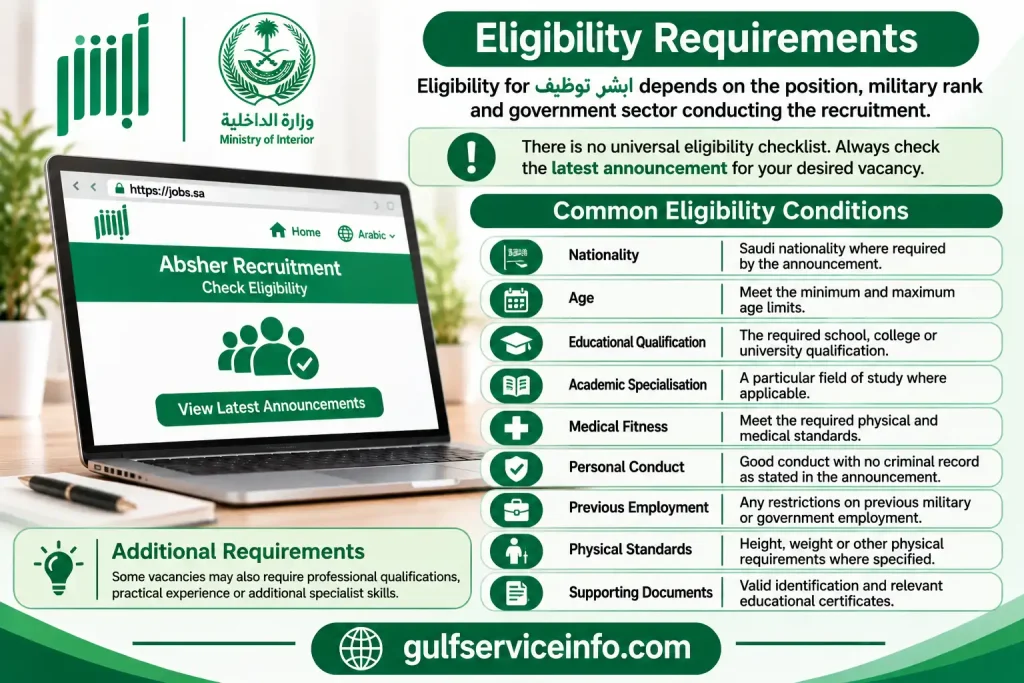
Before applying: Do not assume that meeting the educational requirement is enough. A candidate may hold the correct qualification but still fail another condition, such as age, nationality or medical fitness.
The official vacancy announcement remains the most reliable source for determining whether you qualify for a particular position.
Government and Military Jobs Available Through ابشر توظيف
ابشر توظيف is mainly associated with recruitment opportunities announced by Saudi Arabia’s Ministry of Interior and its security-related authorities. The available vacancies vary according to the recruitment campaigns published by the General Administration of Central Admission.
Different campaigns may target applicants with secondary-school qualifications, specialised educational backgrounds or professional skills.
Examples of government and security sectors that have appeared in Ministry of Interior recruitment announcements include:
| Government or security sector | Nature of recruitment opportunities |
|---|---|
| Public Security | Security and military positions. |
| Border Guard | Border protection and related security duties. |
| Civil Defence | Emergency response and civil protection roles. |
| General Directorate of Prisons | Prison security and related positions. |
| King Fahd Security College | Positions announced under relevant recruitment campaigns. |
| Special Forces for Security and Protection | Specialised security opportunities. |
| Security Brigades | Positions advertised by the relevant authority. |
These sectors represent examples of organisations associated with previous Ministry of Interior recruitment announcements. Their inclusion does not confirm that every sector is recruiting during 2026.
Previous recruitment campaigns have included military ranks such as Soldier and Soldier First Class, as well as specialised opportunities within different security authorities.
For applicants, the practical approach is to monitor ابشر توظيف and review the latest vacancy details. Check the recruiting organisation, position title, qualification requirements and application period before deciding to register.
How to Update Your Information in ابشر توظيف
Accurate personal and educational information is essential throughout the recruitment process. If the information submitted through ابشر توظيف contains an error, it may cause difficulties when the recruiting authority verifies your application against official records.
Whether you can correct your information depends on the recruitment campaign and the current application stage. Some systems provide editing options, while others restrict changes after submission or after registration closes.
If editing is available, use the following procedure:
If the editing option is unavailable, do not attempt to create another application to replace the original one. Contact the appropriate support channel or follow the correction instructions published in the recruitment announcement.
Keep in mind: Not every submitted application can be edited. The recruiting authority’s instructions take priority, particularly after the application deadline has passed.
How to Print Your Job Application Form
Keeping a copy of your submitted recruitment application can make it easier to review your original information and prepare for later selection stages. If ابشر توظيف provides a printing or downloading facility for the relevant campaign, you can save the available application document.
The process usually involves accessing your submitted application and locating its document or summary option.
Before printing, check that the document displays the correct personal details and recruitment information.
Some recruitment campaigns may not provide a downloadable application form. If the portal does not display a printing option, retain the submission confirmation or application reference details instead.
Common ابشر توظيف Login and Application Problems
Technical issues can sometimes interrupt the ابشر توظيف login or application process. These problems may occur because of incorrect account details, temporary website interruptions, verification difficulties or recruitment deadlines.
Knowing how to identify the issue can help you avoid unnecessary application attempts.
| Problem | Recommended solution |
|---|---|
| Website not opening | Check your internet connection and try accessing the portal later. |
| Incorrect login details | Recheck your identification and account information. |
| Verification code not received | Confirm that your registered mobile number is active and has network coverage. |
| Application option unavailable | Check whether the recruitment registration period is still open. |
| Submission failure | Review mandatory fields and correct any missing information. |
| Incorrect personal information | Check whether the portal permits editing or contact the relevant support service. |
| Recruitment results not displayed | Confirm whether the authority has published the results for your campaign. |
| Page not loading properly | Update your browser or try another supported browser. |
Practical ways to avoid application problems
A few precautions can reduce the likelihood of technical and registration mistakes:
If the problem continues, contact Absher technical support and explain which service is not working. Mention whether the issue concerns login, application submission, personal information or recruitment results. Never include your password or verification code in a support enquiry.
Difference Between Absher Individuals and Absher Recruitment
Although Absher Individuals and ابشر توظيف are associated with Saudi Arabia’s Ministry of Interior, their purposes are different. One provides general electronic government services, while the other focuses on recruitment announcements and applications.
Applicants should understand this distinction before attempting to register or check their job application.
| Feature | Absher Individuals | Absher Recruitment |
|---|---|---|
| Main purpose | General government electronic services | Recruitment and job applications |
| Official website | absher.sa | jobs.sa |
| Main users | Citizens, residents and eligible service users | Applicants interested in advertised vacancies |
| Services | Passport, traffic, civil affairs and other electronic services | Recruitment announcements and application follow-up |
| Job applications | Not its primary function | Dedicated recruitment channel |
| Recruitment results | Not its primary function | Preliminary and final admission updates |
For example, someone who needs to access a traffic or residency-related electronic service should use Absher Individuals. A candidate interested in an advertised Ministry of Interior military position should visit ابشر توظيف.
There may be a connection between the platforms when an applicant needs to authenticate through an Absher account. However, completing the regular Absher registration process does not automatically submit a job application.
Which website should you use?
Choosing the correct platform from the beginning makes the registration process more straightforward.
ابشر توظيف Contact Information and Support
Applicants who experience difficulties with account access, recruitment applications or other electronic services can use the official Ministry of Interior support channels for assistance.
The following contact details are provided in the supplied service information:
Absher Technical Support
920020405
Support number listed for Absher electronic services
Ministry of Interior Websitewww.moi.gov.sa
Regular Absher PortalOfficial Absher website
Recruitment PortalAbsher Recruitment – jobs.sa
The Ministry of Interior also provides an official website for general enquiries and electronic service information.
When contacting support, explain your problem clearly. For example, specify whether you cannot access your account, receive a verification code, submit an application or view recruitment results. Providing the name of the relevant service can help the support team understand your enquiry.
For recruitment-specific questions, follow the contact instructions included in the vacancy announcement, as the responsible recruitment authority may provide additional guidance.
Frequently Asked Questions About ابشر توظيف
Final Thoughts
ابشر توظيف provides a central online channel for candidates interested in advertised government and military recruitment opportunities in Saudi Arabia. Through the official jobs.sa website, eligible applicants can explore vacancies, submit their information and follow preliminary and final admission announcements. The most important part of the process is understanding the requirements of the specific recruitment campaign. Check the vacancy conditions before applying, make sure your personal and educational information is accurate, and submit your application within the advertised registration period.