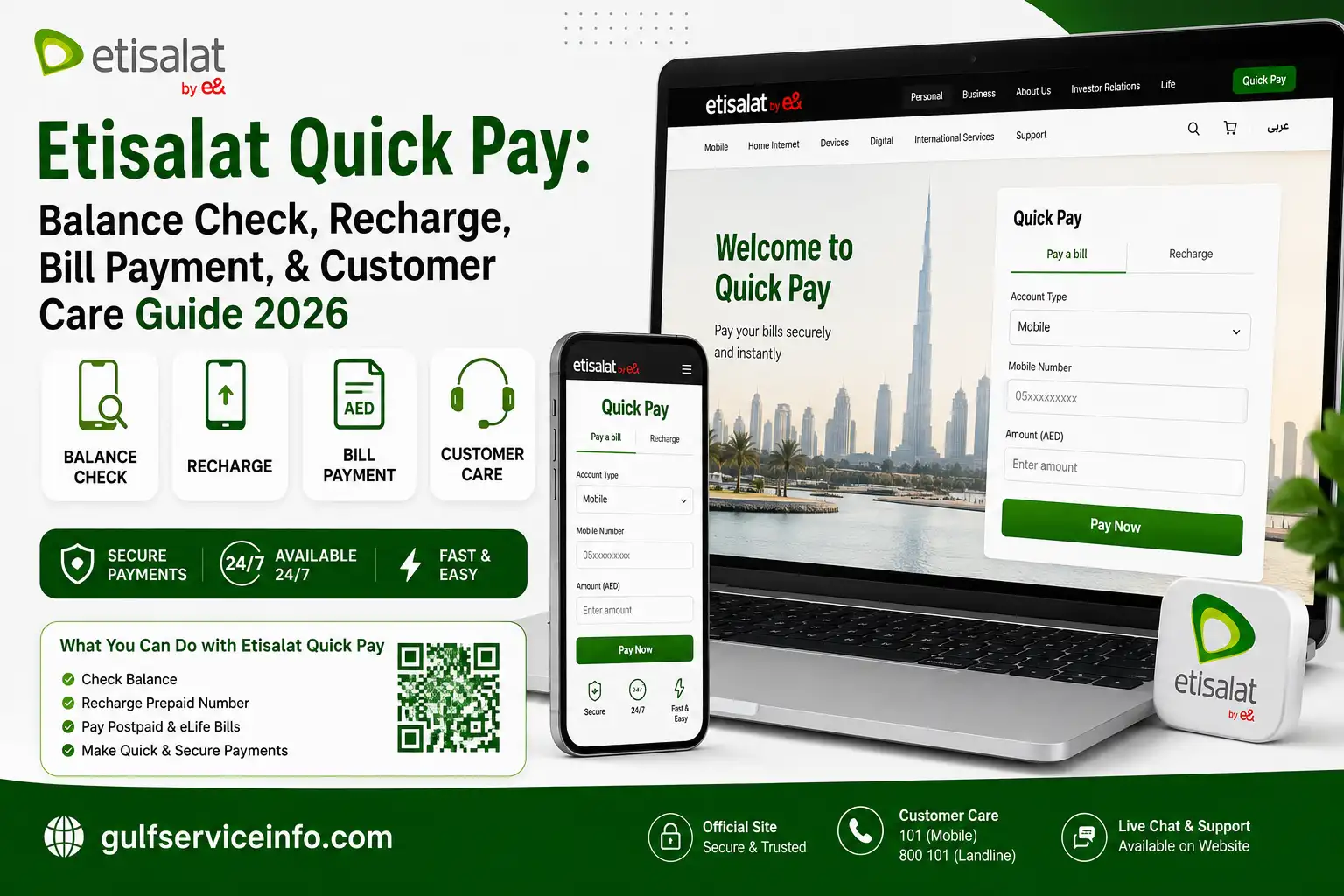
If you need to settle an e& UAE payment without going through a full account login, Etisalat Quick Pay offers a convenient option. You can use the official service to pay postpaid mobile bills, home internet charges and TV subscriptions, as well as recharge an e& prepaid number. The Etisalat Quick Pay is designed for anytime access and supports several online payment options, including debit and credit cards, Apple Pay, Google Pay and other methods available on the payment page. This can be useful when you need to make a payment promptly and keep your mobile or home services running.
This guide covers how Etisalat Quick Pay works, the types of payments and recharges available, supported payment methods, common payment problems, troubleshooting steps, security considerations and answers to frequently searched questions from users in the UAE.
Looking for more UAE service guides and useful online resources? Visit Our Homepage
What Is Etisalat Quick Pay?
Etisalat Quick Pay is e& UAE’s online payment option for customers who want to settle a bill or recharge a number without signing in to their e& account. It provides a direct way to access eligible payment services from a phone, tablet or computer.
Depending on the service and account type, Quick Pay can be used for:
The service is intended for customers who want a straightforward way to make an e& payment without going through the regular account login process.
Why Choose Etisalat Quick Pay?
For customers who need to make an e& UAE payment without going through a full account login, Etisalat Quick Pay provides a convenient alternative. Its straightforward process makes it useful for both regular payments and urgent bill settlements.
Key advantages include:
It can also be useful when paying a bill or recharge for someone else. In many cases, the payment process can be completed within a few minutes.
Services You Can Pay for with Etisalat Quick Pay
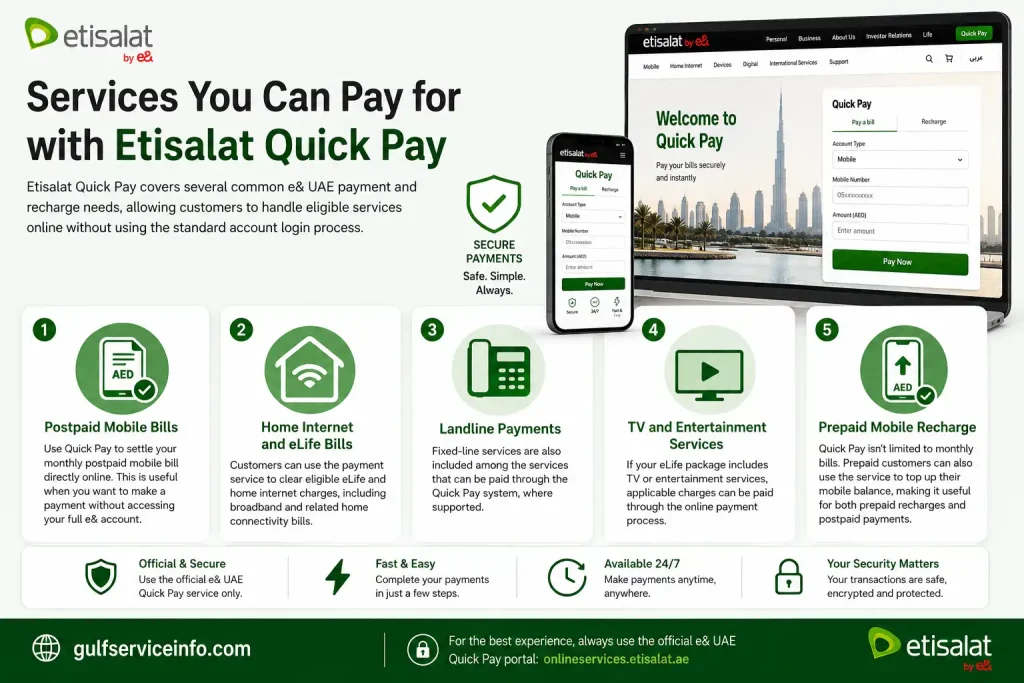
Etisalat Quick Pay covers several common e& UAE payment and recharge needs, allowing customers to handle eligible services online without using the standard account login process.
Postpaid Mobile Bills
Use Etisalat Quick Pay to settle your monthly postpaid mobile bill directly online. This is useful when you want to make a payment without accessing your full e& account.
Home Internet and eLife Bills
Customers can use the payment service to clear eligible eLife and home internet charges, including broadband and related home connectivity bills.
Landline Payments
Fixed-line services are also included among the services that can be paid through the Etisalat Quick Pay system, where supported.
TV and Entertainment Services
If your eLife package includes TV or entertainment services, applicable charges can be paid through the online payment process.
Prepaid Mobile Recharge
Etisalat Quick Pay isn’t limited to monthly bills. Prepaid customers can also use the service to top up their mobile balance, making it useful for both prepaid recharges and postpaid payments.
How to Use Etisalat Quick Pay
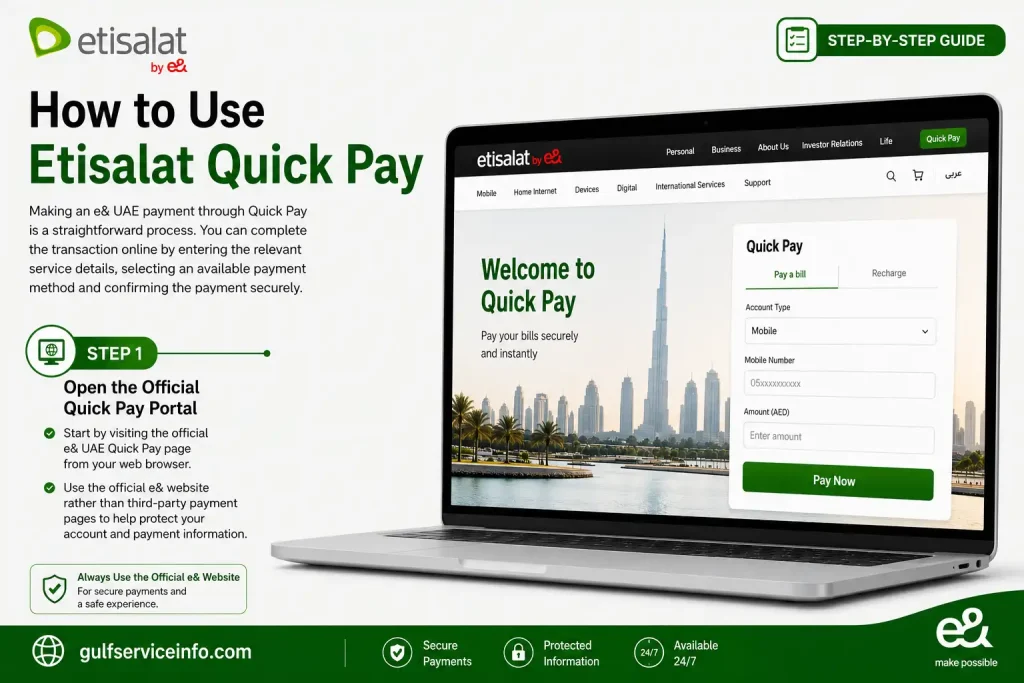
Making an e& UAE payment through Etisalat Quick Pay is a straightforward process. You can complete the transaction online by entering the relevant service details, selecting an available payment method and confirming the payment securely.
Step 1: Open the Official Quick Pay Portal
Start by visiting the official e& UAE Quick Pay page from your web browser.
Use the official e& website rather than third-party payment pages to help protect your account and payment information.
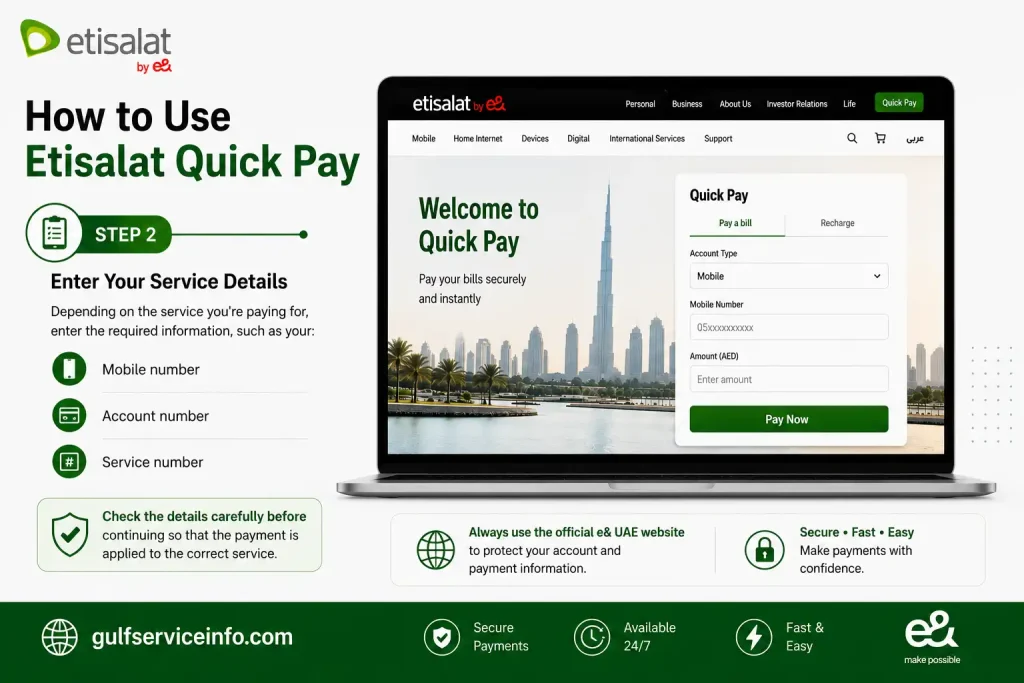
Step 2: Enter Your Service Details
Depending on the service you’re paying for, enter the required information, such as your:
Check the details carefully before continuing so that the payment is applied to the correct service.
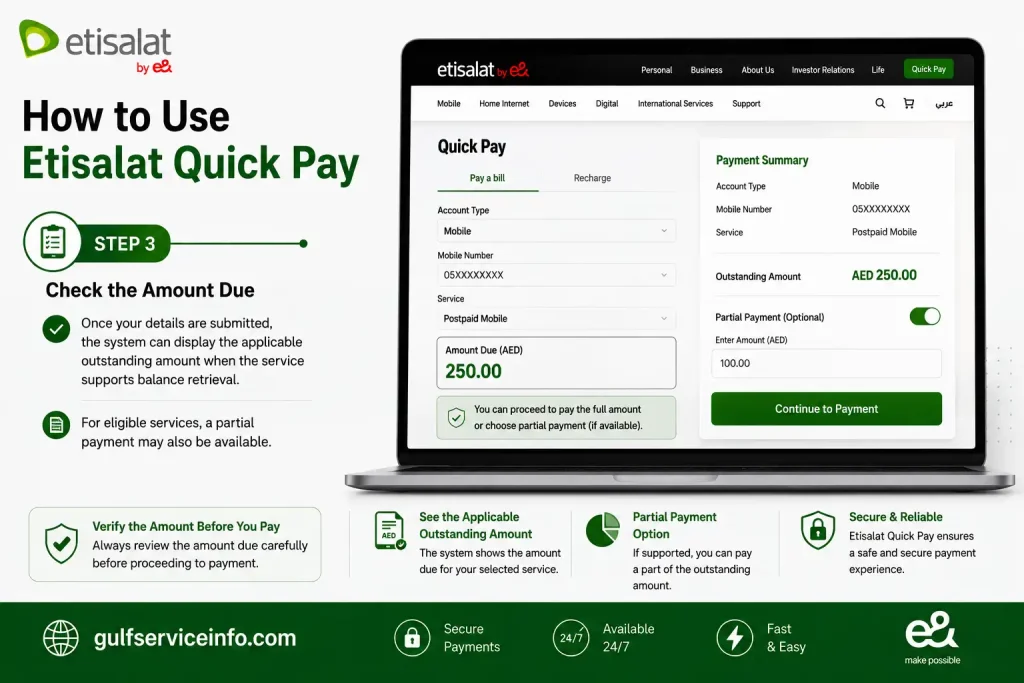
Step 3: Check the Amount Due
Once your details are submitted, the system can display the applicable outstanding amount when the service supports balance retrieval.
For eligible services, a partial payment may also be available.
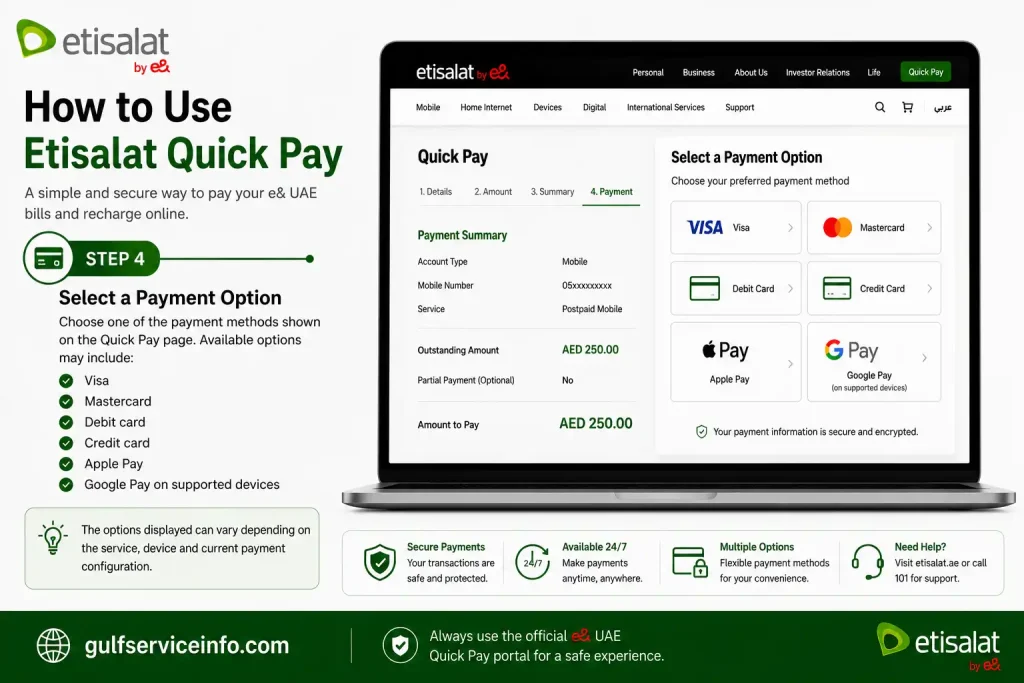
Step 4: Select a Payment Option
Choose one of the payment methods shown on the Etisalat Quick Pay page. Available options may include:
The options displayed can vary depending on the service, device and current payment configuration.
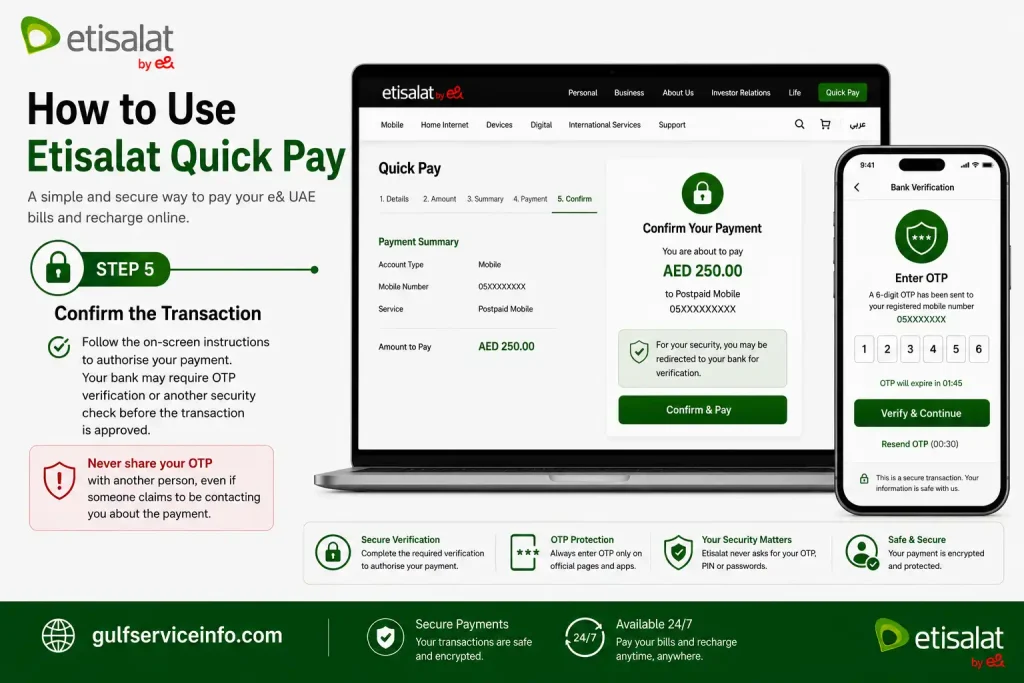
Step 5: Confirm the Transaction
Follow the on-screen instructions to authorise your payment. Your bank may require OTP verification or another security check before the transaction is approved.
Never share your OTP with another person, even if someone claims to be contacting you about the payment.
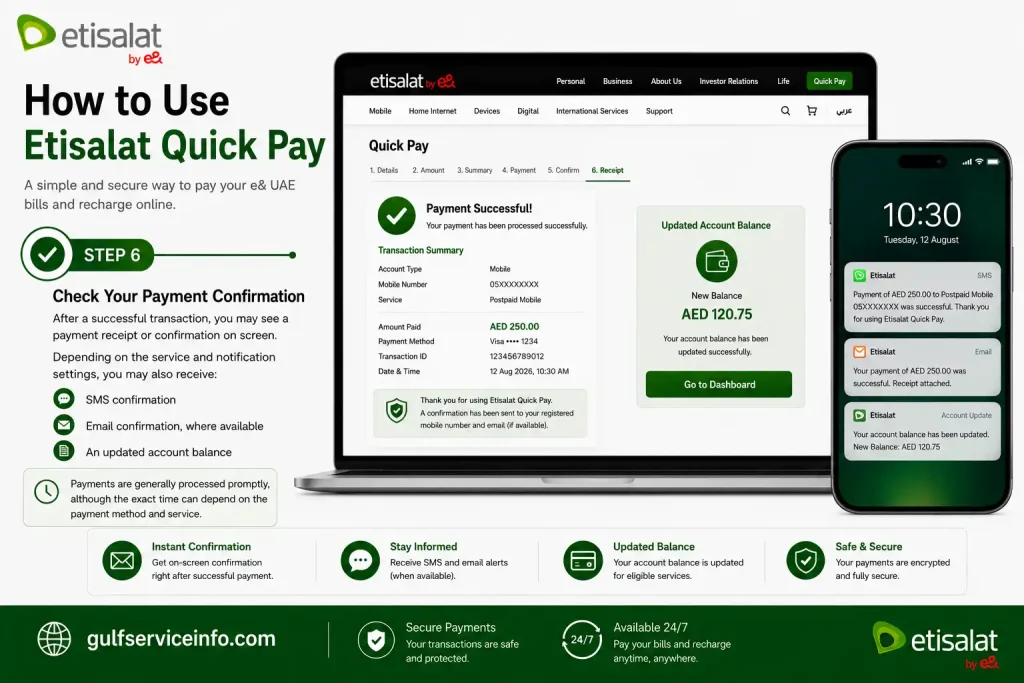
Step 6: Check Your Payment Confirmation
After a successful transaction, you may see a payment receipt or confirmation on screen. Depending on the service and notification settings, you may also receive:
Payments are generally processed promptly, although the exact time can depend on the payment method and service.
Payment Methods Available on Etisalat Quick Pay
Etisalat Quick Pay provides several online payment options, giving e& UAE customers flexibility when settling eligible bills or making payments through the official portal.
Commonly supported methods include:
Depending on your bank and the transaction, an additional security check may be required. This can include 3D Secure authentication or a one-time password (OTP) before the payment is authorised.
Always complete any verification step through your bank’s official security process and never disclose your OTP to another person.
Pay Etisalat Bills Without Login
You can use Etisalat Quick Pay to make an eligible e& UAE payment without signing in to your account. This is particularly useful when you need to settle a bill quickly or don’t have access to the e& UAE app.
The process is straightforward:
- Open the official e& UAE Quick Pay page.
- Enter your mobile number or account number.
- Check the outstanding amount shown for the service.
- Select an available payment method and complete the transaction securely.
Because no account login is required, Quick Pay can be convenient when using a shared computer, making a payment for a family member, or simply looking for a quicker alternative to the standard account-based payment process.
Using the e& UAE App for Bill Payments
For customers who make payments or manage their e& services regularly, the e& UAE App can be a more practical option than using Etisalat Quick Pay for individual transactions. It brings billing, recharge and account-management features together in one place.
Through the app, you can:
Etisalat Quick Pay is useful when you simply need to make a payment without signing in, while the app is better suited to customers who want ongoing access to their e& account and services.
How to Pay Through the e& UAE App
If you regularly manage your e& services, you can use the e& UAE App to pay bills directly from your account. The process can be completed in a few steps:
- Open the e& UAE App.
- Sign in with your registered account.
- Select the relevant mobile or home service.
- Choose Pay Bill.
- Review the outstanding amount.
- Select your preferred payment method.
- Authorise and complete the payment.
- Check the confirmation once the transaction has been processed.
The app is particularly useful for customers who regularly manage more than one e& service or want their billing and payment options available in one place.
Common Etisalat Quick Pay Problems
Most Etisalat Quick Pay transactions are straightforward, but you may occasionally encounter a payment or account-verification issue. The right solution usually depends on what happened during the transaction.
Payment Failed
A Etisalat Quick Pay transaction may fail for several reasons, including:
If the payment doesn’t go through, wait a few minutes and try again. You can also switch to another supported payment method if the problem continues.
Payment Was Deducted but the Bill Hasn’t Updated
In some cases, your bank may approve and deduct the payment before the e& system displays the updated balance. If this happens, give the transaction a few minutes to be reflected.
Try the following:
Keep the payment receipt or transaction confirmation until the payment appears against your bill.
Invalid Account Number
If Quick Pay reports an invalid account or service number, check the information you entered before trying again. Make sure:
Entering the correct service details is important because the payment needs to be linked to the intended e& account.
Benefits of Using Etisalat Quick Pay
For customers who need a convenient way to settle an e& UAE bill, Etisalat Quick Pay offers several practical advantages. It removes the need for a full account login while providing a straightforward online payment experience.
Key benefits include:
Safety Tips When Paying Online
Taking a few precautions can help protect your payment details when using Etisalat Quick Pay. Stick to the official e& UAE payment service and treat requests for sensitive banking information with caution.
Keep these security practices in mind:
Security reminder: e& UAE will not ask you to disclose your OTP, PIN, CVV or online banking password. Never share these credentials with anyone claiming to be a representative.
Frequently Asked Questions
Final Thoughts
Etisalat Quick Pay provides a convenient way to handle eligible e& UAE payments online without signing in to an account. Whether you’re settling a postpaid mobile bill, paying for eLife internet or TV services, or recharging a prepaid number, the process is designed to be straightforward and accessible whenever you need it. For a smoother and safer payment experience, use the official e& UAE Quick Pay portal or the e& UAE app. Always verify the website before entering payment information and follow basic online security practices when completing your transaction.
Read More: Explore our related Gulf government service guides for more step-by-step information and helpful updates.