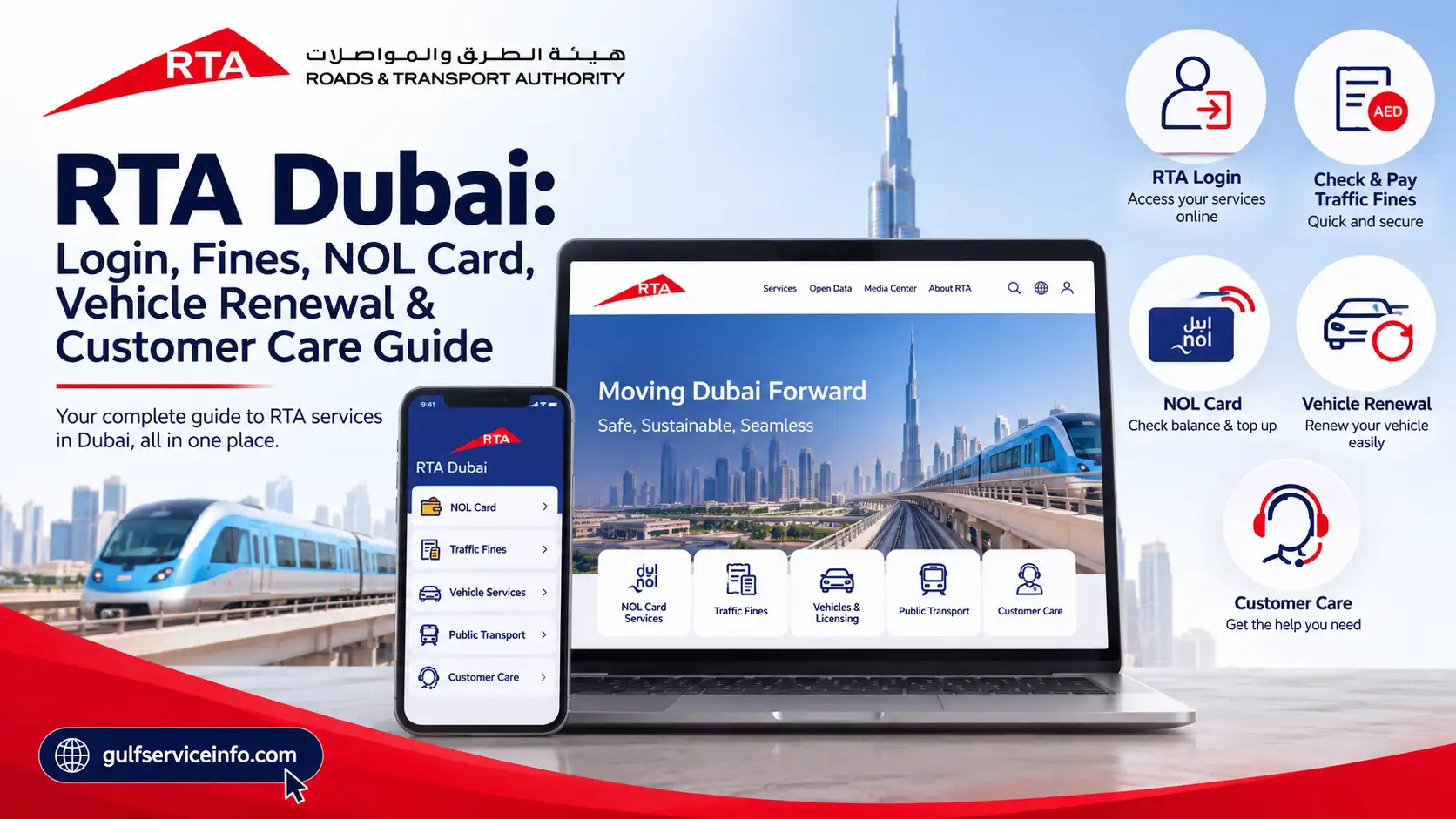
If you live in Dubai, own a vehicle, use public transport, or regularly deal with parking and traffic services, the Roads and Transport Authority (RTA) Dubai is one of the most important government portals to know. The RTA Dubai website brings many transportation and vehicle-related services together, including RTA login, traffic fines, NOL card services, vehicle renewal, driving licence services, parking services, and customer support. Instead of visiting an RTA Customer Happiness Centre for every request, many services can now be completed online through the official RTA website or its smart applications. The RTA portal also provides quick tools for checking vehicle expiry, traffic fines, and NOL card balances without necessarily signing in.
Explore more UAE government services and helpful guides: Visit Our Homepage
What Is RTA Dubai?
The Roads and Transport Authority (RTA) is the government authority responsible for major transportation and road-related services in Dubai. Its services cover private vehicles, driving licences, public transportation, parking, NOL cards, taxis, Dubai Metro, Dubai Tram, buses, and several digital transportation services.
For drivers and vehicle owners, the RTA Dubai website can be used for services such as vehicle registration and renewal, fines inquiry and payment, driving licence services, vehicle expiry checks, plate-related services, and parking services.
For public transport users, RTA provides services connected with NOL cards, Dubai Metro, buses, trams, taxis, and public transport fares. The official portal also provides access to smart applications such as the RTA Dubai app, S’hail, and nol Pay.
One useful feature of the RTA Dubai website is that some services can be accessed without a full account. For example, the RTA homepage provides tools to check vehicle expiry, traffic fines, and NOL balance using the required information.
RTA Dubai Services
The RTA website provides a broad selection of services for residents, visitors, drivers, vehicle owners, businesses, and public transport passengers.
Some of the most commonly used RTA Dubai services include:
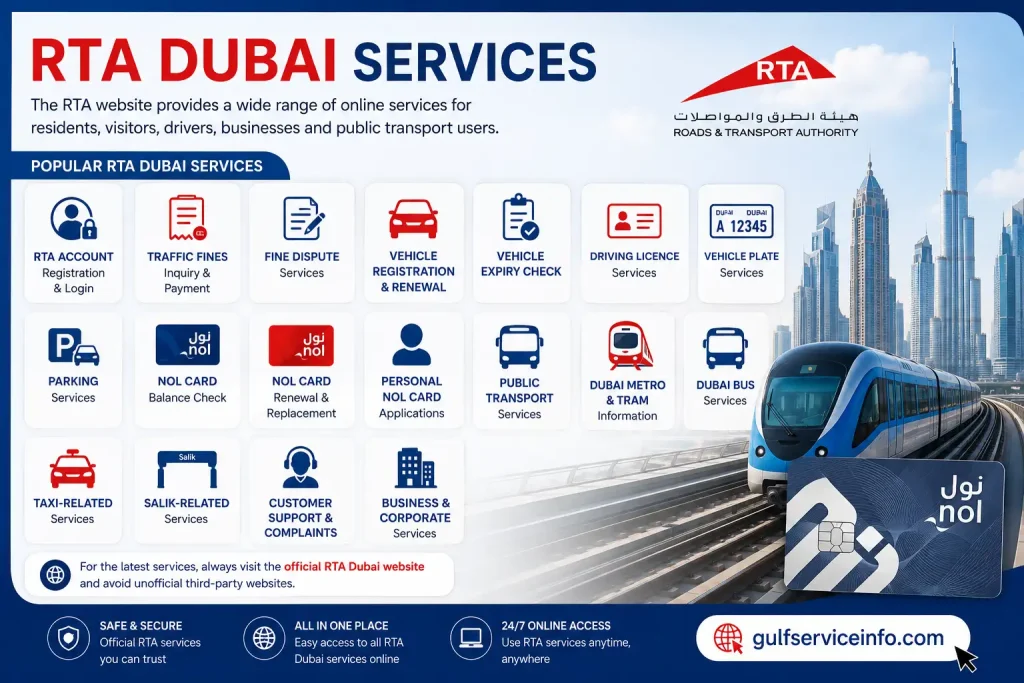
The official RTA Dubai portal separates many of these services into categories such as Drivers & Car Owners, Public Transport, and Business & Corporate, making it easier to find the relevant service.
For the latest services, users should always start from the official RTA Dubai website rather than relying on unofficial third-party portals.
How to Create an RTA Account
Creating an RTA account can make it easier to access services that require customer authentication. Depending on the service, RTA also allows users to authenticate through UAE Pass.
To begin, open the official RTA website:
Open the official RTA website
Look for the Login option on the RTA website. The portal currently provides login options for individual and company users, as well as trusted agents.
A typical account creation process involves the following steps:
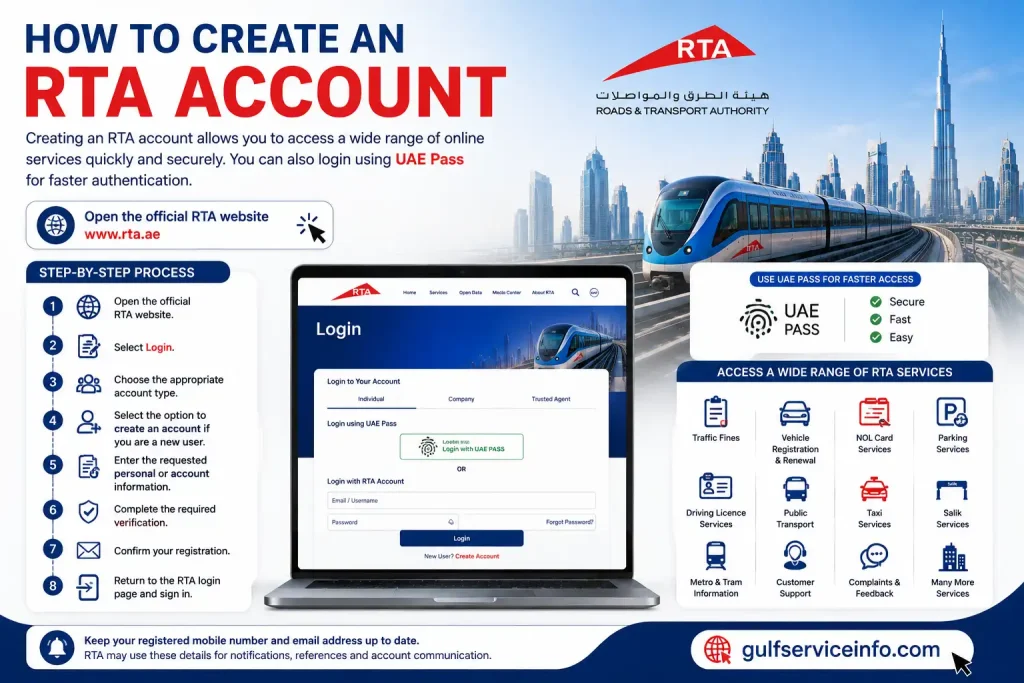
For services integrated with UAE Pass, you may be able to use your existing UAE Pass credentials instead of creating or repeatedly entering separate login information.
Keep your registered mobile number and email address up to date because RTA may use these details for service notifications, application references, and other account-related communication.
RTA Login: How to Access Your Account
The RTA login process is designed to give registered users access to their personalized services and applications.
To access your RTA Login account:
The exact login screen and authentication options can change as RTA Dubai updates its digital platform, so it is best to use the current login page available directly through the official RTA website rather than an old bookmarked page.
Can You Use RTA Services Without Logging In?
Yes. Not every RTA service requires an account.
For example, the official RTA Dubai homepage currently provides quick-access options for checking vehicle expiry, traffic fines, and NOL balance. The fine-checking tool can use information such as a traffic file number or plate details, while the NOL balance tool asks for the NOL tag ID.
However, logging in becomes more important when you want to manage personalized services, submit applications, access account information, or use services connected with UAE Pass.
RTA Dubai Login: Step-by-Step Process
If you are specifically looking for the RTA Dubai login, the simplest approach is to start from the official RTA homepage instead of searching for an unfamiliar login URL.
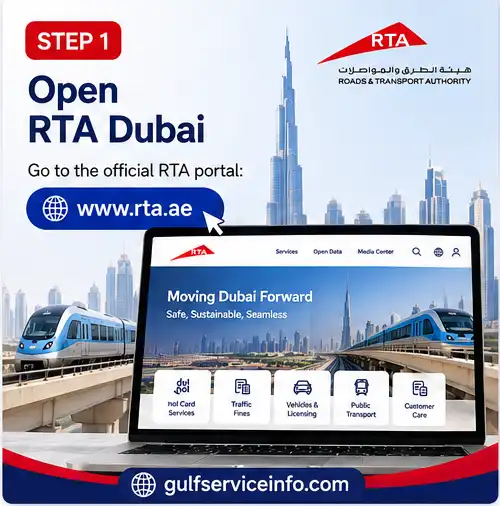
Step 1: Open RTA Dubai
Go to the official RTA portal:
RTA Dubai Login & Services Portal
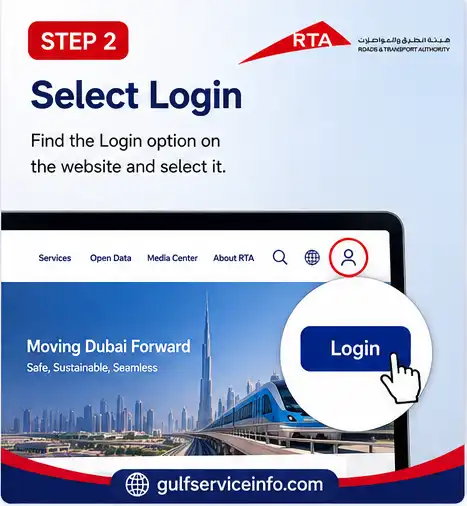
Step 2: Select Login
Find the Login option on the website and select it.
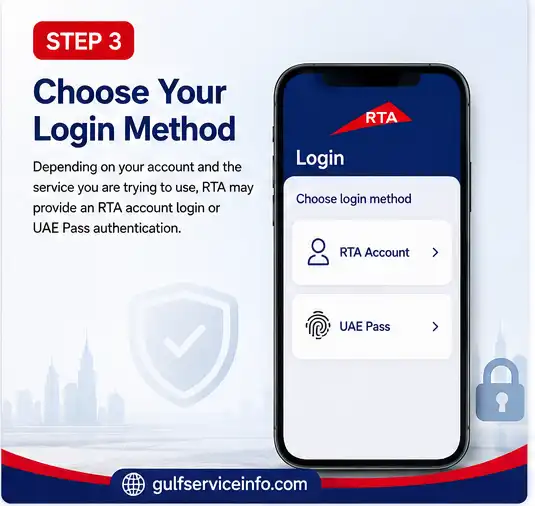
Step 3: Choose Your Login Method
Depending on your account and the service you are trying to use, RTA Dubai may provide an RTA account login or UAE Pass authentication.
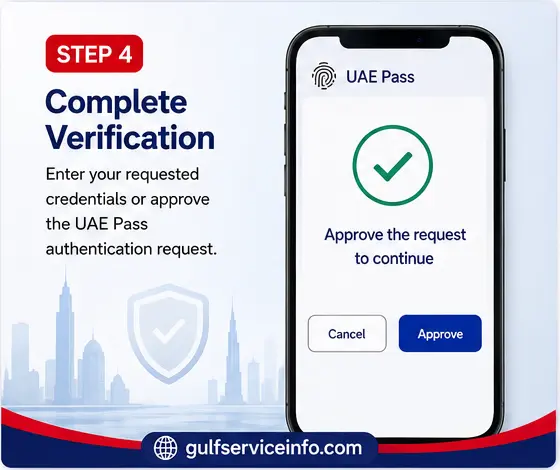
Step 4: Complete Verification
Enter your requested credentials or approve the UAE Pass authentication request.
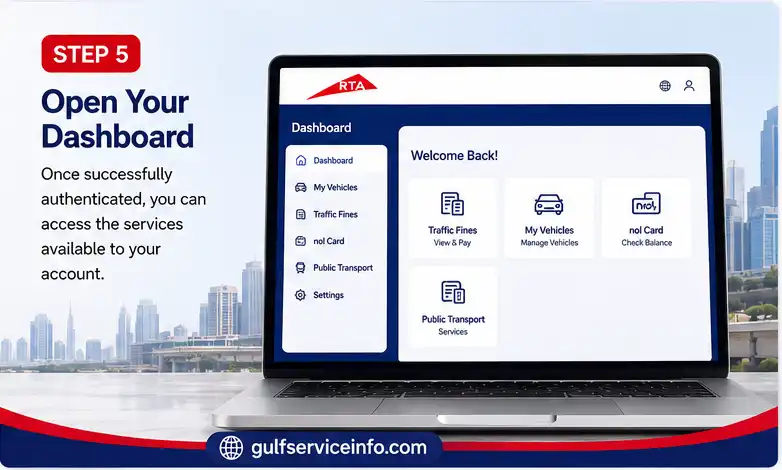
Step 5: Open Your Dashboard
Once successfully authenticated, you can access the services available to your account.
If the login page does not work, avoid entering your information repeatedly. First check whether you are using the official RTA domain, whether your internet connection is stable, and whether your UAE Pass or RTA account credentials are working correctly.
How to Check and Pay RTA Dubai Fines
Checking RTA Dubai fines is one of the most frequently used RTA services. The official website provides a fine-checking tool that can be accessed from the RTA homepage.
Check RTA Services on the Official Portal
The RTA Dubai website currently provides options to check fines using information such as:
The exact information required can vary according to the type of violation.
How to Check RTA Fines Online
Follow these general steps:
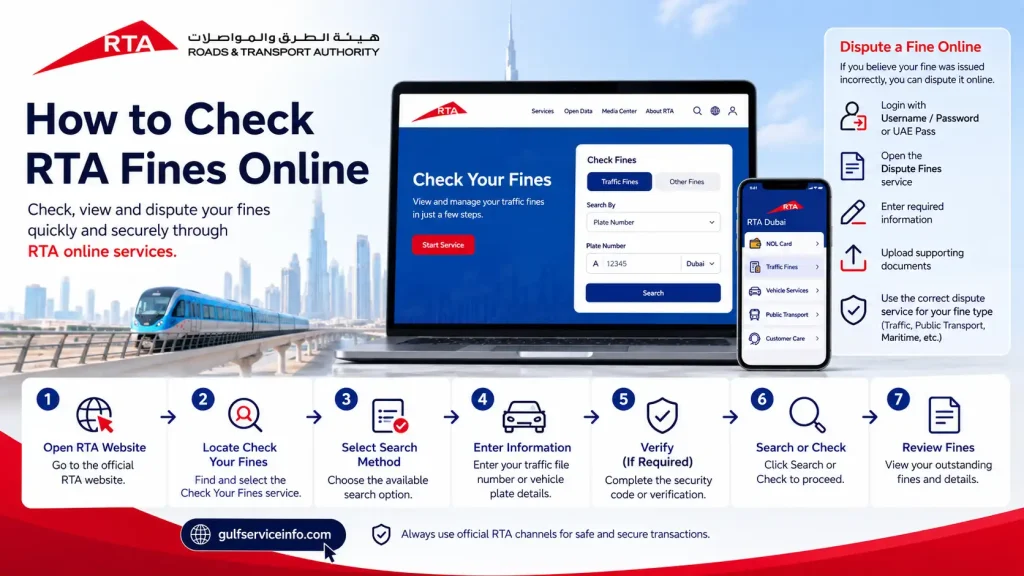
For certain RTA services, users can also dispute a fine online if they believe it was issued incorrectly. RTA’s current service information states that eligible users can log in using a username/password or UAE Pass, open the relevant Dispute Fines service, enter the required information, and upload supporting documents.
It is important to use the specific RTA dispute service applicable to your fine because requirements can differ between traffic, public transport, maritime, and other categories.
Paying RTA Fines
Once you have checked your RTA fines, the available payment methods depend on the service. RTA Dubai provides online payment options for many services, while some transactions can also be completed through RTA Customer Happiness Centres.
If you are unsure whether a particular fine belongs to RTA or another Dubai authority, check the official details before making a payment.
RTA NOL Card: Services, Balance Check & Recharge
The RTA NOL card is used extensively for Dubai’s public transportation network. Depending on the card type and service, users can manage their NOL card through RTA’s website and smart applications.
The official RTA portal provides a Check NOL Balance option where users can enter their NOL tag ID to view the available balance.
For more advanced NOL services, RTA also supports nol Pay and S’hail. These applications can be used for selected NOL card services, including applications, renewal, replacement, and other digital functions.
How to Check NOL Balance
To check your NOL balance through the RTA website:
For personal NOL card management, RTA’s current service instructions allow users to log in with UAE Pass or an RTA account, open Manage nol Card, and select the relevant renewal or replacement service.
NOL Card Renewal
For a personal NOL card renewal, RTA currently provides an online process through its website and supported applications. Users can authenticate through UAE Pass or their RTA account, select Manage nol Card, choose the renewal/replacement service, review their personal information, select the relevant options, submit the application, and pay the applicable fee.
RTA states that certain renewed physical or digital NOL cards can be available within the specified service time after successful payment and approval.
RTA Vehicle Renewal: How to Renew Your Vehicle
RTA vehicle renewal is one of the most important online services for Dubai vehicle owners. Instead of visiting an RTA centre for every renewal, eligible vehicle owners can use the official RTA digital channels to renew and amend vehicle registration information.
The official RTA website currently lists “Renew and Amend Vehicle Data Ownership” among its popular services.
Before starting an RTA vehicle renewal, make sure your vehicle and required documents meet the applicable requirements. Depending on the vehicle and transaction, you may need a valid vehicle inspection, insurance information, Emirates ID or other identification details, and payment for applicable charges.
How to Renew a Vehicle Through RTA
You can generally follow these steps:
The exact requirements can depend on the vehicle type, registration status, inspection result, insurance status, and other circumstances. Therefore, it is better to check the service page displayed by RTA before making a payment.
Can I Renew My Vehicle Online?
In many cases, yes. RTA has moved a large number of vehicle-related services online, allowing customers to complete eligible transactions digitally.
The advantage of using the online RTA vehicle renewal service is that you can check the available transaction from home and avoid an unnecessary visit to a service centre. If the system identifies an issue, such as an outstanding requirement or a problem with the vehicle record, you may need to resolve that issue before the renewal can be completed.
RTA Vehicle Renewal Requirements
The requirements can vary depending on the vehicle and the specific transaction. Common information or documents may include:
If your vehicle requires testing, complete the required inspection before attempting to finalize the renewal. You should also check for outstanding RTA Dubai fines, because unpaid fines may affect some vehicle-related transactions.
For the most accurate requirements, always use the relevant service listed on the official RTA portal rather than relying on an old checklist.
RTA Customer Care: Contact Details & Support
Sometimes an online service does not work as expected, or you may need clarification before submitting an application. In these situations, RTA customer care can help.
The official RTA contact page currently lists the following customer support channels:
| RTA Customer Care Option | Official Details |
|---|---|
| RTA Helpline | 800 9090 |
| International number | +971 4 605 1414 |
| +971 58 800 9090 | |
| [email protected] |
These contact details are published on the official RTA website.
RTA Customer Care Number
For customers inside the UAE, the main RTA customer care number is 800 9090. RTA’s customer information page also identifies 8009090 as its call-centre number.
When calling RTA customer care, keep your relevant information nearby. For example, if you are calling about a vehicle, having your plate number, traffic file information, or service reference can make it easier to explain the issue.
For account problems, you may also need the mobile number or email associated with your RTA account.
RTA WhatsApp
RTA also lists WhatsApp support at:
+971 58 800 9090
This can be useful when you want to communicate digitally instead of making a phone call. Always verify that you are using the official RTA contact channel before sharing personal or vehicle information.
RTA Email Support
For written inquiries, RTA lists [email protected] as its email contact.
When sending an email, explain the issue clearly and include relevant service information. Avoid sending unnecessary sensitive information or passwords.
RTA Customer Happiness Centres
Although many RTA Dubai services are available online, some situations still require a physical visit. RTA operates Customer Happiness Centres that provide services related to drivers, vehicles, Salik, parking, fines, and other transportation matters.
For example, RTA’s official contact information states that the Customer Happiness Centre – Umm Ramool operates 24/7 and provides services including drivers licensing, vehicle licensing, Salik, parking, fine payments and refunds.
You can use the official RTA website to find the appropriate service centre before visiting.
Find RTA Customer Support and Centres
RTA Apps and Online Services
RTA has developed several official digital applications to make transportation services easier to access from a mobile phone.
The main applications currently highlighted by RTA include the RTA Dubai app, S’hail, and nol Pay.
RTA Dubai App
The RTA Dubai app is designed as a digital platform that brings traffic and transportation services together in one place. RTA describes it as a platform through which users can complete various transportation-related services digitally.
Depending on the service, users can access vehicle, driving, parking, fines, and other RTA services through the application.
If you frequently use RTA Dubai services, having the official application installed can be more convenient than opening the website every time.
S’hail App
S’hail focuses more heavily on journey planning and public transportation. RTA describes S’hail as an all-in-one app for managing NOL accounts, booking taxis or luxury vehicles, using selected smart mobility services, planning journeys, and accessing public transportation information.
The app supports information and journey planning across modes such as:
RTA has also continued expanding S’hail as part of its digital mobility ecosystem. A July 2026 RTA update says the app supports NOL-related functions such as balance top-ups, travel-pass purchases and renewals, and personal NOL card applications and renewals.
NOL Pay App
The nol Pay app is particularly useful for people who use Dubai public transportation and NOL cards.
According to RTA, nol Pay supports functions including:
For users who regularly travel by Metro, bus, or other RTA transportation, nol Pay can make NOL card management much simpler.
Official RTA nol Pay Information
RTA Requirements, Documents & Fees
The requirements and fees for RTA Dubai services are not the same for every transaction. A vehicle renewal, driving licence renewal, NOL card service, fine payment, and parking transaction can all have different requirements.
This is why users should check the specific RTA service page before starting an application.
Common RTA Documents and Information
Depending on the service, you may be asked for:
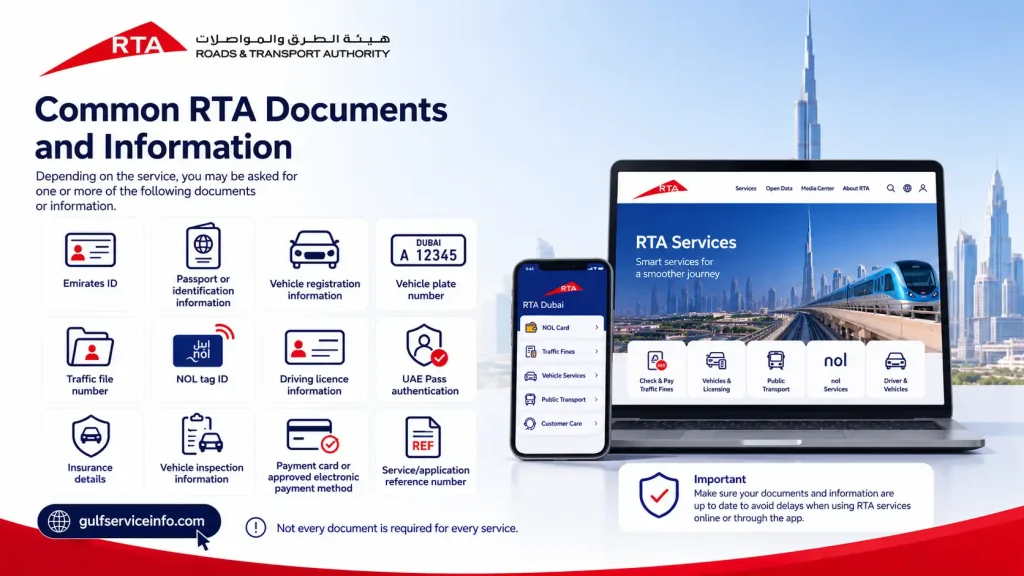
Not every document is required for every service.
RTA Fees
RTA fees vary according to the service. For example, the amount payable for vehicle-related services can depend on the vehicle type and transaction, while NOL services have their own applicable charges.
Rather than publishing one general “RTA fee,” check the fee displayed by the official service before confirming payment. This helps prevent confusion because government service charges can change and additional testing, delivery, knowledge, or administrative charges may apply in particular cases.
Check Current RTA Services
Common RTA Login and Service Problems
Although the RTA digital platform is designed to make services easier, users can occasionally experience problems with RTA login, account verification, payments, or service applications.
RTA Login Not Working
If your RTA login is not working, try these steps:
The safest starting point is always the official RTA portal rather than a login page found through an unfamiliar website.
UAE Pass Login Problem
If you normally use UAE Pass for an RTA Dubai login but cannot authenticate, check that your UAE Pass account is active and that the mobile application can receive authentication requests.
If the problem is specifically related to UAE Pass rather than RTA, the issue may need to be resolved through UAE Pass support.
RTA Website Not Loading
If the RTA website is not loading, first check whether other websites work normally. You can then try:
For important transactions, do not make repeated payments if you are unsure whether the first payment went through. Check your transaction status first or contact RTA customer care.
RTA Payment Failed
A failed payment does not necessarily mean the service application has been cancelled. If money has been deducted from your bank account but the RTA service still shows as unpaid, keep the transaction reference and payment details.
Do not immediately pay a second time without checking the transaction status. Contact RTA through its official support channels if the payment status remains unclear.
RTA Fine Is Not Showing
If you recently received a traffic violation but cannot see it immediately in the system, the record may not yet be available through the particular service you are checking.
Verify that you entered the correct plate, traffic file, or other required information. If the issue continues, contact RTA customer care for clarification.
NOL Balance Is Not Updated
If your NOL card balance does not appear to have updated after a top-up, check the transaction status through the official RTA channel or nol Pay app.
Keep your payment confirmation until the balance has been successfully updated. The official nol Pay app also supports instant balance checking and top-up functions.
Vehicle Renewal Is Not Available
If the RTA vehicle renewal option is unavailable, check whether your vehicle has an outstanding requirement. Possible reasons can include an inspection requirement, insurance issue, outstanding transaction, or another restriction on the vehicle record.
The best approach is to follow the exact message displayed by the RTA system rather than attempting to bypass the requirement.
Frequently Asked Questions About RTA Dubai
Final Thoughts on RTA Dubai
The RTA Dubai online platform has made everyday transportation and vehicle services much easier to manage, whether you need an RTA login, want to check RTA Dubai fines, recharge or manage an RTA NOL card, check your vehicle expiry, or complete an RTA vehicle renewal. Many of these services can now be handled online without visiting an RTA centre, while RTA also provides customer support through its helpline, WhatsApp, email, Customer Happiness Centres, and digital channels. For the most accurate and up-to-date information, always start with the official RTA Dubai website, as service requirements, fees, digital options, and procedures may change over time. If an online transaction does not work, check the specific service requirements first and contact RTA customer care when needed. Using the official RTA portal also helps you access the correct services and protect your account and payment information.