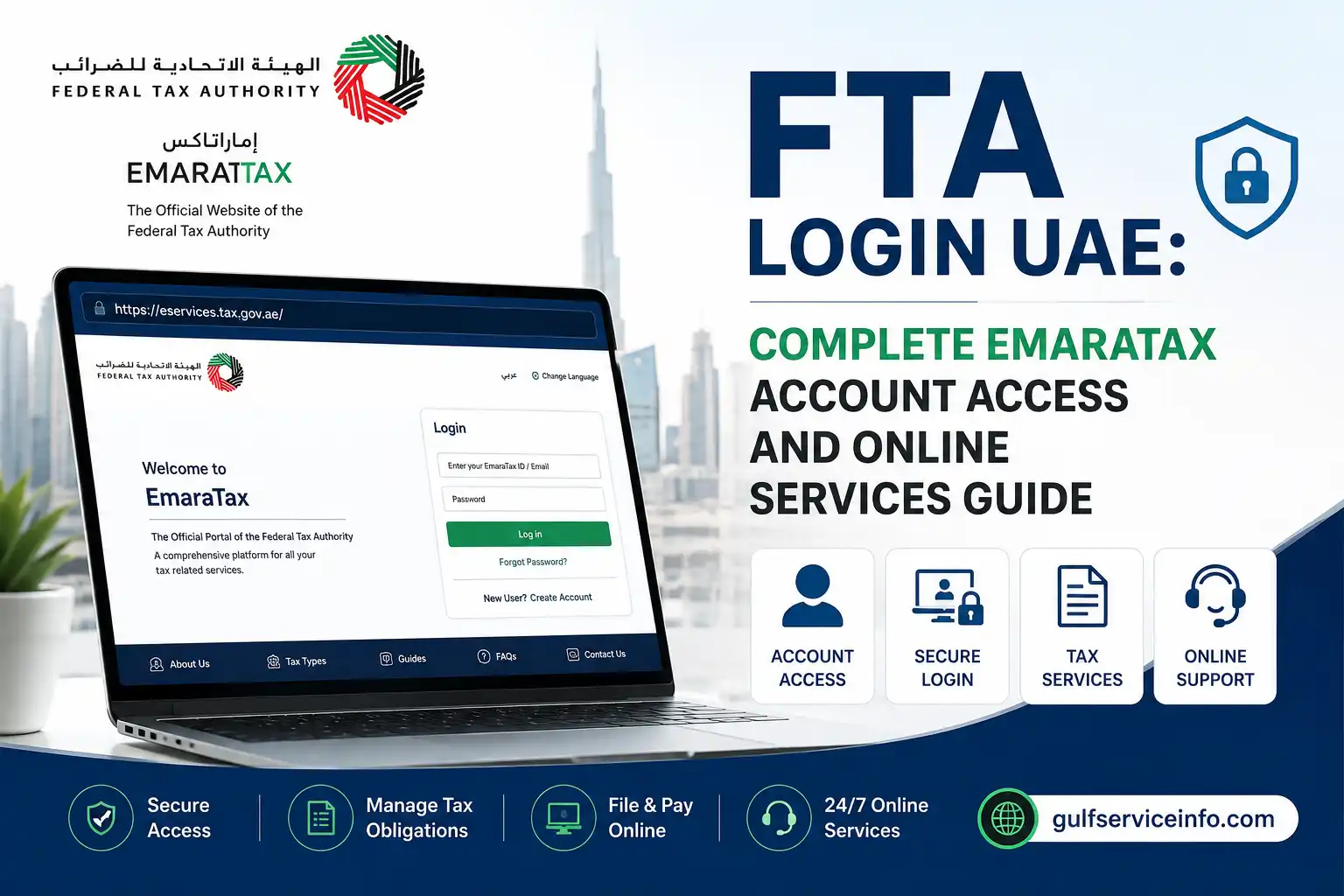
FTA Login UAE: Complete EmaraTax Account Access and Online Services Guide

Published On: August 21, 2026
Follow Us
FTA Login UAE EmaraTax account access and online tax services guide

If you need to access UAE tax services online, the official FTA Login UAE portal is the Federal Tax Authority’s EmaraTax platform. The official website where taxpayers can sign in, create an account, manage tax profiles and access available Federal Tax Authority services. The FTA identifies EmaraTax as its digital platform for managing tax obligations and related transactions.

The FTA Login UAE process can be completed through UAE PASS or, where available, by using registered EmaraTax login credentials. The official EmaraTax login interface provides options for email and password access, UAE PASS authentication, password recovery and account registration. This guide explains how the FTA Login UAE system works, what to do before signing in, how to register for an account, and how to deal with common access problems.

Explore more UAE government services and helpful guides: Visit Our Homepage

What Is FTA Login UAE?

FTA Login UAE refers to accessing the Federal Tax Authority’s online tax services through EmaraTax. EmaraTax was introduced as a central digital platform to give taxpayers an integrated way to handle tax-related activities online. The FTA says the platform supports transactions such as tax registration, tax return submission and tax account management.

Instead of visiting an FTA service centre for every transaction, eligible users can use the online platform to manage their tax affairs remotely. The system is designed for taxpayers and other users who need access to UAE federal tax services.

Official FTA Login UAE Website

Use the official portal rather than third-party websites when entering your tax account details:

FTA EmaraTax:

The FTA homepage also provides access to its official information, services, announcements and tax resources: Federal Tax Authority official website

Security tip: Check that you are using an official FTA or UAE government website before entering your email address, password, OTP or other personal information.

How to Complete FTA Login UAE

The current EmaraTax portal offers more than one way to access an account. The login page provides UAE PASS authentication and an option for users to enter their registered email address and password.

Method 1: Login with UAE PASS

For users who have UAE PASS, the process is straightforward:

  • Open the official FTA EmaraTax portal.
  • Select Sign in with UAE PASS.
  • The system redirects you to UAE PASS for authentication.
  • Complete the UAE PASS verification requested on your device.
  • After successful authentication, you are redirected to the EmaraTax dashboard.
Login with UAE PASS to access the EmaraTax FTA UAE account

The FTA’s user guidance confirms that users who choose UAE PASS are redirected to UAE PASS and then returned to their EmaraTax online user dashboard after successful authentication.

UAE PASS is intended to provide a single trusted digital identity for citizens, residents and visitors. The EmaraTax portal displays the UAE PASS option directly on its login screen.

Method 2: Login with Email and Password

If your account supports standard EmaraTax credentials, you can use the email-and-password option:

  • Visit the official EmaraTax website.
  • Choose the option to log in without UAE PASS.
  • Enter your registered email address.
  • Enter your password.
  • Enter the displayed security code if requested.
  • Select Login.
  • Complete OTP verification if two-factor authentication is enabled on your account.
Login with email and password to access an EmaraTax FTA UAE account

The FTA’s interactive guide states that successful login with registered email and password takes the user to the EmaraTax online dashboard. Where two-factor authentication is enabled, an OTP may be required through the registered contact details.

What Happens After FTA Login UAE?

After a successful FTA Login UAE, you can access the functions available to your account and taxpayer profile. The exact options shown can depend on your account, taxpayer type and registered tax activities.

The EmaraTax platform is designed to bring several tax-related processes together in one digital environment. According to the FTA, users can manage tax registration, submit tax returns, manage tax accounts and complete other related transactions through the platform.

For example, the FTA’s current Corporate Tax registration procedure requires a user to register and activate an EmaraTax account, access the dashboard, create or select the relevant taxable person profile and then proceed with the available Corporate Tax registration option.

Key Services Available Through EmaraTax

Depending on your eligibility and account setup, the platform can be used for activities such as:

  • Tax registration
  • VAT-related services
  • Excise Tax services
  • Corporate Tax registration and related account activities
  • Tax return submission
  • Tax account management
  • Online payments
  • Application and transaction tracking
  • Access to certificates and other tax documents

The FTA also states that the EmaraTax smart application provides access to numerous tax processes and services, including notifications, certificates, application-status tracking, UAE PASS access and online payments.

How to Register for an FTA EmaraTax Account

Follow these steps if you have never created an EmaraTax user account:

  • Open the official FTA EmaraTax portal.
  • On the welcome page, select Sign Up for a new account.
  • Enter the information requested by the registration form.
  • Provide the required contact details.
  • Complete any verification requested by the system.
  • Confirm your registration.
  • Use your newly created credentials to access EmaraTax.
How to register for an FTA EmaraTax account in the UAE

The official portal currently shows separate options for UAE PASS users and users who prefer to create or access an account through the standard EmaraTax process.

Who Can Create an EmaraTax Account?

The account-registration facility is intended for people who need to access the FTA’s online services. You may need an EmaraTax account before completing particular tax-related transactions, although individual service requirements can differ.

For example, FTA service manuals explain that users who do not already have an EmaraTax account can select Sign Up and then create an account before proceeding with the relevant service.

Important: Creating an EmaraTax user account and registering a taxable person for a particular tax are not necessarily the same thing. Your user account provides access to the platform, while tax registration depends on the requirements of the specific tax and your circumstances.

Existing FTA Users: What Should You Do?

People who previously used the FTA’s older eServices platform may have a slightly different experience. The FTA states that existing account information was migrated to EmaraTax. Existing users were instructed to reset their password the first time they accessed the new platform.

If you already had an FTA account, do not automatically create a second account simply because you cannot log in. First try the password-reset procedure associated with your existing registered email.

The FTA also confirms that the email address previously used to log in to the eServices portal is the registered email that should be used for password recovery and EmaraTax access.

How to Reset Your FTA Login UAE Password

Forgotten passwords are one of the most common reasons users cannot complete FTA Login UAE. The EmaraTax login page includes a Forgot password? option specifically for this situation.

If You Still Have Access to Your Registered Email

Use this route when you remember your FTA account but cannot remember its password.

  • Go to the official EmaraTax website.
  • Select Login.
  • Choose Forgot password?
  • Enter your registered email address.
  • Enter the security code displayed on the screen.
  • Select Continue.
  • Check your email for the password-reset instructions.
  • Follow the activation link or instructions supplied by the FTA.
  • Use the temporary password where instructed.
  • Create a new password.
  • Return to EmaraTax and log in with your updated credentials.
FTA EmaraTax password reset using a registered email address

The FTA’s password-reset material confirms that users with access to their registered email can enter the email address and security code and then receive an email containing a temporary password and activation link.

The FTA FAQ also explains that if you receive a reset email containing a temporary password, you should use that temporary password to access EmaraTax and then follow the instructions shown on screen to establish your new password.

What If You Cannot Access Your Registered Email?

This situation requires a different recovery route. The FTA’s EmaraTax guidance says that users who no longer have access to their registered email can select Change Email Address and follow the alternative password-reset process. Depending on the circumstances, the process can use the registered email and existing eServices password or the registered mobile number.

This is particularly useful for former eServices users whose old email address is no longer available.

Do not create another account just to bypass the problem. If your previous FTA profile contains tax information, applications or records, recovering the existing account is generally the more appropriate route.

FTA Login UAE Not Working? Try These Checks

Sometimes the credentials are correct but the login still fails. Before contacting support, work through these basic checks.

1. Confirm the Website

Start from the official EmaraTax address:

FTA EmaraTax official portal

The FTA confirms that this is the portal used to access its online services.

2. Check Your Email Address

Make sure you are using the email address associated with your FTA account. The FTA specifically identifies the email previously used to log in to the eServices portal as the registered email for EmaraTax access and password recovery.

A small spelling error can prevent authentication.

3. Reset the Password

If the email is correct but the password is rejected, use Forgot password? rather than repeatedly entering different passwords. This reduces the risk of wasting time and takes you through the official recovery process.

4. Check Your Email and Spam Folder

Password-reset messages may not always appear immediately in your main inbox. Check your spam or junk folder if you are waiting for an FTA email.

5. Complete OTP Verification

If you have enabled two-factor authentication, logging in with your registered email and password may require an OTP. The FTA’s current interactive guidance states that users who have opted for two-factor authentication must enter the OTP received on their registered email and mobile number.

If the OTP does not arrive, wait briefly and check that you are monitoring the registered contact details.

FTA Login UAE Through UAE PASS

UAE PASS provides another route into EmaraTax. The FTA confirms that EmaraTax is integrated with UAE PASS, and the current login interface provides a UAE PASS option.

To use it:

  • Open the official EmaraTax portal.
  • Select Login with UAE PASS.
  • Follow the UAE PASS authentication process.
  • Complete the identity verification requested.
  • After successful authentication, you will be redirected to your EmaraTax online user dashboard.

The FTA’s interactive guidance confirms that UAE PASS users are redirected to UAE PASS and then returned to the EmaraTax dashboard after successful authentication.

Why Use UAE PASS?

UAE PASS is designed as a trusted digital identity for citizens, residents and visitors. Using it can make authentication more convenient because you do not have to rely solely on a separate EmaraTax password. The official EmaraTax portal presents UAE PASS as one of its primary access methods.

If you do not yet have a UAE PASS account, the EmaraTax portal provides an option to create one.

Common FTA Login UAE Problems and Solutions

ProblemWhat to try
Forgot passwordUse Forgot password?
No reset emailCheck spam/junk and confirm the registered email
Lost access to old emailUse the Change Email Address recovery route
OTP not receivedCheck registered email/mobile and wait briefly
UAE PASS login failsCheck your UAE PASS access and try authentication again
Existing FTA account cannot be accessedUse the EmaraTax password-reset process rather than creating another account
Login page does not load correctlyRefresh the page or try a supported modern browser
Unsure which website is genuineStart from the official FTA EmaraTax portal

When You Need Help From the FTA

If the normal recovery process does not solve your problem, use an official FTA support channel rather than relying on unofficial websites or individuals.

The FTA provides customer support through its call centre, email, live chat and other official channels. Its current service information lists 800 82923 for calls within the UAE and +971 80082923 for callers outside the UAE. The listed call-centre hours are Monday to Saturday, 7:30 a.m. to 10:00 p.m.

You can also use the official FTA website to find current support information and service announcements.

FTA Online Services After FTA Login UAE

Once you have successfully completed FTA Login UAE, the EmaraTax dashboard becomes the main place for managing your available Federal Tax Authority services. The exact options shown can vary according to your taxpayer profile and the services for which you are eligible.

The FTA describes EmaraTax as an integrated digital platform for tax transactions. It brings activities such as registration, returns, payments and account management into one online environment.

What Can You Do After FTA Login UAE?

The main purpose of the FTA Login UAE system is not simply to sign in. Once inside your account, you can use the services made available to your profile.

Common activities include:

  • Managing your taxpayer account
  • Applying for tax registration
  • Managing VAT-related services
  • Managing Excise Tax services
  • Registering for Corporate Tax where applicable
  • Submitting tax returns
  • Making tax payments
  • Tracking applications and transactions
  • Accessing relevant certificates and documents
  • Updating certain account information
  • Reviewing notifications and requests

The FTA’s EmaraTax information explains that the platform is intended to provide taxpayers with an integrated digital experience for managing their tax obligations.

Corporate Tax Services

For users dealing with UAE Corporate Tax, EmaraTax is particularly important. The FTA’s Corporate Tax registration process requires users to access their EmaraTax account, create or select the relevant taxable-person profile and proceed with the Corporate Tax registration service where applicable.

Because registration requirements depend on the taxpayer’s circumstances, don’t assume that every EmaraTax user automatically needs to register for Corporate Tax. Check the FTA’s official Corporate Tax information before submitting an application.

Official resource: FTA Corporate Tax Registration

How to Start a Tax Service After FTA Login UAE

After signing in, the general process is usually based around your EmaraTax dashboard.

Step 1: Open Your Dashboard

Complete FTA Login UAE using UAE PASS or your registered EmaraTax credentials.

Step 2: Select the Relevant Taxpayer Profile

If your account is associated with a taxable person or organisation, select the relevant profile when the system asks you to do so.

Step 3: Find the Required Service

Look through the services available on the dashboard. Select the tax service that matches your requirement.

Step 4: Read the Requirements

Before starting an application, review the information and documents requested by the FTA. Requirements can differ between services.

Step 5: Enter the Information

Complete the online fields carefully. Use information that matches your official records.

Step 6: Review Before Submission

Check names, identification details, contact information and other important entries before submitting.

Step 7: Submit and Track

Once submitted, retain the application or transaction reference where provided. You may then be able to monitor its status through your EmaraTax account.

This dashboard-based approach reflects the FTA’s wider aim of providing digital access to tax registration, declarations, returns, payments and other tax services.

What If the FTA Login UAE Page Is Not Working?

A login problem does not always mean that your FTA account is blocked. Browser problems, incorrect credentials, verification issues or temporary technical problems can also prevent successful access.

Try the following sequence.

Check the Official Portal

Always begin with the official EmaraTax website:

Avoid entering your FTA credentials on websites that imitate the government portal.

Check Your Credentials

If you use email and password authentication, carefully check both fields. Pay attention to:

  • Incorrect email spelling
  • Extra spaces
  • Incorrect password
  • Caps Lock
  • Saved browser passwords that may be outdated

If you cannot remember the password, use the official password-recovery option instead of repeatedly guessing.

Try UAE PASS

If UAE PASS is available to you, try the UAE PASS login option on the official EmaraTax page. This can be useful when you are having difficulty with standard password authentication.

Check Your OTP

Some users may be asked to complete two-factor authentication. If an OTP is required, check the registered contact channels and enter the latest code requested by the system.

Do not share an OTP with another person. Treat it as confidential authentication information.

Try Basic Browser Troubleshooting

If the page behaves unexpectedly, try:

  • Refreshing the page.
  • Closing and reopening the browser.
  • Using a current browser version.
  • Clearing cached website data if necessary.
  • Trying another browser or device.
  • Checking your internet connection.

These steps can help distinguish an account problem from a local browser issue.

FTA Login UAE: Security Practices You Should Follow

Tax accounts contain sensitive information, so account security matters.

Use the official FTA website whenever possible and avoid clicking login links received from unknown sources. The FTA’s official portal should be your starting point for accessing EmaraTax.

Never give your password, OTP or UAE PASS authentication approval to someone claiming that they need it to “fix” your account.

Keep Your Account Details Current

Where the platform permits you to update your contact information, make sure your registered details remain accurate. An outdated email address or mobile number can make account recovery more difficult.

Don’t Create Duplicate Accounts Without a Reason

If you already had an FTA account, first investigate whether your existing account can be recovered. The FTA’s EmaraTax transition information explains that existing eServices account information was migrated to the new platform.

Creating multiple accounts can make it harder to determine which profile contains your existing tax information.

FTA Login UAE: Quick Troubleshooting Checklist

Before contacting the FTA, work through this short checklist:

  • Confirm that you are using the official EmaraTax website.
  • Check that your registered email address is correct.
  • Try the Forgot Password option if necessary.
  • Check your inbox and spam folder for recovery messages.
  • Confirm that your registered mobile number can receive verification messages.
  • Try UAE PASS if you normally use it.
  • Refresh the login page.
  • Try another supported browser.
  • Check your internet connection.
  • Avoid creating a second account before attempting recovery.
  • Contact the FTA through its official support channels if the problem continues.

FTA Login UAE for Foreign Residents and Users Outside the UAE

The EmaraTax platform is not limited to people physically sitting inside the UAE. Users outside the country may also need access to UAE federal tax services depending on their circumstances.

If you are accessing FTA Login UAE from another country, the same official EmaraTax portal should be used. Authentication requirements may still depend on your account and the service you are trying to access.

If you cannot complete authentication from abroad, use the FTA’s official support channels for account-specific assistance rather than relying on unofficial agents.

Frequently Asked Questions About FTA Login UAE

Accessing the UAE Federal Tax Authority (FTA) online services starts from the EmaraTax portal. Existing users can sign in with their registered email and password, while UAE PASS provides another secure way to access the account.

Existing FTA Users: First-Time Login

If you already had an FTA eServices account, you may need to activate your access through the updated login process.

  1. Open the FTA eServices login page.
  2. Find the message asking whether you are an existing eServices user.
  3. Select the option to reset your password.
  4. Enter your registered email address and the security code displayed on the page.
  5. Check your email for the temporary password and activation link.
  6. Follow the activation instructions and create your new password.
  7. Return to the login page and sign in using your updated credentials.

Creating a New FTA Account

New users can register for access through the FTA login page.

  1. Select Sign Up on the FTA login page, or use UAE PASS where available.
  2. Enter your requested personal and contact details.
  3. Provide your email address and mobile number.
  4. Verify your contact information using the OTP codes sent to your email and phone.
  5. Once verification is complete, follow the remaining registration instructions to set up your FTA profile.

Quick Tip

If you previously used the FTA eServices system, use the existing-user password reset and activation process rather than registering a second account.

The rewrite follows the dynamic SEO prompt’s core rules: fresh structure and wording, preserved source meaning, British English, concise paragraphs, and no unsupported additions.

You can check Federal Tax Authority (FTA) fines and administrative penalties through your EmaraTax account. After signing in, your dashboard and transaction records can help you identify penalties that have been posted to your account and any outstanding amounts.

Checking FTA Fines Through EmaraTax

You can find your penalty information by following these steps:

  1. Sign in to EmaraTax
    Open the EmaraTax Portal and log in using your account credentials.
  2. Open your dashboard
    Once signed in, review the main dashboard for your current balance, submitted tax returns and account notifications.
  3. Review your transactions
    Open the financial or transaction section of your account. This is where applied administrative penalties and related amounts can be viewed.
  4. Check available penalty options
    If your account provides the relevant options, review the available tabs for requesting penalty relief or arranging an instalment plan.

What You Can Check

Your EmaraTax account may show information such as:

  • Administrative penalties applied to your account
  • Outstanding balances
  • Financial transactions
  • Account notifications
  • Available options for penalty relief or instalment arrangements

Tip: Check both your dashboard and transaction records when reviewing your FTA account, as these areas provide different information about your current tax position and posted penalties.

This version follows the dynamic prompt’s instruction to rebuild the content rather than paraphrase it line by line, while preserving the source-supported facts and scope.

If you need to contact the UAE Federal Tax Authority (FTA) by email, you can send your enquiry to [email protected]. Include enough information for the FTA to understand your request, along with your contact details and Tax Registration Number (TRN) if you have one.

What to Include in Your FTA Email

A clear, complete message can make it easier for the FTA to process your enquiry. Your email should include:

  • Your full enquiry or feedback
  • Your name and contact information
  • Your Tax Registration Number (TRN), if applicable
  • Relevant supporting documents or files
  • Any other information needed to explain the issue clearly

You can write your email in English or Arabic. If you need to provide supporting evidence, attach the relevant documents as PDF files or images.

How Long Does the FTA Take to Reply?

The source information states that the FTA typically responds to email enquiries within 2 business days.

If your enquiry is time-sensitive, make sure your message contains all the relevant details and supporting documents so the FTA has the information needed to address your request.

Other Ways to Contact the FTA

Email isn’t the only option available. You can also use the FTA’s other contact channels:

EmaraTax Portal: Sign in to your account through the EmaraTax Portal to manage your tax-related services online.

Phone: Call 80082923 within the UAE. From outside the UAE, use +971 80082923. The source states that phone support is available Monday through Saturday.

Quick Answer

FTA email: [email protected]
Languages: English or Arabic
TRN: Include it if you have one
Attachments: PDFs or images can be included when relevant
Stated response time: Typically within 2 business days

This rewrite follows the dynamic prompt by rebuilding the section with fresh wording and a different information flow while retaining the details provided in your source.

If you have forgotten your Federal Tax Authority (FTA/EmaraTax) password, you can reset it through the EmaraTax eServices Portal. The process is designed for existing users and requires your registered email address and the security code displayed on the portal.

Resetting Your FTA Password

  1. Open the EmaraTax eServices Portal.
  2. On the login page, find the existing user message.
  3. Select “Please reset your password here.”
  4. Enter the email address registered with your FTA account.
  5. Type the security code shown on the screen.
  6. Check your email for the temporary password and activation link.
  7. Use the information provided in the email to continue the password reset and activate your account.

What You Need

Before starting the reset process, have these details available:

  • Your registered FTA email address
  • The security code displayed on the login page
  • Access to your registered email account

The source information specifically supports the password-reset process above; it does not provide further details about what to do if you no longer have access to your registered email.

If you do not have UAE PASS, you may still be able to access your Federal Tax Authority (FTA) account through the available eServices login options. The FTA’s main digital platform, EmaraTax, normally uses UAE PASS for standard sign-in, but users with existing or legacy accounts can use the alternative access and account-recovery options available through the FTA eServices Portal.

Alternative FTA Login Method Without UAE PASS

For users who cannot sign in with UAE PASS, the alternative route is to access the FTA eServices Portal and use the account credentials or recovery option provided there.

Steps to Access Your FTA Account

  1. Open the FTA eServices Portal.
  2. Look for the login option for existing eServices account holders or users who are not signing in through UAE PASS.
  3. If you have an older or migrated account and cannot access it, select “Please reset your password here.”
  4. Enter the email address registered with your FTA account.
  5. Complete the displayed security code.
  6. Follow the instructions sent by the FTA to regain access to your account.

Important Note

The exact login options available can depend on how your FTA account was created or migrated. If the standard UAE PASS sign-in is not suitable for you, check the FTA eServices login page for the alternative or password-reset option rather than creating a duplicate account.

The source material identifies the FTA eServices Portal, registered-email access and the password-reset route as the relevant alternatives for users without UAE PASS.

You can check whether a UAE Tax Registration Number (TRN) is valid using the Federal Tax Authority’s public verification service. The lookup is free and does not require you to sign in or create an account.

All you need is the 15-digit TRN you want to verify and the security check shown on the verification page. Once submitted, the service can display the registered legal business name and the TRN’s validity status.

Steps to Check an FTA TRN Online

Follow these steps to verify a TRN through the FTA’s public portal:

  1. Open the Federal Tax Authority’s public TRN verification service.
  2. Select the TRN verification/status check option.
  3. Enter the 15-digit TRN exactly as provided.
  4. Complete the security CAPTCHA.
  5. Select Search.
  6. Review the result, including the registered business name and available validity information.

Need to Find Your Own TRN?

If you are checking your own company’s TRN rather than verifying another business, you can find it through your FTA records. Common places to check include:

  • Your EmaraTax company profile
  • The official VAT Registration Certificate issued by the FTA
  • Previous VAT tax invoices
  • Previously filed VAT returns

For an EmaraTax account, you can access your company profile using the available credentials or UAE PASS.

Checking a UAE Tax Registration Number (TRN) is straightforward through the Federal Tax Authority’s public verification service. You can use the tool to confirm whether a 15-digit TRN is recognised and check the registered legal business name associated with it.

This is particularly useful when verifying a supplier’s VAT details before accepting their tax information or processing a transaction.

Steps to Verify a TRN Online

1. Open the FTA Verification Service

Visit the official Federal Tax Authority Portal and locate the public TRN verification or status check service.

2. Enter the 15-Digit TRN

Type the complete 15-digit Tax Registration Number into the verification field. Enter the number as provided, without adding spaces, dashes, or letters.

3. Complete the Security Check

Enter the security code or complete the CAPTCHA displayed on the page. This step is required before the system can process the verification request.

4. Check the Verification Result

Select Search and review the information returned by the FTA database. If the TRN is recognised, check the official registered company name shown in the result and make sure it matches the business or supplier you are dealing with.

Tip: Don’t rely on the TRN alone. Compare the registered legal name returned by the FTA with the supplier’s VAT documents or business information before using the details for a transaction.

Accessing your UAE Federal Tax Authority (FTA) account through EmaraTax is straightforward if you already have your login details or UAE Pass. The official portal provides two main sign-in methods: UAE Pass and your registered email address with password.

Open the official EmaraTax Portal

Sign In Using UAE Pass

If your UAE Pass is active, you can use it to verify your identity instead of entering your EmaraTax password.

  1. Open the official EmaraTax Portal.
  2. Select the Login with UAE Pass option.
  3. Follow the on-screen UAE Pass verification instructions, which may include using your Emirates ID or scanning the displayed QR code.
  4. Check your UAE Pass mobile application for the login request.
  5. Approve the notification to complete the authentication process.

Once the verification is accepted, you should be taken into your EmaraTax account.

Log In With Your Email and Password

You can also access EmaraTax using the credentials associated with your account.

  • Open the official EmaraTax sign-in page.
  • Enter the email address registered with your FTA account.
  • Type your account password.
  • Complete the requested multi-factor authentication (MFA/OTP) verification using the code sent through the registered verification method.
  • After successful verification, you can access the services available in your account.

What If You Have an Older FTA e-Services Account?

Users whose previous FTA e-Services accounts were migrated to EmaraTax may need to reset their password before they can sign in for the first time.

On the EmaraTax login page, use the password reset option for existing users. Enter the email address associated with your former account and complete the security verification. The FTA will then send an activation or password-reset email to the registered address, allowing you to create a new password.

Tip: If you do not see the email, check your spam or junk folder and make sure you entered the same email address linked to your FTA account.

Quick Login Checklist

Before trying to access EmaraTax, make sure you have:

  • Your registered email address and password, or an active UAE Pass.
  • Access to the mobile device or verification method used for MFA.
  • A stable internet connection.
  • Access to the email account registered with the FTA if a password reset is required.

Using the official EmaraTax portal is the safest way to access your UAE tax account and online FTA services. Avoid entering your login information on unofficial websites or links that imitate the FTA portal.

Generally, you should not create a second UAE Federal Tax Authority (FTA) account if you already have an existing profile. If you previously registered with the FTA, the better approach is to recover and access your existing account through the official EmaraTax Portal.

Open the official EmaraTax Portal

Creating another profile when an existing tax account or registration is already associated with you or your business can lead to account-management and compliance complications, particularly where your Tax Registration Number (TRN) is involved.

If you’re unable to access your old account, use the available account-recovery or password-reset options rather than immediately registering again. This helps keep your FTA information connected to the correct existing profile.

Final FTA Login UAE Reminder

The safest way to access your UAE tax account is to start directly from the official FTA Login UAE portal rather than from an unknown search result, social-media post or third-party website. Keep your registered email and authentication details secure, use the official password-recovery process when necessary, and check your EmaraTax dashboard for the services available to your taxpayer profile. For official information, use the Federal Tax Authority website and the EmaraTax online-services portal. These are the appropriate sources for current login procedures, tax-service requirements and official account assistance.

GulfServiceInfo Editorial Team

The GulfServiceInfo Editorial Team researches and publishes accurate, easy-to-follow guides on government, education, finance, immigration, employment, and public services across the UAE, Kuwait, and Qatar. Every article is fact-checked and references official government sources whenever possible to help readers access services confidently and efficiently.

Join WhatsApp

Join Now

Join Telegram

Join Now

Leave a Comment