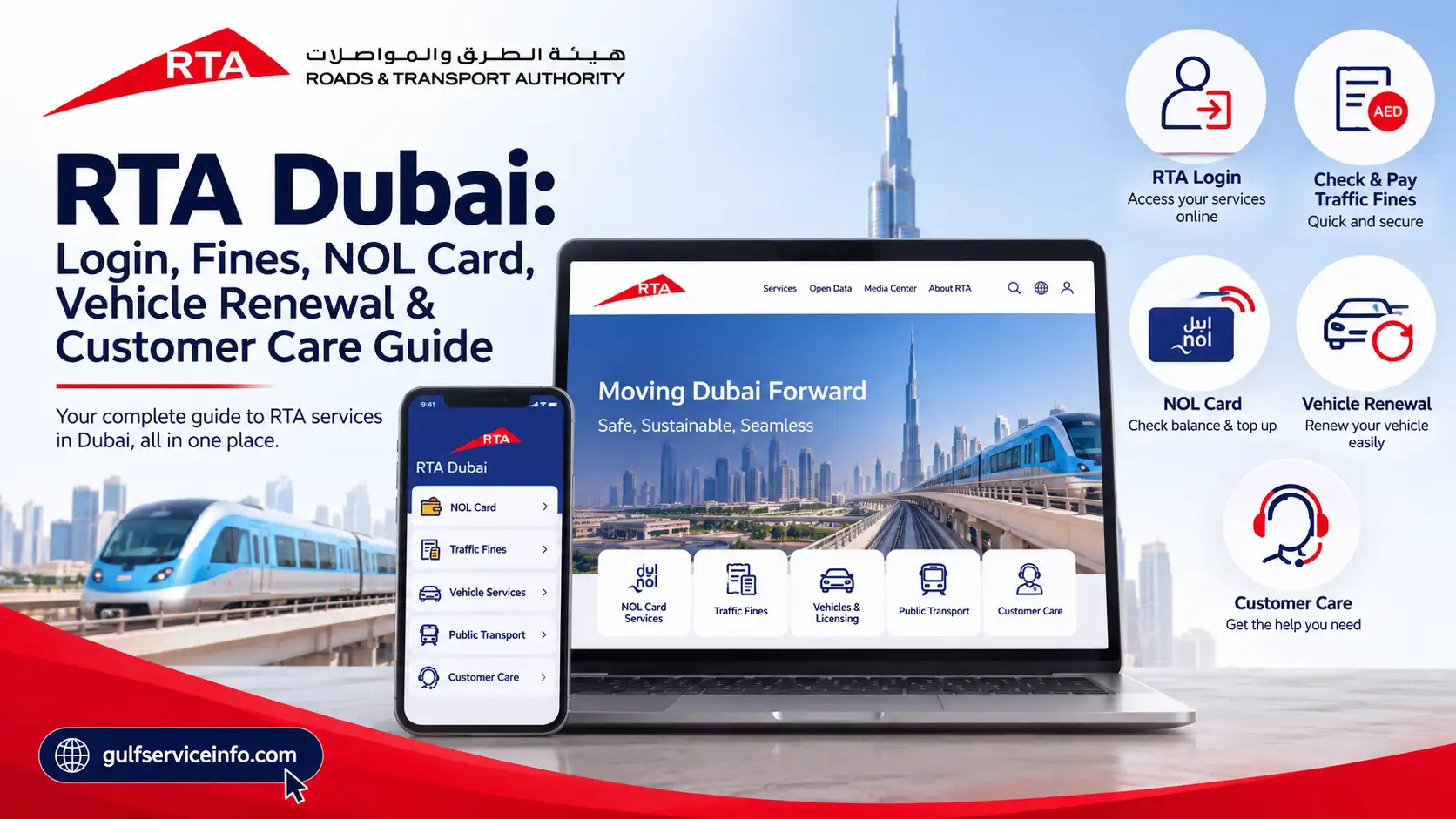
RTA Dubai: Login, Fines, NOL Card, Vehicle Renewal & Customer Care Guide

Published On: August 31, 2026
Follow Us
RTA Dubai guide for login, traffic fines, NOL card, vehicle renewal and customer care

If you live in Dubai, own a vehicle, use public transport, or regularly deal with parking and traffic services, the Roads and Transport Authority (RTA) Dubai is one of the most important government portals to know. The RTA Dubai website brings many transportation and vehicle-related services together, including RTA login, traffic fines, NOL card services, vehicle renewal, driving licence services, parking services, and customer support. Instead of visiting an RTA Customer Happiness Centre for every request, many services can now be completed online through the official RTA website or its smart applications. The RTA portal also provides quick tools for checking vehicle expiry, traffic fines, and NOL card balances without necessarily signing in.

Explore more UAE government services and helpful guides: Visit Our Homepage

What Is RTA Dubai?

The Roads and Transport Authority (RTA) is the government authority responsible for major transportation and road-related services in Dubai. Its services cover private vehicles, driving licences, public transportation, parking, NOL cards, taxis, Dubai Metro, Dubai Tram, buses, and several digital transportation services.

For drivers and vehicle owners, the RTA Dubai website can be used for services such as vehicle registration and renewal, fines inquiry and payment, driving licence services, vehicle expiry checks, plate-related services, and parking services.

For public transport users, RTA provides services connected with NOL cards, Dubai Metro, buses, trams, taxis, and public transport fares. The official portal also provides access to smart applications such as the RTA Dubai app, S’hail, and nol Pay.

One useful feature of the RTA Dubai website is that some services can be accessed without a full account. For example, the RTA homepage provides tools to check vehicle expiry, traffic fines, and NOL balance using the required information.

RTA Dubai Services

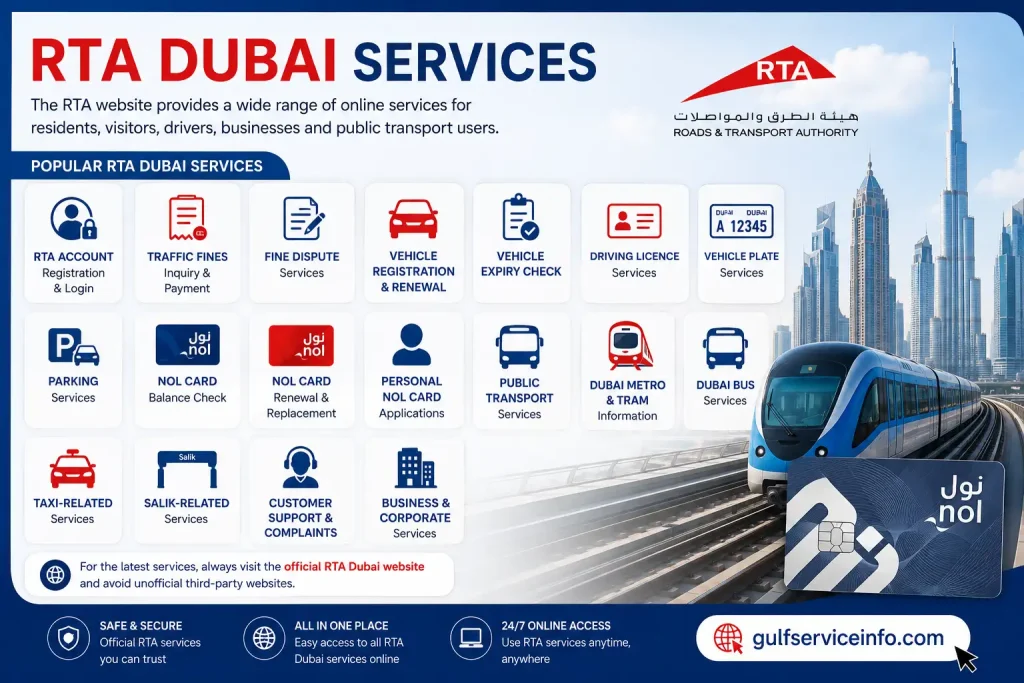
The RTA website provides a broad selection of services for residents, visitors, drivers, vehicle owners, businesses, and public transport passengers.

Some of the most commonly used RTA Dubai services include:
  • RTA account registration and login
  • Traffic fine inquiry and payment
  • Fine dispute services
  • Vehicle registration and renewal
  • Vehicle expiry checking
  • Driving licence services
  • Vehicle plate services
  • Parking services
  • NOL card balance checking
  • NOL card renewal and replacement
  • Personal NOL card applications
  • Public transport services
  • Dubai Metro and Tram information
  • Dubai Bus services
  • Taxi-related services
  • Salik-related services
  • Customer support and complaints
RTA Dubai Services including fines, vehicle renewal, NOL card, parking and public transport

The official RTA Dubai portal separates many of these services into categories such as Drivers & Car Owners, Public Transport, and Business & Corporate, making it easier to find the relevant service.

For the latest services, users should always start from the official RTA Dubai website rather than relying on unofficial third-party portals.

How to Create an RTA Account

Creating an RTA account can make it easier to access services that require customer authentication. Depending on the service, RTA also allows users to authenticate through UAE Pass.

To begin, open the official RTA website:

Open the official RTA website

Look for the Login option on the RTA website. The portal currently provides login options for individual and company users, as well as trusted agents.

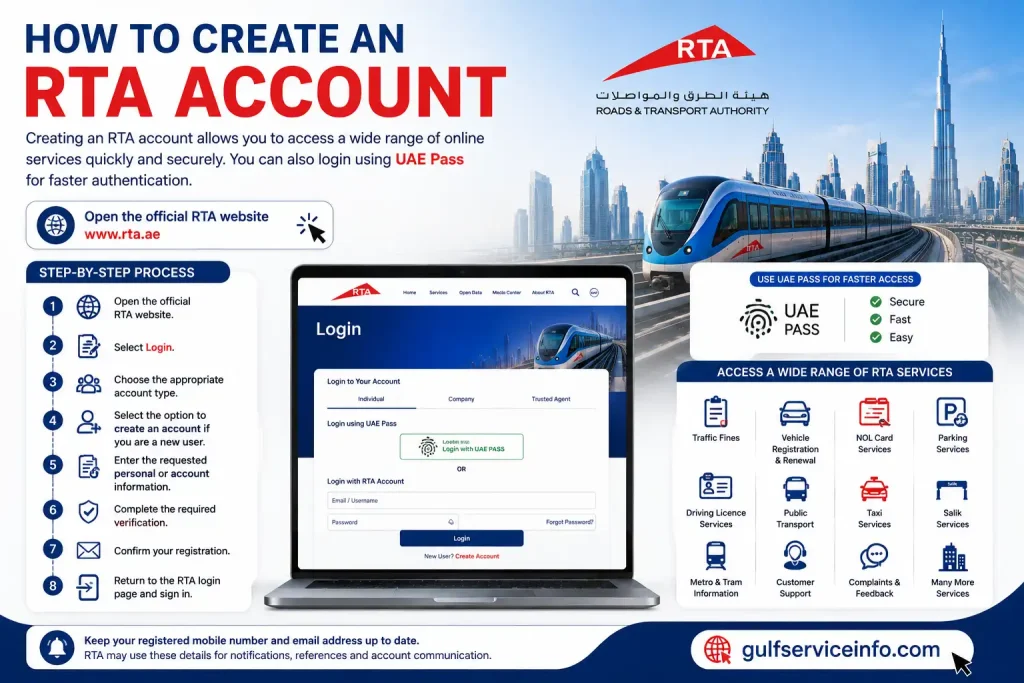
A typical account creation process involves the following steps:
  • Open the official RTA website.
  • Select Login.
  • Choose the appropriate account type.
  • Select the option to create an account if you are a new user.
  • Enter the requested personal or account information.
  • Complete the required verification.
  • Confirm your registration.
  • Return to the RTA login page and sign in.
How to create an RTA account using the official RTA Dubai website and UAE Pass

For services integrated with UAE Pass, you may be able to use your existing UAE Pass credentials instead of creating or repeatedly entering separate login information.

Keep your registered mobile number and email address up to date because RTA may use these details for service notifications, application references, and other account-related communication.

RTA Login: How to Access Your Account

The RTA login process is designed to give registered users access to their personalized services and applications.

To access your RTA Login account:

  • Visit the official RTA website.
  • Select Login.
  • Choose the relevant user type.
  • Enter your RTA account credentials, or select the available UAE Pass login option.
  • Complete any verification requested on the screen.
  • After successful authentication, you can access the services available to your account.

The exact login screen and authentication options can change as RTA Dubai updates its digital platform, so it is best to use the current login page available directly through the official RTA website rather than an old bookmarked page.

Can You Use RTA Services Without Logging In?

Yes. Not every RTA service requires an account.

For example, the official RTA Dubai homepage currently provides quick-access options for checking vehicle expiry, traffic fines, and NOL balance. The fine-checking tool can use information such as a traffic file number or plate details, while the NOL balance tool asks for the NOL tag ID.

However, logging in becomes more important when you want to manage personalized services, submit applications, access account information, or use services connected with UAE Pass.

RTA Dubai Login: Step-by-Step Process

If you are specifically looking for the RTA Dubai login, the simplest approach is to start from the official RTA homepage instead of searching for an unfamiliar login URL.

Step 1: Open RTA Dubai

Go to the official RTA portal:

RTA Dubai Login & Services Portal
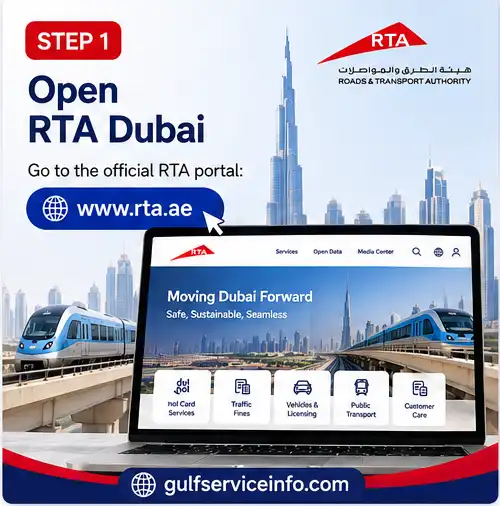
Open the official RTA Dubai website to access login and online services

Step 2: Select Login

Find the Login option on the website and select it.
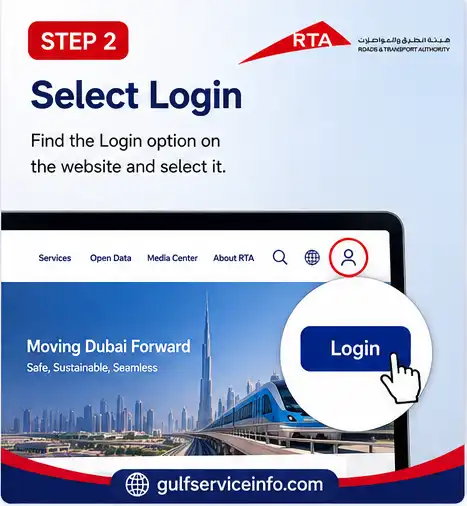
Select the Login option on the official RTA Dubai website

Step 3: Choose Your Login Method

Depending on your account and the service you are trying to use, RTA Dubai may provide an RTA account login or UAE Pass authentication.
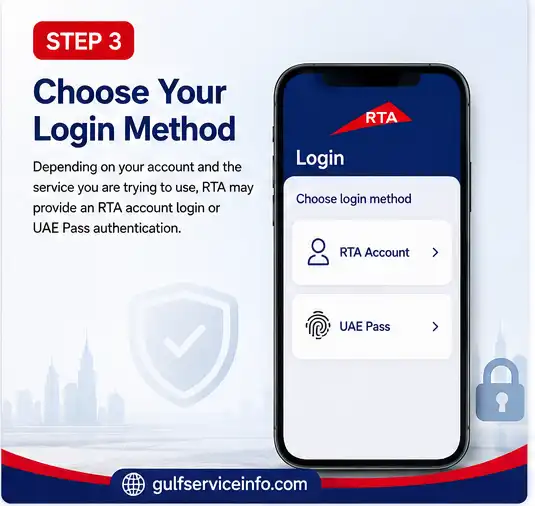
Choose an RTA Dubai login method using an RTA account or UAE Pass

Step 4: Complete Verification

Enter your requested credentials or approve the UAE Pass authentication request.
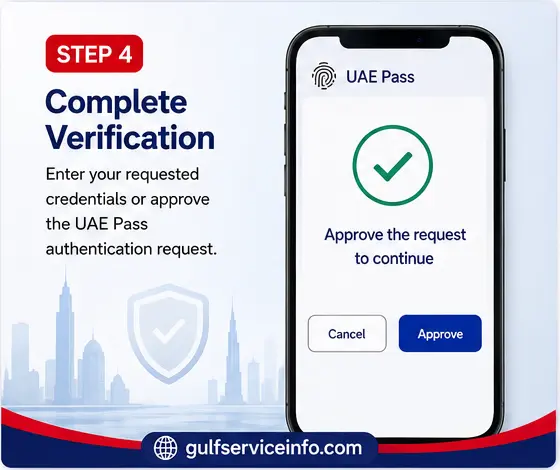
Complete verification to access your RTA Dubai account

Step 5: Open Your Dashboard

Once successfully authenticated, you can access the services available to your account.

If the login page does not work, avoid entering your information repeatedly. First check whether you are using the official RTA domain, whether your internet connection is stable, and whether your UAE Pass or RTA account credentials are working correctly.
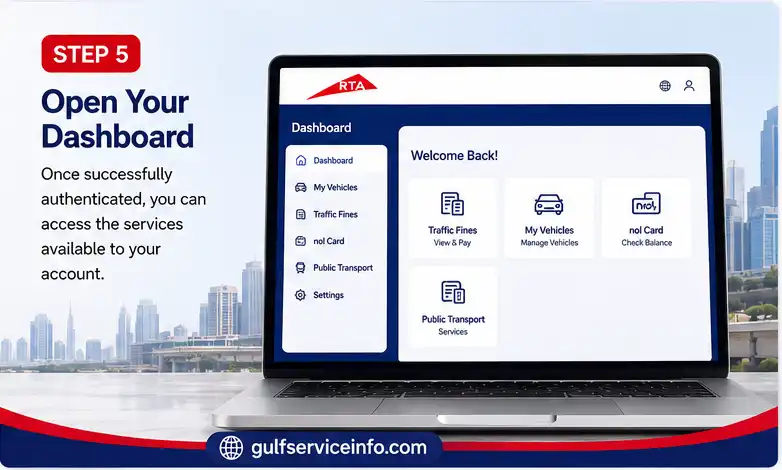
Open the RTA Dubai dashboard after successful login

How to Check and Pay RTA Dubai Fines

Checking RTA Dubai fines is one of the most frequently used RTA services. The official website provides a fine-checking tool that can be accessed from the RTA homepage.

Check RTA Services on the Official Portal

The RTA Dubai website currently provides options to check fines using information such as:

  • Traffic file number
  • Plate information
  • Other details depending on the fine/service category

The exact information required can vary according to the type of violation.

How to Check RTA Fines Online

Follow these general steps:
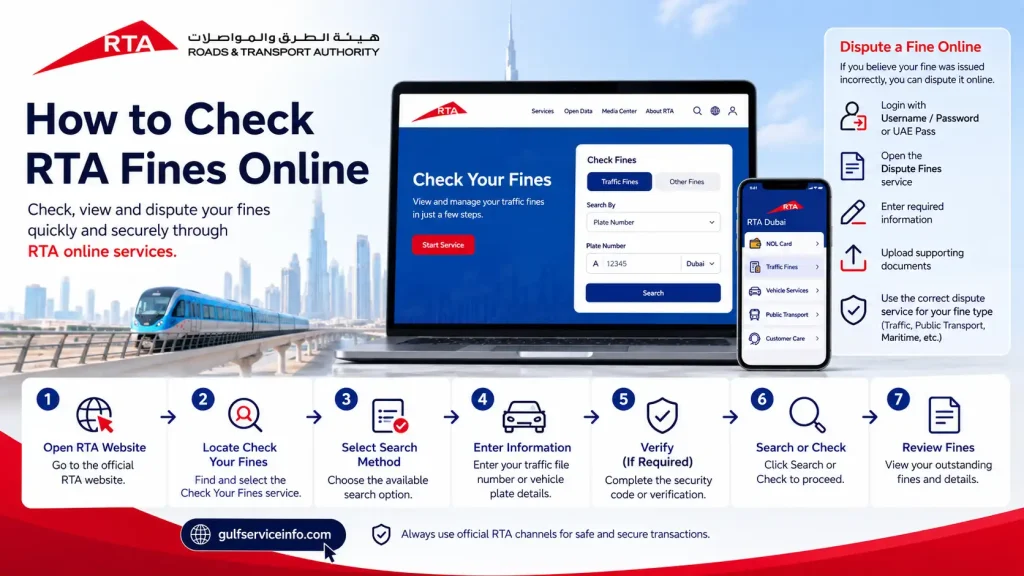
  • Open the official RTA website.
  • Locate Check Your Fines.
  • Select the available search method.
  • Enter your traffic file or vehicle/plate information.
  • Complete the verification or security code if requested.
  • Select Search or Check.
  • Review any outstanding fines shown in the system.
How to check RTA Dubai traffic fines online using the official RTA website

For certain RTA services, users can also dispute a fine online if they believe it was issued incorrectly. RTA’s current service information states that eligible users can log in using a username/password or UAE Pass, open the relevant Dispute Fines service, enter the required information, and upload supporting documents.

It is important to use the specific RTA dispute service applicable to your fine because requirements can differ between traffic, public transport, maritime, and other categories.

Paying RTA Fines

Once you have checked your RTA fines, the available payment methods depend on the service. RTA Dubai provides online payment options for many services, while some transactions can also be completed through RTA Customer Happiness Centres.

If you are unsure whether a particular fine belongs to RTA or another Dubai authority, check the official details before making a payment.

RTA NOL Card: Services, Balance Check & Recharge

The RTA NOL card is used extensively for Dubai’s public transportation network. Depending on the card type and service, users can manage their NOL card through RTA’s website and smart applications.

The official RTA portal provides a Check NOL Balance option where users can enter their NOL tag ID to view the available balance.

For more advanced NOL services, RTA also supports nol Pay and S’hail. These applications can be used for selected NOL card services, including applications, renewal, replacement, and other digital functions.

How to Check NOL Balance

To check your NOL balance through the RTA website:

  • Visit the official RTA website.
  • Find the Check NOL Balance option.
  • Enter your NOL tag ID.
  • Select Search.
  • Review the balance and card information displayed.

For personal NOL card management, RTA’s current service instructions allow users to log in with UAE Pass or an RTA account, open Manage nol Card, and select the relevant renewal or replacement service.

NOL Card Renewal

For a personal NOL card renewal, RTA currently provides an online process through its website and supported applications. Users can authenticate through UAE Pass or their RTA account, select Manage nol Card, choose the renewal/replacement service, review their personal information, select the relevant options, submit the application, and pay the applicable fee.

RTA states that certain renewed physical or digital NOL cards can be available within the specified service time after successful payment and approval.

RTA Vehicle Renewal: How to Renew Your Vehicle

RTA vehicle renewal is one of the most important online services for Dubai vehicle owners. Instead of visiting an RTA centre for every renewal, eligible vehicle owners can use the official RTA digital channels to renew and amend vehicle registration information.

The official RTA website currently lists “Renew and Amend Vehicle Data Ownership” among its popular services.

Before starting an RTA vehicle renewal, make sure your vehicle and required documents meet the applicable requirements. Depending on the vehicle and transaction, you may need a valid vehicle inspection, insurance information, Emirates ID or other identification details, and payment for applicable charges.

How to Renew a Vehicle Through RTA

You can generally follow these steps:

  • Open the official RTA Dubai website.
  • Go to the Drivers & Car Owners section.
  • Find the vehicle registration or renewal service.
  • Sign in using your RTA account or the available UAE Pass option.
  • Enter or confirm your vehicle details.
  • Complete any required vehicle inspection before continuing, if applicable.
  • Confirm your insurance information where required.
  • Review the renewal details and applicable charges.
  • Pay the required fees electronically.
  • Complete the renewal and follow the instructions for receiving your updated registration information.

The exact requirements can depend on the vehicle type, registration status, inspection result, insurance status, and other circumstances. Therefore, it is better to check the service page displayed by RTA before making a payment.

Can I Renew My Vehicle Online?

In many cases, yes. RTA has moved a large number of vehicle-related services online, allowing customers to complete eligible transactions digitally.

The advantage of using the online RTA vehicle renewal service is that you can check the available transaction from home and avoid an unnecessary visit to a service centre. If the system identifies an issue, such as an outstanding requirement or a problem with the vehicle record, you may need to resolve that issue before the renewal can be completed.

RTA Vehicle Renewal Requirements

The requirements can vary depending on the vehicle and the specific transaction. Common information or documents may include:

  • Emirates ID or other required identification
  • Vehicle registration details
  • Valid vehicle insurance
  • Vehicle inspection result, when applicable
  • Payment method
  • Existing vehicle registration information

If your vehicle requires testing, complete the required inspection before attempting to finalize the renewal. You should also check for outstanding RTA Dubai fines, because unpaid fines may affect some vehicle-related transactions.

For the most accurate requirements, always use the relevant service listed on the official RTA portal rather than relying on an old checklist.

RTA Customer Care: Contact Details & Support

Sometimes an online service does not work as expected, or you may need clarification before submitting an application. In these situations, RTA customer care can help.

The official RTA contact page currently lists the following customer support channels:

RTA Customer Care OptionOfficial Details
RTA Helpline800 9090
International number+971 4 605 1414
WhatsApp+971 58 800 9090
Email[email protected]

These contact details are published on the official RTA website.

RTA Customer Care Number

For customers inside the UAE, the main RTA customer care number is 800 9090. RTA’s customer information page also identifies 8009090 as its call-centre number.

When calling RTA customer care, keep your relevant information nearby. For example, if you are calling about a vehicle, having your plate number, traffic file information, or service reference can make it easier to explain the issue.

For account problems, you may also need the mobile number or email associated with your RTA account.

RTA WhatsApp

RTA also lists WhatsApp support at:

+971 58 800 9090

This can be useful when you want to communicate digitally instead of making a phone call. Always verify that you are using the official RTA contact channel before sharing personal or vehicle information.

RTA Email Support

For written inquiries, RTA lists [email protected] as its email contact.

When sending an email, explain the issue clearly and include relevant service information. Avoid sending unnecessary sensitive information or passwords.

RTA Customer Happiness Centres

Although many RTA Dubai services are available online, some situations still require a physical visit. RTA operates Customer Happiness Centres that provide services related to drivers, vehicles, Salik, parking, fines, and other transportation matters.

For example, RTA’s official contact information states that the Customer Happiness Centre – Umm Ramool operates 24/7 and provides services including drivers licensing, vehicle licensing, Salik, parking, fine payments and refunds.

You can use the official RTA website to find the appropriate service centre before visiting.

Find RTA Customer Support and Centres

RTA Apps and Online Services

RTA has developed several official digital applications to make transportation services easier to access from a mobile phone.

The main applications currently highlighted by RTA include the RTA Dubai app, S’hail, and nol Pay.

RTA Dubai App

The RTA Dubai app is designed as a digital platform that brings traffic and transportation services together in one place. RTA describes it as a platform through which users can complete various transportation-related services digitally.

Depending on the service, users can access vehicle, driving, parking, fines, and other RTA services through the application.

If you frequently use RTA Dubai services, having the official application installed can be more convenient than opening the website every time.

S’hail App

S’hail focuses more heavily on journey planning and public transportation. RTA describes S’hail as an all-in-one app for managing NOL accounts, booking taxis or luxury vehicles, using selected smart mobility services, planning journeys, and accessing public transportation information.

The app supports information and journey planning across modes such as:

  • Dubai Metro
  • Dubai Tram
  • RTA buses
  • Taxis
  • Marine transport
  • Other integrated mobility options

RTA has also continued expanding S’hail as part of its digital mobility ecosystem. A July 2026 RTA update says the app supports NOL-related functions such as balance top-ups, travel-pass purchases and renewals, and personal NOL card applications and renewals.

NOL Pay App

The nol Pay app is particularly useful for people who use Dubai public transportation and NOL cards.

According to RTA, nol Pay supports functions including:

  • Checking NOL card balance
  • Topping up a NOL card
  • Buying travel passes
  • Managing family NOL cards
  • Applying for and linking cards
  • Receiving low-balance notifications
  • Receiving renewal alerts
  • Using the app for selected RTA payment functions

For users who regularly travel by Metro, bus, or other RTA transportation, nol Pay can make NOL card management much simpler.

Official RTA nol Pay Information

RTA Requirements, Documents & Fees

The requirements and fees for RTA Dubai services are not the same for every transaction. A vehicle renewal, driving licence renewal, NOL card service, fine payment, and parking transaction can all have different requirements.

This is why users should check the specific RTA service page before starting an application.

Common RTA Documents and Information

Depending on the service, you may be asked for:
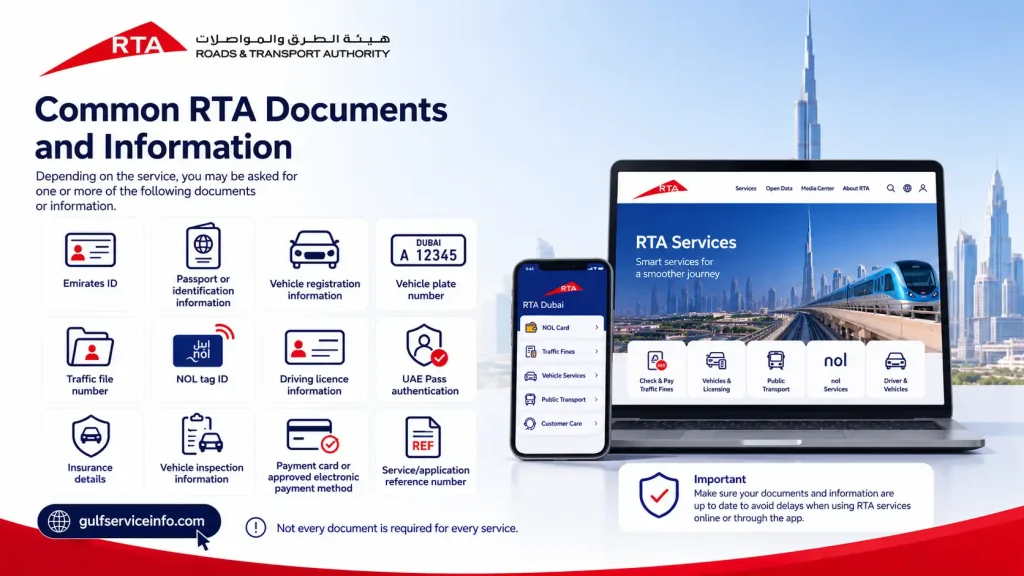
  • Emirates ID
  • Passport or identification information
  • Vehicle registration information
  • Vehicle plate number
  • Traffic file number
  • NOL tag ID
  • Driving licence information
  • UAE Pass authentication
  • Insurance details
  • Vehicle inspection information
  • Payment card or approved electronic payment method
  • Service/application reference number
Common documents and information required for RTA Dubai services

Not every document is required for every service.

RTA Fees

RTA fees vary according to the service. For example, the amount payable for vehicle-related services can depend on the vehicle type and transaction, while NOL services have their own applicable charges.

Rather than publishing one general “RTA fee,” check the fee displayed by the official service before confirming payment. This helps prevent confusion because government service charges can change and additional testing, delivery, knowledge, or administrative charges may apply in particular cases.

Check Current RTA Services

Common RTA Login and Service Problems

Although the RTA digital platform is designed to make services easier, users can occasionally experience problems with RTA login, account verification, payments, or service applications.

RTA Login Not Working

If your RTA login is not working, try these steps:

  • Confirm that you are using the official RTA website.
  • Check that your username and password are correct.
  • Make sure your internet connection is stable.
  • Try refreshing the page.
  • Clear your browser cache and cookies.
  • Try another supported browser.
  • If using UAE Pass, check that the UAE Pass application is working correctly.
  • Avoid repeatedly entering incorrect credentials.
  • Try again later if the RTA system appears temporarily unavailable.
  • Contact RTA customer care if the problem continues.

The safest starting point is always the official RTA portal rather than a login page found through an unfamiliar website.

UAE Pass Login Problem

If you normally use UAE Pass for an RTA Dubai login but cannot authenticate, check that your UAE Pass account is active and that the mobile application can receive authentication requests.

If the problem is specifically related to UAE Pass rather than RTA, the issue may need to be resolved through UAE Pass support.

RTA Website Not Loading

If the RTA website is not loading, first check whether other websites work normally. You can then try:

  • Refreshing the page
  • Opening the website in a private/incognito window
  • Clearing browser data
  • Switching between Wi-Fi and mobile data
  • Trying another browser
  • Waiting and trying again later

For important transactions, do not make repeated payments if you are unsure whether the first payment went through. Check your transaction status first or contact RTA customer care.

RTA Payment Failed

A failed payment does not necessarily mean the service application has been cancelled. If money has been deducted from your bank account but the RTA service still shows as unpaid, keep the transaction reference and payment details.

Do not immediately pay a second time without checking the transaction status. Contact RTA through its official support channels if the payment status remains unclear.

RTA Fine Is Not Showing

If you recently received a traffic violation but cannot see it immediately in the system, the record may not yet be available through the particular service you are checking.

Verify that you entered the correct plate, traffic file, or other required information. If the issue continues, contact RTA customer care for clarification.

NOL Balance Is Not Updated

If your NOL card balance does not appear to have updated after a top-up, check the transaction status through the official RTA channel or nol Pay app.

Keep your payment confirmation until the balance has been successfully updated. The official nol Pay app also supports instant balance checking and top-up functions.

Vehicle Renewal Is Not Available

If the RTA vehicle renewal option is unavailable, check whether your vehicle has an outstanding requirement. Possible reasons can include an inspection requirement, insurance issue, outstanding transaction, or another restriction on the vehicle record.

The best approach is to follow the exact message displayed by the RTA system rather than attempting to bypass the requirement.

Frequently Asked Questions About RTA Dubai

If you are preparing for an RTA driving test in Dubai, it is important to understand how minor and major mistakes can affect your result. Generally, you can make up to 12 minor mistakes during the road test without automatically failing. However, reaching 13 minor mistakes can result in a failed test. Minor mistakes may include small issues with vehicle positioning, delayed mirror checks, hesitation, or incorrect indicator use. These errors may seem less serious individually, but repeated mistakes can add up and affect your final result.

Minor vs Major Mistakes in the RTA Road Test

Not every driving mistake is treated in the same way. Minor mistakes are usually errors that do not immediately create a serious safety risk, while major mistakes involve dangerous or illegal driving behavior. For example, forgetting to signal at the correct time, making inadequate mirror checks, touching lane markings, or showing inconsistent speed control may be considered minor errors depending on the circumstances.

A major mistake, on the other hand, can lead to an immediate failure because it may create a significant safety risk. Examples can include running a red light, committing a serious right-of-way violation, or failing to follow an important safety requirement.

Common Minor Mistakes to Avoid

When preparing for your RTA road test, pay particular attention to the small details that can affect your score. Common areas to watch include:

  • Checking mirrors too late or inadequately
  • Forgetting to use indicators before changing direction or lanes
  • Poor lane positioning
  • Touching or crossing lane markings
  • Hesitating unnecessarily at intersections
  • Maintaining an inconsistent speed
  • Failing to make appropriate observations before a maneuver
  • Not checking blind spots when required

The exact assessment can depend on the situation and the examiner’s evaluation, so it is better to focus on safe, consistent, and confident driving rather than trying to calculate how many mistakes you can make. Before your test, review the current requirements and assessment criteria through the official RTA Dubai channels because testing procedures and standards can be updated.

If you need to update your vehicle registration information in RTA Dubai, you can usually complete the process through the official RTA website or its digital services. Depending on the type of change, you may be able to amend vehicle data, update ownership information, change vehicle licence details, or complete another vehicle licensing request online. For eligible services, you can sign in using UAE Pass and follow the vehicle licensing options available in your account.

Steps to Update Vehicle Registration Information

The exact process can vary depending on the information you want to change, but the general steps are:

  1. Open the Official RTA Portal: Visit the official RTA Dubai website and access the vehicle licensing services.
  2. Log In: Sign in using the available authentication method, such as your RTA account or UAE Pass.
  3. Choose the Relevant Service: Look for a service such as Renew and Amend Vehicle Data Ownership or the applicable vehicle licence information service.
  4. Check the Requirements: Make sure any required vehicle inspection, insurance, ownership documents, or other prerequisites are completed and valid.
  5. Enter the Updated Information: Follow the instructions on screen and provide the new or corrected vehicle details.
  6. Pay Applicable Fees: If the amendment requires a service fee, complete the payment through the available online payment method.
  7. Receive the Updated Information: Once the request is approved and processed, you can access the updated vehicle registration information or digital ownership certificate through the available RTA channel.

What Information Can Be Updated?

The type of information you can amend depends on the specific RTA service. Vehicle owners may have options related to vehicle data, ownership information, licence details, or registration records. If your requested change is not available online, RTA may direct you to a Customer Happiness Centre or another authorized service channel.

Before submitting an amendment, carefully review the information displayed on the application. Using the correct details and providing valid supporting documents can help prevent delays in processing your RTA vehicle registration request.

An RTA vehicle inspection in Dubai is carried out to determine whether a vehicle is safe and suitable for use on the road. During the inspection, different mechanical, safety, structural, and environmental components are examined. If the vehicle has a serious defect or does not meet the required standards, it may not pass the inspection until the issue is fixed.

Key Areas Checked During RTA Inspection

The inspection can cover several important parts of the vehicle, including:

  • Brakes: The braking system is checked to make sure the vehicle can stop safely and that the service and parking brakes are functioning properly.
  • Tires and Wheels: Inspectors look at the general condition of the tires, including tread, visible damage, cracks, bulges, and other issues that could affect road safety.
  • Steering and Suspension: Steering components and suspension parts are examined for excessive wear, looseness, damage, or other problems that could affect vehicle handling.
  • Lights and Signals: Headlights, brake lights, indicators, reverse lights, and other required lighting equipment are checked to make sure they operate correctly.
  • Chassis and Body: The vehicle’s body and structural components are inspected for significant damage, deterioration, or other conditions that could affect its safety. The vehicle identification details may also be checked against the official records.
  • Exhaust and Emissions: The exhaust system and emissions are assessed to ensure the vehicle meets the applicable environmental requirements.
  • Safety Equipment and Visibility: Inspectors can check items such as seat belts, mirrors, windshield wipers, the horn, and the windshield for defects that could affect visibility or safety.
  • Fluid Leaks: The vehicle may be inspected for noticeable leaks involving fluids such as engine oil, coolant, or transmission fluid.
  • Dashboard Warning Lights: Warning indicators and other signs of mechanical or safety problems may be considered during the inspection. Persistent warning lights can indicate an issue that should be diagnosed before testing.

How to Prepare for an RTA Vehicle Inspection

Before taking your vehicle for an RTA inspection, it is a good idea to check the basics yourself. Make sure the tires are in good condition, all lights work, the brakes feel normal, mirrors and seat belts are secure, and there are no obvious fluid leaks. You should also address any persistent dashboard warning lights or major body and mechanical problems before the test.

The exact inspection requirements can depend on the vehicle and the type of test being performed. For the latest requirements, testing locations, and vehicle registration services, check the official RTA Dubai website before your appointment.

One of the most common reasons candidates fail a driving test is poor observation, particularly when approaching or moving through junctions. Examiners need to see that you can identify potential hazards, judge traffic correctly, and make safe decisions before turning or entering another road. Simply knowing the rules is not enough—you also need to demonstrate that you are actively checking your surroundings and responding appropriately to what is happening around you.

Why Do Candidates Fail Because of Poor Observation?

Several common habits can lead to observation-related mistakes during a driving test:

  • Rushing: Moving into a junction before properly confirming that the road is clear.
  • Missing blind spots: Checking mirrors but failing to look where another vehicle, cyclist, or pedestrian could be hidden.
  • Poor speed judgment: Entering or crossing a road when approaching traffic is too close or moving faster than expected.
  • Insufficient observations: Failing to check the road, mirrors, or surrounding areas before changing direction or position.
  • Late decision-making: Waiting too long to assess a developing situation and then making a sudden maneuver.

Other Common Reasons for Failing a Driving Test

Observation is not the only area that can affect your result. Examiners may also pay close attention to mirror use, steering control, lane positioning, junction handling, and moving off safely.

For example, failing to check mirrors before changing direction, losing control of the steering, touching the kerb, selecting the wrong lane at a junction, or moving away without checking the surrounding area can all create problems during the test.

If you are preparing for an RTA driving test in Dubai, focus on developing consistent observation habits rather than trying to memorize a list of mistakes. Check mirrors regularly, use indicators correctly, observe blind spots when necessary, maintain a safe speed, and make your decisions early enough to keep your driving smooth and predictable. Most importantly, follow the current RTA testing requirements and practice the areas where your instructor identifies weaknesses.

Failing an RTA driving test in Dubai does not mean you have to start the entire process again. If you do not pass your road test, you will normally need to complete the required additional training and then book another test through your driving institute. The exact number of training sessions and applicable fees can depend on your driving file, test type, and the requirements set by RTA and your driving school.

What Should You Do After Failing the RTA Test?

If you fail your road test, the usual next steps include:

  • Complete Additional Training: Your driving institute may require you to take additional practical training before you can attempt the test again. The number of lessons can vary according to your assessment and driving file.
  • Pay the Applicable Fees: A new test and additional training can involve separate charges. Your driving school should provide the current fee details before you rebook.
  • Book Another Test: After completing the required training, you can arrange another road-test appointment through your driving institute or the applicable RTA service.
  • Review Your Mistakes: Use the examiner’s feedback to identify exactly where you lost marks. Working on those areas before the next attempt can improve your chances of passing.
  • Keep Your Training File Active: Pay attention to any deadlines or requirements associated with your driving file. If your file becomes inactive, you may need to complete an additional process before continuing.

Does Failing the RTA Test Affect Your Driving File?

A failed test does not normally mean that your driving file is permanently cancelled. Instead, you continue your training and testing process according to the requirements that apply to your case. Your driving institute can tell you what additional lessons, fees, and booking steps are required before your next attempt.

If you fail, try not to focus only on the result. Review the examiner’s comments, practice the specific weaknesses identified during the test, and make sure you are comfortable with observations, lane positioning, mirror checks, junctions, speed control, and other important driving skills before taking the next RTA road test.

For the latest testing procedures, fees, and requirements, check the official RTA Dubai website or speak directly with your approved driving institute, as requirements can change.

An immediate fail in an RTA road test in Dubai generally involves a serious driving or safety error that puts the driver, examiner, passengers, pedestrians, or other road users at significant risk. Unlike minor mistakes that may contribute to your overall assessment, a critical error can result in failing the test immediately. The exact assessment depends on the circumstances and the examiner’s evaluation, so candidates should focus on safe and controlled driving rather than trying to identify a specific number of mistakes they can make.

Critical Driving Errors to Avoid

Some of the most serious mistakes that can lead to an unsuccessful RTA road test include:

  • Running a red light or ignoring a stop signal: Failing to obey a traffic signal or required stop can create a serious safety risk.
  • Causing a collision: Hitting another vehicle, pedestrian, object, or property can result in a failed test.
  • Examiner intervention: If the examiner has to intervene by using the controls, applying the brakes, or taking corrective action to prevent an accident, this can be a serious indication that the test cannot continue successfully.
  • Driving in the wrong direction: Entering a no-entry area, driving against traffic, or making an unsafe movement onto a restricted road can lead to a serious fault.
  • Dangerous speeding: Driving substantially above the permitted speed or failing to adjust speed to road conditions can put other road users at risk.
  • Failing to give way: Not yielding when required, particularly to pedestrians or vehicles that have priority, can create a dangerous situation.
  • Ignoring major traffic rules: Deliberately or seriously violating road signs, lane restrictions, or other important traffic regulations can affect the test result.

Vehicle Control and Safety Mistakes

Your preparation and control of the vehicle are also important during an RTA driving test. Before moving, make sure your seat belt is properly fastened and the vehicle is ready for safe operation. A door that is not properly closed, an obvious safety issue, or a serious unresolved vehicle warning can also create problems.

During the test, avoid unsafe lane changes, especially when crossing restricted or solid markings. Always check your mirrors and blind spots, use indicators correctly, and make sure there is enough space before changing lanes.

Loss of Vehicle Control

Losing control of the vehicle can also become a serious fault. Examples may include mounting the kerb in an unsafe manner, making dangerously harsh braking or steering movements, or failing to maintain proper control during parking and other maneuvers. A simple stall does not necessarily mean an automatic fail in every situation; what matters is how safely you recover and continue driving.

How to Avoid an Immediate Fail

The best way to prepare for the RTA road test is to develop safe driving habits rather than concentrating only on passing criteria. Follow traffic signals and speed limits, maintain proper lane discipline, check mirrors and blind spots, give way when required, use indicators correctly, and keep a safe distance from other road users. If you are unsure about a particular maneuver, ask your driving instructor to practice it with you before the test.

RTA testing procedures and assessment standards can be updated, so candidates should confirm the latest requirements with their approved driving institute or through the official RTA Dubai website before taking the test.

To pass the RTA road test on your first attempt, focus on safe, smooth, and confident driving. Before moving, adjust your seat and mirrors, fasten your seat belt, and make sure the vehicle is ready. During the test, make clear mirror and blind-spot checks, use indicators correctly, maintain the posted speed limit, stay in the correct lane, and keep a safe distance from other vehicles. Stop completely at stop signs and follow traffic signals and right-of-way rules. Avoid sudden braking, unsafe lane changes, speeding, and other serious mistakes. Most importantly, practice junctions, roundabouts, parking, lane changes, and observation with your driving instructor before the test.

One of the most important road rules in the UAE is to drive on the right-hand side of the road and overtake from the left. Drivers should also follow posted speed limits, maintain a safe distance from other vehicles, and give priority to traffic that has the right of way.

Basic UAE Road Rules

  • Drive on the right: Keep your vehicle in the appropriate right-side lane.
  • Give way when required: Traffic already on a main road generally has priority over vehicles entering or merging.
  • Keep a safe distance: Leave enough space between your vehicle and the one ahead to react safely.
  • Follow speed limits: Always obey the posted minimum and maximum speeds.
  • Never drive under the influence: Driving after consuming alcohol or drugs is illegal and extremely dangerous.

Yes, you can access some RTA Dubai services without creating or logging into an account. For example, the official RTA website provides quick options to check traffic fines, vehicle expiry, and NOL card balance. However, services that involve personal information, applications, or account management may require an RTA login or UAE Pass.

You can check your RTA Dubai fines online through the official RTA website. Open the RTA traffic services section, enter the required details such as your traffic file number, driving licence information, or vehicle plate number, and complete the security verification. The system will then show any registered fines and other available violation details. You can also use official Dubai transport and police apps for applicable traffic fine services. For the safest and most accurate information, always use the official RTA Dubai or Dubai Police channels rather than third-party websites.

You can check UAE traffic fines by number plate through the official government or police portal for the emirate where the violation was recorded. For Dubai, you can use the Dubai Police website or the official RTA digital services to search for applicable traffic fines using your vehicle and plate details. In Abu Dhabi, fines can be checked through Abu Dhabi Police or the TAMM platform, while other emirates provide their own official services. You can also use the Emirates Vehicle Gate (EVG) for applicable vehicle and traffic-fine services across the UAE. When checking or paying a fine online, always use an official government website or app to protect your personal and payment information.

You can check your RTA NOL card balance through the official RTA website, supported mobile apps, or NOL card machines and terminals. The easiest online option is to open the official RTA NOL balance service, enter the NOL Tag ID shown on your card, and check the balance displayed on screen.

Check NOL Balance Online or Through the App

  • RTA Website: Visit the official RTA NOL balance service, enter your NOL Tag ID, and submit the request.
  • RTA Dubai App: Use the official RTA app to access available NOL card services and manage your transportation needs.
  • nol Pay App: The official nol Pay app provides NOL-related services such as checking your balance and topping up your card.

Check NOL Balance at a Station

If you prefer to check your balance in person, you can use the available NOL card machines or ticket vending machines at Dubai Metro stations. Simply follow the instructions displayed on the terminal to view your card information.

For the latest NOL services and available balance-checking options, use the official RTA Dubai website rather than third-party NOL websites.

Final Thoughts on RTA Dubai

The RTA Dubai online platform has made everyday transportation and vehicle services much easier to manage, whether you need an RTA login, want to check RTA Dubai fines, recharge or manage an RTA NOL card, check your vehicle expiry, or complete an RTA vehicle renewal. Many of these services can now be handled online without visiting an RTA centre, while RTA also provides customer support through its helpline, WhatsApp, email, Customer Happiness Centres, and digital channels. For the most accurate and up-to-date information, always start with the official RTA Dubai website, as service requirements, fees, digital options, and procedures may change over time. If an online transaction does not work, check the specific service requirements first and contact RTA customer care when needed. Using the official RTA portal also helps you access the correct services and protect your account and payment information.

GulfServiceInfo Editorial Team

The GulfServiceInfo Editorial Team researches and publishes accurate, easy-to-follow guides on government, education, finance, immigration, employment, and public services across the UAE, Kuwait, and Qatar. Every article is fact-checked and references official government sources whenever possible to help readers access services confidently and efficiently.

Join WhatsApp

Join Now

Join Telegram

Join Now

Related Posts

Leave a Comment