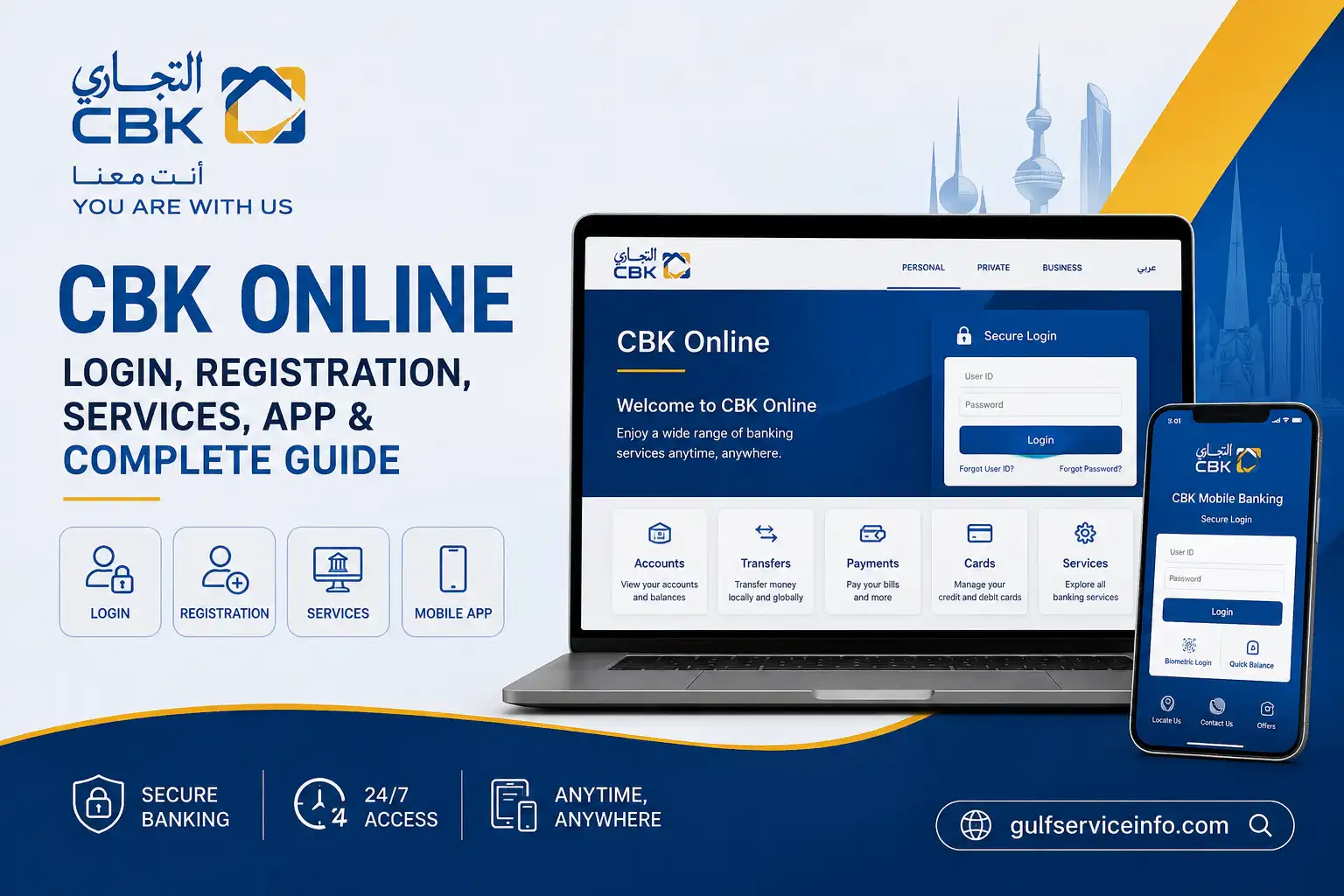
Handling everyday banking online can make routine tasks much more convenient. Instead of visiting a branch to check account details or download a statement, eligible Commercial Bank of Kuwait (CBK) customers can use Commercial Bank Kuwait Online to access selected banking services through the bank’s official digital channels.
Whether you need information about CBK Online login, want to register for internet banking, need to understand the available services, or are trying to recover a forgotten password, the process begins with the official CBK platforms. The steps and information required can vary depending on whether you are using personal or corporate banking.
This guide explains the main CBK Online login and registration steps, required details, available online banking services, CBK Mobile access, password recovery options, common login problems, customer support and essential security practices. It also points you towards the official CBK websites so you can access your banking services through the correct channels.
For more useful Kuwait banking guides, account information, and online service updates, visit our [Homepage] for related resources and step-by-step guides.
What Is CBK Online?
Commercial Bank Kuwait Online is the internet banking platform provided by the Commercial Bank of Kuwait (CBK). It gives eligible customers a way to manage selected banking activities digitally, reducing the need to visit a branch for routine account-related tasks.
The official portal caters to both personal and corporate customers. Depending on the type of account, users can access online banking, register for the service, recover login details and use available security options. The current login screen requires an existing customer to enter a User ID, while separate tools are available for forgotten passwords, forgotten User IDs, forgotten Keypass and locked User IDs.
For account security, access CBK Online by entering the official website address directly or using a trusted bookmark. Avoid following unexpected banking links received through emails, SMS messages or other unsolicited communications.
Quick answer: CBK Online is CBK’s internet banking service for eligible customers who want to view account information and use available banking services online.
How to Access CBK Online Login
Getting into Commercial Bank Kuwait Online starts with the official banking portal. The login screen is designed around the customer’s User ID and the security information displayed on the page, with account-recovery options available if access details have been forgotten.
CBK Online login steps
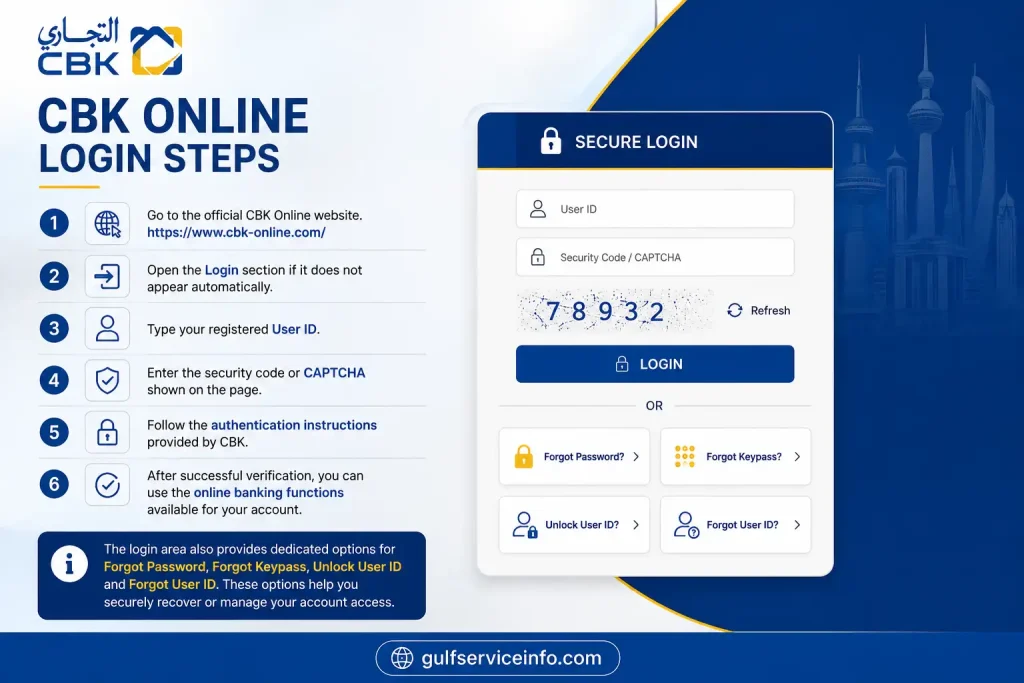
The login area also provides dedicated options for Forgot Password, Forgot Keypass, Unlock User ID and Forgot User ID. These options can be useful when you can access the genuine portal but cannot remember a particular login credential.
Keep your Commercial Bank Kuwait Online credentials private
Your User ID and other authentication details should never be shared with another person. CBK’s security guidance highlights the risks associated with fraudulent calls, messages and links designed to obtain customers’ banking information.
Never provide your password, PIN, OTP or other security information simply because someone claims to represent the bank.
What You Need for CBK Online Registration and Login
The information required for CBK Online registration depends on the type of customer and the registration route being used. Personal customers completing first-time registration are asked to provide specific card and identification details before creating their online banking credentials.
The personal registration page currently requests an ATM card number, ATM card PIN, Civil ID or passport number, User ID and password, together with acceptance of the applicable terms and conditions.
| Requirement | Why it is needed |
|---|---|
| CBK banking relationship | Provides access to the relevant banking service |
| ATM card | Used during personal first-time registration |
| ATM card PIN | Required during the registration process |
| Civil ID or passport number | Used for customer identification |
| User ID | Identifies you when accessing CBK |
| Password | Protects access to your online banking account |
| Secure internet connection | Helps keep the banking session protected |
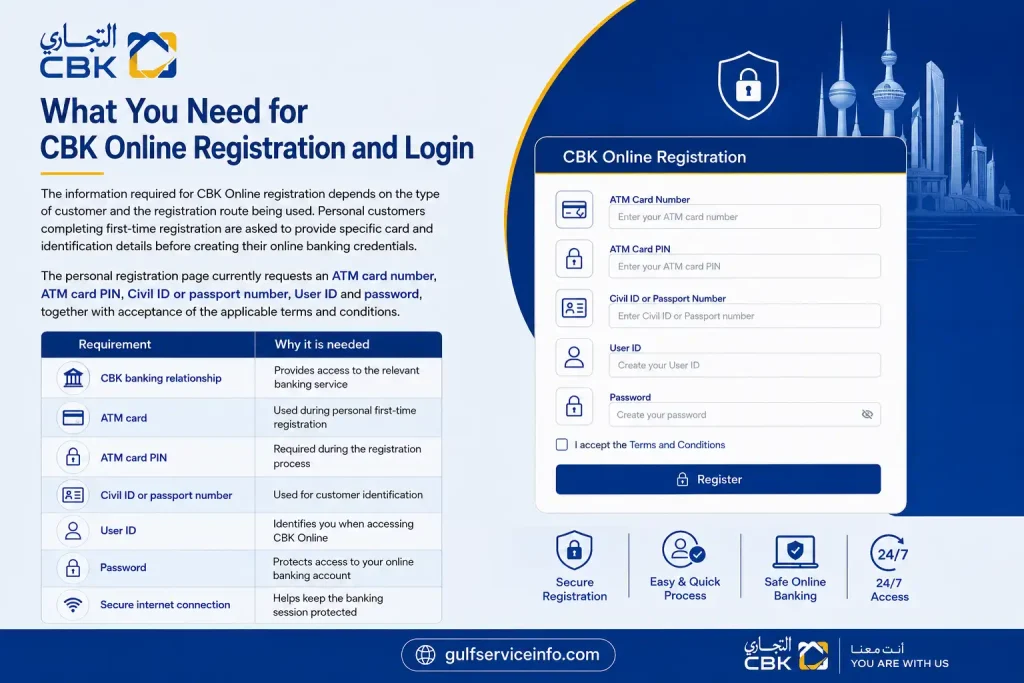
CBK’s registration page also sets password conditions. It states that passwords are case-sensitive and should contain 12 to 40 characters, with further rules concerning repeated or consecutive characters and certain special characters.
Security tip: Create and manage your Commercial Bank Kuwait Online password through the official banking portal. Avoid keeping banking passwords in unsecured notes, messages or on shared devices.
If you need to verify your identification details before completing online banking registration, you can also check your [Kuwait Civil ID Status Check Online] guide for the latest PACI Kuwait Civil ID information.
How to Create a CBK Online Account
New users can register directly through the official CBK portal. CBK provides separate registration routes for personal customers and corporate customers, so the correct option should be selected according to the type of banking relationship.
Personal registration
The personal registration form includes the following information:
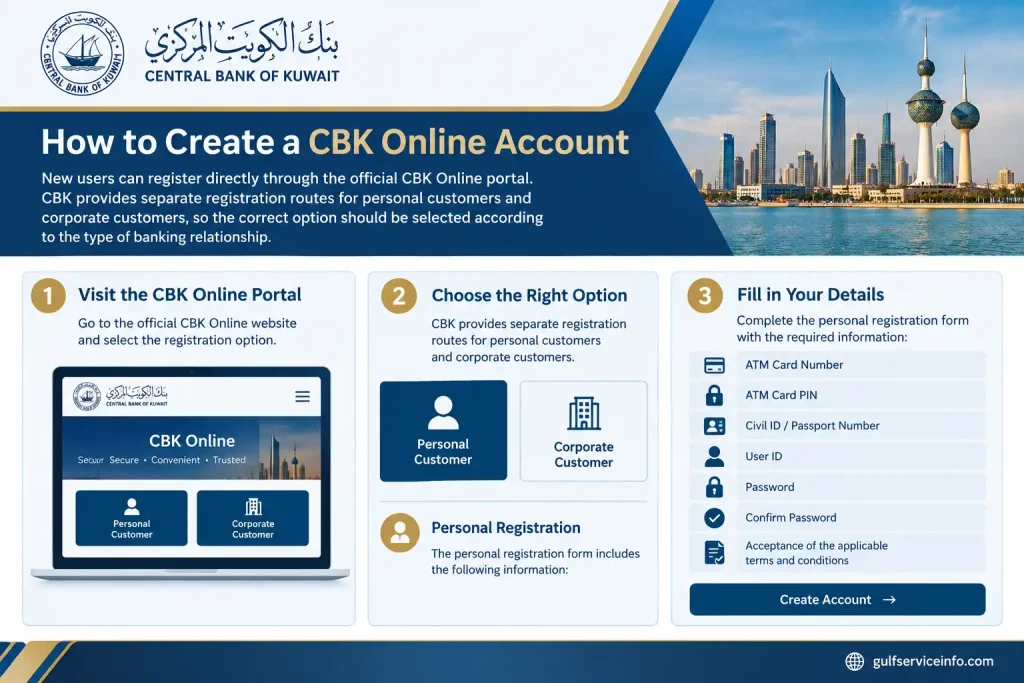
The official registration page specifies that a new User ID must contain at least eight characters. Password requirements are also displayed during registration and should be followed before the form is submitted.
Personal CBK Online registration process
Start here: Open the official CBK Online portal
Enter your card details: Provide the ATM card number and ATM card PIN requested by the registration form.
Verify your identity: Enter your Civil ID or passport number as required.
Set your User ID: Choose a User ID that meets CBK’s minimum eight-character requirement.
Create your password: Enter and confirm a password that complies with the rules displayed by CBK.
Accept the terms: Review the applicable terms and conditions and indicate your acceptance.
Submit the form: Send the registration request and complete any additional verification instructions presented by the official Commercial Bank Kuwait Online system.
Corporate CBK Online registration
Business customers should use the dedicated Corporate Online Banking registration route rather than the personal registration process.
CBK describes Corporate Online as an internet-based platform that provides access to various online transactional services. The corporate registration page currently asks for the company’s 10-digit account number before the registration process continues.
Official corporate registration: CBK Corporate Online Registration
What Can You Do Through CBK Online?
The services available through Commercial Bank Kuwait Online banking can vary according to the customer’s account, profile and activated services. CBK’s digital banking information indicates that personal customers can access account and card information and carry out selected transactions through internet banking.
Available functions described by CBK include:
CBK also describes internet banking as a secured service through which personal account holders can manage eligible financial needs using a User ID and password. Customers can register through CBK Online or CBK Mobile, using their ATM card number and PIN.
CBK Online services overview
| Service | Typical use |
|---|---|
| Account information | Review available account details |
| Balance information | Check account balance information |
| Statements | View, print or download statements |
| Cheque services | Handle eligible cheque-related requests |
| Credit card services | Access selected card payments and services |
| Prepaid card services | Deposit funds into eligible prepaid cards |
| Internet banking | Manage eligible banking activities remotely |
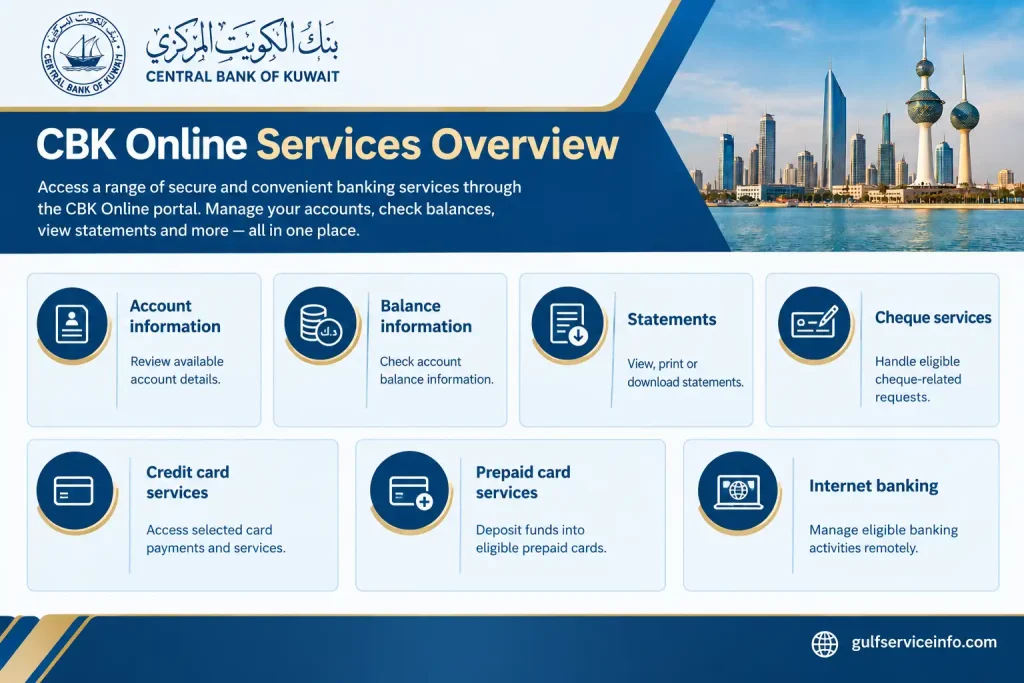
Not every customer will necessarily see the same services. Account type, customer profile and service activation can affect what is available after CBK Online login. The functions displayed inside your authenticated account should therefore be treated as the current list of services available to you.
CBK’s official digital banking information
For additional information about CBK’s online and mobile banking channels, customers can refer to the bank’s official digital services section:
CBK Digital Services
CBK also publishes separate terms and conditions covering internet banking, CBK Mobile and other digital banking channels.
CBK Mobile App
If you search for the CBK Online app, the mobile service you are looking for is generally referred to by Commercial Bank of Kuwait as the CBK Mobile App. It extends CBK’s digital banking services to smartphones, while CBK is primarily accessed through a web browser.
CBK Mobile brings several banking functions together in one mobile platform. Depending on the services enabled for your account, you can manage accounts, make local and international transfers, pay bills, control cards, view virtual card details and use biometric authentication.
The app also includes several account-access and security functions. CBK lists options for recovering a forgotten password or User ID and unlocking a User ID, while customers can also manage notifications, update Civil ID information and change passwords or security questions.
CBK Mobile features at a glance
The services currently described by CBK include:
CBK Mobile also supports bill-payment functions, including mobile prepaid top-ups and postpaid mobile payments. According to CBK, eligible customers can access these services in the app through Transfers → Mobile Payments & Top Up.
Official CBK Mobile page: CBK Mobile App
How to Download the CBK Mobile App
CBK provides official download routes for its mobile banking application through its digital banking page. The bank currently lists options for iOS, Android and Huawei/AppGallery.
For a banking application, the source of the download matters. Rather than using an unknown APK website or an unofficial application link, start from CBK’s official website and follow the platform-specific download option provided there.
Download CBK Mobile on iPhone or iPad
Download CBK Mobile on Android
Huawei devices
CBK also provides a Huawei/AppGallery download route from its official mobile banking page. Huawei users should use the link supplied directly by CBK rather than downloading an APK from an unknown third-party source.
Official download page: Download CBK Mobile
Security reminder: Avoid installing a banking app from an unofficial APK website. The safest approach is to begin at the official CBK website and follow its listed app-store or AppGallery link.
Forgot CBK Online Password or User ID?
Losing access credentials does not automatically mean you need to visit a branch. The official CBK Online login page provides separate recovery facilities, including Forgot Password, Forgot User ID, Forgot Keypass and Unlock User ID.
Official CBK Online portal: CBK Online
Reset a forgotten CBK Online password
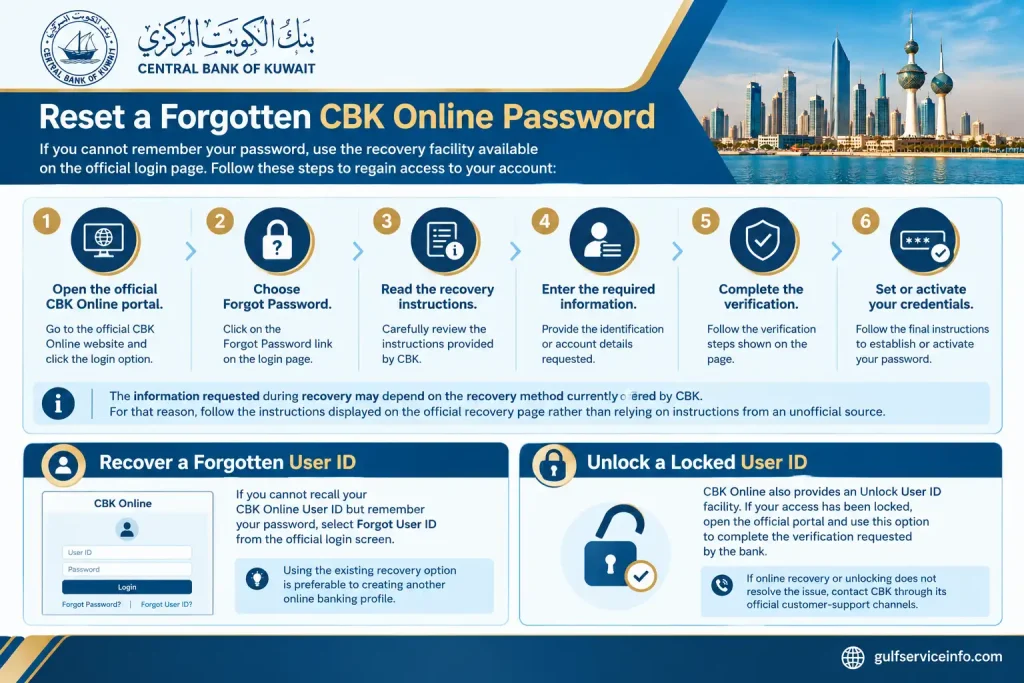
If you cannot remember your password, use the recovery facility available on the official login page:
The information requested during recovery may depend on the recovery method currently offered by CBK. For that reason, follow the instructions displayed on the official recovery page rather than relying on instructions from an unofficial source.
Recover a forgotten User ID
Customers who remember their password but cannot recall their CBK User ID can select Forgot User ID from the official login screen.
Using the existing recovery option is preferable to attempting to create another online banking profile simply because the original User ID has been forgotten.
Unlock a locked User ID
CBK Online also provides an Unlock User ID facility. If your access has been locked, open the official portal and use this option to complete the verification requested by the bank.
If online recovery or unlocking does not resolve the issue, contact CBK through its official customer-support channels.
CBK Online Login Problems and Basic Troubleshooting
A failed CBK Online login can sometimes be caused by an incorrect credential, browser issue or connectivity problem. Before contacting support, check the following:
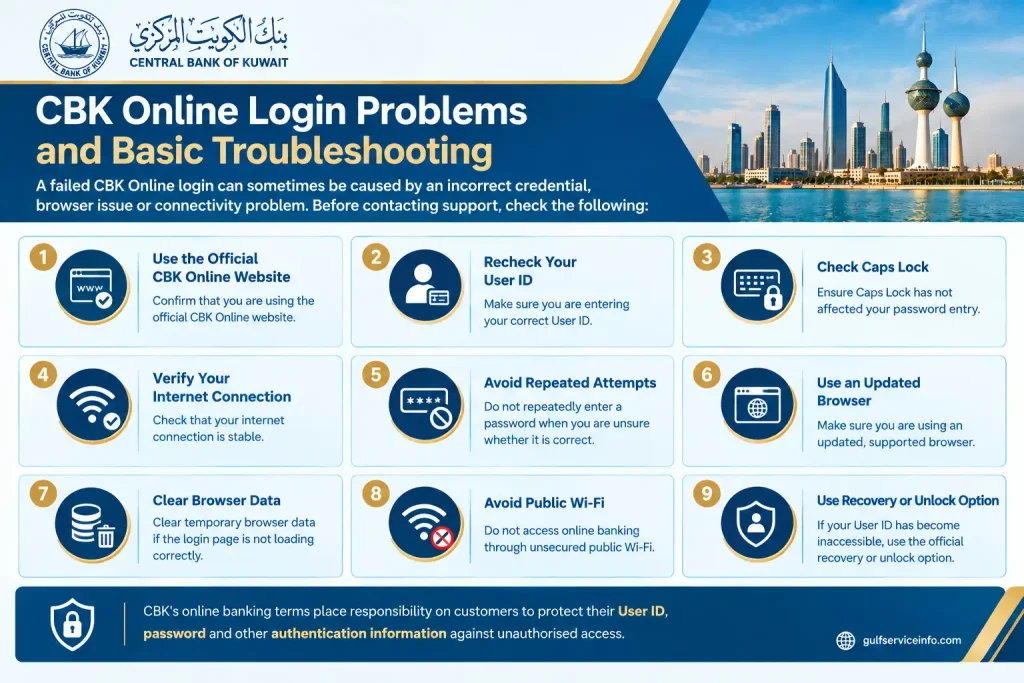
CBK’s online banking terms place responsibility on customers to protect their User ID, password and other authentication information against unauthorised access.
CBK Customer Support
When a problem cannot be resolved through the CBK Online login or recovery options, customers can use CBK’s official support channels.
CBK currently lists the Al-Tijari Contact Centre at 1888225. The bank also provides digital support through live video banking and web chat, available through the CBK Mobile App or the official CBK website.
| Support channel | Suitable for |
|---|---|
| Al-Tijari Contact Centre — 1888225 | General banking and digital-service assistance |
| CBK Mobile WebChat | Online support through the mobile application |
| Live Video Banking | Additional assistance through CBK’s digital channels |
| CBK website | Official banking information and service links |
| CBK Online | Login, registration and account-recovery facilities |
Official CBK website: Commercial Bank of Kuwait
When discussing a login problem with customer support, describe the issue without disclosing your password, OTP, PIN or other confidential authentication information.
Commercial Bank Kuwait Online Security Practices
Digital banking should be treated with the same level of care as other financial information. CBK’s digital banking terms state that customers are responsible for protecting their User ID, password and other security credentials used with electronic banking services.
A few habits can reduce the risk of exposing your account information.
Always use the official CBK website
Enter the official CBK address directly into your browser or use a trusted bookmark. Be cautious when receiving banking links through unexpected emails, SMS messages or social-media communications.
Keep authentication details private
Your User ID, password, OTP, card PIN and other security information should remain confidential. Do not provide these details to someone simply because they claim to be calling from the bank.
Treat suspicious messages carefully
Messages warning that your account will be blocked unless you immediately click a link should be handled with caution. Instead of opening the supplied link, access the official CBK website independently.
Keep your phone and computer updated
Use current operating-system and browser versions and maintain suitable security protection on devices used for online banking.
Avoid banking on shared computers
Public or shared computers are not ideal for sensitive financial activity. If you have to use one, make sure you fully sign out and do not save your banking credentials in the browser.
Understand biometric login
CBK Mobile supports biometric authentication. CBK’s terms state that customers using biometric access should ensure that only their own fingerprints are registered on the permitted device, as registered fingerprints may be used to access mobile banking.
Important: If a person asks you to disclose your password or authentication code as part of routine customer support, stop and verify the request through an official CBK channel.
CBK Online vs CBK Mobile
Commercial Bank Kuwait Online and CBK Mobile are both digital banking channels from Commercial Bank of Kuwait, but they are designed around different methods of access.
| Feature | CBK Online | CBK Mobile App |
|---|---|---|
| Access method | Web browser | Smartphone or tablet app |
| Authentication | Online banking credentials | Mobile authentication and available security methods |
| Account information | Available for eligible services | Available |
| Statements | Available through online banking | Available through the app |
| Transfers | Selected online banking transactions | Local and international transfers |
| Bill payments | Selected services | Available |
| Card management | Selected services | Broader card-management functions |
| Biometric authentication | Not applicable in the same way | Supported |
| Mobile top-up | Depends on available online services | Supported |
| Device management | Web-based account access | Supported through the app |
| Live support | Official support channels | WebChat and live-support options |
CBK presents its mobile application as a broader mobile-focused banking platform, combining account management with transfers, bill payments, card controls, biometric verification and other functions.
This does not mean customers must choose only one channel. CBK can be useful when accessing banking from a computer or browser, while CBK Mobile provides smartphone-focused tools such as biometric authentication and card controls.
Which CBK digital service should you use?
For banking access through a desktop or web browser, CBK Online is the relevant channel. For smartphone-based banking and mobile-specific functions such as biometric authentication, card controls and mobile payments, CBK Mobile is the corresponding option.
Whichever channel you use, start from CBK’s official website or official application download route and keep your banking credentials confidential.
Frequently Asked Questions About CBK Online
Final Takeaway
CBK Online provides eligible Commercial Bank of Kuwait customers with browser-based access to a range of digital banking services. Customers can use the portal for CBK Online login, registration, account information, statements and selected online transactions, depending on the services available to their account. For customers who prefer banking from a smartphone, CBK Mobile offers additional mobile-oriented tools, including biometric authentication, card management, transfers, bill payments and other supported features.
When logging in, registering, recovering access or downloading the mobile application, begin with CBK’s official website and digital banking portals. Checking the website address and keeping your authentication details private are two simple steps that can help protect your online banking access.