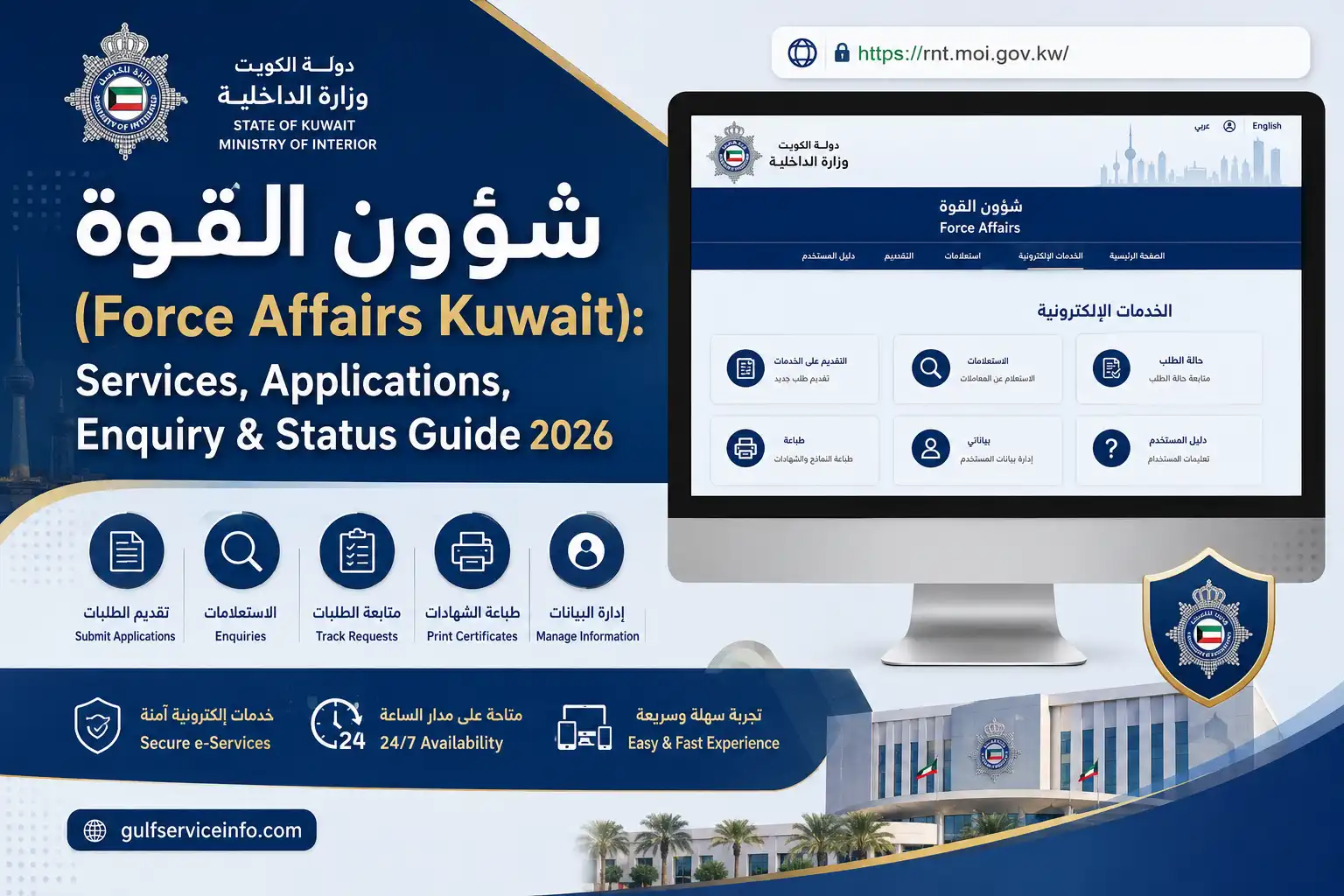
شؤون القوة, commonly referred to in English as Force Affairs Kuwait, is associated with personnel and administrative affairs within Kuwait’s Ministry of Interior (MOI). The official online portal is hosted on the Ministry’s moi.gov.kw domain.If you need to access a Force Affairs service, submit an authorised request, make an enquiry, or follow up on an existing transaction, the safest approach is to begin with the official Ministry portal rather than a third-party website.
The Ministry’s own materials refer to شؤون القوة and related police-force personnel systems, confirming its connection with Ministry administrative and personnel functions.
Explore more Kuwait government services and helpful guides: Visit Our Homepage
What Does شؤون القوة Mean in Kuwait?
The Arabic term شؤون القوة can be translated as Force Affairs. Within Kuwait’s Ministry of Interior, it relates to administrative and personnel matters connected with the police force.
This means Force Affairs Kuwait should not be confused with the Ministry’s general public services for traffic fines, residency, passports or visa enquiries. The available Force Affairs functions are more closely connected with authorised personnel and administrative procedures.
The system may be relevant to:
- Kuwait police personnel
- Ministry of Interior employees
- Authorised personnel
- Employment-related administrative matters
- Personnel enquiries
- Internal applications and requests
- Follow-up of supported transactions
The Ministry has also previously identified a General Administration for Force Affairs facility in Mishref. An MOI publication reported the opening of a Citizen Service Centre at the Force Affairs building in Mishref, demonstrating the administrative role of the department.
Who Should Use the Force Affairs Portal?
The portal is mainly intended for users who have an appropriate relationship with Kuwait’s Ministry of Interior and are authorised to access the relevant services.
If you are a Kuwaiti citizen, use the identification and personnel information recorded in your official Ministry records.
If you are a foreign resident, access should not be assumed simply because you live in Kuwait. The services available to you depend on your official relationship with the Ministry and the permissions assigned to your account.
For students and members of the general public, شؤون القوة is not a general education or public-information portal. Unless you have an authorised personnel-related service, another Kuwait government platform may be more appropriate.
Kuwait Police Force Affairs Services
The exact menu displayed by شؤون القوة Kuwait may change according to user authorisation and the Ministry’s current online configuration. For this reason, it is better to describe the portal by its purpose rather than promise a fixed list of buttons or services.
Depending on your access, Force Affairs functions may relate to:
| Service area | What it may be used for |
|---|---|
| Personnel affairs | Accessing authorised personnel information |
| Applications | Sending an available administrative request |
| Enquiries | Checking information or an existing request |
| Employment information | Reviewing permitted employment-related details |
| Administrative requests | Managing applicable personnel procedures |
| Status follow-up | Checking the progress of a supported transaction |
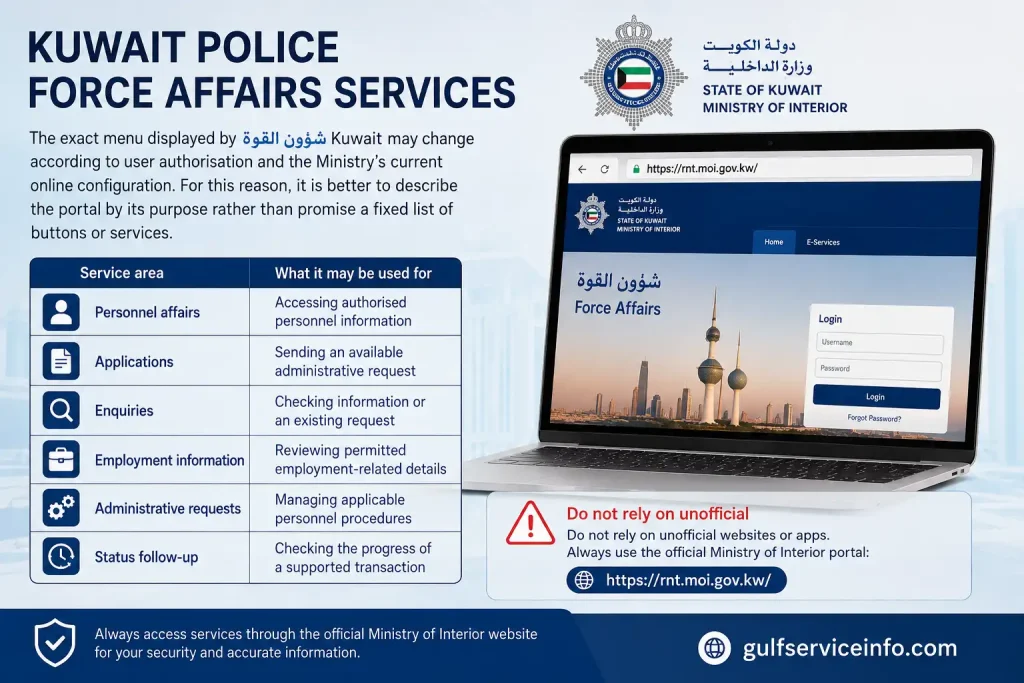
Do not rely on an unofficial website to determine whether a particular service is available. Open the official portal and check the options presented to your account.
How to Access شؤون القوة Kuwait Online
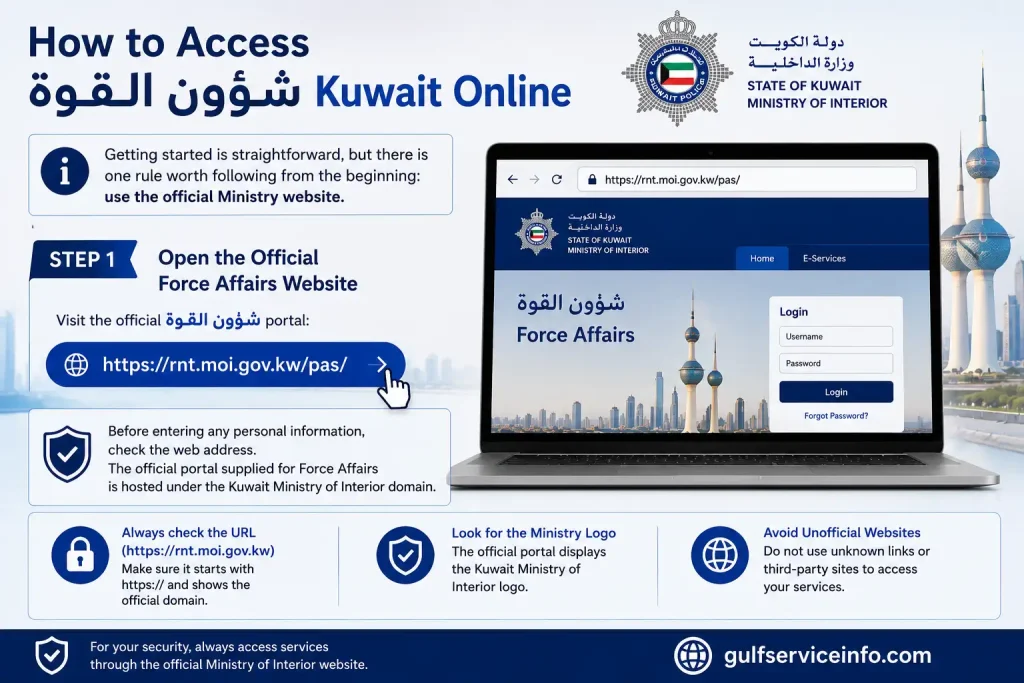
Getting started is straightforward, but there is one rule worth following from the beginning: use the official Ministry website.
Step 1: Open the Official Force Affairs Website
Visit the official شؤون القوة portal:
Open the official Force Affairs Kuwait portal
Before entering any personal information, check the web address. The official portal supplied for Force Affairs is hosted under the Kuwait Ministry of Interior domain.
Step 2: Allow the Portal to Load
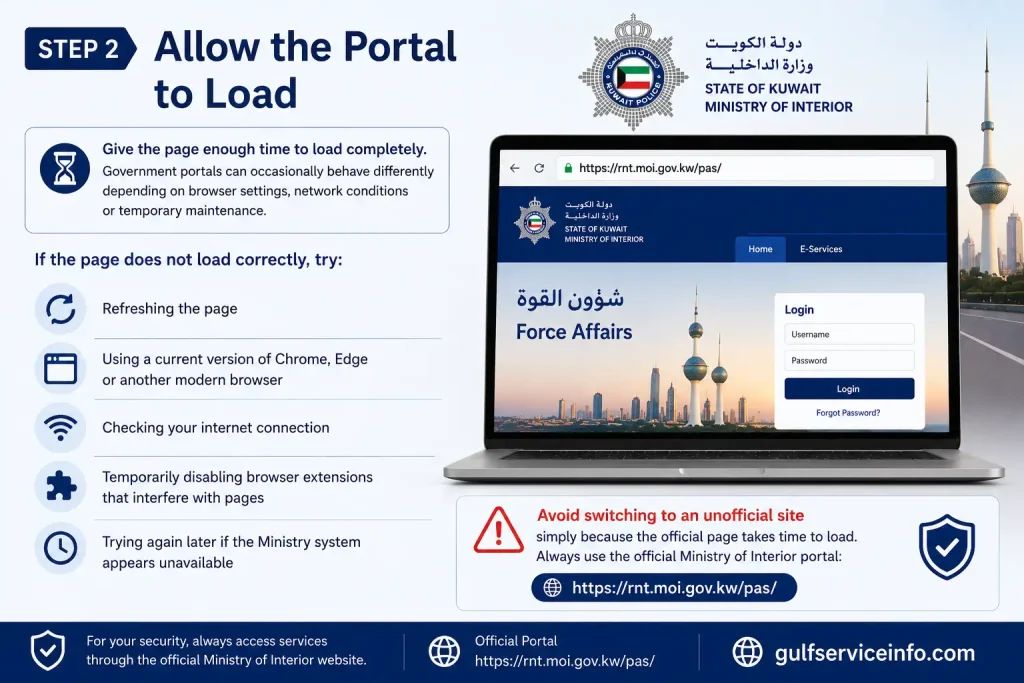
Give the page enough time to load completely. Government portals can occasionally behave differently depending on browser settings, network conditions or temporary maintenance.
If the page does not load correctly, try:
- Refreshing the page
- Using a current version of Chrome, Edge or another modern browser
- Checking your internet connection
- Temporarily disabling browser extensions that interfere with pages
- Trying again later if the Ministry system appears unavailable
Avoid switching to an unofficial site simply because the official page takes time to respond.
Step 3: Review the Available Service
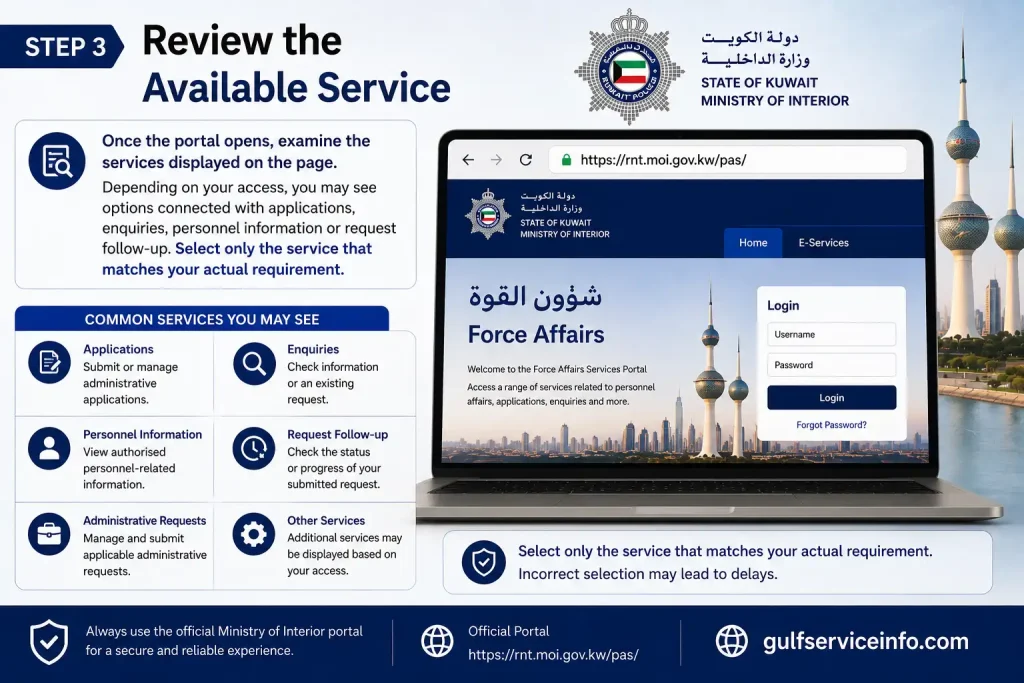
Once the portal opens, examine the services displayed on the page.
Depending on your access, you may see options connected with applications, enquiries, personnel information or request follow-up. Select only the service that matches your actual requirement.
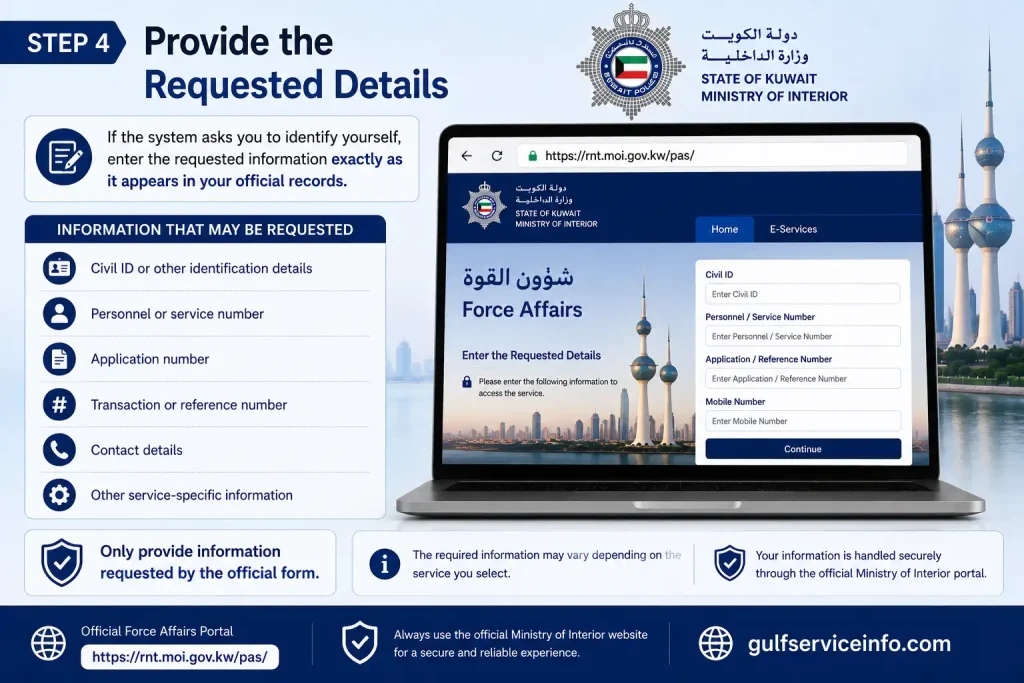
Step 4: Provide the Requested Details
If the system asks you to identify yourself, enter the requested information exactly as it appears in your official records.
Depending on the service, the system may request information such as:
- Civil ID or other identification details
- Personnel or service number
- Application number
- Transaction or reference number
- Contact details
- Other service-specific information
Only provide information requested by the official form.
شؤون القوة Application: How to Submit a Request
If your account provides an online application or administrative request, prepare your information before starting. This reduces the chance of submitting incomplete or incorrect details.
A typical process can be approached in the following way:
Access → Identify yourself → Select service → Enter details → Review → Submit → Save reference
Select the Correct Application
Look through the available Force Affairs services and choose the application that corresponds to your situation. Read any instructions shown on the portal before entering information.
Complete the Required Fields
Enter each requested detail carefully. Pay particular attention to identification numbers, personnel information and contact details.
Do not add documents or information that the service does not request.
Review Before Submission
Take a final look at the information you entered. Check your name, identification details, request category and any other important fields.
This small check can prevent avoidable problems later.
Save the Confirmation
After submitting a request, look for a confirmation message or transaction reference. If the system provides an application number, reference number or transaction number, keep it somewhere safe.
That number can be particularly useful when you later need to make a شؤون القوة enquiry or check the status of an existing request.
A Useful Rule Before You Apply
The most important thing to remember about Force Affairs Kuwait is that the portal is not necessarily a one-size-fits-all public service.
Your available options can depend on:
- Your Ministry role
- Your personnel status
- Your account permissions
- The particular service you are trying to access
- The current configuration of the MOI system
Therefore, if a service does not appear after you sign in, do not automatically assume the website is broken. It may simply not be authorised for your account.
Official MOI Alternative for General Electronic Services
Kuwait’s Ministry of Interior also operates a separate Individual E-Services Platform for other electronic services:
Kuwait MOI Individual E-Services Platform
This should be treated as a separate MOI platform rather than an extension of every Force Affairs function.
شؤون القوة Enquiry and Application Status
Once a request has been submitted through شؤون القوة Kuwait, the next concern is usually finding out what happened to it. If the portal provides an enquiry or follow-up function for your account, the reference information issued during submission becomes particularly useful.
The exact wording of the enquiry options may change with the Ministry’s online system. Therefore, look for options related to enquiry, application follow-up, request status or transaction information rather than relying on one fixed menu name.
How to Make a شؤون القوة Enquiry
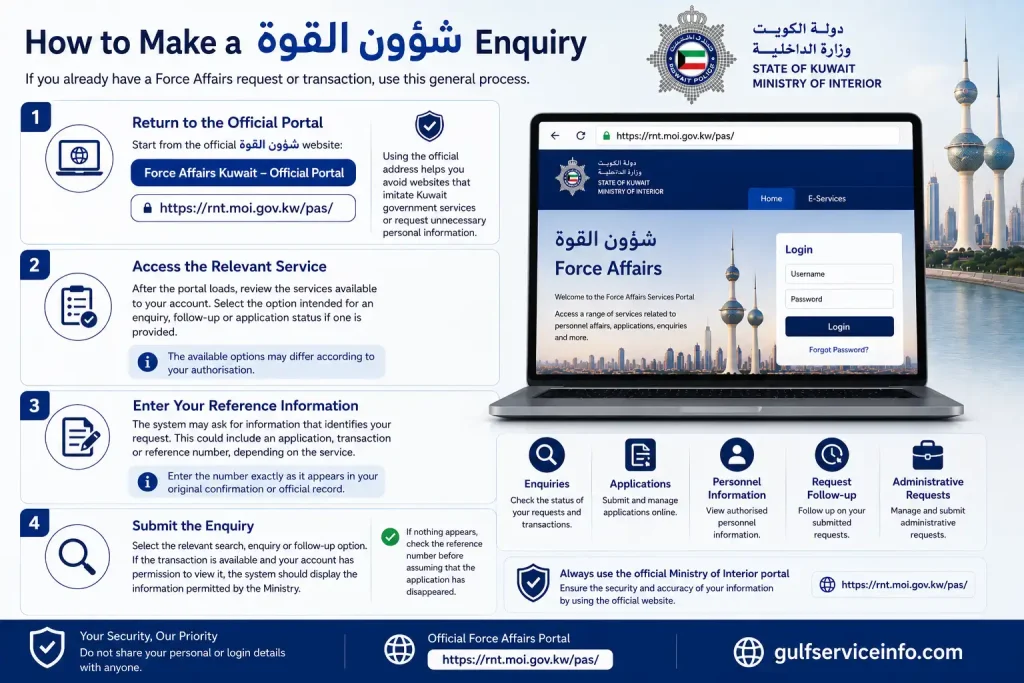
If you already have a Force Affairs request or transaction, use this general process.
1. Return to the Official Portal
Start from the official شؤون القوة website:
Force Affairs Kuwait – Official Portal
Using the official address helps you avoid websites that imitate Kuwait government services or request unnecessary personal information.
2. Access the Relevant Service
After the portal loads, review the services available to your account. Select the option intended for an enquiry, follow-up or application status if one is provided.
The available options may differ according to your authorisation.
3. Enter Your Reference Information
The system may ask for information that identifies your request. This could include an application, transaction or reference number, depending on the service.
Enter the number exactly as it appears in your original confirmation or official record.
4. Submit the Enquiry
Select the relevant search, enquiry or follow-up option. If the transaction is available and your account has permission to view it, the system should display the information permitted by the Ministry.
If nothing appears, check the reference number before assuming that the application has disappeared.
شؤون القوة Status Check: What You Need to Know
A شؤون القوة status check is intended to help users follow an existing request rather than create a new application.
Before checking the status, keep the information from your original submission nearby.
| Information | Why it can help |
|---|---|
| Civil ID | May be required for identification |
| Personnel/service number | Can identify an authorised personnel record |
| Application number | May locate a submitted application |
| Transaction number | Can identify a particular transaction |
| Reference number | Useful for follow-up |
| Submission information | Helps distinguish between requests |
Not every service will ask for all of these details. Use only the fields requested by the official portal.
Why Your Status May Not Appear
There are several possible reasons an application may not immediately appear.
For example:
- The reference number may have been entered incorrectly.
- The transaction may not be available through the particular enquiry screen.
- Your account may not have permission to view the information.
- The request may not have been completed successfully.
- The Ministry system may temporarily be unavailable.
- The service may use a different follow-up process.
The safest response is to verify your original confirmation first and then retry through the official portal.
Understanding Application Status Information
The status shown for a Force Affairs request depends on the particular service and the Ministry’s system. Do not assume that every application uses the same wording.
A request may, depending on the service, indicate that it has been received, is being reviewed, requires further action, has been completed or needs correction.
A Practical Approach
If the status indicates that further action is required, read the instructions displayed by the system carefully.
If the request is still being processed, avoid submitting another application simply because the status has not changed. First confirm whether the original request remains active.
If a request is returned for correction, follow the instructions provided by the authorised service rather than creating an unrelated duplicate transaction.
Force Affairs Kuwait Requirements
There is no single set of requirements that applies to every شؤون القوة service. The information requested depends on the procedure you are attempting to use.
Before beginning, it is sensible to have your core identification and personnel information available.
General Information to Prepare
Depending on the service, you may need:
- Kuwait Civil ID or another accepted identification detail
- Personnel or service number
- Application or transaction reference
- Contact information
- Information related to your Ministry employment or personnel record
- Supporting documents, where specifically requested
- Authentication information required by the portal
Do not upload a document merely because you think it might be useful. Provide documents only when the official service asks for them.
Requirements for Kuwaiti Citizens
Kuwaiti users who have an authorised Force Affairs relationship should enter their information exactly as it appears in the Ministry’s records.
Before submitting a request, check the spelling and identification details carefully. If the system identifies a mismatch between the information entered and the official record, the transaction may not proceed as expected.
A useful habit is to compare the information you enter with your official documents before selecting the final submission option.
Can Foreign Residents Use شؤون القوة?
Foreign residents should not assume that all Force Affairs Kuwait services are available to them.
Access is generally connected to the user’s official relationship with the Ministry and the permissions assigned to the relevant account or service. In other words, simply being a Kuwait resident does not automatically mean that every Force Affairs function will be available.
If you are a foreign resident and the required service is not visible, use the information displayed by the official Ministry system or contact the appropriate Ministry authority for clarification.
Can Students Access Force Affairs Services?
شؤون القوة is not designed as a general student-services website.
A student who is only looking for education, university, school or general government services should use the relevant official platform instead. Force Affairs access is dependent on the specific personnel or administrative relationship with the Ministry.
If a student has an authorised relationship that gives access to a particular Force Affairs service, the available functions will be determined by that authorisation.
Documents to Prepare Before Applying
Being organised before starting an online transaction can prevent avoidable mistakes.
Use this preparation list as a general reference:
- Kuwait Civil ID or applicable identification
- Personnel/service number, if applicable
- Application or transaction number for an existing request
- Current contact information
- Active email address if the service requests one
- Relevant supporting documents
- Previous application or transaction information
The checklist is intentionally general because the actual requirements can vary between Force Affairs services.
شؤون القوة Login and Authentication
Authentication is an important part of accessing Kuwait Ministry of Interior electronic services. However, different MOI systems can use different authentication arrangements.
For example, the Ministry’s Individual E-Services Platform provides an online authentication process involving Civil ID and the Mobile ID application.
Open Kuwait MOI Individual E-Services
This does not mean that every function inside شؤون القوة necessarily uses the same login screen. If the Force Affairs portal displays its own authentication instructions, follow those instructions directly.
Safe Login Practices
When accessing Force Affairs online:
- Start from the official Ministry domain.
- Check the web address before entering personal information.
- Use only the identification details requested by the system.
- Complete any official authentication process shown.
- Never give your password or authentication code to another person.
- Avoid entering your information into links received from unknown sources.
The official domain is an important security check. If a website claims to provide شؤون القوة Kuwait services but is not hosted on the official Ministry domain, treat it with caution.
What If You Cannot Log In?
A login or authentication problem does not necessarily mean that your account is blocked.
Start with the basic checks:
Check the website → Check your information → Check authentication → Retry → Seek official assistance if necessary
Check Your Identification
Make sure you have entered the requested identification information correctly. A single incorrect digit can prevent authentication.
Check Your Authentication Method
If the service asks you to authenticate through an official method, make sure that method is available and functioning before continuing.
Try a Different Browser
If the page behaves incorrectly, try a modern browser such as Chrome or Edge. You can also try clearing temporary browser data if the problem continues.
Try Again Later
Government systems can occasionally experience maintenance or temporary technical issues. If the portal repeatedly fails to load, retry later rather than moving to an unofficial alternative.
Common شؤون القوة Problems and Solutions
| Problem | Recommended action |
|---|---|
| Portal does not open | Refresh, check your connection and retry later |
| Login does not work | Recheck identification and authentication details |
| Required service is missing | Check whether your account is authorised for that service |
| Form cannot be submitted | Review required fields and entered information |
| Application status is unavailable | Confirm the correct application/reference number |
| Page keeps loading | Try another browser or temporary browser-data cleanup |
| Details appear incorrect | Contact the appropriate official Ministry authority |
| Technical error appears | Record the error and retry; seek official assistance if it persists |
A useful rule is to solve the problem at the source. If an official portal says that a service is unavailable or an account is not authorised, changing unrelated information repeatedly is unlikely to solve the issue.
What to Do When a Force Affairs Application Is Delayed
A pending request can be frustrating, particularly when you need the result for another administrative procedure. Before contacting anyone, make sure you have confirmed the basic details.
First, Confirm the Submission
Check whether the original application produced a confirmation or reference number. If you never received any indication that the transaction was submitted, you may need to determine whether the request actually reached the system.
Next, Check for Additional Action
Open the relevant enquiry or follow-up option and see whether the system has displayed any instruction, correction request or additional requirement.
Verify Your Reference Number
Compare the number you are entering with the original confirmation. Avoid typing it from memory when the original record is available.
Avoid Duplicate Applications
Submitting several identical requests can make follow-up more confusing. If an existing transaction is already being processed, check its status before starting another application.
Contact the Appropriate Authority
If the issue remains unresolved, use an official Ministry contact or the relevant Force Affairs authority rather than relying on third-party agents who claim they can change the status.
Force Affairs Kuwait: Important Security Advice
Personnel systems can contain sensitive employment and identification information. Treat your Force Affairs account and transaction details accordingly.
Never share:
- Passwords
- Authentication codes
- Mobile ID approval requests
- Sensitive identification details with unknown persons
- Screenshots containing unnecessary personal information
Be particularly careful with websites that promise to “check” or “update” your شؤون القوة status for a fee. An unofficial service is not a substitute for the Ministry’s own system.
The Kuwait Ministry of Interior has an official online presence and publishes information through its moi.gov.kw domain. Ministry publications also document services and administrative activity connected with the Force Affairs building in Mishref.
Official Websites for شؤون القوة Kuwait
For the most reliable access, use the following official Ministry resources:
شؤون القوة – Force Affairs Portal
https://rnt.moi.gov.kw/pas/
Kuwait Ministry of Interior – Individual E-Services
https://eres.moi.gov.kw/individual?culture=en
Use the Force Affairs portal when your requirement specifically relates to an authorised Force Affairs function. Use the separate Individual E-Services platform for services provided there.
Important Distinction
These platforms should not be treated as interchangeable.
| Your requirement | Where to start |
|---|---|
| Force/personnel-related service | شؤون القوة portal |
| Force Affairs application follow-up | شؤون القوة portal, if the relevant enquiry is available |
| Force Affairs status enquiry | Official Force Affairs service |
| General MOI individual electronic services | MOI Individual E-Services |
| Unclear or unavailable service | Official MOI information/support channel |
Frequently Asked Questions About شؤون القوة
Final Thoughts
Using شؤون القوة Kuwait is straightforward when you start with the official Ministry of Interior portal and follow the instructions provided for your authorised account. Whether you need to access a service, submit a Force Affairs application, make a شؤون القوة enquiry, or check an existing request, always enter accurate information and keep your application or transaction reference number for future follow-up. Since available services can vary according to your role and authorisation, do not worry if a particular option is not visible on your account. Most importantly, use the official moi.gov.kw domain, protect your personal and authentication information, and avoid unofficial websites claiming to provide Force Affairs services or status checks. For the latest شؤون القوة Kuwait services and procedures, visit the official portal.
Read More: Explore our related Gulf government service guides for more step-by-step information and helpful updates.