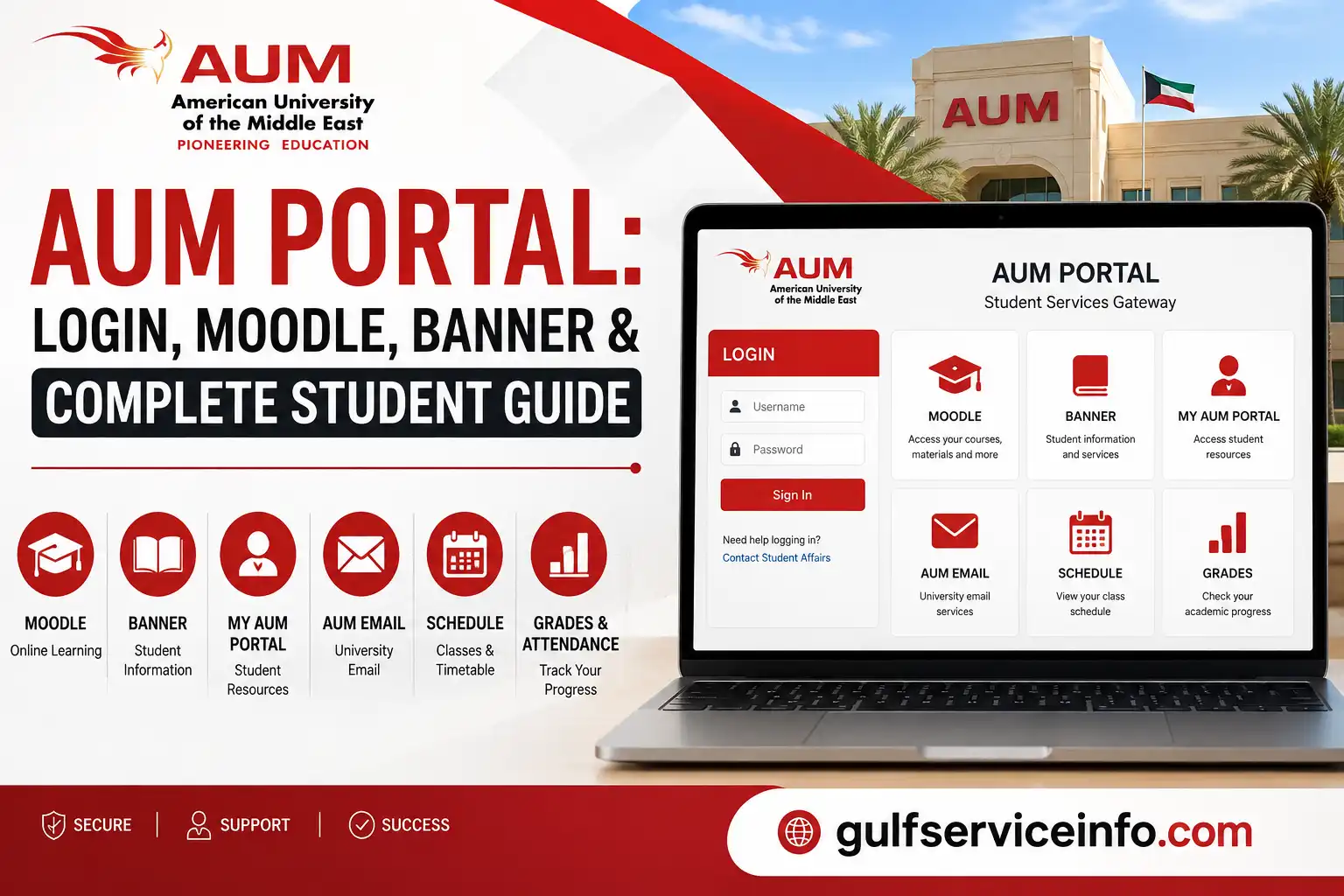
The AUM Portal is an important starting point for students at the American University of the Middle East (AUM) in Kuwait. It connects students with online learning resources, academic information, university email, student links and other digital services. AUM’s official website provides access to its student resources, while the university’s New Student Integration platform brings together links for My AUM Portal, Email, Library, E-Learning and Banner.
If you are a new or current AUM student, understanding which platform to use can save time. Moodle, My AUM Portal and Banner serve different purposes, even though they are closely connected.
Explore more Kuwait government services and helpful guides: Visit Our Homepage.
What Is AUM Portal?
AUM Portal refers to the university’s online student environment used to access important academic resources and services. One of its key components is Moodle, AUM’s online learning platform.
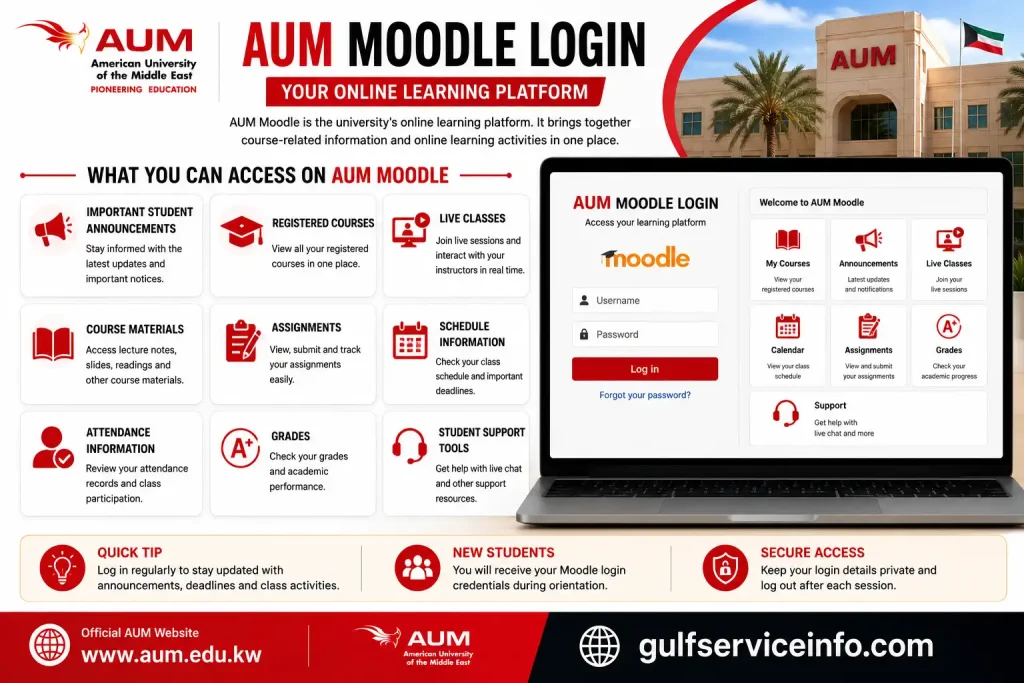
Through Moodle, students can find their registered courses, course materials, assignments, announcements and live classes. The platform also provides links to information such as schedules, attendance and grades.
AUM’s New Student Integration page also identifies My AUM Portal, Email, Library, E-Learning and Banner Links as key student resources.
What can students access?
Depending on the service, the AUM student environment can help you:

Quick tip: If you are looking for your classes, assignments or course announcements, Moodle is usually the place to start. AUM describes Moodle as the platform where courses, online services and e-learning are integrated.
AUM Portal Login
Students normally begin from AUM’s official website and use the relevant student link for the service they need. The university’s student resources page provides links to My AUM Portal, Email, E-Learning and Banner Links.
How to access AUM Portal

New students should pay particular attention to their orientation process. AUM states that students receive their university email username and password and access information for Moodle during the orientation session.
If you have not yet received your credentials, repeatedly trying different login details is unlikely to help. Contact Student Affairs instead.
AUM Moodle Login
AUM Moodle is the university’s online learning platform. It is particularly important for students because it brings together course-related information and online learning activities.
AUM’s official student guidance says Moodle can contain:
Steps to access AUM Moodle
Step 1: Visit the official AUM website.
Step 2: Open the student links or AUM Portal – Moodle section.
Step 3: Select Moodle and enter your university username and password.
Step 4: Once signed in, check your dashboard for your registered courses.
Step 5: Open the relevant course to find its announcements, materials, assignments or live-session information.

AUM’s New Student Integration guidance confirms that Moodle is the platform used for courses and online learning, while the orientation process provides new students with the credentials needed to access it.
Where can I find my AUM schedule?
AUM’s student FAQ explains that the schedule can be reached through the student links by following the route:
AUM Website → Student Links → My AUM Portal → Student Links → My Schedule.
This is useful if you are unsure whether your timetable is located inside Moodle itself or through another student service.
My AUM Portal
My AUM Portal is one of the student links provided by AUM for accessing university-related resources. It works alongside Moodle and other digital services rather than replacing every student system.
For new students, the university’s orientation information is especially useful because it explains when students receive their credentials and other important academic information. During orientation, students receive their university email credentials and Moodle access information, along with their class schedule.
When using My AUM Portal, always start from an official AUM page rather than relying on an unfamiliar third-party login page. This reduces the risk of entering your university credentials into an incorrect website.
AUM Banner Login
AUM Banner is another important student system, but it should not be confused with Moodle. AUM’s official New Student Integration page lists Banner Links separately from My AUM Portal, Email, Library and E-Learning under its student links.
If you need Banner, the safest approach is to access it through the official AUM student links rather than searching for an unofficial login page.
How to access AUM Banner
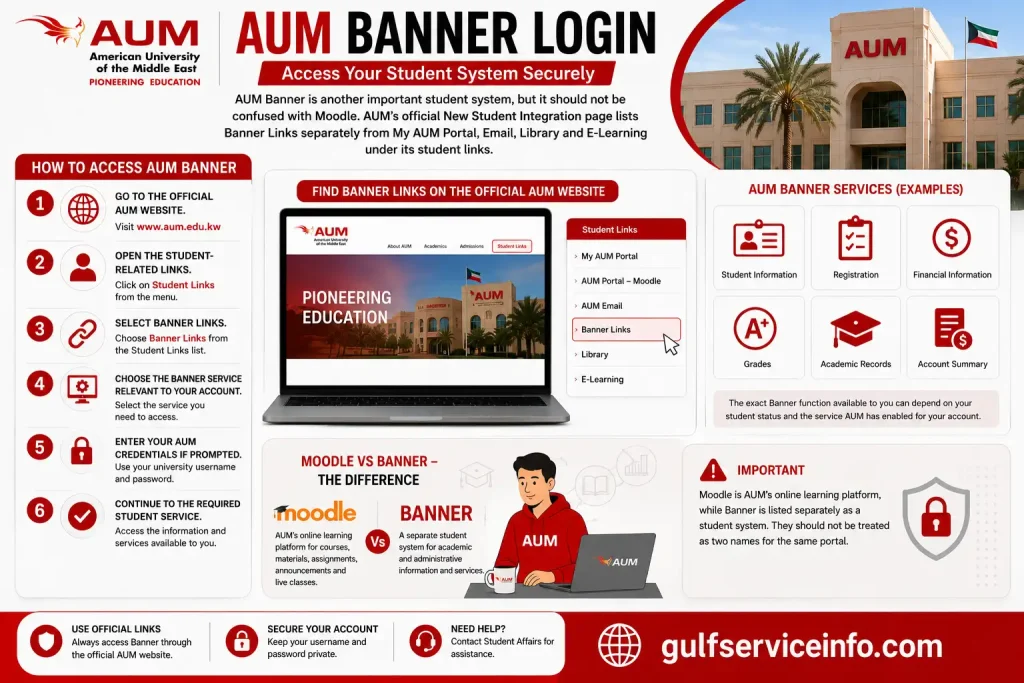
The exact Banner function available to you can depend on your student status and the service AUM has enabled for your account. For that reason, students should use the Banner link provided by AUM rather than relying on third-party login pages.
Important: Moodle is AUM’s online learning platform, while Banner is listed separately as a student system. They should not be treated as two names for the same portal.
AUM Email
Your AUM email is one of the core digital resources provided to students. AUM lists Email alongside My AUM Portal, Library, E-Learning and Banner Links in its student resources.
For newly admitted students, email credentials are provided during the orientation process. AUM’s current orientation information says students receive their university email username and password, together with credentials for accessing Moodle.
Getting your AUM email credentials
If you are a new student:
The orientation process also includes receiving your class schedule and learning key university rules and procedures.
If you have not received your credentials or cannot access your account, Student Affairs is the appropriate first point of contact.
AUM Portal Admission
The AUM Portal admission process is closely connected with the university’s admission and new-student onboarding procedures. AUM’s current New Student Integration information explains that Student Affairs contacts new students to arrange an orientation session after admission procedures are completed.
For the current 2026 orientation cycle, AUM states that Student Affairs advisors began contacting students from 23 August 2026, with orientation sessions scheduled between 30 August and 10 September 2026.
What new students should prepare
Before attending the orientation session, AUM currently asks students to prepare:
During orientation, students receive important access information, including:
This makes the orientation stage particularly important for anyone trying to get started with the AUM Portal and its connected services.
AUM Schedule, Courses, Grades & Attendance
One of the most useful parts of the AUM digital environment is the ability to reach academic information from the student links.
AUM confirms that Moodle contains registered courses, course materials, assignments, live classes and important student links, including schedule, attendance and grades.
AUM schedule
According to AUM’s official student FAQ, your schedule can be found through this route:
AUM Website → Student Links → My AUM Portal → Student Links → My Schedule.
If you are a new student, your schedule is also provided during the orientation process.
AUM courses
Your registered courses are available through Moodle. The university describes Moodle as the online learning platform containing the list of courses in which you are registered, as well as course materials, assignments and live classes.
After signing in, check your course list before looking for individual assignments or lecture materials. This can help you confirm that the courses appearing in your account match your registration.
AUM grades
Grades are available through the important student links within Moodle. AUM specifically identifies grades as one of the student resources accessible through its Moodle environment.
If a grade appears to be missing or you believe information is incorrect, avoid repeatedly refreshing the portal. Instead, contact the relevant academic or Student Affairs support channel.
AUM attendance
Attendance information is also available through the student links in Moodle. AUM’s official guidance identifies attendance alongside schedule and grades as important student information available through the platform.
Students should also familiarise themselves with the university’s attendance rules. AUM states that the AUM Student Handbook and AUM Attendance Policy are available through:
AUM Website → Student Links → My AUM Portal → Student Links → Downloads.
This is worth checking before assuming that an attendance issue is simply a technical problem.
AUM Kuwait Student Services
The AUM digital environment is more than a place to check classes. The university provides several student support services designed to help students throughout their academic journey.
AUM’s official digital resources include Student Affairs, Moodle, Library, Tutoring Center, Writing Lab, Academic Advancement Center and Tawteen Career Center.
Student Affairs
Student Affairs can help students with academic and personal questions from orientation through graduation. AUM currently lists its Student Affairs contact hours as 8 AM to 5 PM, Sunday to Thursday.
Student Affairs hotline: +965 2226 0100
Email: [email protected]
Students can also use Moodle’s live chat and online forms for support, according to AUM’s New Student Integration resources.
AUM Library
The AUM Library provides access to electronic and physical academic resources. AUM says its library includes more than 400,000 e-books, over 8,000 print resources and 35,000 e-journal subscriptions, along with multimedia resources.
This can be particularly useful when working on assignments, research papers, presentations or longer academic projects.
Tutoring and academic support
The AUM Tutorial Center provides free academic support to currently enrolled students, including one-to-one and group-based tutorials through Moodle.
The Writing Lab is another useful resource. It supports students with assignments, essays, presentations, Capstone projects and research papers, with services available online through Moodle or email.
Tawteen Career Center
Students and graduates can also use the Tawteen Career Center, which AUM describes as a service designed to help students and alumni manage their career direction and develop the skills, learning resources and networks needed for employment opportunities.
AUM Student Services at a Glance
| Service | Main purpose |
|---|---|
| My AUM Portal | Access to student-related links and services |
| Moodle | Courses, materials, assignments, schedule, attendance and grades |
| Banner | Separate student system listed by AUM |
| AUM Email | University communication |
| Library | Academic research and digital resources |
| Tutorial Center | Academic tutoring |
| Writing Lab | Help with academic writing |
| Student Affairs | Academic and personal student support |
| Tawteen Career Center | Career development and employment support |
AUM Gate F
AUM Gate F is one of the campus-related terms students may come across when dealing with AUM’s campus access and student information. If you are visiting the university or attending classes on campus, follow the access instructions provided by AUM rather than relying on unofficial directions.
For the latest campus information, announcements and university services, use the official AUM website.
If you are a new student, your orientation information is particularly useful. AUM’s New Student Integration process provides students with important information before they begin their studies, including their schedule, university credentials and student ID arrangements.
AUM Aptitude Test Registration (تسجيل قدرات)
Students searching for AUM Aptitude Test Registration (تسجيل قدرات) should use AUM’s official admission and testing information rather than relying on third-party registration pages.
An aptitude or placement-related requirement can form part of the university admission or academic placement process, depending on the applicant and programme. Because admission requirements and procedures can change, applicants should check the current information published by AUM before registering or attending a test.
Where should applicants check?
Start with the official AUM website and look for the relevant Admissions or applicant information.
For questions about your individual application, use the university’s official admission or student support channels. This is especially important if you are unsure about:
Tip: The Arabic search phrase تسجيل قدرات can lead to several different education-related services online. Always confirm that the page you are using belongs to AUM before entering personal or application information.
AUM Banner, Moodle & MyPortal: What’s the Difference?
It is easy for a new student to confuse AUM Banner, Moodle and My AUM Portal because all three are connected to the university’s digital environment. Their roles, however, are different.
| Platform | Main purpose | Typical use |
|---|---|---|
| Moodle | Online learning | Courses, materials, assignments, announcements, live classes |
| My AUM Portal | Student access hub | Student links and access to university resources |
| Banner | Student system | Accessing Banner-related student services |
| AUM Email | University communication | Receiving and sending university messages |
AUM’s official student resources list these services separately, including My AUM Portal, Email, Library, E-Learning and Banner Links.
Moodle is the clearest choice when your goal is to work with your courses. AUM says students can use it to access registered courses, course materials, assignments, live classes, schedule information, attendance and grades.
A simple way to remember it:
My AUM Portal → Student access
Moodle → Learning and courses
Banner → Student system
Email → University communication
Knowing this distinction can prevent one of the most common problems for new students: trying to find a service in the wrong system.
AUM Portal Login Problems
Having trouble with the AUM Portal login does not always mean the university system is down. Login problems can result from incorrect credentials, account setup, browser issues or trying to access the wrong AUM service.
Check your username and password
Make sure you are using the credentials supplied by AUM. New students receive their university email username and password and Moodle credentials as part of the orientation process.
Avoid repeatedly entering random passwords, particularly if your account could become temporarily restricted after multiple unsuccessful attempts.
Make sure you’re using the correct service
If you want to access course materials, try Moodle.
If you need another student service, check My AUM Portal or the relevant Banner link. AUM provides these as separate student resources.
Try basic browser troubleshooting
If the correct credentials are not working, you can try:
These steps can help eliminate local browser problems before you contact university support.
New students should check their orientation information
If you’ve recently been admitted, confirm that you have completed the required onboarding and received your university credentials.
AUM’s orientation process provides students with access information for university email and Moodle, along with their class schedule and other student information.
Contact Student Affairs if the issue continues
When the problem remains after checking your credentials and browser, contact AUM Student Affairs through its official support channels.
AUM currently lists Student Affairs contact hours as 8 AM–5 PM, Sunday–Thursday, with the hotline +965 2226 0100 and email [email protected].
Security reminder: Never send your AUM password to another person through email, chat or social media. If support needs to verify your account, use the university’s official process.
AUM Portal FAQs
Final Thoughts
For most students, the key is knowing which AUM service handles which task. Moodle is the main place to think about when you need courses, assignments or online learning, while My AUM Portal and Banner provide access to other student services. New students should begin by using AUM’s official resources, completing their orientation requirements and keeping their university credentials secure. If something does not work, check the correct service first, try basic browser troubleshooting and then contact Student Affairs through an official channel.
For the safest and most current information, use the official AUM website and AUM’s New Student Integration resources. This is preferable to using unofficial portal pages because university links, procedures and student services can change.
Read More: Explore our related Gulf government service guides for more step-by-step information and helpful updates.
وزارة الصحة الكويت: Online Services, Health Insurance & Appointments
HDFC NetBanking Login, Online Banking, Services & Complete Guide
Moodle KU Login: Moodle KU Edu KW, SIS & Student Guide
بوابة العدل (Kuwait Justice Portal): Ministry of Justice Services, Enquiry & Registration 2026