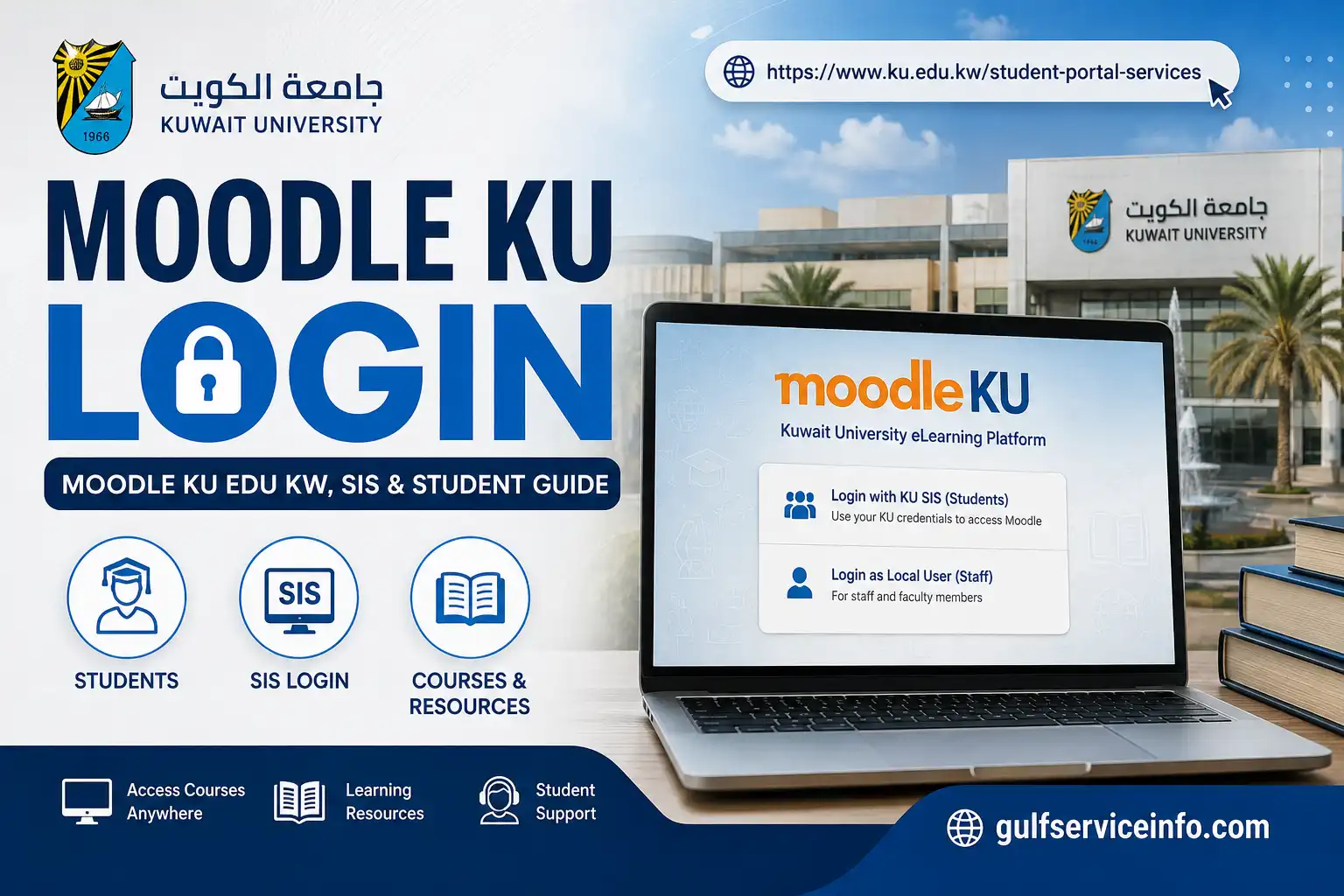
Moodle KU is Kuwait University’s official online learning platform for students and faculty. It is used to access course materials, assignments, quizzes, announcements, discussions, and other academic activities in one place. Kuwait University identifies Moodle as its official e-learning platform and provides a dedicated Moodle system through its university website.
For students searching for Moodle KU login, Moodle KU Edu KW, or moodle.ku.edu.kw login, the official Moodle address is moodle.ku.edu.kw. Kuwait University’s Student E-Services page also links directly to this domain as the university’s Moodle System.
Explore more useful online services and helpful guides: Visit Our Homepage.
What Is Moodle KU?
Kuwait University Moodle online learning platform, designed to support both online and blended learning. It gives students a central place to reach their enrolled courses, while instructors can use the system to share academic resources, organise activities, and interact with students.
Depending on the course and the tools enabled by the instructor, students can use Moodle KU to:
Kuwait University’s Moodle resources cover functions including assignments, quizzes, forums, course materials, calendars, and course progress.
Moodle KU Login
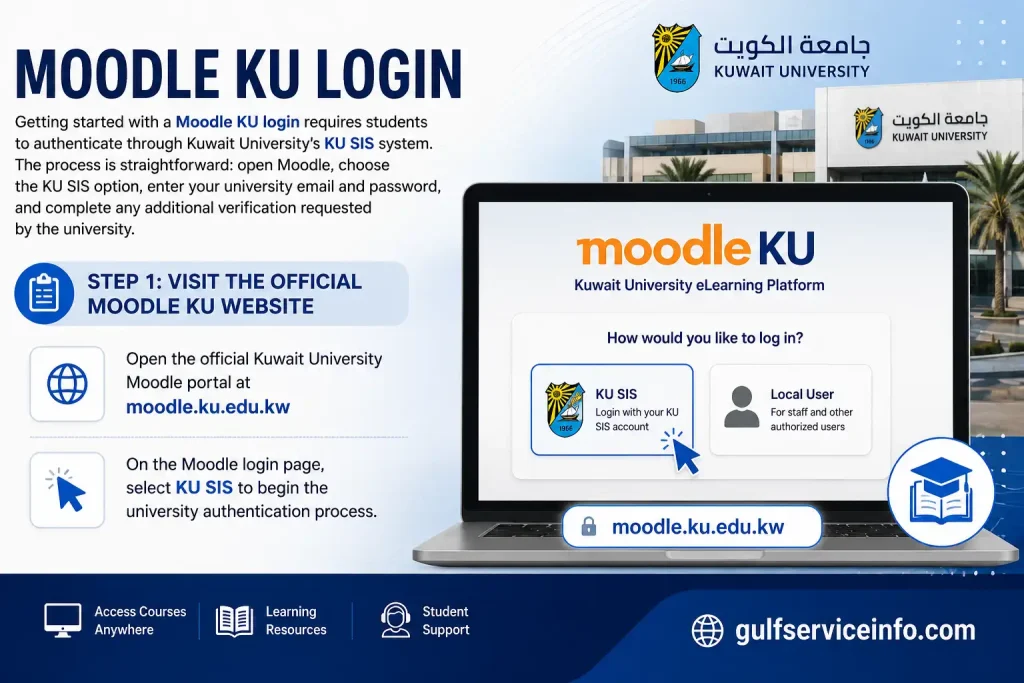
Getting started with a Moodle KU login requires students to authenticate through Kuwait University’s KU SIS system. The process is straightforward: open Moodle, choose the KU SIS option, enter your university email and password, and complete any additional verification requested by the university.
Step 1: Visit the Official Kuwait University Moodle Website
Open the official Kuwait University Moodle portal at moodle.ku.edu.kw.
On the Moodle login page, select KU SIS to begin the university authentication process.
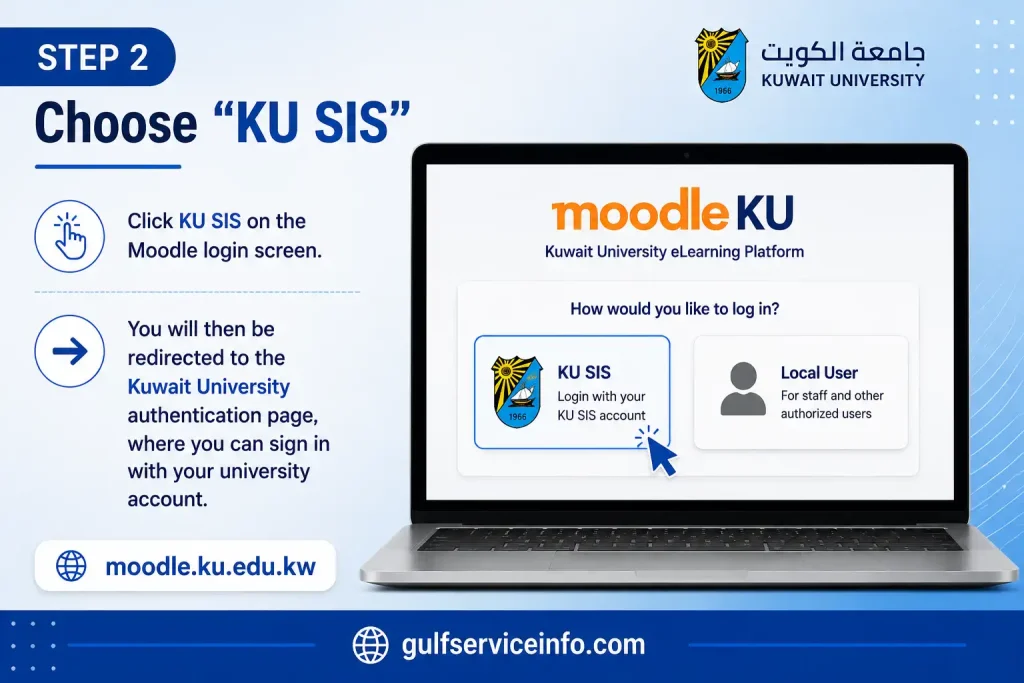
Step 2: Choose “KU SIS”
Click KU SIS on the Moodle login screen. You will then be redirected to the Kuwait University authentication page, where you can sign in with your university account.
Step 3: Enter Your KU Email Address
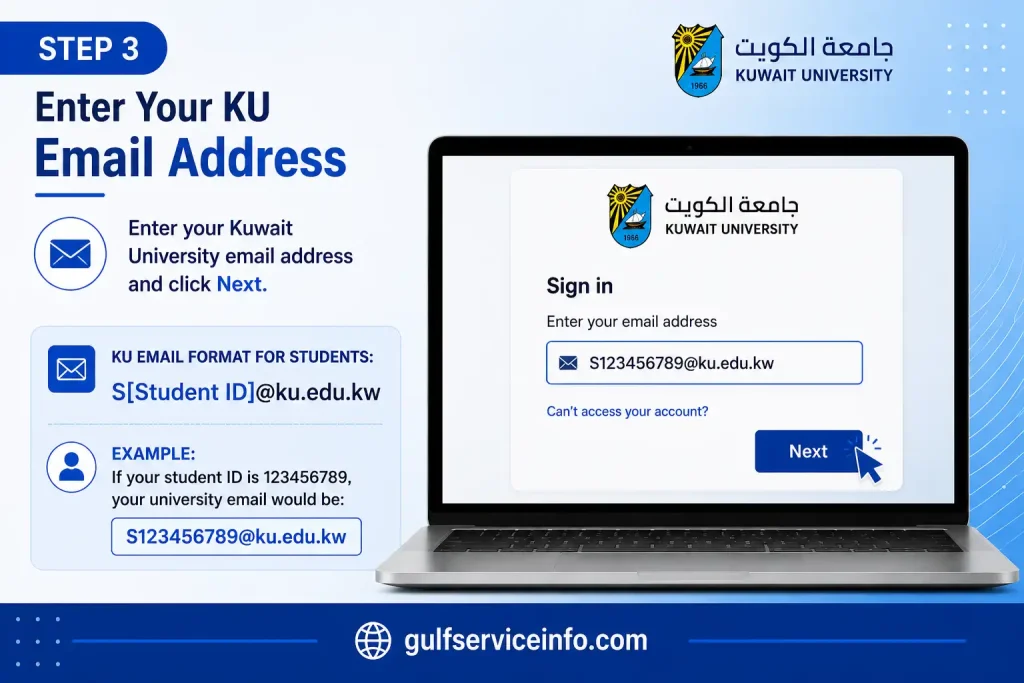
Enter your Kuwait University email address and click Next.
For students, Kuwait University states that the university email uses the following format:
S[Student ID]@ku.edu.kw
For example, if your student ID is 123456789, your university email would be:
Step 4: Enter Your Password
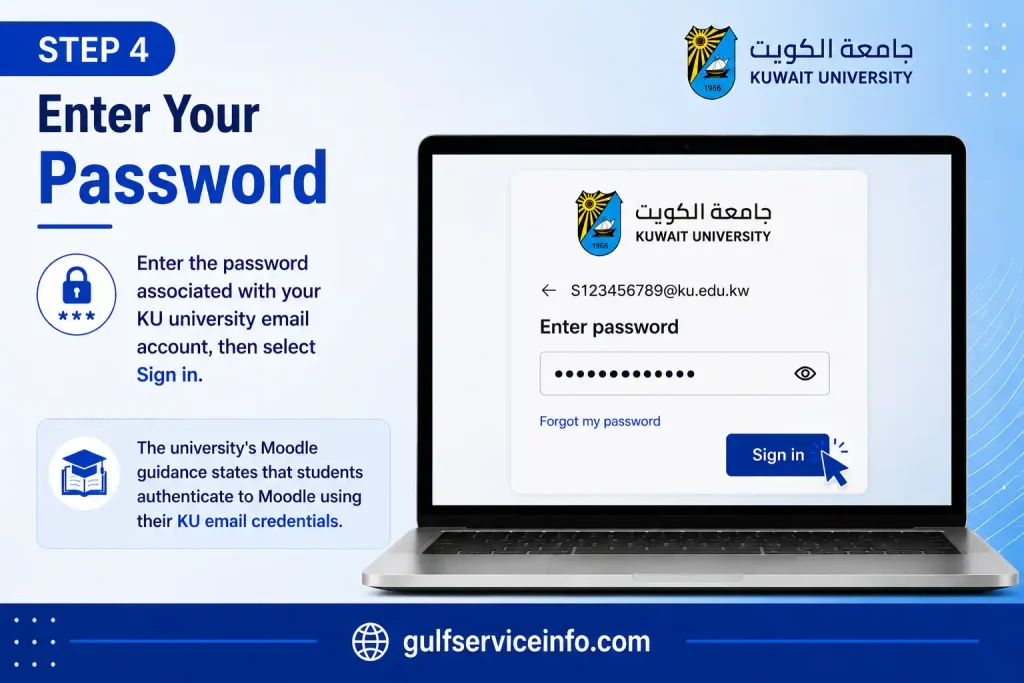
Enter the password associated with your KU university email account, then select Sign in.
The university’s Moodle guidance states that students authenticate to Moodle using their KU email credentials.
Step 5: Complete Any Required Verification
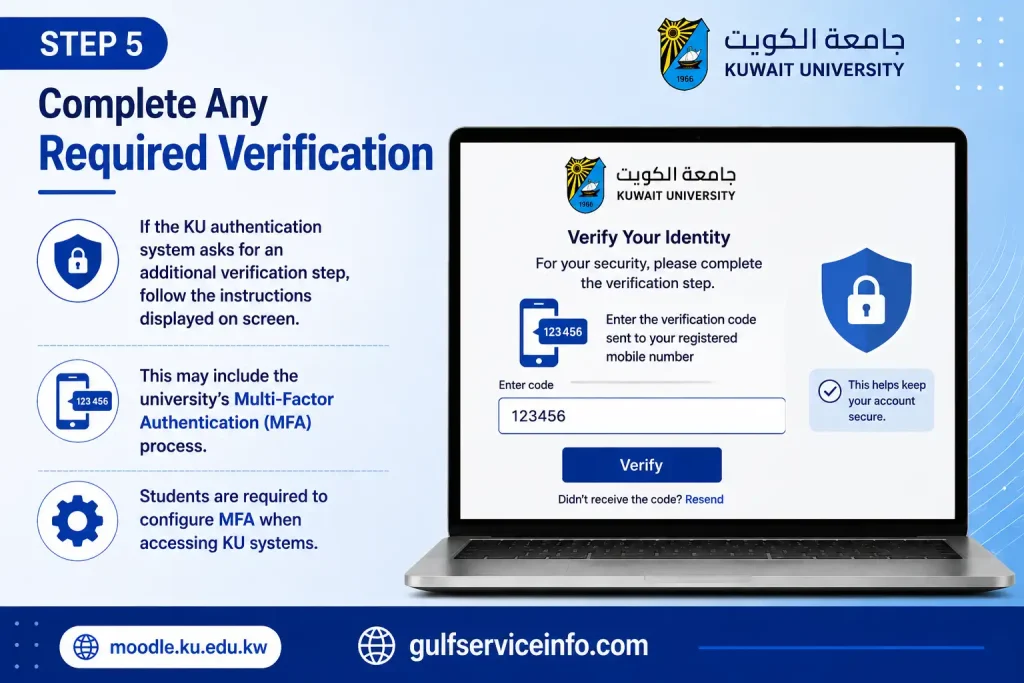
If the KU authentication system asks for an additional verification step, follow the instructions displayed on screen.
This may include the university’s Multi-Factor Authentication (MFA) process, which students are required to configure when accessing KU systems.
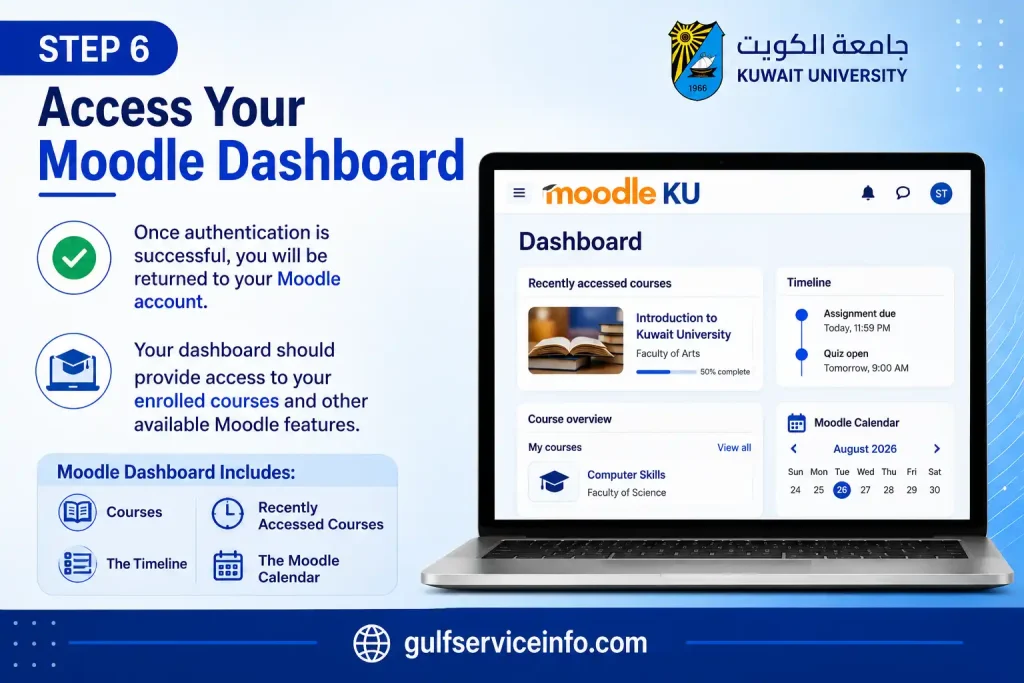
Step 6: Access Your Moodle Dashboard
Once authentication is successful, you will be returned to your Moodle account.
Your dashboard should provide access to your enrolled courses and other available Moodle features. Kuwait University’s student guidance identifies areas such as courses, recently accessed courses, the timeline, and the Moodle calendar as part of the dashboard experience.
Moodle KU Edu KW Login
Searches such as moodle ku edu kw, moodle.ku.edu.kw login, and moodle ku edu kw login generally point to the same Kuwait University Moodle service. The key is to make sure you are using the university’s verified Moodle domain before entering any account details.
The official Moodle address is:
Kuwait University’s Student E-Services page identifies this domain as its Moodle System, and the university’s E-Learning Center also provides a direct link to the same Moodle service.
How to Verify the Official Kuwait University Moodle Website
Before signing in, check the website address carefully. You should:
For the safest approach, you can start from Kuwait University’s official Student E-Services page and select Moodle System.
Are moodle.ku.edu.ku and Similar Variations Official?
You may encounter alternative spellings in searches, including:
A similar-looking web address does not make it an official Kuwait University service. The verified Moodle address provided in the source material is:
moodle.ku.edu.kw
Always check the domain before entering your KU email address, password, or other university credentials.
How to Access KU Moodle on Mobile
Kuwait University gives students two convenient ways to use Moodle from a phone or tablet: through the official KU Moodle app or a mobile web browser. Both options connect through KU SIS, allowing you to reach your courses and learning materials without needing a desktop.
Access KU Moodle Through a Mobile Browser
If you prefer not to install an app, the mobile version of Moodle works through modern browsers such as Chrome, Safari, or Edge.
Follow these steps:
This option is particularly useful when you have limited phone storage or simply want to access Moodle without installing another application.
Use the KU Moodle Mobile App
Kuwait University’s Student Moodle Guide confirms that the official Moodle application is available for both iOS and Android. To get started, download the app from the appropriate app store and connect it to the KU SIS login.
After installation:
The app provides a dedicated mobile interface, making it practical for checking course content and completing supported activities while away from a computer.
What Can You Do Through KU Moodle on Mobile?
The features available to you depend on how your course has been configured, but the KU Moodle app can support several common learning activities.
You may be able to:
Some Moodle activities can also be used offline. When the device reconnects to the internet, supported activity data can synchronise, although this depends on the activity’s Moodle settings and restrictions.
Troubleshooting KU Moodle on Your Phone
A login problem does not always mean that your university account is unavailable. Before seeking further assistance, check the basics first.
If the app continues to cause problems, switching temporarily to the browser version can help determine whether the issue is related to the application or the account login.
Moodle KU SIS: What Is the Difference?
The terms Moodle and KU SIS often appear together when Kuwait University students log in, which can make the two systems seem like the same service. They are not. Each has a different purpose within the university’s digital services.
| Moodle | KU SIS |
|---|---|
| Course learning platform | Student information system |
| Course materials | Academic and student records |
| Assignment submissions | Registration and academic information |
| Course announcements | Grades and university-related records |
| Quizzes and learning activities | Course schedules and registration details |
| Course discussions | Administrative student services |
Kuwait University’s Student E-Services list the Moodle System and Student Registration System as separate services. The Student Registration System is used for areas such as course schedules, grades, and registration information.
Why Do You See KU SIS When Logging In to Moodle?
Seeing KU SIS on the Moodle login screen can be misleading, but it doesn’t mean the two platforms are identical.
According to Kuwait University’s Moodle login instructions, students select KU SIS when signing in to Moodle. In this context, KU SIS forms part of the university’s authentication process that allows students to access their Moodle account.
In other words, Moodle is where you access your courses, while KU SIS is involved in verifying your university login credentials.
What Can You Do on Moodle KU?
After signing in to Kuwait University Moodle, the tools and activities you see will vary depending on your enrolled courses and the features your instructors have enabled. Moodle brings course resources, assignments, communication, and other learning activities together in one place.
Common things you can do include:
Kuwait University’s documentation supports Moodle features for assignments, quizzes, forums, course resources, calendars, and communication tools, although the exact features available can differ from one course to another.
How to Find Your Courses on Kuwait University Moodle
Once you have completed your Moodle KU login, your enrolled courses can be accessed through the Moodle dashboard. The My courses area is where you can find the courses linked to your account.
Sign In to Moodle KU
Start by visiting moodle.ku.edu.kw and signing in with your Kuwait University credentials.
Open Your Moodle Dashboard
After signing in, go to the Dashboard. This is the main area for accessing your courses and other Moodle activities.
Go to “My Courses”
From the dashboard, select My courses. According to Kuwait University’s Student Moodle Guide, this section displays the courses in which you are enrolled.
Select a Course
Find the course you need and select it to open the course page.
Access Course Content
Once inside the course, you can explore the resources and activities your instructor has made available. These may include course files, assignments, quizzes, forums, and other learning activities.
Moodle KU Login Problems: Common Issues and Solutions
Moodle KU access problems are usually related to account credentials, browser settings, website access, or course activation rather than Moodle itself. If you cannot sign in to Moodle KU, start by checking the official Moodle address, your KU account details, and any multi-factor authentication (MFA) request. The troubleshooting steps below cover the most common login, password, website, and missing-course issues.
What to Check When Moodle KU Login Fails
When your Moodle KU login does not work, go through these checks before contacting support:
Kuwait University’s Student Moodle Guide recommends clearing browser cookies and cache when students are unable to access Moodle.
Forgot Your Moodle KU Password?
A forgotten Moodle password should be resolved through Kuwait University’s account password-reset service because Moodle uses your KU account credentials.
Use the official KU Password Reset service to regain access. The university’s Moodle guidance explains that students can enter their Kuwait University ID, verify their identity with a security code sent to their registered personal email address or mobile number, and then set a new password.
Password reset: mspwdreset
Moodle KU Website Won’t Open
If moodle.ku.edu.kw is not loading, the problem may be related to your connection, browser, device, or the Moodle service itself. Try the following:
A browser change or cache reset can often rule out a local browser problem before you escalate the issue to university support.
Why Is My Course Missing From Moodle KU?
If you can log in successfully but a course is not visible, your Moodle account may be working normally. The course might simply not have been activated yet.
Kuwait University’s current student guidance advises students to contact the course instructor when an expected course does not appear, as the instructor may not have activated it.
What to Do If Your Moodle KU Account Is Locked
If your KU credentials are repeatedly rejected or you suspect that your account has been locked, avoid continuing to enter different passwords. Instead, verify your account details and use Kuwait University’s official password-reset service if you need to recover your credentials.
If the problem remains after resetting or confirming your account information, contact the appropriate university technical-support team for assistance.
For Moodle-specific support, Kuwait University’s current student guidance lists:
Moodle Login Works but My Courses Are Not Showing
A successful Moodle login does not necessarily mean every enrolled course will immediately appear. Start by checking your My Courses area and dashboard, then confirm that you are signed in with the correct KU account.
If the course is still missing, check the following:
The university specifically directs students to contact their instructor when an enrolled course is missing because the instructor may not yet have activated it.
Frequently Asked Questions
Final Thoughts
Getting into Moodle KU is generally straightforward when you use the correct access route. Most login issues result from choosing the wrong sign-in method, using an unofficial or incorrect web address, or not having the appropriate KU Moodle app setup. For most Kuwait University students, moodle.ku.edu.kw and the KU SIS login option provide the main access route, while faculty and specialised users who require the Local User option should use the credentials provided by their college or department. Beyond login, Moodle KU supports offline course access, deadline tracking through the Timeline, electronic assignment submission with timestamps, and direct messaging with instructors, making it a useful platform for staying organised throughout the semester.
Read More: Explore our related Gulf government service guides for more step-by-step information and helpful updates.